
Tuni K112
Tuni Portable Coffee Scale User Manual
Model: K112
Introduction
This manual provides comprehensive instructions for the operation, maintenance, and troubleshooting of your Tuni Portable Coffee Scale. Designed for precision and versatility, this scale is an essential tool for coffee enthusiasts and professionals alike.
The Tuni digital scale offers multiple modes including manual, automatic, powder/water ratio, and flow rate, allowing for precise control over your brewing process. It features a 0.1g high precision sensor, a maximum capacity of 2.1 kg, and a timer up to 99 minutes and 59 seconds. Its compact design, durable tempered glass surface, and rechargeable battery make it ideal for both home and portable use.
Product Overview
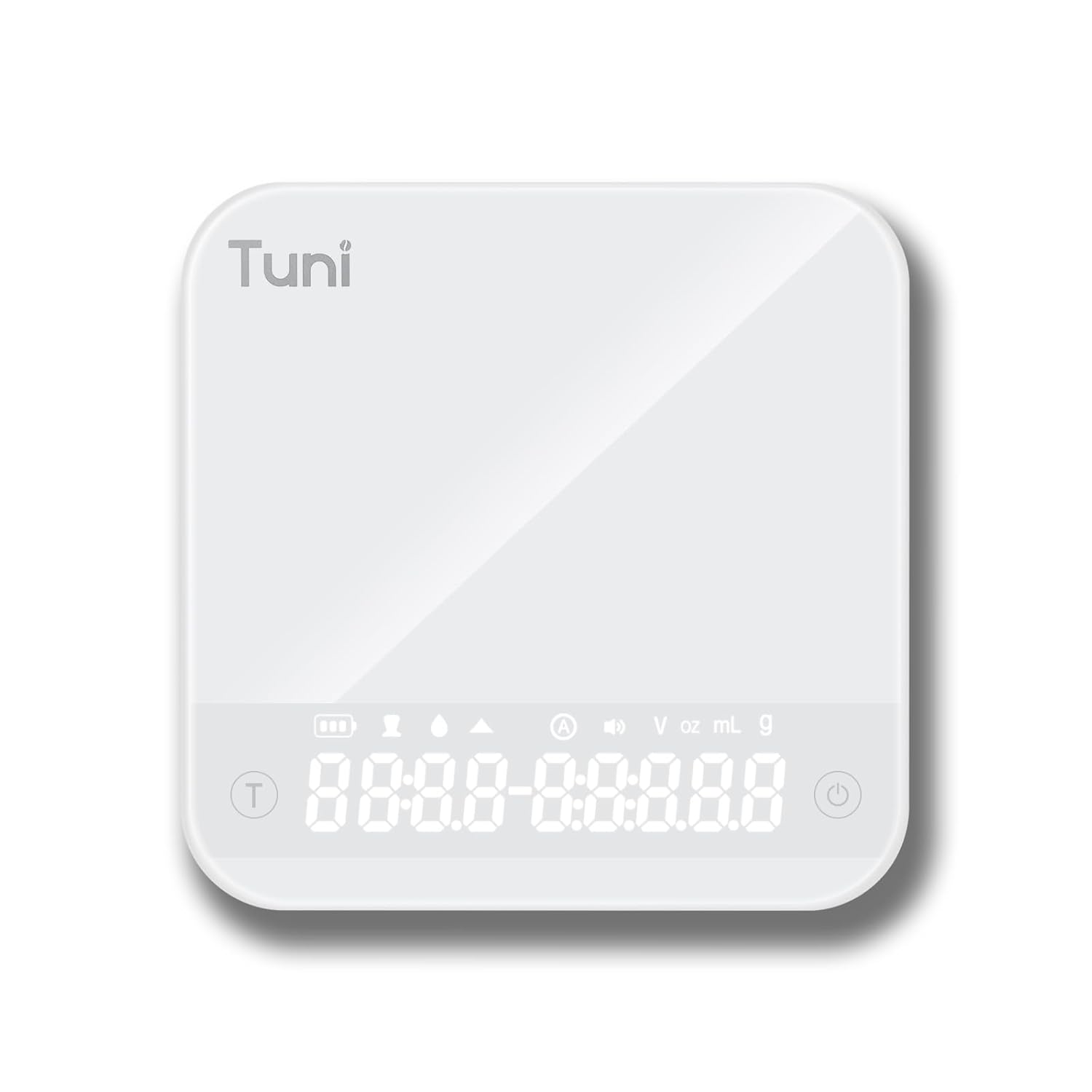
Figure 1: Top view of the Tuni Portable Coffee Scale, showing the hidden LED display and touch-sensitive buttons.

Figure 2: The compact size of the Tuni Coffee Scale, measuring approximately 4.1 x 4.1 x 0.8 inches, making it highly portable.
Key Features:
- 4 Modes and 3 Units: Supports manual timing, automatic mode, powder/water ratio mode, and flow rate mode. Measures in grams (g), milliliters (ml), and ounces (oz).
- LED Tempered Glass Display: Hidden LED display integrated into a high-temperature resistant and waterproof tempered glass surface.
- 0.1g High Precision: Accurate measurements from 0.3g to 2000g, with a maximum timer of 99 minutes and 59 seconds.
- Long-life Rechargeable Battery: Built-in 500mAh lithium battery, rechargeable via Type-C, providing up to 90 days of use on a single charge. Features auto-sleep after 2 minutes of inactivity.
- Mute Function: Option to silence beeping sounds for a quiet brewing experience.
- Pocket Size: Compact and lightweight (0.9 lb), easy to store and carry.
Setup
Unpacking and Initial Inspection:
- Carefully remove the Tuni Coffee Scale from its packaging.
- Inspect the scale for any visible damage. If damage is found, do not use the product and contact customer support.
- Ensure all components are present: Tuni Coffee Scale, Type-C charging cable.
First Use and Charging:
Before first use, it is recommended to fully charge the scale.
- Connect the provided Type-C charging cable to the scale's charging port.
- Connect the other end of the cable to a compatible USB power source (e.g., computer, power bank, wall adapter, car charger).
- The display will indicate charging status. A full charge typically takes a few hours.

Figure 3: The Tuni Coffee Scale supports multiple charging methods, including car chargers, power banks, computer USB ports, and wall adapters.
Placement:
Place the scale on a flat, stable, and level surface to ensure accurate measurements. Avoid placing it near strong electromagnetic fields or vibrating equipment.
Operating Instructions
Power On/Off:
- To power on, press the Power button (symbol: circle with vertical line) located on the right side of the scale. The LED display will illuminate.
- To power off, press and hold the Power button for 3 seconds. The scale will also automatically enter sleep mode after 2 minutes of inactivity.
Unit Conversion:
The scale supports three units: grams (g), milliliters (ml), and ounces (oz).
- With the scale powered on, press the Unit button (symbol: 'U' or similar) to cycle through the available units. The selected unit will be displayed on the screen.
Tare Function:
The tare function allows you to reset the scale to zero after placing a container on it, so you only measure the contents.
- Place an empty container on the weighing platform.
- Press the Tare button (symbol: 'T') located on the left side of the scale. The display will reset to 0.0g.
- You can now add your ingredients, and the scale will display only their weight.
Timer Function:
The built-in timer can be used independently or in conjunction with weighing.
- To start the timer, press the Timer button (often integrated with Tare or a separate button).
- Press again to pause, and press and hold to reset.
Measurement Modes:
The Tuni scale offers four distinct measurement modes for various coffee brewing needs.

Figure 4: Illustration of the Auto Timing and Manual Timing modes, streamlining the coffee brewing process.

Figure 5: Demonstration of the Powder/Liquid Ratio and Flow Rate modes, providing intuitive insights into brewing metrics.
- Manual Mode: Standard weighing and timing. Use the Tare button to zero the weight and the Timer button to start/stop the timer.
- Automatic Mode: The scale automatically tares and starts the timer when liquid is detected. Ideal for espresso.
- Powder/Water Ratio Mode: Displays the ratio of coffee grounds to water. Follow on-screen prompts for adding ingredients.
- Flow Rate Mode: Shows the rate at which water is flowing through your coffee, providing real-time feedback for pour-over brewing.
Refer to the specific mode indicators on the display for active mode. Switching between modes is typically done by pressing a dedicated mode button or a combination of buttons (refer to quick start guide if included with product).
Mute Function:
To silence the beeping sounds for a quieter operation:
- Press the Power and T (Tare) buttons simultaneously for 2 seconds. The mute icon will appear on the display, indicating the function is active. Repeat to unmute.
Maintenance
Cleaning:
The Tuni Coffee Scale features a tempered glass surface that is easy to clean.
- Wipe the surface with a soft, damp cloth.
- For stubborn stains, use a mild detergent solution on the cloth, then wipe clean with a damp cloth and dry thoroughly.
- Do not immerse the scale in water or use abrasive cleaners, as this can damage the electronic components.

Figure 6: The Tuni Coffee Scale is designed with premium, heat-resistant, waterproof, and anti-scratch tempered glass for easy cleaning and durability.
Storage:
When not in use, store the scale in a cool, dry place, away from direct sunlight and extreme temperatures.
Battery Care:
- To prolong battery life, avoid fully discharging the battery frequently.
- If storing for an extended period, charge the battery to approximately 50% before storage.
Troubleshooting
| Problem | Possible Cause | Solution |
|---|---|---|
| Scale does not turn on. | Low battery or no power. | Charge the scale using the provided Type-C cable. Ensure the power source is active. |
| Inaccurate readings. | Scale not on a flat, stable surface; overloaded; external vibrations; dirt under platform. | Place on a firm, level surface. Do not exceed 2.1 kg capacity. Avoid vibrations. Clean the scale thoroughly. |
| Display shows "Lo" or "Err". | Low battery ("Lo") or overload/error ("Err"). | Charge the battery. Remove excess weight from the platform. Power cycle the scale. |
| Timer not working correctly. | Incorrect mode selected or button malfunction. | Ensure you are in the correct mode for timer operation. Try resetting the scale by powering it off and on. |
| Mute function not activating. | Incorrect button combination. | Ensure you are pressing the Power and T (Tare) buttons simultaneously for 2 seconds. |
If the problem persists after attempting these solutions, please contact Tuni customer support for further assistance.
Specifications
| Feature | Detail |
|---|---|
| Model Number | K112 |
| Brand | Tuni |
| Capacity | 0.3g - 2000g (2.1 kg max) |
| Accuracy | 0.1g |
| Units | g, oz, ml |
| Timer | Up to 99 minutes, 59 seconds |
| Battery | 500mAh Lithium Polymer (rechargeable) |
| Charging Port | Type-C |
| Display | Hidden LED Tempered Glass |
| Product Dimensions | 10.41 x 10.41 x 2.03 cm (4.1 x 4.1 x 0.8 inches) |
| Product Weight | 277 g (0.9 lb) |
| Auto Shut Off | After 2 minutes of inactivity |
Warranty and Support
Tuni provides 18 months of after-service support and lifetime technical assistance for this product.
For warranty claims, technical support, or any inquiries regarding your Tuni Portable Coffee Scale, please contact Tuni customer service through the retailer where the product was purchased or visit the official Tuni website for contact information.
Please retain your proof of purchase for warranty purposes.
Ask a question about this manual
Ask about setup, troubleshooting, compatibility, parts, safety, or missing instructions. Manuals+ will review the question and use this page’s manual context to help answer it.