
MORENTO HY4866-WF
MORENTO Air Purifier HY4866-WF User Manual
Model: HY4866-WF
Introduction
Thank you for choosing the MORENTO Air Purifier HY4866-WF. This manual provides essential information for the safe and efficient operation of your air purifier. Please read it thoroughly before use and keep it for future reference.
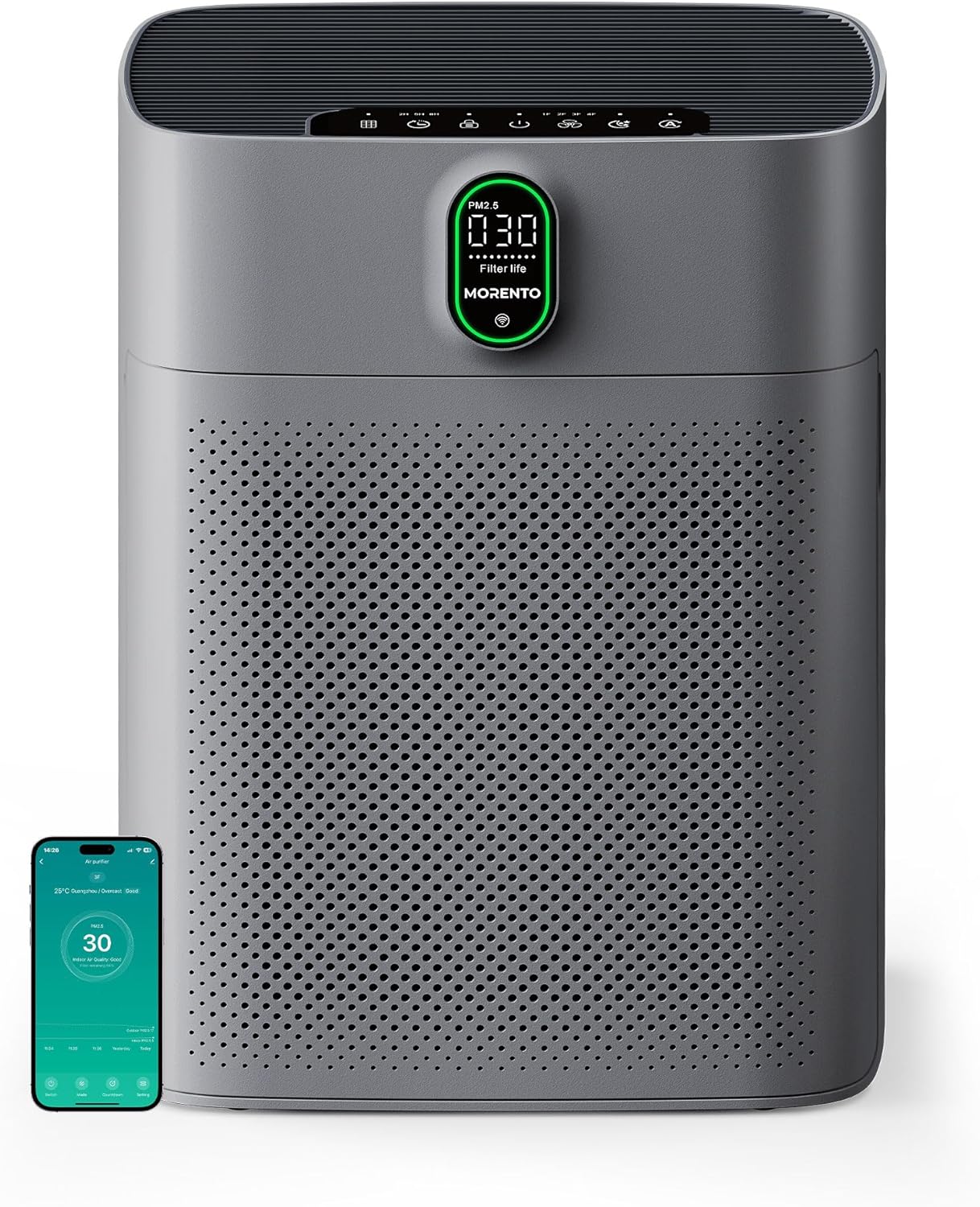
The MORENTO Air Purifier HY4866-WF, designed for large rooms.
Important Safety Information
To reduce the risk of fire, electric shock, or injury, please observe the following safety precautions:
- Always unplug the air purifier before moving, cleaning, or performing any maintenance.
- Do not block the air inlets or outlets. Ensure at least 15 inches (40cm) of clear space around the unit.
- Do not use in wet or damp environments, such as bathrooms.
- Keep the appliance away from heat sources and direct sunlight.
- This appliance is not intended for use by persons (including children) with reduced physical, sensory, or mental capabilities, or lack of experience and knowledge, unless they have been given supervision or instruction concerning use of the appliance by a person responsible for their safety.
- Children should be supervised to ensure that they do not play with the appliance.
Setup
Filter Installation
The air purifier comes with filters pre-installed, but they are sealed in plastic for protection. Please remove the plastic packaging before first use.
- Pull both sides of the front and back covers to remove them.
- Take out the original filters.
- Remove the plastic packaging from the filters.
- Put the filters back into the unit, ensuring the 'FRONT' label faces outwards.
- Close the front and back covers securely.
Official MORENTO video demonstrating filter installation and basic operation.
Power Connection
Connect the power cord to the air purifier and then plug it into a standard electrical outlet. The unit will enter standby mode.
Operating Instructions
Control Panel Overview
The control panel features touch-sensitive buttons and a digital display.
- Power Button: Turns the unit On/Off.
- Fan Speed: Cycles through 1F, 2F, 3F, 4F fan speeds.
- Auto Mode: Automatically adjusts fan speed based on air quality.
- Sleep Mode: Runs at the lowest fan speed (less than 24dB) with display lights off.
- Timer: Sets operation duration for 2, 5, or 8 hours.
- Child Lock: Locks the control panel to prevent accidental changes.
- Filter Life Indicator: Displays remaining filter life percentage.
- PM2.5 Display: Shows real-time air quality readings.
Automatic Mode
In Automatic Mode, the air purifier uses its PM2.5 infrared sensor to detect the current air quality and adjusts the fan speed accordingly. The display will show different colors (Green: Good, Yellow: Moderate, Red: Bad) based on the PM2.5 level.

Automatic mode adjusts fan speed for optimal air purification.
Sleep Mode
Activate Sleep Mode for quiet operation. The fan speed will be set to its lowest setting (less than 24dB), and all display lights will turn off to ensure an undisturbed rest. To exit Sleep Mode, activate the display by touching any button.

Sleep mode provides ultra-quiet operation for a peaceful environment.
Wi-Fi and App Control
The MORENTO Air Purifier HY4866-WF is compatible with the 'Havaworks' app, allowing you to control the device remotely and monitor air quality from your smartphone.
- Download the 'Havaworks' app from the App Store (iOS) or Google Play Store (Android).
- Follow the in-app instructions to register an account and add your device. Ensure your phone's Wi-Fi is on and you are connected to a 2.4GHz network (5GHz networks are not supported).
- Once connected, you can customize schedules, adjust fan speeds, set timers, and check filter life directly from the app.

Control your air purifier remotely with the Havaworks app.
Voice Control (Alexa & Google Assistant)
Integrate your air purifier with Amazon Alexa or Google Assistant for convenient voice control.
- In the 'Havaworks' app, navigate to the 'ME' section (usually in the lower right corner).
- Select 'Alexa' or 'Google Assistant' under 'Third-Party Services'.
- Follow the prompts to link your Havaworks account with your chosen voice assistant.
- Once linked, you can use voice commands like "Alexa, set the air purifier to Auto Mode" or "Hey Google, turn on the air purifier."

Conveniently control your air purifier using voice commands.
Maintenance
Filter Replacement
The air purifier uses dual 3-stage HEPA filters. The smart display and app will indicate when it's time to replace them. For optimal performance, replace filters every 6-8 months, depending on usage and air quality.
- Compatible Replacement Filters: Search for B0BMDYDXFK (enhanced) or B0C3GWNR29 (original) on Amazon.
- Replacement Steps: Follow the filter installation steps in the Setup section.
- Reset Filter Life: After replacing the filters, press and hold the 'Filter Reset' button on the control panel for 5 seconds until you hear three beeps. The filter life will reset to 100%.

The multi-layer filtration system includes a pre-filter, True HEPA filter, and activated carbon filter.
Cleaning the PM2.5 Sensor
The PM2.5 sensor is located on the back of the unit. If it becomes dirty, it may affect the accuracy of air quality readings. Gently clean the sensor opening with a dry cotton swab or soft brush periodically.
Exterior Cleaning
Wipe the exterior of the air purifier with a soft, dry cloth. Do not use abrasive cleaners or solvents.
Troubleshooting
- Unit does not turn on: Check if the power cord is securely plugged into the outlet and the unit. Ensure the outlet is functional.
- Poor air purification: Check if the filters are installed correctly and if the plastic packaging has been removed. Replace filters if their life is low. Ensure air inlets/outlets are not blocked.
- Abnormal noise: Check for any foreign objects inside the unit or if the filters are improperly installed.
- Wi-Fi connection issues: Ensure your router is 2.4GHz compatible. Check Wi-Fi password. Restart the air purifier and your router.
- Inaccurate PM2.5 readings: Clean the PM2.5 sensor. Ensure the sensor is not blocked or too close to a wall.
Specifications
| Model Number | HY4866-WF |
| Product Dimensions | 7.64"D x 13.19"W x 17.52"H |
| Floor Area Coverage | Up to 1076 sq ft (100 m²) |
| Noise Level | Less than 24 Decibels (Sleep Mode) |
| CADR | 300 m³/h |
| Filter Type | Dual 3-Stage HEPA Filters |
| Connectivity | Wi-Fi (2.4GHz), Alexa, Google Assistant |
Warranty and Support
MORENTO products come with a standard manufacturer's warranty. For detailed warranty information, product support, or to purchase replacement parts, please visit the official MORENTO website or contact customer service.
Contact Information: Please refer to the product packaging or the official MORENTO website for the most up-to-date contact details.
Related documentsHY4866-WF


Ask a question about this manual
Ask about setup, troubleshooting, compatibility, parts, safety, or missing instructions. Manuals+ will review the question and use this page’s manual context to help answer it.