
1. Introduction
This manual provides essential information for the safe and effective operation of the VICTOR 60H, 60F, and 60G series Digital Insulation Resistance Meters. These instruments are designed for measuring insulation resistance, AC/DC voltage, and continuity, offering stable performance and reliable results for various electrical testing applications.
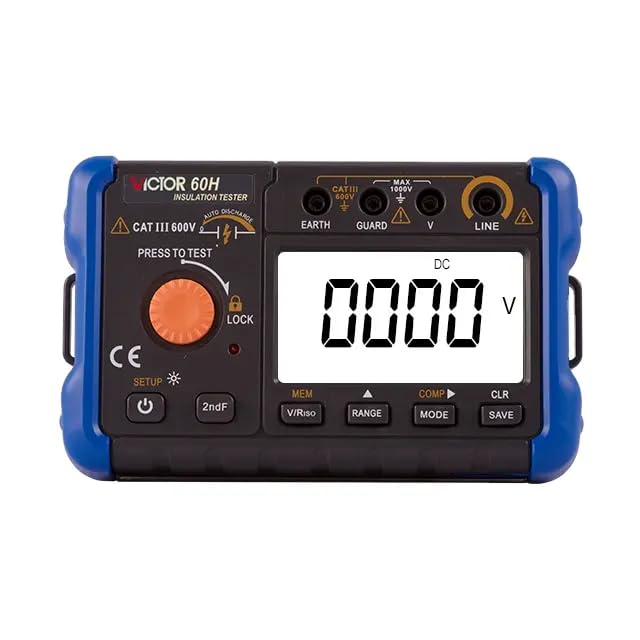
Image 1.1: VICTOR Digital Insulation Resistance Tester (General View)
2. Safety Information
WARNING: To avoid electric shock or personal injury, read all safety information before using this product.
- Always inspect the instrument and test leads for damage before use. Do not use if damaged.
- Do not apply more than the rated voltage, as marked on the instrument, between terminals or between any terminal and earth ground.
- Use caution when working with voltages above 30V AC RMS, 42V AC peak, or 60V DC. These voltages pose a shock hazard.
- Do not operate the instrument in explosive gas, vapor, or dust environments.
- Ensure the battery compartment is securely closed before operation.
- Always disconnect the test leads from the circuit under test before changing functions or ranges.
- Discharge all circuit capacitance after insulation resistance testing.
3. Product Features and Components
The VICTOR Digital Insulation Resistance Meter is designed for ease of use and reliable performance. Key components are identified below.

Image 3.1: Front Panel Components of VICTOR 60F/60H/60G
- Rope hanging hole
- Measuring knob (PRESS TO TEST)
- Ground terminal (EARTH)
- Protection terminal (GUARD)
- Voltage measurement terminal (V)
- Voltage output terminal (LINE)
- Display screen
- Data save/delete key (CLR SAVE)
- Power adapter interface
- Function/shift right key (MODE)
- Setting/range key (RANGE)
- Function selection keys (MEM, V/Riso, COMP)
- Second function key (2ndF)
- Power/Backlight button
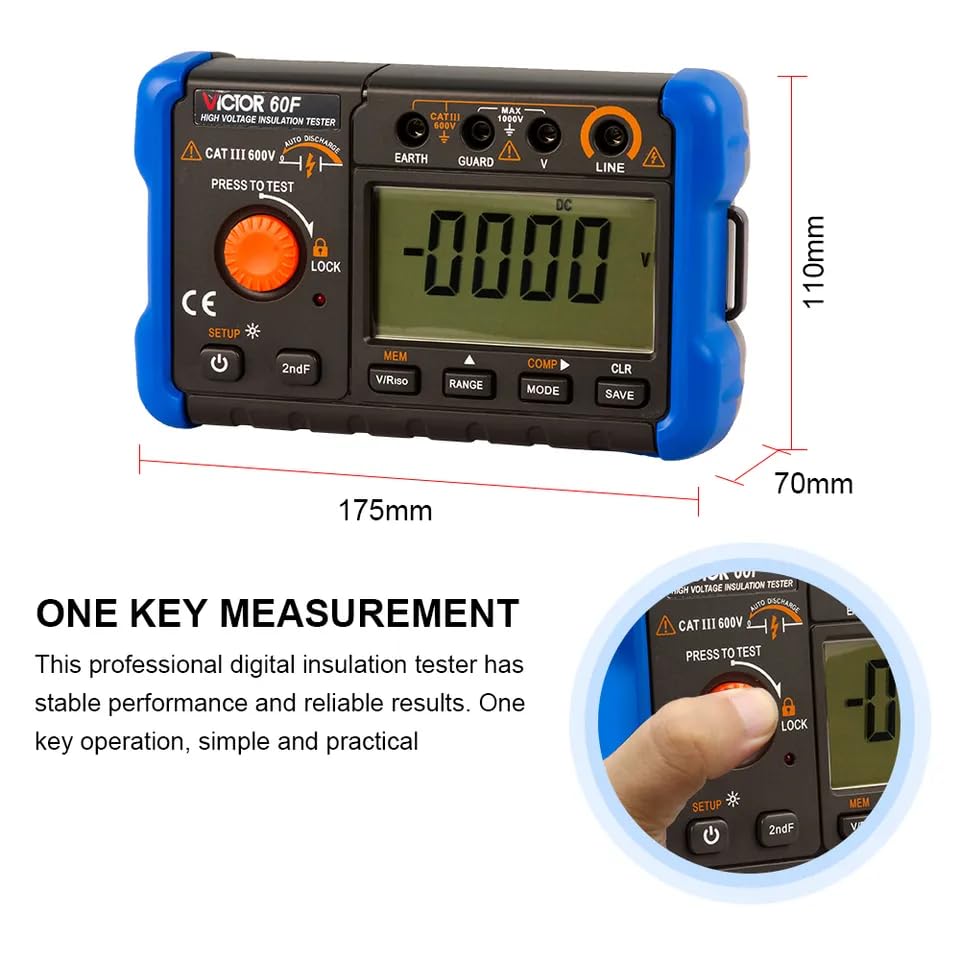
Image 3.2: Device Dimensions and One-Key Measurement
The device measures approximately 175mm in length, 110mm in height, and 70mm in width. It features a "One Key Measurement" function for simplified operation.
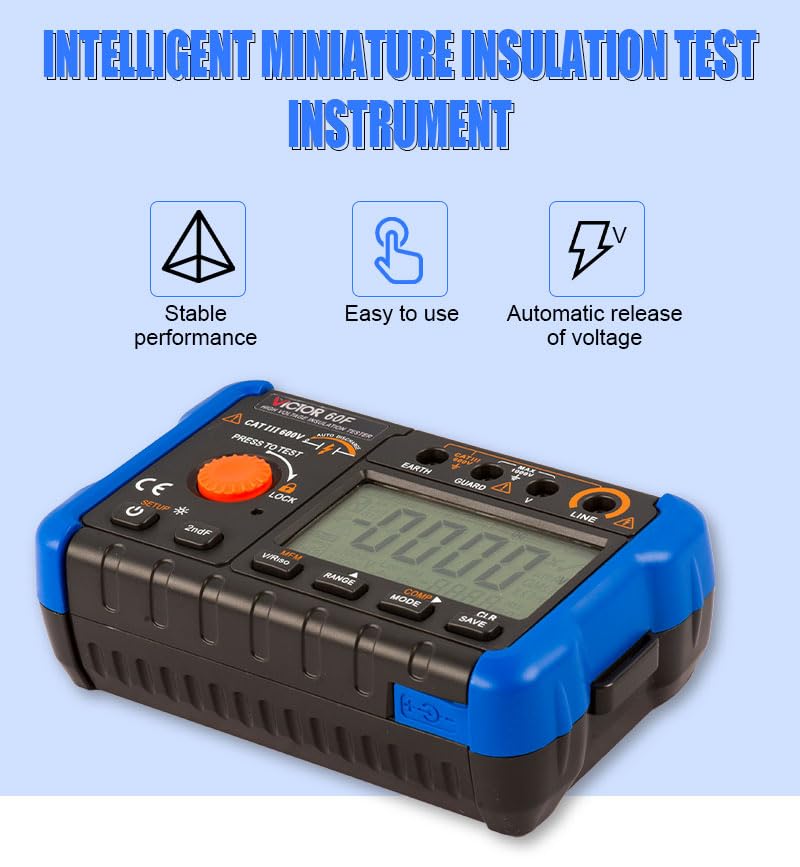
Image 3.3: Key Features Overview
The instrument offers stable performance, is easy to use, and includes an automatic release of voltage feature for safety after testing.
Detailed Features:

Image 3.4: Detailed Views of Instrument Features
- HD Large Screen Display: Features a large-screen LCD display with clear digital symbols and convenient backlight for easy reading in various lighting conditions.
- Function Buttons: Ergonomically designed buttons ensure a good feel and easy operation, with each key corresponding to a specific function.
- Battery Compartment: The instrument uses 8 x 1.5V alkaline batteries, providing reliable power.
- Power Adapter Jack: Located on the side, protected by a soft plastic door, for connecting the special power adapter.
4. Setup
- Battery Installation: Open the battery compartment cover on the back of the instrument. Insert 8 x 1.5V alkaline batteries, ensuring correct polarity. Close the cover securely.
- Power On/Off: Press the Power/Backlight button (14) to turn the instrument on or off.
- Test Lead Connection: Connect the test leads to the appropriate terminals (EARTH, GUARD, V, LINE) based on the measurement type.
- Power Adapter (Optional): If using the power adapter, open the soft plastic door on the side and insert the adapter plug.
5. Operating Instructions
This section details the primary operating procedures for the VICTOR Digital Insulation Resistance Meter.
5.1. Insulation Resistance Measurement (RISO)
- Ensure the circuit under test is de-energized and safely discharged before connecting the meter.
- Connect the test leads: typically, the LINE terminal to the conductor and the EARTH terminal to the ground or shield. For three-terminal measurements, connect the GUARD terminal to the guard ring or shield.
- Select the desired test voltage (e.g., 100V, 250V, 500V, 1000V) using the RANGE key (11) or the measuring knob (2).
- Press and hold the Measuring knob (2) (PRESS TO TEST) to initiate the test. The test voltage will be applied, and the insulation resistance value will be displayed.
- Release the Measuring knob (2) to stop the test. The instrument will automatically discharge any residual voltage.
- Observe the reading on the display screen (7).
One Key Measurement: The instrument supports a simplified "One Key Measurement" operation. Simply select the desired test voltage and press the "PRESS TO TEST" knob to begin the measurement. This provides stable and reliable results with minimal effort.
5.2. AC/DC Voltage Measurement
- Connect the test leads to the V and EARTH terminals.
- Use the MODE key (10) or V/Riso key (12) to select AC or DC voltage measurement mode.
- Connect the test leads to the circuit to be measured.
- Read the voltage value on the display screen (7).
5.3. Data Save and Delete
- To save a measurement: After a stable reading, press the CLR SAVE key (8) to save the data.
- To recall saved data: Use the MEM key (12) to browse through saved measurements.
- To delete data: While viewing saved data, press and hold the CLR SAVE key (8) to delete the current record or all records as prompted.
6. Maintenance
- Cleaning: Wipe the instrument with a damp cloth and mild detergent. Do not use abrasives or solvents.
- Battery Replacement: When the low battery indicator appears on the display, replace all 8 x 1.5V alkaline batteries promptly to ensure accurate measurements.
- Storage: If the instrument is not used for a long period, remove the batteries to prevent leakage. Store in a cool, dry place away from direct sunlight.
- Calibration: For continued accuracy, periodic calibration by qualified personnel is recommended.
7. Troubleshooting
- No Display/Power On:
- Check battery installation and polarity.
- Replace batteries if they are low or depleted.
- Ensure the power button is pressed firmly.
- Inaccurate Readings:
- Check test lead connections for proper contact.
- Ensure the correct measurement function and range are selected.
- Verify the circuit under test is de-energized and discharged before insulation resistance testing.
- Consider professional calibration if inaccuracies persist.
- "OL" or Overload Indication:
- The measured value exceeds the selected range. Switch to a higher range if available, or note that the resistance is extremely high (open circuit).
8. Specifications
The following table details the insulation resistance measurement ranges and accuracy for the VICTOR 60F, 60G, and 60H models.

Image 8.1: Insulation Resistance Measurement (RISO) Specifications
| Rated Voltage | Model 60F Range | Model 60G Range | Model 60H Range | Open Circuit Voltage | Accuracy |
|---|---|---|---|---|---|
| 50V | 0~1.999MΩ | / | / | DC 50V +10%, -10% | 5%+3 |
| 2.00~19.99MΩ | / | / | |||
| 20.0~199.9MΩ | / | / | |||
| 100V | 0~1.999MΩ | 0~19.99MΩ | / | DC 100V +10%, -10% | 5%+3 |
| 2.00~19.99MΩ | 20.0~199.9MΩ | 20.0~199.9MΩ | |||
| 200~500MΩ | / | / | |||
| 250V | 0~1.999MΩ | 0~1.999MΩ | 0.00~19.99MΩ | DC 250V +20%, -0% | 5%+3 |
| 2.00~19.99MΩ | 2.00~19.99MΩ | 20.0~199.9MΩ | |||
| 20.0~199.9MΩ | 200~499MΩ | 200~999MΩ | |||
| 500V | 0~1.999MΩ | 0~1.999MΩ | 0.00~19.99MΩ | DC 500V +20%, -0% | 5%+3 |
| 2.00~19.99MΩ | 2.00~19.99MΩ | 20.0~199.9MΩ | |||
| 2.00~5.00GΩ | 0~1.999GΩ | 200~999MΩ | |||
| 1000V | 0~1.999MΩ | 0~1.999MΩ | 0.00~19.99MΩ | DC 1000V +20%, -0% | 5%+3 |
| 2.00~19.99MΩ | 2.00~19.99MΩ | 20.0~199.9MΩ | |||
| 2.00~9.99GΩ | 200~999MΩ | 200~1999MΩ | |||
| 1500V | / | / | 0~1.999GΩ | DC 1500V +20%, -0% | 5%+3 |
| / | / | 2.00~19.99GΩ | |||
| / | / | 20.0~199GΩ |
General Specifications:
- Brand: VICTOR
- Model: E-VICTOR 60H (also applicable to 60F, 60G series)
- Item Weight: 1 Kilogram
- Item Dimensions (L x W x H): 20 x 15 x 18 centimetres (Packaging dimensions, device is 175 x 110 x 70 mm)
- Manufacturer: Xi'an Beicheng Electronics Co.Ltd (VICTOR and Ruoshui)
- Country Of Origin: China
- Power Source: 8 x 1.5V Alkaline Batteries or Power Adapter
- Safety Rating: CAT III 600V (as seen on device image)
9. Packaging Accessories
Upon opening the product packaging, verify that all the following items are included:

Image 9.1: Packaging Contents
- Insulation Resistance Tester (Main Unit)
- Packing Box
- Product Manual (this document)
- Hand Rope
- High Pressure Rod (Test Leads)
10. Warranty and Support
For warranty information, technical support, or service inquiries, please refer to the contact information provided with your purchase documentation or visit the official VICTOR website. Keep your purchase receipt as proof of purchase.