
1. Introduction
Thank you for choosing the Dododuck 5K Digital Camera. This manual provides essential information for the safe and effective operation of your camera. Please read this manual thoroughly before using the camera and retain it for future reference. This camera is designed to capture high-resolution photos and videos with advanced features such as 5K video recording, 64MP photos, 5X optical zoom, and 6-axis stabilization.
2. Safety Information
- Do not expose the camera to water or moisture.
- Avoid dropping the camera or subjecting it to strong impacts.
- Keep the camera away from strong magnetic fields.
- Do not attempt to disassemble or modify the camera.
- Use only approved batteries and accessories.
- Clean the lens and screen with a soft, lint-free cloth.
3. Package Contents
Verify that all items are present in your package:
- Dododuck 5K Digital Camera
- 2 x Lithium Ion Batteries
- 64GB SD Card
- USB Cable
- HDMI Cable
- Lens Cap
- Camera Strap
- Cleaning Cloth
- User Manual (this document)

Image: Complete Kit Contents
This image displays the Dododuck 5K Digital Camera alongside its included accessories: two rechargeable batteries, a 64GB SD card, a USB cable, an HDMI cable, a lens cap, a camera strap, and a cleaning cloth, all packaged with the user manual.
4. Camera Overview
Familiarize yourself with the main components of your Dododuck 5K Digital Camera.

Image: Dododuck 5K Digital Camera Front and Rear
This image shows the Dododuck 5K Digital Camera from both the front and rear angles, highlighting its lens, pop-up flash, and rear display. The included 64GB SD card and two batteries are also visible in the background.

Image: Dododuck 5K Optical Camera
This image presents the Dododuck 5K Optical Camera, emphasizing its 64.0 MP resolution and dual-lens design, set against a stylized background.
Key Features:
- 64.0 MP Resolution: For high-quality images.
- 5X Optical Zoom Lens: With 6-Axis Anti-Shake for stable magnification.
- High Pixels Selfie Lens: 64.0MP resolution dual-camera for versatile shooting.
- 5K High Frame Rate: 5120*2880 at 30FPS for clear video.
- Professional CMOS Sensor: Ensures excellent image quality.

Image: Detailed Feature Overview
This infographic highlights the camera's core capabilities, including its 64MP resolution, 5x optical zoom with 6-axis anti-shake, a high-pixel selfie lens, 5K video recording at 30 frames per second, and the integration of a professional CMOS sensor.
5. Setup
5.1 Battery Installation and Charging
- Open the battery compartment cover located at the bottom of the camera.
- Insert the Lithium Ion battery, ensuring the correct orientation as indicated inside the compartment.
- Close the battery compartment cover securely.
- To charge, connect the camera to a power source using the provided USB cable. The charging indicator light will illuminate.
5.2 SD Card Installation
- Locate the SD card slot, typically on the side or bottom of the camera.
- Insert the 64GB SD card with the metal contacts facing the correct direction until it clicks into place.
- To remove, gently press the SD card until it springs out.
5.3 Powering On/Off
- To power on, press and hold the Power button until the screen illuminates.
- To power off, press and hold the Power button again until the screen turns off.
5.4 Initial Settings
Upon first use, you may be prompted to set the date, time, and language. Follow the on-screen instructions using the navigation buttons or touchscreen.
6. Operating the Camera
6.1 Basic Photography
- Select Mode: Use the dedicated dial to switch to Photo Mode.
- Autofocus: The camera features autofocus. Half-press the shutter button to focus on your subject.
- Capture: Fully press the shutter button to take a photo.
- Flash: The camera has a built-in pop-up flash. Activate it as needed for low-light conditions.

Image: Built-in Pop-Up Flash Operation
This image illustrates the functionality of the camera's built-in pop-up flash, contrasting a scene captured without flash (dark) and with flash activated (illuminated subjects), demonstrating its effectiveness in low-light environments.
6.2 Video Recording
- Select Mode: Turn the dial to Video Mode.
- Start/Stop Recording: Press the dedicated record button to begin and end video capture.
- Stabilization: The 6-axis stabilization system automatically works to reduce camera shake during recording.
6.3 Dual Camera Function (Selfie Lens)
The camera features both front and rear lenses. To use the selfie lens, typically you will rotate the screen or select the front camera option from the menu. This allows for easy self-portraits and vlogging.
6.4 Optical Zoom Operation
Use the zoom lever, usually located around the shutter button, to adjust the 5X optical zoom. Zoom in (+) to magnify your subject and zoom out (-) to widen your field of view.
6.5 Touchscreen Usage
The 3.2-inch IPS HD touchscreen allows for intuitive navigation of menus and settings. Use single-finger taps for selection and two-finger gestures for operations like zooming in on playback images.
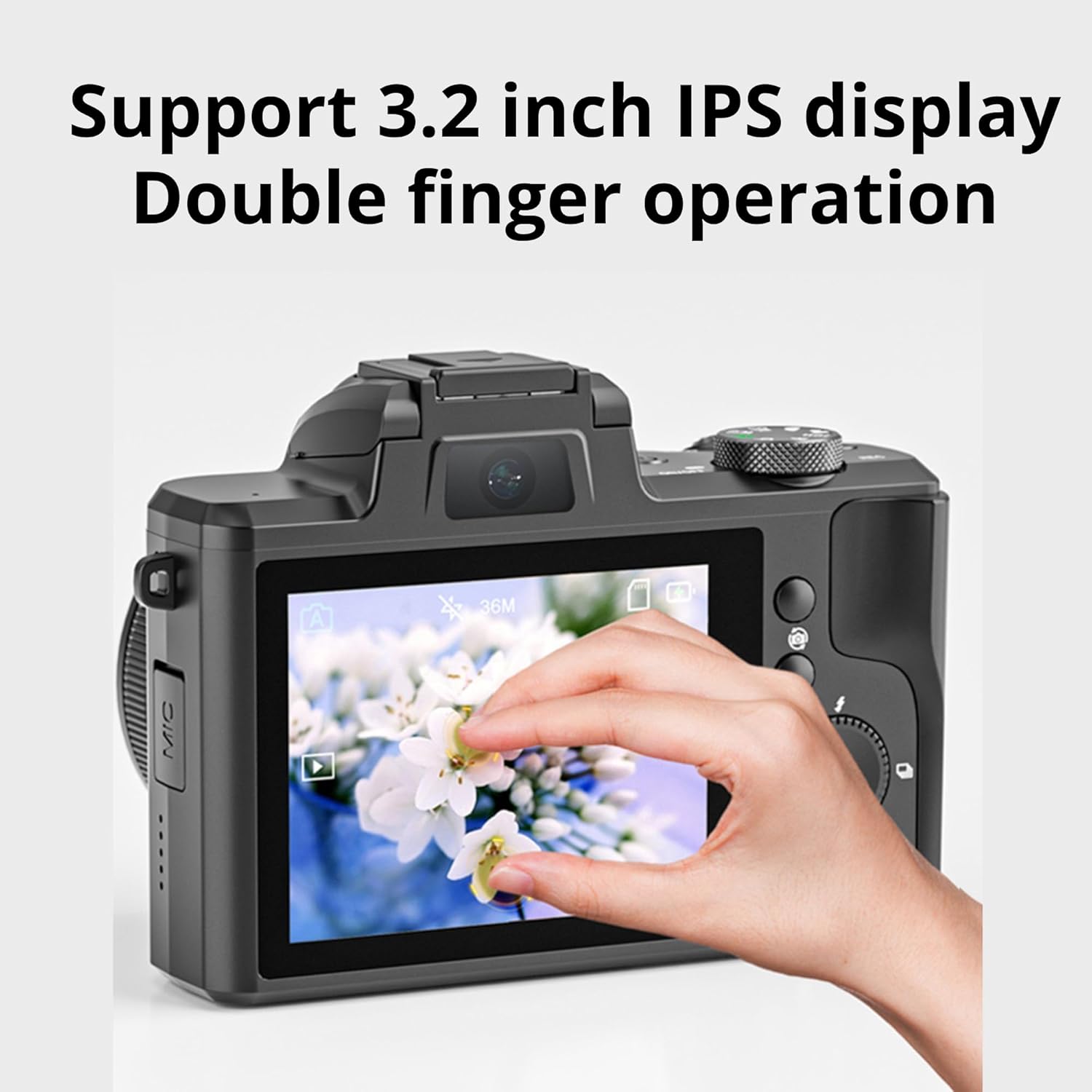
Image: Touchscreen Double Finger Operation
This image illustrates a user interacting with the camera's 3.2-inch IPS HD touchscreen using a double-finger gesture, likely for zooming or navigating, with a vibrant floral image displayed on the screen.
6.6 Connecting to TV/Computer (HDMI)
Use the provided HDMI cable to connect your camera to a television or monitor for viewing photos and videos. Connect the USB cable to a computer to transfer files.
6.7 Using External Accessories (Hot Shoe)
The camera features an external hot shoe mount, allowing you to attach accessories such as external microphones or additional lighting units.

Image: External Hot-Shoe with Accessories
This image displays two Dododuck 5K cameras, each equipped with different external accessories mounted on their hot shoes. One camera has an external microphone, and the other has an LED light panel, demonstrating the versatility of the hot shoe mount.
6.8 Filters
The camera supports over 10 built-in filters to enhance your photos and videos. Access these through the camera's menu system.

Image: Additional Camera Features
This infographic details several advanced features of the Dododuck 5K camera, including its 6-axis anti-shake technology, external hot-shoe for accessories, autofocus capabilities, 3.2-inch IPS touchscreen, HDMI output, built-in flash, and the availability of over 10 creative filters.
7. Maintenance
7.1 Cleaning the Camera
- Use the provided cleaning cloth to gently wipe the lens and screen.
- For stubborn smudges, use a specialized lens cleaning solution applied to the cloth, not directly to the lens.
- Do not use abrasive cleaners or solvents.
7.2 Battery Care
- Store batteries in a cool, dry place when not in use.
- Avoid fully discharging batteries frequently to prolong their lifespan.
- If storing for extended periods, charge batteries to about 50% capacity.
7.3 Storage
When not in use, store the camera in a protective bag or case to prevent dust accumulation and physical damage. Ensure the lens cap is on.
8. Troubleshooting
| Problem | Possible Cause | Solution |
|---|---|---|
| Camera does not power on | Low battery; Battery incorrectly inserted | Charge battery; Reinsert battery correctly |
| Cannot take photos/videos | SD card full; SD card not inserted; Incorrect mode | Delete files/replace SD card; Insert SD card; Switch to Photo/Video mode |
| Images are blurry | Out of focus; Camera shake; Dirty lens | Allow autofocus to engage; Use stabilization/tripod; Clean lens |
| Flash not firing | Flash disabled; Low battery | Enable flash in settings; Charge battery |
9. Specifications
| Feature | Specification |
|---|---|
| Model Name | Dododuck 5K |
| Manufacturer | Dododuck |
| Item Model Number | 5K |
| Optical Zoom | 5x |
| Image Stabilization | Digital (6-Axis) |
| Photo Sensor Technology | CCD |
| Supported File Format | MPEG-4 |
| Aspect Ratio | 3:2 |
| Batteries | 2 Lithium Ion batteries (included) |
| Display | 3.2-inch IPS HD Touchscreen |
| Connectivity | HDMI Output, USB |
| Additional Features | External Hot Shoe Mount, Low-light Focus Assist Lamp, Standard Tripod Mount |
10. Warranty and Support
For warranty information and technical support, please refer to the warranty card included with your product or visit the official Dododuck website. Keep your purchase receipt as proof of purchase.


