
Bingozones P37 Max
P37 Max Over Ear Bluetooth Headphones User Manual
Model: P37 Max | Brand: Bingozones
Introduction
Thank you for choosing the Bingozones P37 Max Over Ear Bluetooth Headphones. This manual provides detailed instructions on how to set up, operate, and maintain your headphones to ensure optimal performance and longevity. Designed for comfort and high-fidelity audio, these headphones offer versatile connectivity options and an extended battery life, making them ideal for various activities from daily commutes to travel and home use.

Figure 1: Bingozones P37 Max Over Ear Bluetooth Headphones
What's in the Box
Please check the package contents to ensure all items are present:
- Bingozones P37 Max Over Ear Bluetooth Headphones
- USB-C Charging Cable
- 3.5mm Audio Cable
- User Manual
Product Overview
Familiarize yourself with the various components and controls of your P37 Max headphones.

Figure 2: Headphone Controls and Ports
- Power Button: Used for powering on/off and play/pause.
- Volume Up (+): Increases volume, long press for next track.
- Volume Down (-): Decreases volume, long press for previous track.
- USB-C Port: For charging the headphones.
- 3.5mm Audio Jack: For wired connection.
- Micro SD Card Slot: For playing audio directly from a TF card.
- Microphone: For hands-free calling.
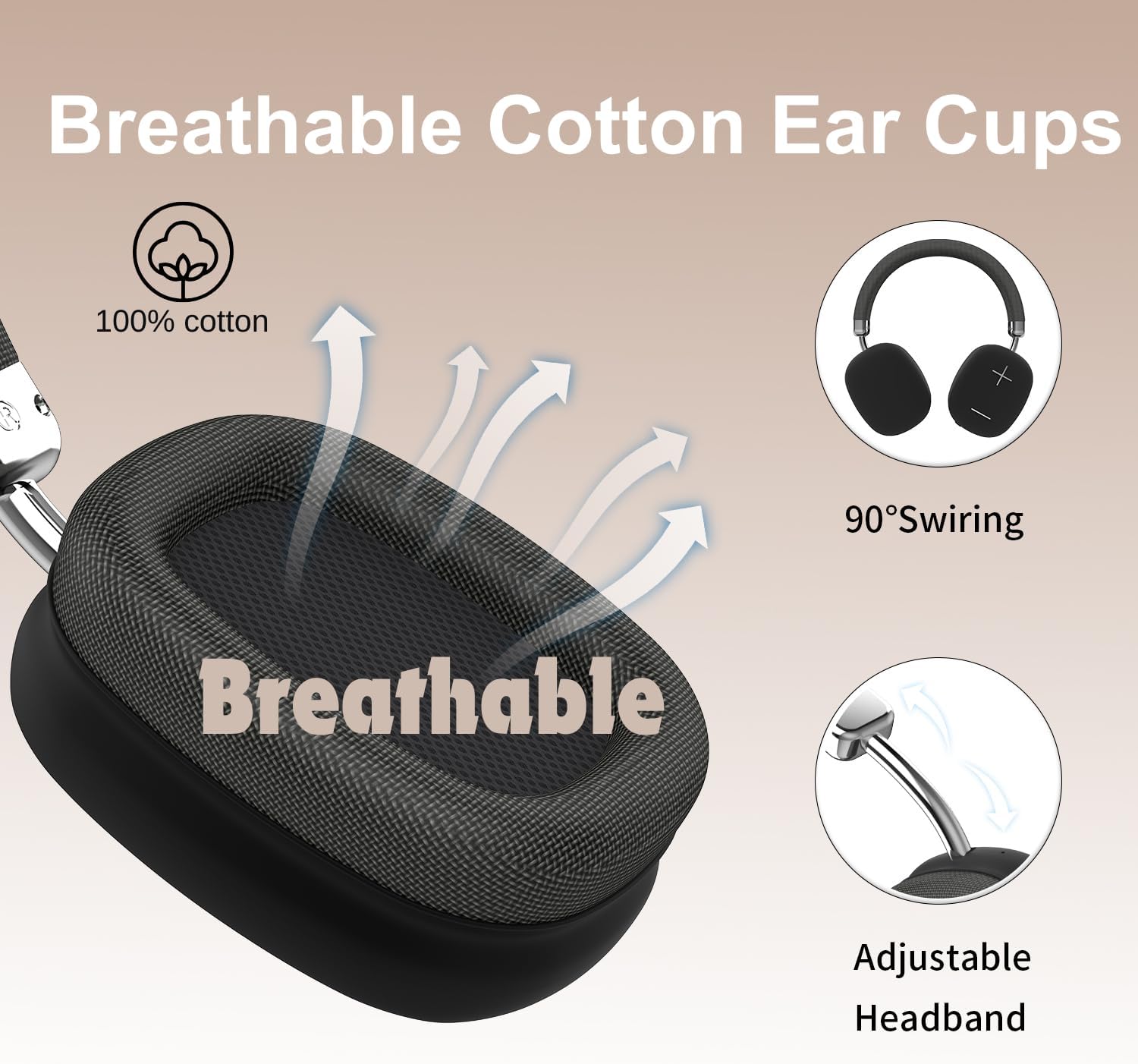
Figure 3: Breathable Ear Cups and Adjustable Headband
The P37 Max features breathable cotton memory foam ear cups designed for extended comfort. The ear cups can swivel 90 degrees for flexible storage, and the headband is adjustable to fit various head sizes.
Setup
1. Charging the Headphones
Before first use, fully charge your headphones.
- Connect the USB-C charging cable to the charging port on the headphones.
- Connect the other end of the cable to a USB power adapter (not included) or a computer's USB port.
- The LED indicator will show charging status (e.g., red for charging, blue for fully charged).
- A full charge takes approximately 2.5 hours and provides up to 80 hours of playtime.

Figure 4: Charging and Battery Life
2. Bluetooth Pairing
Pair your headphones with your Bluetooth-enabled device.
- Ensure the headphones are charged and turned off.
- Press and hold the Power button for 3-5 seconds until the LED indicator flashes blue and red, indicating pairing mode.
- On your device (smartphone, tablet, laptop), enable Bluetooth and search for available devices.
- Select "P37 Max" from the list of devices.
- Once connected, the LED indicator will slowly flash blue.

Figure 5: Effortless Device Switching
The P37 Max supports dual pairing, allowing seamless switching between two connected devices.
3. Wired Connection (AUX Mode)
Use the included 3.5mm audio cable for a wired connection, which does not require battery power.
- Plug one end of the 3.5mm audio cable into the headphone's 3.5mm audio jack.
- Plug the other end into the audio output jack of your device.
- The headphones will automatically switch to wired mode.

Figure 6: AUX and Micro SD Inputs
4. TF Card Mode
Play music directly from a Micro SD (TF) card.
- Insert a Micro SD (TF) card with audio files into the TF card slot on the headphones.
- The headphones will automatically detect the card and begin playing.
Operating Instructions
Power On/Off
- Power On: Press and hold the Power button for approximately 3 seconds until the LED indicator lights up.
- Power Off: Press and hold the Power button for approximately 3 seconds until the LED indicator turns off.
Music Playback
- Play/Pause: Short press the Power button.
- Volume Up: Short press the "+" button.
- Volume Down: Short press the "-" button.
- Next Track: Long press the "+" button.
- Previous Track: Long press the "-" button.
Call Management
- Answer/End Call: Short press the Power button.
- Reject Call: Long press the Power button.
- Redial Last Number: Double press the Power button.
Mode Switching
The headphones automatically switch modes when a cable or TF card is inserted.
- Bluetooth Mode: Default wireless mode.
- Wired Mode: Activated when 3.5mm audio cable is connected.
- TF Card Mode: Activated when a Micro SD (TF) card is inserted.
Maintenance
- Cleaning: Use a soft, dry cloth to clean the headphones. Do not use abrasive cleaners or solvents.
- Storage: Store the headphones in a cool, dry place away from direct sunlight and extreme temperatures. The foldable design allows for compact storage.
- Battery Care: To preserve battery life, charge the headphones at least once every three months if not used regularly.
- Water Resistance: The headphones are water resistant, but not waterproof. Avoid submerging them in water or exposing them to heavy rain.
Troubleshooting
| Problem | Possible Cause | Solution |
|---|---|---|
| Headphones do not power on. | Low battery. | Charge the headphones fully. |
| Cannot pair with device. | Headphones not in pairing mode; device Bluetooth off; too far from device. | Ensure headphones are in pairing mode (flashing red/blue LED). Turn device Bluetooth off and on. Move headphones closer to device (within 10 feet). |
| No sound. | Volume too low; incorrect mode; device not connected. | Increase headphone and device volume. Ensure correct mode (Bluetooth, Wired, TF Card). Reconnect Bluetooth or check wired connection. |
| Poor sound quality. | Interference; low battery. | Move away from sources of interference. Charge the headphones. |
Specifications
| Feature | Detail |
|---|---|
| Model Name | P37 Max |
| Brand | Bingozones |
| Connectivity Technology | Wireless (Bluetooth), Wired (3.5mm), TF Card |
| Bluetooth Version | 5.3 |
| Bluetooth Range | Up to 10 feet (approx. 3 meters) |
| Battery Life | Up to 80 Hours |
| Audio Driver Size | 40 Millimeters |
| Frequency Range | 20 Hz - 20,000 Hz |
| Impedance | 38 Ohm |
| Noise Control | Sound Isolation |
| Material | Acrylonitrile Butadiene Styrene (ABS), Aluminum |
| Item Weight | 9.6 ounces |
| Control Type | Button Control |
| Water Resistance Level | Water Resistant |
Warranty and Support
Bingozones is committed to providing excellent customer service.
- Return Policy: Enjoy a 30-day return policy from the date of purchase.
- Warranty: Your P37 Max headphones come with a robust 12-month warranty covering manufacturing defects.
- Customer Support: We offer lifetime worry-free user support. If you have any questions or encounter issues, please contact us. We are committed to addressing your inquiries within 10 hours.
For support, please refer to the contact information provided on the product packaging or the official Bingozones website.
Related documentsP37 Max

Ask a question about this manual
Ask about setup, troubleshooting, compatibility, parts, safety, or missing instructions. Manuals+ will review the question and use this page’s manual context to help answer it.