
1. Introduction
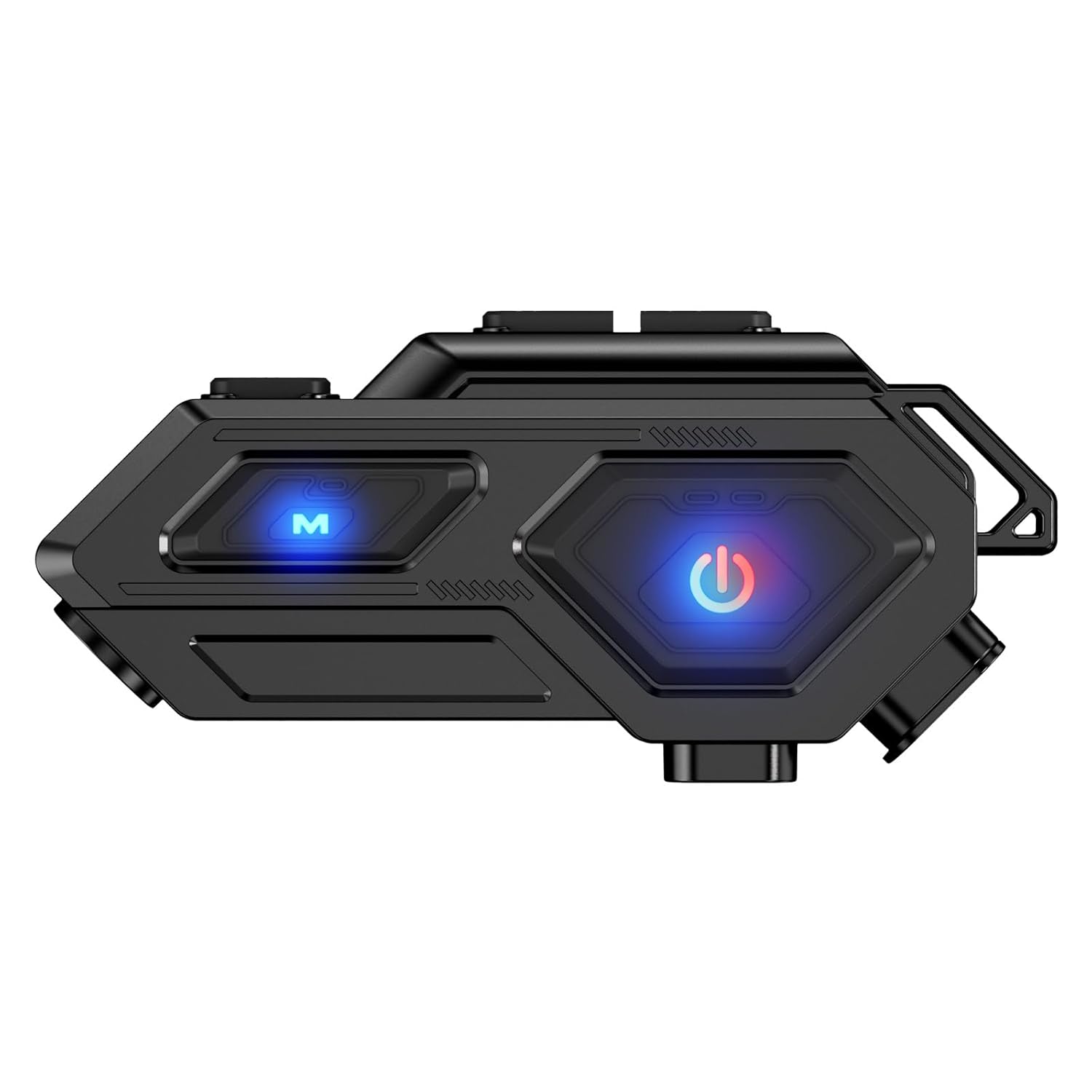
Thank you for choosing the EDYELL C8 Motorcycle Bluetooth Headset. This device is designed to enhance your riding experience by providing clear communication, high-fidelity audio, and essential safety features. Please read this manual carefully to ensure proper installation, operation, and maintenance of your headset.
2. Package Contents
Verify that all items listed below are included in your package:
- Motorcycle Bluetooth Headsets A1 (x1)
- Hard Microphone Speakers (x1)
- Clamping Base (x1)
- Microphone Velcro Tape (x2)
- Speaker Velcro (x2)
- Booster Sticker (x2)
- Stand Velcro Tape (x1)
- Thick Double Sided Tape (x1)
- User Manual (x1)
- Charging Cable (x1)

Image: A visual representation of all items included in the EDYELL C8 product package, aiding in component identification.
3. Key Features
- Superior Audio Quality: Equipped with 50mm tuning speakers for maximum volume and enhanced bass performance, delivering HiFi stereo sound.
- Extended Battery Life: Features an 800mAh large-capacity battery, providing up to 30 hours of music playback, 40 hours of call time, and over 300 hours of standby time on a single 1.5-hour charge.
- Integrated LED Emergency Light: Provides additional visibility and safety, especially in low-light conditions.
- Smart Call Management: Includes a 10-second automatic call answering feature for hands-free communication.
- Voice Control: Easily summon your voice assistant (e.g., Siri) with a dedicated button for various tasks.
- IP67 Waterproof Rating: Designed to withstand various weather conditions, ensuring reliable performance in rain or snow.
- Intuitive Playback Control: Simple button controls for managing music playback.
- Bluetooth V5.4 Connectivity: Ensures stable, clearer, and faster wireless connections.
- Universal Helmet Compatibility: Designed to be compatible with a wide range of helmet types.
- Lightweight Design: Weighs approximately 0.12 lb for comfortable use.
- ENC Noise Reduction: Enhances communication clarity by reducing environmental noise.
- Dual Phone Connection: Ability to connect to two mobile phones simultaneously.

Image: An infographic detailing the core features of the EDYELL C8, including its lightweight build, speaker size, water resistance, battery capacity, and sound quality.
4. Setup and Installation
Follow these steps to properly install your EDYELL C8 headset on your helmet:
- Choose Mounting Location: Select a suitable flat surface on the side of your helmet where the headset can be securely attached without obstructing your vision or helmet functionality.
- Attach Clamping Base: Use the provided clamping base or thick double-sided tape to firmly attach the main unit to the chosen location on your helmet. Ensure it is stable.
- Install Speakers: Place the 50mm speakers inside the helmet's ear pockets. Use the speaker Velcro to secure them. Ensure they are positioned directly over your ears for optimal sound.
- Position Microphone: Attach the hard microphone to a position inside the helmet near your mouth, ensuring it is clear of any obstructions. Use the microphone Velcro tape for secure placement.
- Connect Cables: Route the speaker and microphone cables neatly within the helmet lining and connect them to the main headset unit. Ensure cables do not interfere with helmet padding or comfort.
- Secure Excess Cable: Use any provided cable management clips or ties to secure excess cable, preventing tangles and ensuring a clean installation.
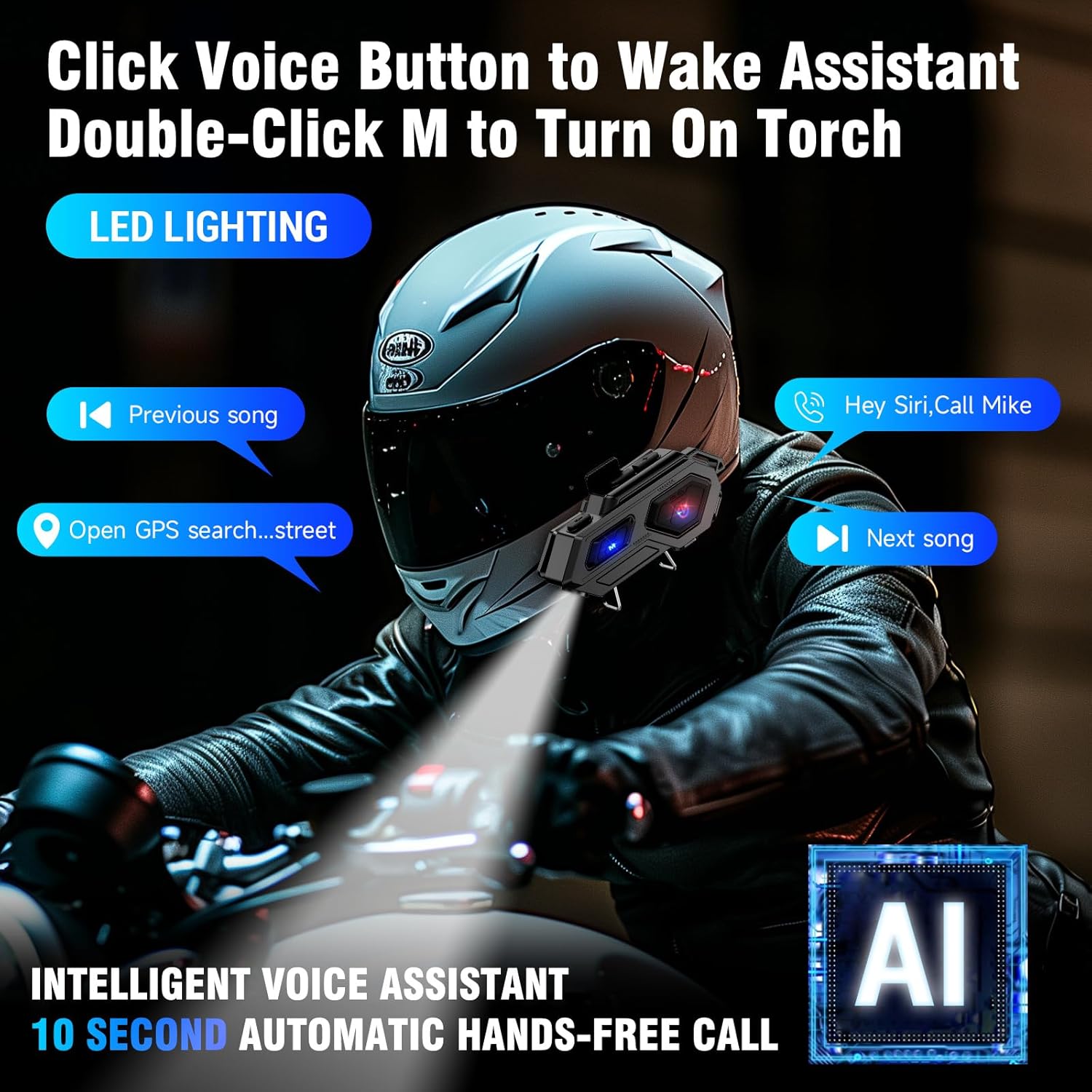
Image: The EDYELL C8 headset securely mounted on the side of a motorcycle helmet, illustrating the proper placement and cable routing.
5. Operating Instructions
5.1 Power On/Off
- Power On: Press and hold the Power button (usually indicated by a power icon) for a few seconds until the indicator light illuminates.
- Power Off: Press and hold the Power button again for a few seconds until the indicator light turns off.
5.2 Bluetooth Pairing
- Ensure the headset is powered off.
- Press and hold the Power button until the indicator light flashes rapidly, indicating pairing mode.
- On your mobile device, enable Bluetooth and search for available devices.
- Select "EDYELL C8" from the list of devices.
- Once connected, the indicator light will change to a steady blue or flash slowly.
5.3 Call Management
- Answer Call: The headset will automatically answer incoming calls after 10 seconds. You can also press the Multi-function button once to answer immediately.
- End Call: Press the Multi-function button once during a call.
- Reject Call: Press and hold the Multi-function button for 2 seconds when a call comes in.
- Voice Assistant: Press the dedicated Voice Control button (often marked with an 'M' or microphone icon) once to activate your phone's voice assistant (e.g., Siri, Google Assistant).
5.4 Music Playback
- Play/Pause: Press the Multi-function button once.
- Next Song: Press the 'Next' button (often '+').
- Previous Song: Press the 'Previous' button (often '-').
- Volume Up: Press and hold the 'Volume Up' button.
- Volume Down: Press and hold the 'Volume Down' button.
5.5 LED Emergency Light
- Double-click the 'M' button to turn the LED emergency light on or off.
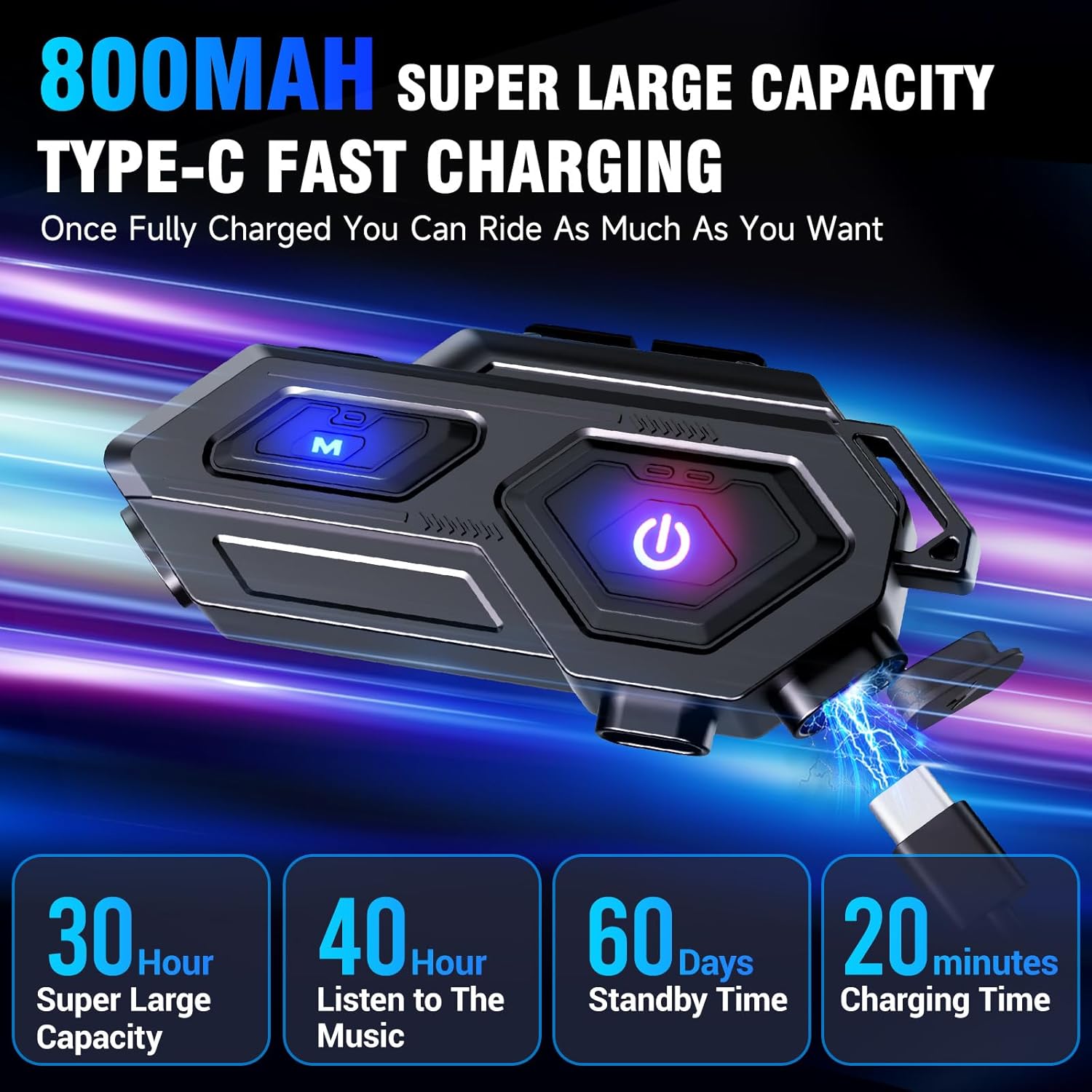
Image: A motorcyclist demonstrating the use of the EDYELL C8 headset's intelligent voice assistant and the activated LED emergency light.
6. Maintenance
- Cleaning: Wipe the headset unit and speakers with a soft, dry cloth. Avoid using harsh chemicals or abrasive cleaners.
- Water Exposure: While the device is IP67 waterproof, avoid prolonged submersion in water. Ensure the charging port cover is securely closed when not charging.
- Charging: Use a low-voltage charger adapter (e.g., standard 5V/1A USB charger) to charge the device. Fast or flash chargers may damage the battery.
- Storage: Store the headset in a cool, dry place away from direct sunlight and extreme temperatures when not in use.
- Battery Care: For optimal battery longevity, avoid fully discharging the battery frequently. Charge the device regularly, even if not in constant use.
Image: A motorcyclist riding in the rain, demonstrating the IP67 waterproof capability of the EDYELL C8 headset, highlighting its durability in wet conditions.
7. Troubleshooting
If you encounter issues with your EDYELL C8 headset, refer to the table below for common problems and solutions:
| Problem | Possible Cause | Solution |
|---|---|---|
| Device does not power on | Low battery; Device malfunction | Charge the device fully. If issue persists, contact support. |
| Cannot pair with phone | Headset not in pairing mode; Bluetooth off on phone; Interference | Ensure headset is in pairing mode (rapid flashing light). Turn phone's Bluetooth off and on. Move closer to phone. |
| No sound from speakers | Speakers not connected; Volume too low; Device not paired | Check speaker connections. Increase volume on headset and phone. Re-pair the device. |
| Poor sound quality / Static | Poor connection; Interference; Microphone/speaker placement | Ensure clear line of sight between headset and phone. Avoid strong electromagnetic fields. Adjust speaker/microphone position. |
| Charging issues | Incorrect charger; Damaged cable/port | Use a standard 5V/1A USB charger. Try a different charging cable. Ensure charging port is clean. |
8. Technical Specifications
| Brand | EDYELL |
| Model | C8 |
| Model Name | MBH-C8001 |
| Product Dimensions | 14 x 9.5 x 6 cm |
| Item Weight | 180 g |
| Batteries | 3 Lithium Ion batteries (included) |
| Battery Average Life | 40 Hours (call time) |
| Charging Time | 1.5 Hours |
| Compatible Devices | Helmet |
| Special Features | Sweatproof, LED Emergency Light, Auto Call Answer, Voice Control, IP67 Waterproof |
| Headphones Form Factor | On Ear |
| Connector Type | Wireless (Bluetooth V5.4) |
| Country of Origin | China |
9. Warranty and Support
The EDYELL C8 Motorcycle Bluetooth Headset comes with a 12 Months EDYELL India Warranty. For any quality problems, returns are free of charge.
For product knowledge, demonstration requests, post-purchase installation assistance, or home service, please contact EDYELL India Customer Care:
- Email: support@fenman.in
- Phone: +91 8882786235
- Toll-Free Line: 188 8278 6235 (Monday to Saturday, 10:00 AM to 6:30 PM)

Image: A map illustrating the presence of EDYELL India offices across the country, along with contact details for customer support services.