
1. Important Safety Instructions
Please read all instructions carefully before using this treadmill. Retain this manual for future reference.
- Always place the treadmill on a flat, stable surface. Do not place it on a carpet, as this may affect heat dissipation.
- Keep children and pets away from the treadmill during operation.
- Ensure the safety key is properly attached before starting the treadmill. In case of emergency, pull the safety key to stop the machine.
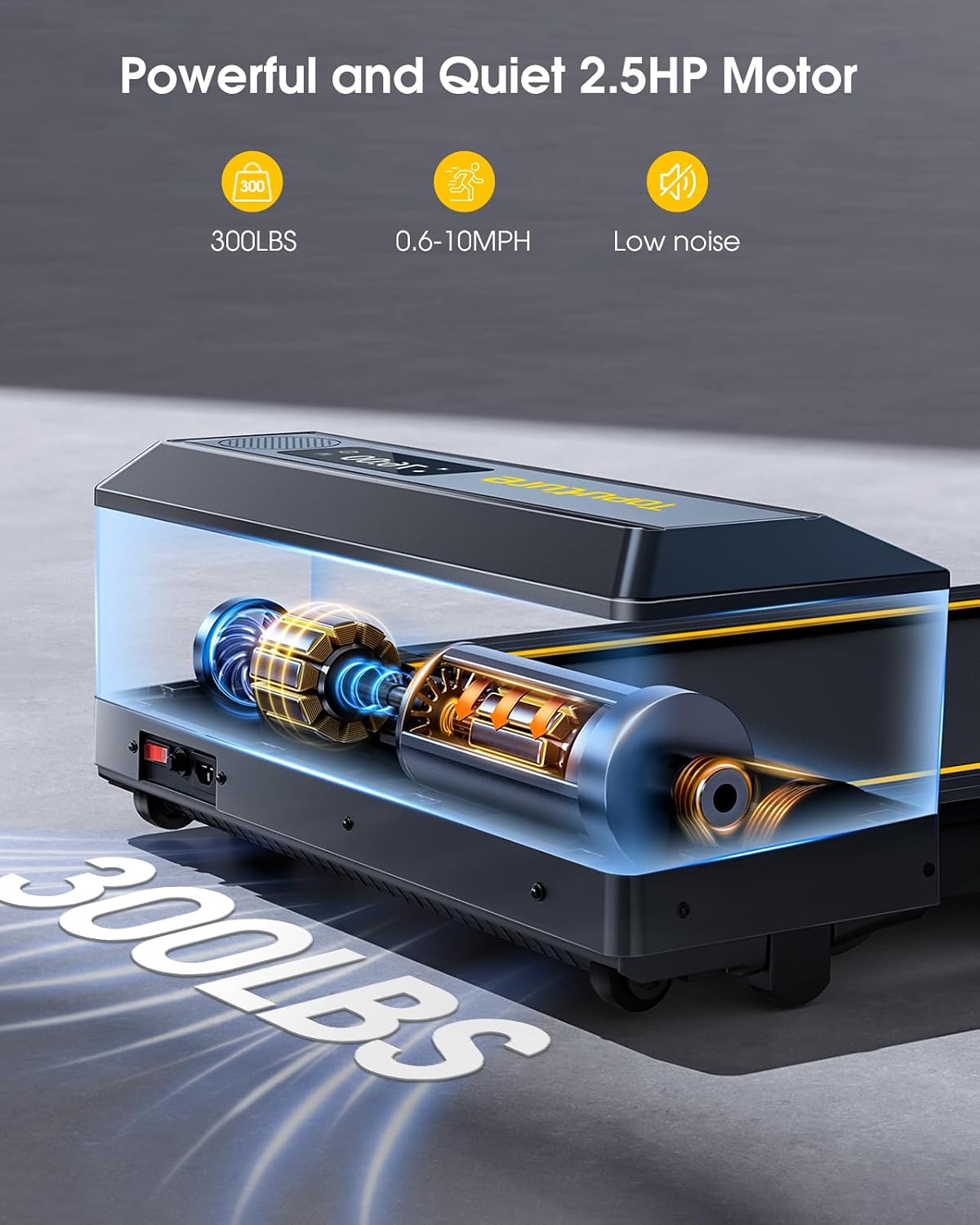
- Do not exceed the maximum weight capacity of 300 lbs (approximately 136 kg).
- Wear appropriate athletic footwear. Avoid loose clothing that could get caught in moving parts.
- If you experience dizziness, nausea, chest pain, or any other abnormal symptoms, stop your workout immediately and consult a physician.
- Unplug the treadmill from the power outlet when not in use, before cleaning, or performing maintenance.
- Do not operate the treadmill if it has a damaged cord or plug, or if it is not working properly.
2. Package Contents
Verify that all components are present in the package:
- TOPUTURE 2-in-1 Folding Treadmill Unit
- Remote Control
- Power Cord
- User Manual (this document)
- Lubricant (for maintenance)
3. Product Overview
The TOPUTURE 2-in-1 Folding Treadmill is designed for both walking and running, offering versatility for home and office use.
Key Features:
- 2-in-1 Design: Functions as an under-desk walking pad and a full running treadmill.
- Powerful Motor: 2.5 HP motor supports speeds from 0.6 to 10 MPH.
- Dual LED Screen: Displays real-time workout data.
- Large Running Area: 104 x 42 cm (41" x 16.5") for comfortable use.
- Shock Absorption System: 7-layer non-slip belt and silicone absorbers protect joints.
- Connectivity: Bluetooth speaker and smart app control.
- Heart Rate Monitor: Integrated sensors for real-time tracking.
- Space-Saving: Foldable design with transport wheels for easy storage.
Components:
- Running Belt
- Handrails (foldable)
- Control Panel with Dual LED Display
- Safety Key Slot
- Transport Wheels
- Power Switch and Inlet

4. Setup and Assembly
The TOPUTURE treadmill requires no assembly. Follow these steps for initial setup.
4.1 Unpacking
Carefully remove the treadmill from its packaging. Inspect for any damage during transit. Keep packaging materials for potential future transport or returns.
4.2 Unfolding the Treadmill
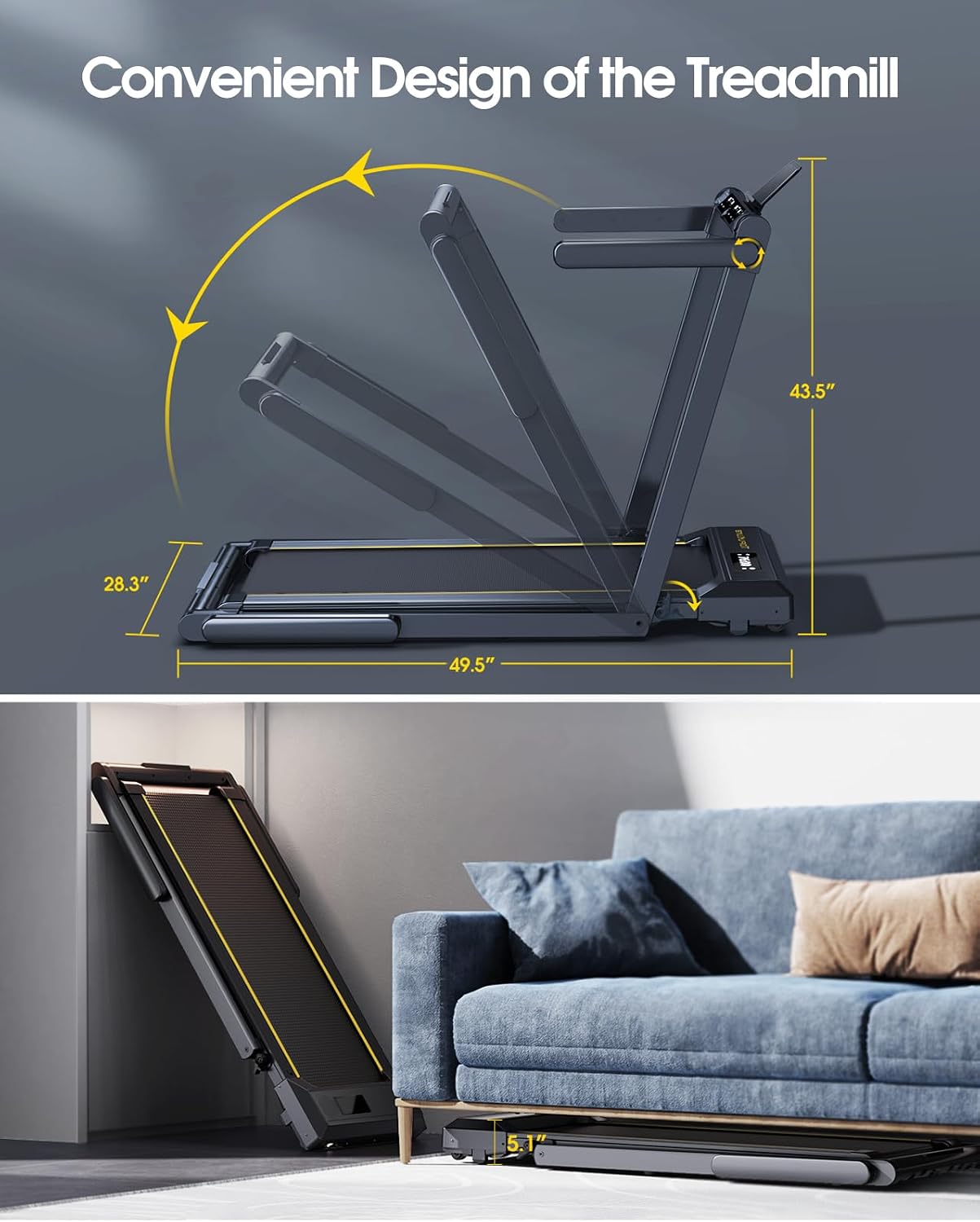
The treadmill can be used in two configurations: folded for walking or unfolded for running.
- To transition from walking pad to running treadmill, lift the handrail assembly until it locks into place.
- To fold for storage or walking mode, release the quick-release buckle and lower the handrail assembly.
4.3 Placement
Place the treadmill on a firm, level surface. Ensure there is adequate clear space around the treadmill (at least 2 meters behind and 0.5 meters on each side) for safe operation. Do not place the treadmill on a carpet, as this can impede motor cooling and lead to overheating.
4.4 Power Connection
Connect the power cord to the treadmill's power inlet and then plug it into a grounded electrical outlet. Ensure the power switch is in the 'OFF' position before plugging in.
5. Operating Instructions
5.1 Power On/Off
Flip the main power switch located near the power cord inlet to the 'ON' position. The display will illuminate.
5.2 Safety Key
Attach the safety key clip to your clothing. Insert the magnetic end of the safety key into the designated slot on the control panel. The treadmill will not start without the safety key in place. Pulling the safety key will immediately stop the treadmill.
5.3 Operating Modes
The treadmill offers two distinct operating modes:
5.3.1 Walking Mode (Under Desk)
- In this mode, the handrail is folded down.
- Speed range: 0.6 - 5 MPH.
- Ideal for light exercise or walking while working.
5.3.2 Running Mode
- In this mode, the handrail is upright and locked.
- Speed range: 5 - 10 MPH.
- Suitable for jogging and running workouts.

5.4 Control Panel and Remote Control
The treadmill can be controlled via the touch screen on the unit or the included remote control.
5.4.1 Display Functions:
The dual LED screen displays the following metrics:
- Time: Duration of your workout.
- Speed: Current speed in MPH.
- Calories: Estimated calories burned.
- Distance: Distance covered in miles.
- Heart Rate: Your pulse rate (when using sensors).

5.4.2 Control Buttons:
- START/STOP: Initiates or pauses/stops the workout.
- SPEED +/-: Adjusts the running speed.
- MODE: Cycles through different display modes or workout programs.
- PROGRAM (PROG): Selects from 12 preset workout programs.
- PAUSE: The remote control includes a pause button to temporarily stop your workout without losing data.
5.5 Bluetooth Speaker Connectivity
To play audio through the treadmill's built-in Bluetooth speaker:
- Ensure the treadmill is powered on.
- Enable Bluetooth on your mobile device.
- Search for the treadmill's Bluetooth name (e.g., 'TOPUTURE Treadmill') in your device's Bluetooth settings.
- Pair your device. You can now play music through the treadmill's speakers.
5.6 Smart App Control
Enhance your workout experience by connecting the treadmill to a compatible fitness app.
- Download the recommended 'Sport APP' from your device's app store.
- Open the app and follow the on-screen instructions to connect to your TOPUTURE treadmill via Bluetooth.
- Utilize the app to access various training courses and track your progress.
5.7 Heart Rate Monitoring
To measure your heart rate:
- Grip the metal sensor parts on both sides of the treadmill screen with both hands.
- Hold for approximately 3 seconds. Your heart rate will be displayed on the screen.
6. Maintenance
Regular maintenance ensures the longevity and optimal performance of your treadmill.
6.1 Lubrication
The running belt requires periodic lubrication to reduce friction and wear. The unique lubrication hole design makes this process straightforward.
- Frequency: Lubricate every 30-50 hours of use, or every 1-2 months depending on usage.
- Procedure: Apply a small amount of the provided silicone lubricant into the lubrication hole located on the side of the treadmill deck. Run the treadmill at a low speed (e.g., 1-2 MPH) for a few minutes to distribute the lubricant evenly.
6.2 Cleaning
Regularly clean the treadmill to prevent dust and debris buildup.
- Exterior: Wipe down the frame and control panel with a soft, damp cloth. Avoid abrasive cleaners.
- Running Belt: Periodically wipe the running belt with a damp cloth to remove sweat and dust. Ensure the treadmill is unplugged before cleaning.
6.3 Belt Adjustment
If the running belt feels loose, slips, or is off-center, it may require adjustment. Refer to the detailed instructions in the full user manual or contact customer support for guidance on how to properly tension and center the belt using the adjustment bolts at the rear of the treadmill.
7. Troubleshooting
This section addresses common issues you might encounter with your treadmill.
| Problem | Possible Cause | Solution |
|---|---|---|
| Treadmill does not power on. | Power cord not plugged in; Power switch off; Safety key not in place. | Ensure power cord is securely plugged in; Turn power switch ON; Insert safety key correctly. |
| Running belt slips or hesitates. | Belt too loose; Insufficient lubrication. | Adjust belt tension (refer to manual or support); Apply lubricant as per Section 6.1. |
| Unusual noise during operation. | Loose components; Lack of lubrication; Foreign object. | Check for loose screws; Lubricate belt; Inspect for any objects under the belt. |
| Display not working correctly. | Loose cable connection; Software glitch. | Power cycle the treadmill (turn off, unplug, wait 1 minute, plug in, turn on); Contact customer support if issue persists. |
| Remote control not responding. | Dead batteries; Obstruction. | Replace remote control batteries; Ensure no objects are blocking the signal path. |
If you encounter an issue not listed here, or if the suggested solutions do not resolve the problem, please contact TOPUTURE customer support for assistance.
8. Product Specifications
| Feature | Specification |
|---|---|
| Model Number | TP1 |
| Motor Horsepower | 2.5 HP |
| Speed Range (Walking Mode) | 0.6 - 5 MPH |
| Speed Range (Running Mode) | 5 - 10 MPH |
| Running Area (L x W) | 104 cm x 42 cm (41" x 16.5") |
| Maximum Weight Capacity | 300 lbs (approx. 136 kg) |
| Product Dimensions (Unfolded) | 125.7 x 71.8 x 110.5 cm (approx. 49.5" x 28.3" x 43.5") |
| Product Dimensions (Folded) | 133 x 71.8 x 13 cm (approx. 52.4" x 28.3" x 5.1") |
| Item Weight | 39.5 kg (87.08 lbs) |
| Material | Aluminum Alloy Steel |
| Display Type | Dual LED Screen |
| Special Features | No Assembly, Touch Screen, Foldable, Heart Rate Monitor, Built-In Speaker, Compact, Shock Absorbent |
9. Warranty and Customer Support
TOPUTURE is committed to providing quality products and customer satisfaction. For any assistance, questions, or warranty inquiries, please contact our after-sales service team.
You can find more information and contact details on the official TOPUTURE store page: Visit the TOPUTURE Store
Please have your model number (TP1) and purchase information ready when contacting support.


