1. Introduction
The WORX WX038 20V PowerShare Cordless Handheld Vacuum Cleaner is designed for versatile and efficient cleaning. This manual provides essential information for safe and effective use, setup, operation, and maintenance of your vacuum cleaner. Please read all instructions carefully before using the product and retain this manual for future reference.
2. Safety Instructions
Always follow basic safety precautions when using electrical appliances to reduce the risk of fire, electric shock, or injury.
- Read all instructions thoroughly before operating the vacuum cleaner.
- Keep hair, loose clothing, fingers, and all parts of the body away from openings and moving parts.
- Do not pick up flammable or combustible liquids, such as gasoline, or use in areas where they may be present.
- Do not pick up anything that is burning or smoking, such as cigarettes, matches, or hot ashes.
- Use only as described in this manual. Use only manufacturer's recommended attachments.
- Do not use with a damaged battery pack or charger. If the appliance is not working as it should, has been dropped, damaged, left outdoors, or dropped into water, return it to a service center.
- Do not use outdoors or on wet surfaces.
- Do not allow the vacuum cleaner to be used as a toy. Close attention is necessary when used by or near children.
- Disconnect the battery pack before making any adjustments, changing accessories, or storing the appliance.
- Store the vacuum cleaner indoors in a cool, dry place.
3. Package Contents
Verify that all items are present in the package:
- 1x WORX WX038 20V Cordless Stick Vacuum Cleaner
- 1x Wall-mounted Dual Charger
- 2x 20V 2.0Ah Lithium Batteries
- 1x Additional Filter
- 1x Crevice Tool
- 1x Dusting Brush
- 1x Pet Hair Brush

Image: The main components included in the box: the 20V cordless stick vacuum, two 20V 2.0Ah lithium batteries, and the wall-mounted dual charger.

Image: Various accessories for the WORX WX038 vacuum, including a pet brush, crevice tool, multi-purpose dusting brush, and an additional filter.
4. Product Overview
The WORX WX038 is a versatile cleaning tool designed for various surfaces. Key features include a powerful motor, multiple speed settings, and convertible design for both stick and handheld use.
- Main Vacuum Body: Contains the motor, dustbin, and control buttons.
- Extension Wand: Connects the main body to the floor head for stick vacuum operation.
- Floor Head: Equipped with a brush roll and LED lights for effective floor cleaning.
- Dustbin: Collects debris and is easily detachable for emptying.
- Battery: WORX PowerShare 20V Lithium-ion batteries provide cordless power.
- Wall-mounted Dual Charger: Charges two PowerShare batteries simultaneously.
- Accessories: Crevice tool, dusting brush, and pet hair brush for specialized cleaning tasks.
5. Setup
5.1 Charging the Batteries
Before first use, fully charge both 20V Lithium-ion batteries.
- Mount the dual charger to a wall in a convenient location, if desired, or place it on a stable surface.
- Insert the 20V PowerShare batteries into the charging slots on the dual charger. Ensure they click securely into place.
- Connect the charger to a power outlet. The indicator lights on the charger will show the charging status.
- Once fully charged, remove the batteries from the charger.
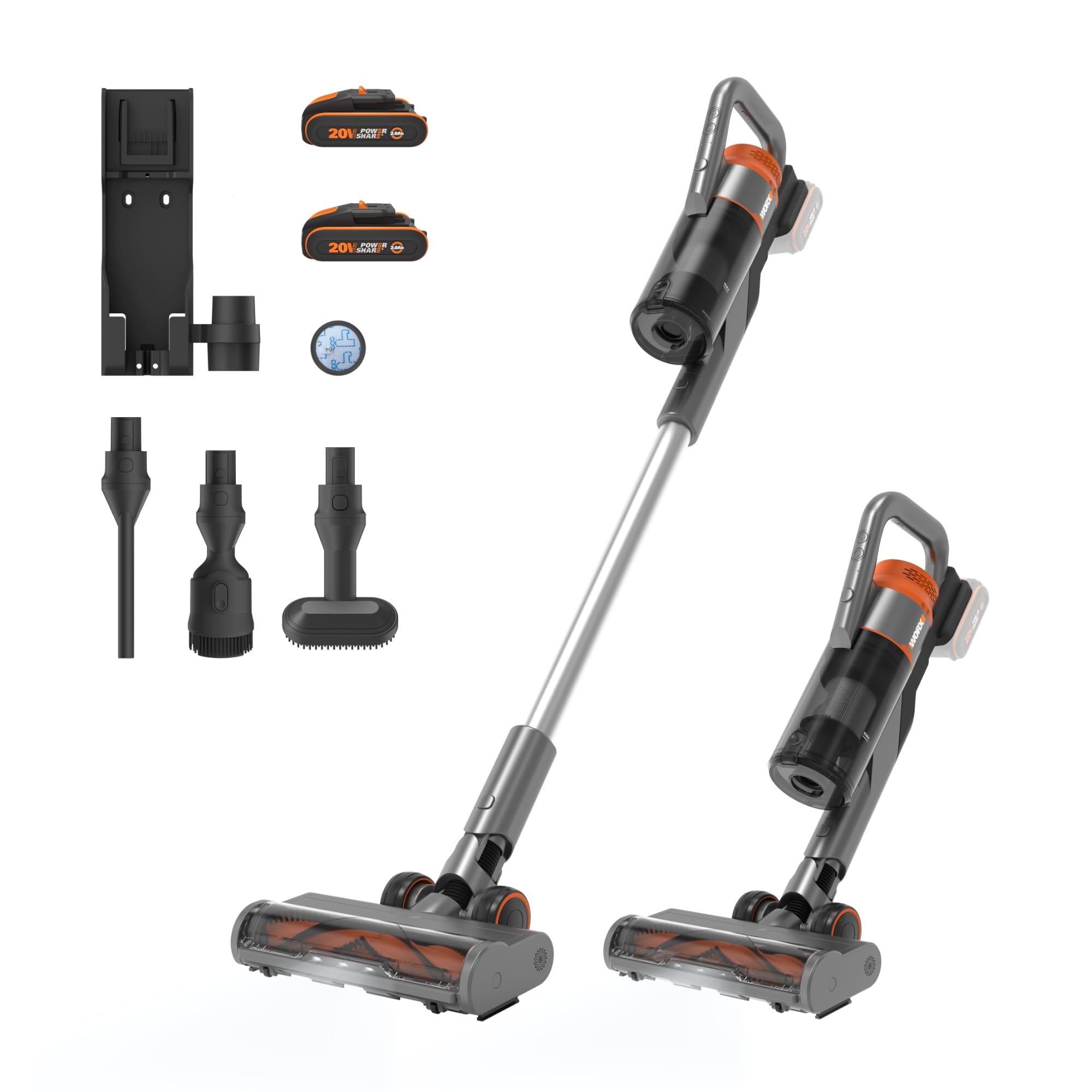
Image: A user inserting a WORX 20V battery into the wall-mounted dual charger, which also provides storage for the vacuum and accessories.
5.2 Assembling the Vacuum
The WORX WX038 can be assembled as a stick vacuum or used as a handheld unit.
- For Stick Vacuum: Insert a charged battery into the main vacuum body. Attach the extension wand to the main vacuum body until it clicks. Then, attach the floor head to the other end of the extension wand until it clicks.
- For Handheld Vacuum: Insert a charged battery into the main vacuum body. Attach the desired accessory (crevice tool, dusting brush, or pet hair brush) directly to the main vacuum body until it clicks.
6. Operating Instructions
6.1 Powering On/Off and Speed Selection
The vacuum features three power modes for different cleaning needs.
- Press the power button located on the main vacuum body to turn the unit ON.
- Press the mode selection button to cycle through the three power modes (e.g., Low, Medium, High) to adjust suction power.
- Press the power button again to turn the unit OFF.

Image: The vacuum head demonstrating its powerful 25Kpa suction on a floor with debris, highlighting the 3-speed control for varied cleaning intensity.
6.2 Using Accessories and LED Headlights
Utilize the included accessories for specialized cleaning tasks.
- Crevice Tool: Ideal for cleaning tight corners, edges, and narrow gaps.
- Dusting Brush: Suitable for delicate surfaces, upholstery, and blinds.
- Pet Hair Brush: Designed to effectively remove pet hair from carpets, rugs, and furniture.
- LED Headlights: The floor head is equipped with LED lights that automatically illuminate the cleaning path, improving visibility in dark areas or under furniture.

Image: The vacuum transforms into a handheld unit, shown with a pet hair brush effectively cleaning pet hair from upholstery.

Image: The integrated LED lights on the vacuum head enhance visibility, making it easier to spot and clean dirt on the floor.
6.3 Battery Runtime
The WORX WX038 provides extended cleaning time with its dual battery system.
- With two 20V 2.0Ah batteries, the vacuum can operate for up to 45 minutes on the lowest speed setting.
- Actual runtime may vary depending on the power mode selected, surface type, and battery condition.

Image: A woman using the WORX WX038 vacuum, illustrating its long runtime of up to 45 minutes for cleaning an entire home.
7. Maintenance
Regular maintenance ensures optimal performance and extends the life of your vacuum cleaner.
7.1 Emptying the Dustbin
Empty the dustbin regularly to maintain suction power.
- Ensure the vacuum is turned OFF and the battery is removed.
- Locate the dustbin release button on the main vacuum body. Press the button to detach the dustbin.
- Position the dustbin over a trash receptacle and press the dustbin release lever to open the bottom flap and empty the contents.
- Close the dustbin flap and reattach the dustbin to the main vacuum body until it clicks securely.
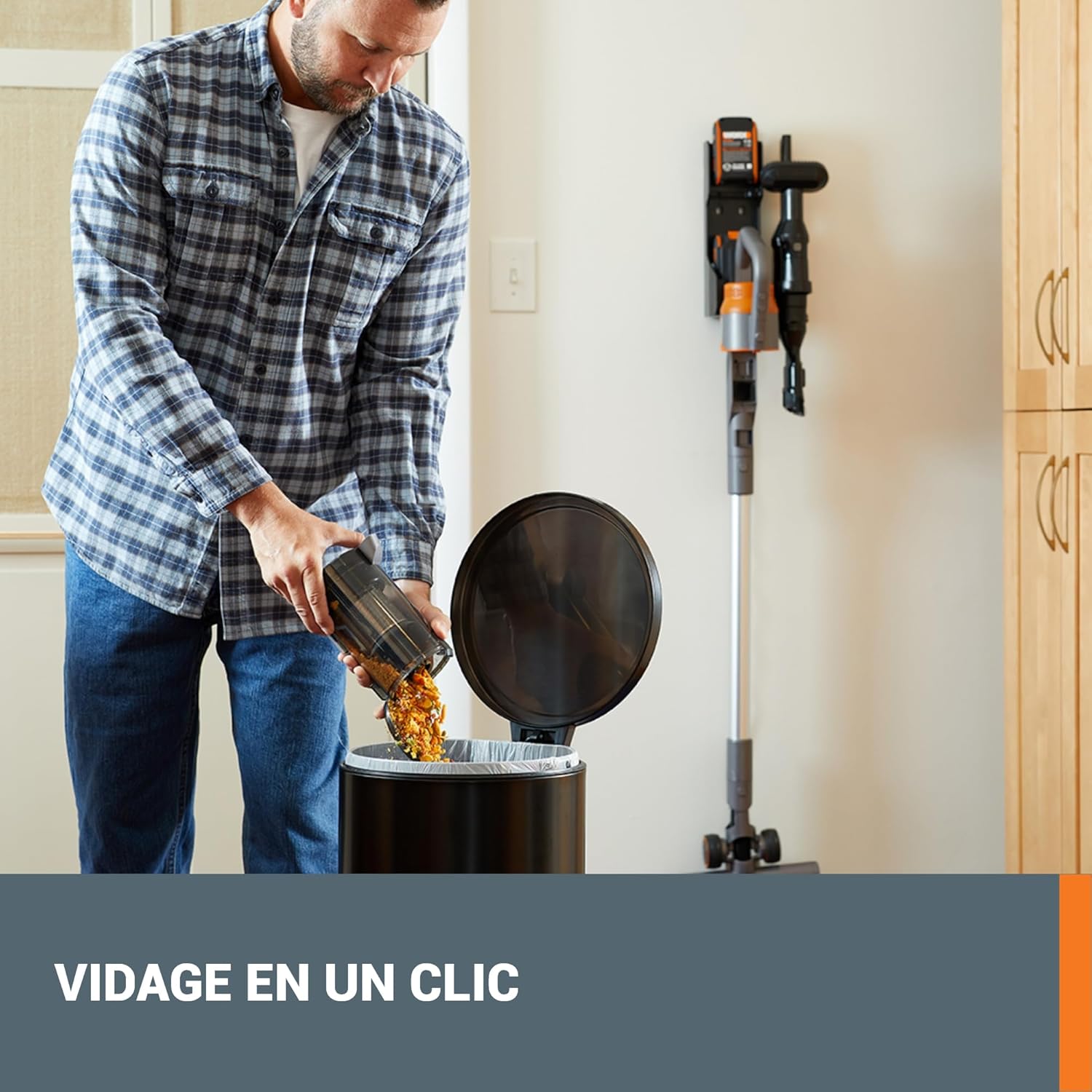
Image: A user demonstrating the one-click dustbin emptying process, ensuring hands remain clean.
7.2 Cleaning Filters
Clean the filter regularly to prevent loss of suction and ensure efficient operation. An additional filter is included for convenience.
- Remove the dustbin as described above.
- Twist or pull to remove the filter assembly from the dustbin.
- Tap the filter gently over a trash can to remove loose dust and debris.
- If necessary, rinse the filter under cold running water. Ensure it is completely dry before reinserting. Do not use a dryer or heat to dry.
- Reassemble the filter into the dustbin and reattach the dustbin to the vacuum.
7.3 Cleaning the Brush Roll
Periodically inspect the brush roll for tangled hair, strings, or other debris.
- Ensure the vacuum is OFF and the battery is removed.
- Turn the floor head upside down.
- Use scissors or a brush to carefully cut and remove any tangled hair or debris from the brush roll.
- Ensure the brush roll spins freely after cleaning.
8. Troubleshooting
If you encounter issues with your WORX WX038, refer to the following troubleshooting guide:
| Problem | Possible Cause | Solution |
|---|---|---|
| Vacuum not turning on | Battery not charged or improperly inserted. | Ensure battery is fully charged and securely inserted. |
| Low suction power | Dustbin full; Filter clogged; Blockage in nozzle, wand, or hose; Brush roll tangled. | Empty dustbin. Clean or replace filter. Check for and remove blockages. Clean brush roll. |
| Short runtime | Battery not fully charged; Battery degradation. | Ensure batteries are fully charged. Consider replacing old batteries if runtime significantly decreases. |
| Unusual noise | Blockage in air path or brush roll; Loose components. | Check for and remove any blockages. Ensure all parts are securely assembled. |
9. Specifications
- Brand: WORX
- Model: WX038
- Voltage: 20V (compatible with WORX PowerShare 20V, 40V, and 80V systems)
- Max Suction Power: 25 Kpa
- Number of Speeds: 3
- Runtime: Up to 45 minutes (with 2x 2.0Ah batteries at low speed)
- Weight: 2.5 Kilograms (with battery)
- Special Features: Cordless, Convertible to handheld, Integrated LED lights
- Filter Type: HEPA filter
- Included Components: Dual wall charger, 2x 20V 2.0Ah Lithium-ion batteries, additional filter, crevice tool, dusting brush, pet hair brush.
10. Warranty and Support
10.1 Warranty Information
The WORX WX038 comes with the following limited warranty:
- Tool: 3 Years Limited Warranty
- Battery: 2 Years Limited Warranty
Please retain your proof of purchase for warranty claims. Warranty terms and conditions may vary by region. Refer to the official WORX website or your local dealer for full details.
10.2 Customer Support
For technical assistance, spare parts, or warranty claims, please contact WORX customer support. Visit the official WORX website for contact information and additional product resources.
Official WORX Website: www.worx.com


