Important Safety Instructions
Please read this manual carefully before operating your Pro Breeze 2500W Smart Oil Filled Radiator. Keep these instructions for future reference.
- Always ensure the appliance is placed on a firm, level surface.
- Do not cover the heater. Covering the heater can lead to overheating.
- Keep flammable materials at least 1 meter (3 feet) away from the heater.
- Do not use this heater in the immediate surroundings of a bath, a shower or a swimming pool.
- This heater is equipped with an overheat protection system and a tip-over switch for enhanced safety.
- Unplug the heater when not in use.
- Do not operate the heater with a damaged cord or plug.

Image: Safety features of the Pro Breeze Oil Filled Radiator, including overheat protection, child lock, and tip-over protection.

Image: Internal mechanism for overheat protection, ensuring safe operation by automatically adjusting heat or shutting down.

Image: The radiator's automatic shut-off feature, which activates if the unit is tilted or knocked over, preventing accidents.
Setup Instructions
Unpacking and Assembly
- Carefully remove the radiator from its packaging.
- Inspect the appliance for any signs of damage. If damaged, do not use and contact customer support.
- Attach the castor wheels to the base of the radiator. Ensure they are securely fastened for stability and portability.
- Place the radiator on a stable, level surface, ensuring adequate clearance from walls and furniture (at least 1 meter).

Image: The Pro Breeze 2500W Smart Oil Filled Radiator, showcasing its main unit, remote control, and smartphone app interface.
Initial Power-Up
- Plug the power cord into a suitable electrical outlet (230V).
- The heater will emit a short beep, and the display will illuminate briefly.
Operating Instructions
Control Panel Operation
The radiator features a touch-sensitive control panel for direct adjustments.
- Power Button: Press to turn the heater On or Off.
- Mode Button (M): Cycle through available heating modes (e.g., Low, Medium, High, Eco).
- Temperature Adjustment (+/-): Increase or decrease the desired temperature.
- Timer Button: Set the 24-hour timer for automatic operation.

Image: Detailed view of the radiator's touch control panel and the included remote control, illustrating manual operation.
Remote Control Operation
The included remote control allows for convenient operation from a distance of up to 5 meters.
- Functions mirror those on the control panel (Power, Mode, Temperature, Timer).
- Ensure the remote control has working batteries (1 Lithium metal battery included).
Smart App Control (Wi-Fi)
Control your radiator remotely using the dedicated smartphone application, compatible with Amazon Alexa and Google Home.
- Download the Pro Breeze Smart App from your device's app store (iOS or Android).
- Follow the in-app instructions to connect your radiator to your home Wi-Fi network.
- Once connected, you can power the heater on/off, adjust temperature, select modes, and set schedules from anywhere.
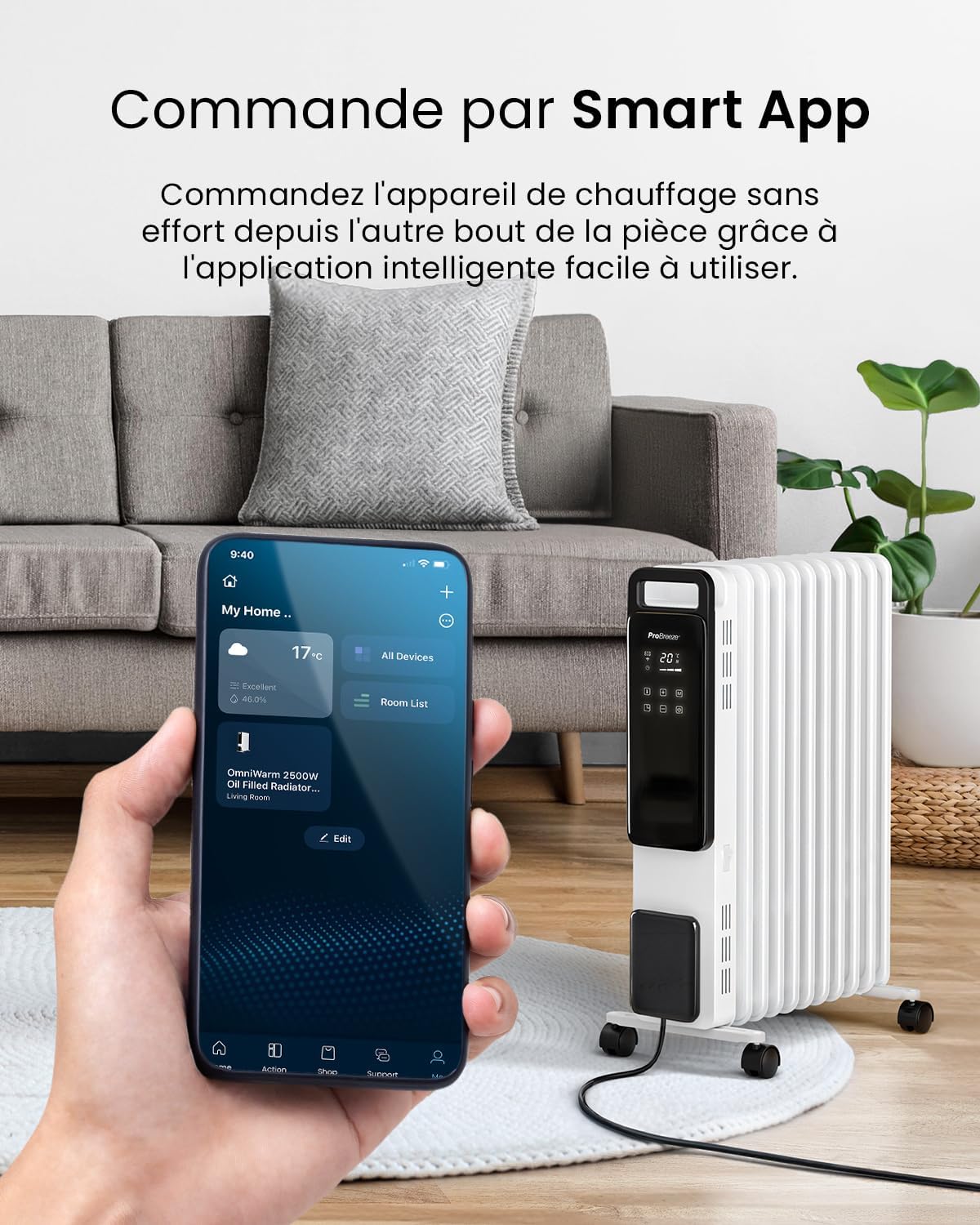
Image: A smartphone showing the Pro Breeze Smart App, demonstrating remote control capabilities for the radiator.
Heating Modes and Temperature Settings
- Heat Levels: Choose from 1000W (Low), 1500W (Medium), or 2500W (High) to suit your heating needs.
- Eco Mode: This energy-saving mode intelligently adjusts power output to maintain your desired temperature efficiently, potentially reducing energy consumption.
- Adjustable Thermostat: Set your preferred room temperature. The heater will automatically turn off once the set temperature is reached and reactivate if the temperature drops.

Image: The radiator's control panel displaying the three power levels: 1000W (Low), 1500W (Medium), and 2500W (High).

Image: A visual representation of the Eco Mode's energy-saving benefits, showing a comparison of energy consumption.
24-Hour Timer Function
Utilize the 24-hour digital timer to program the heater's operating hours, optimizing energy efficiency.
- Set specific times for the heater to turn on and off automatically.
- This feature is accessible via the control panel, remote control, and the smart app.

Image: The smart app's scheduling feature, demonstrating how to set the 24-hour timer and activate the mute function for quiet operation.
Maintenance
Cleaning
- Always unplug the heater and allow it to cool completely before cleaning.
- Wipe the exterior surfaces with a soft, damp cloth. Do not use abrasive cleaners or solvents.
- Ensure no water enters the internal components.
- Dry thoroughly before plugging back in.
Storage
- When not in use for extended periods, store the heater in a cool, dry place.
- Utilize the cable tidy feature to wrap the power cord neatly.

Image: The compact design of the radiator, highlighting its dimensions (Height 61.8cm, Length 28cm, Depth 45.6cm) for easy placement and storage.
Troubleshooting
| Problem | Possible Cause | Solution |
|---|---|---|
| Heater does not turn on. | No power supply; Tip-over switch activated; Overheat protection activated. | Check power plug and outlet. Ensure heater is upright. Unplug and allow to cool for 30 minutes before restarting. |
| Heater not heating effectively. | Incorrect heat setting; Room too large; Doors/windows open. | Increase heat setting. Ensure room is adequately sealed. Consider heater placement. |
| Wi-Fi connection issues. | Incorrect Wi-Fi password; Router too far; Network interference. | Verify Wi-Fi password. Move heater closer to router. Restart router and heater. |
If the problem persists after attempting these solutions, please contact customer support.
Specifications
| Feature | Detail |
|---|---|
| Model Number | PB-H-24-WF |
| Power Output | 2500W |
| Number of Fins | 11 |
| Dimensions (L x W x H) | 28 x 44.2 x 61.8 cm |
| Weight | 11.26 kg |
| Voltage | 230V (AC) |
| Control Methods | Touch Control Panel, Remote Control, Smart App (Wi-Fi) |
| Special Features | Eco Mode, 24-Hour Timer, Adjustable Thermostat, Overheat Protection, Tip-over Switch, Child Lock |
| Included Components | Remote Control (with 1 Lithium metal battery) |
Warranty and Support
Manufacturer's Warranty
This Pro Breeze product comes with a 1-year manufacturer's warranty from the date of purchase. Please retain your proof of purchase for warranty claims.
Customer Support
For technical assistance, warranty claims, or general inquiries, please contact Pro Breeze customer support:
- Website: www.probreeze.com/support (Example link, actual link may vary)
- Refer to the product packaging or the Pro Breeze website for the most up-to-date contact information.


