
Introduction
This manual provides essential instructions for the installation, operation, and maintenance of your PLEGBLE PL510/PL511 Drone Propellers. Please read this guide thoroughly before attempting any installation or use to ensure proper function and safety.
Compatibility
These propellers are specifically designed for the PL510 and PL511 drone models, ensuring a precise fit and seamless compatibility with your aircraft. Using these propellers with other drone models may result in improper function or damage.
Package Contents
- PLEGBLE PL510/PL511 Drone Propeller Set
- Matching Screws for Installation
Safety Information
No specific warnings are applicable for these propellers beyond general drone operation safety. Always follow the safety guidelines provided with your drone. Ensure the drone is powered off and the battery is disconnected before handling or replacing propellers. Keep fingers and loose clothing away from rotating propellers.
Setup and Installation
Follow these steps for hassle-free installation of your new propellers:
- Step 1: Preparation
Ensure your drone is powered off and the battery is removed to prevent accidental activation during installation. - Step 2: Removal of Old Propellers (if applicable)
If replacing existing propellers, carefully unscrew and remove any damaged or worn-out propellers from the drone's motor shafts. Note the orientation of the old propellers for correct installation of the new ones. - Step 3: Installation of New Propellers
Identify the correct propeller for each motor. Drone propellers are typically marked (e.g., 'A' or 'B', or with dots) to indicate their rotation direction and corresponding motor. Align the new propeller with the motor shaft. Use the provided matching screws to secure the propeller firmly. Turn clockwise to tighten. Do not overtighten, as this can strip the screw threads or damage the propeller hub. - Step 4: Verification
After securing all propellers, gently check each one to ensure it is securely attached and rotates freely without any obstruction or wobble.
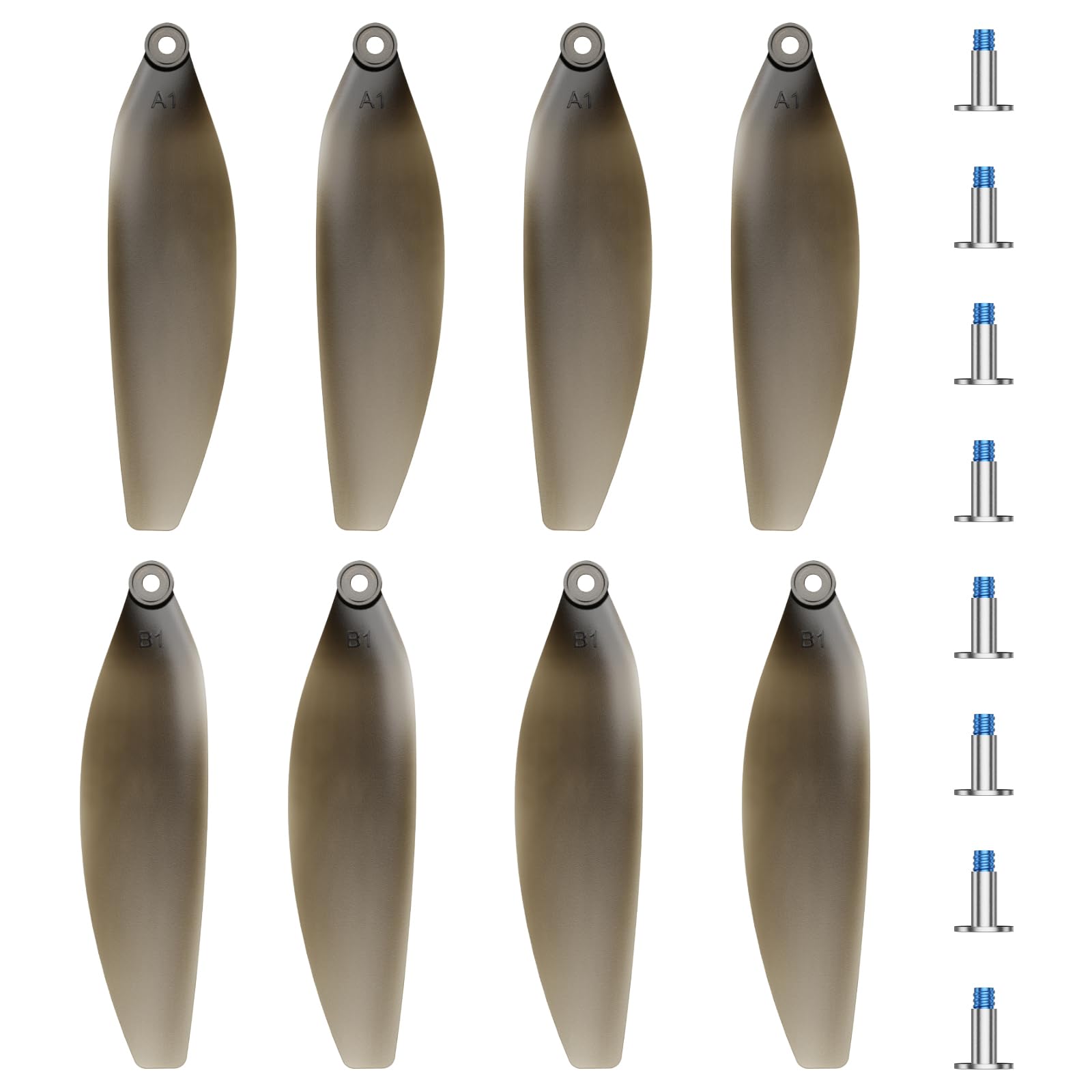
Image: A PLEGBLE PL510/PL511 drone propeller being installed onto a drone motor. The propeller is black, and a small screw is visible, indicating the attachment point. This illustrates the secure fastening process.
Operating
After successful installation, perform a pre-flight check to ensure all propellers are correctly installed and securely fastened. The PLEGBLE PL510/PL511 propellers are crafted from premium alloy ABS material and rigorously tested to meet high-performance standards, ensuring consistent and reliable performance in various flight conditions. Always operate your drone according to its manufacturer's instructions and local regulations.
Maintenance
Proper maintenance extends the lifespan and ensures the safety of your propellers:
- Regular Inspection: Before each flight, visually inspect all propellers for any signs of damage, such as cracks, bends, nicks, or deformities. Even minor damage can significantly affect flight stability and safety.
- Replacement: Replace any damaged propellers immediately. Do not attempt to repair damaged propellers, as this can compromise their structural integrity.
- Cleaning: Keep propellers clean from dirt, dust, grass, and other debris. Use a soft, dry cloth to wipe them down. Avoid using harsh chemicals that could degrade the material.
- Storage: Store spare propellers in a safe, dry place away from direct sunlight and extreme temperatures to prevent material degradation.
Troubleshooting
If you encounter issues after installing new propellers, consider the following:
- Unstable Flight or Vibration:
- Check if all propellers are installed correctly and securely.
- Ensure no propellers are bent, cracked, or damaged. Replace any faulty propellers.
- Verify that the correct propeller type (e.g., 'A' or 'B') is on the corresponding motor.
- Unusual Noise During Flight:
- Inspect propellers for any foreign objects (e.g., hair, debris) caught around the motor or propeller hub.
- Ensure propeller screws are tightened sufficiently, but not overtightened.
- Check if propellers are touching any part of the drone body or landing gear.
- Propeller Detachment:
- Ensure screws were tightened sufficiently during installation. Re-tighten if necessary, but avoid overtightening.
- Inspect the propeller hub and motor shaft for any damage that might prevent secure attachment.
Specifications
| Product Dimensions | 14.37 x 11.81 x 2.13 inches |
| Item Weight | 0.317 ounces |
| Manufacturer | PLEGBLE |
| Material | Premium Alloy ABS |
Warranty and Support
Specific warranty information for PLEGBLE PL510/PL511 Drone Propellers is not provided within this manual. Please refer to your purchase documentation or contact the seller directly for details regarding warranty coverage. For product support, technical assistance, or any inquiries, please contact PLEGBLE customer service through the contact information provided at the point of purchase or on the official PLEGBLE website.