
Introduction
This manual provides detailed instructions for the installation, operation, and maintenance of your HBEZON 32x30 LED Medicine Cabinet. Please read these instructions thoroughly before installation and use to ensure proper function and safety. Keep this manual for future reference.
Safety Information
General Safety Precautions:
- Ensure all electrical connections are performed by a qualified electrician in accordance with local codes and regulations.
- Disconnect power at the circuit breaker before installation, maintenance, or cleaning.
- Do not attempt to modify the product. Any modifications may void the warranty and pose safety risks.
- Avoid exposing the product to excessive moisture or direct water spray.
- Handle glass components with care to prevent breakage and injury.
- Keep children away from the installation area.
No specific safety warnings beyond general electrical and handling precautions are provided for this product.
Product Features
- Smart Touch Control: Dimmable smart touch buttons for light control.
- Adjustable Brightness: Brightness can be adjusted from 10% to 100%.
- 3 Color Lighting Modes: Features warm (2700K), natural (4000K), and cold white (6500K) light settings.
- Anti-fog Function: Built-in heating module to maintain a clear reflection.
- Space-Saving Design: Includes 2 adjustable and removable tempered glass shelves.
- Mounting Options: Can be wall-mounted or recessed.
- Silent Operation: Soft-close hinges with buffering technology for quiet door closure.
- Durable Construction: High-quality metal frame with powder coating.
- Memory Function: Retains the last used light settings (color and brightness).
- ETL Certified: Meets rigorous safety and performance standards.
Package Contents
Please verify that all components are present and undamaged before beginning installation.
- HBEZON 32x30 LED Medicine Cabinet (1)
- Adjustable Tempered Glass Shelves (2)
- Mounting Hardware (screws, anchors)
- Instruction Manual (1)
Installation Instructions
The medicine cabinet can be installed as either a recessed mount or a surface mount. Recessed installation is recommended for a seamless appearance.
1. Prepare the Installation Area
Before installation, ensure the wall structure can support the weight of the cabinet. Turn off the main power supply at the circuit breaker.

Image: Medicine Cabinet Dimensions. This image displays the overall dimensions of the medicine cabinet (32 inches width, 30 inches height, 4 15/16 inches depth) and the recommended cutout dimensions for recessed mounting (31 inches width, 24 3/16 inches height, 3 3/8 inches depth).
2. Choose Mounting Type: Recessed or Surface

Image: Recessed Mount vs Surface Mount. This image illustrates the visual difference between a recessed installation, where the cabinet is flush with the wall, and a surface installation, where the cabinet protrudes from the wall.
3. Electrical Connection (Hardwired)
The cabinet is designed for hardwired connection. It is recommended to have a qualified electrician perform the electrical wiring to ensure safety and compliance with electrical codes. A wall switch (not included) is required for controlling the power supply to the cabinet.

Image: Hardwired Connection Diagram. This image shows a diagram of the hardwired electrical connection, indicating the wiring from the cabinet to a wall switch and power source. It emphasizes that the wall switch is not included.
4. Secure the Cabinet
Follow the specific instructions provided with the mounting hardware to securely attach the cabinet to the wall. For recessed mounting, ensure the cutout dimensions are accurate and the cabinet fits snugly.
5. Install Shelves
Insert the adjustable tempered glass shelves into the desired positions within the cabinet. Ensure they are level and secure.
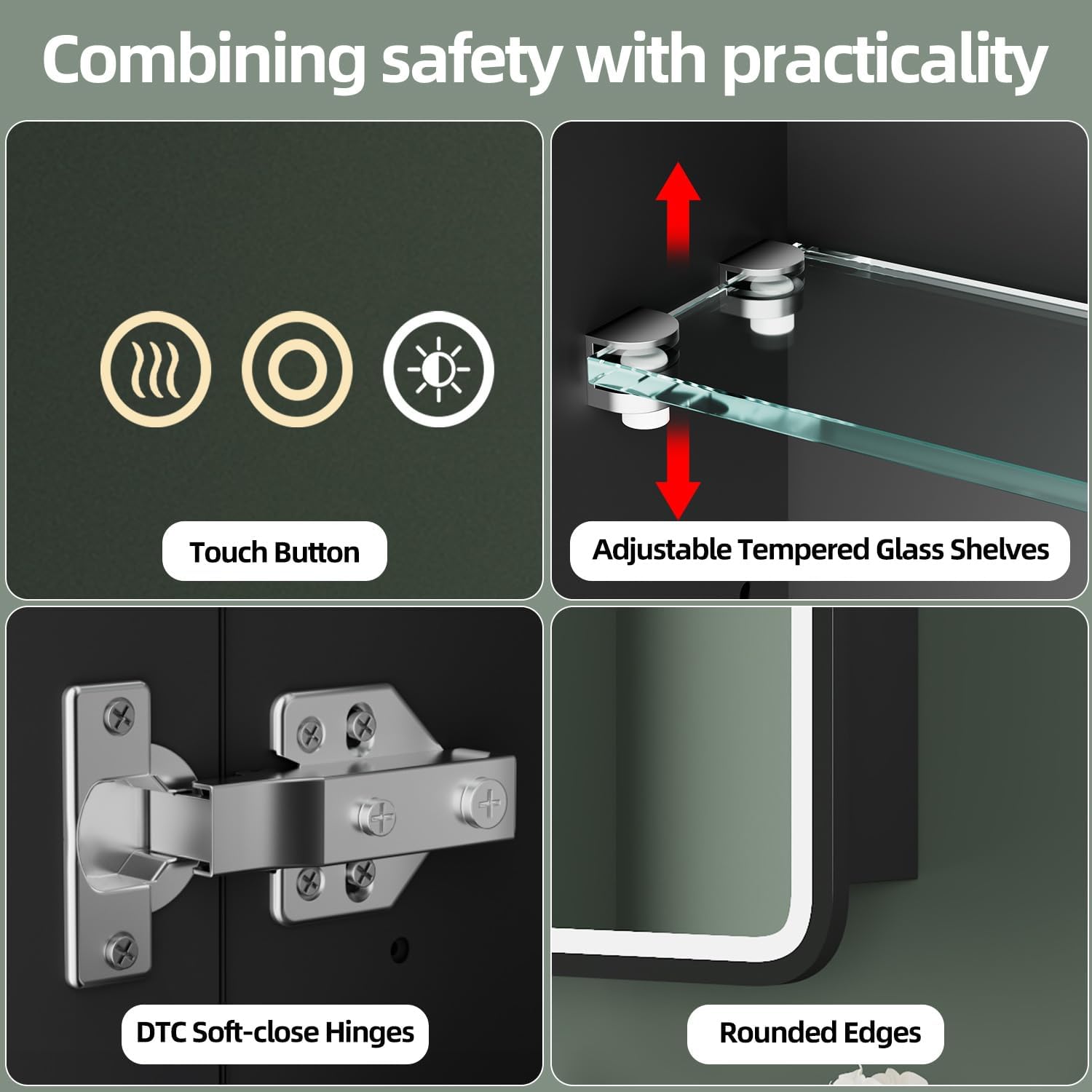
Image: Adjustable Tempered Glass Shelves. This image highlights the adjustable tempered glass shelves inside the cabinet, showing how they can be moved up or down to customize storage space.
Operating Instructions
The LED medicine cabinet features smart touch controls integrated into the mirror surface.
Video: HBEZON Medicine Cabinet with LED Lights and Mirror. This video demonstrates the smart touch controls for adjusting light brightness and color temperature, as well as the anti-fog function and the spacious interior storage of the medicine cabinet.
1. Smart Touch Control Overview
The mirror has three touch buttons:
- Left Button (Wavy Lines): Activates/deactivates the anti-fog function.
- Middle Button (Circle with Dot): Turns the light ON/OFF and adjusts brightness.
- Right Button (Sun Icon): Changes the light color temperature.
Image: Smart Touch Control Buttons. This image shows a close-up of the three touch buttons on the mirror surface, indicating their positions and icons.
2. Adjusting Brightness
To turn the light ON/OFF, short press the middle button. To adjust the brightness, long press the middle button. The brightness will cycle from 10% to 100%.

Image: Adjustable Brightness Levels. This image demonstrates the range of brightness from 10% to 100%, showing the visual difference in light output.
3. Changing Color Temperature
To change between the three color lighting modes (warm, natural, cold white), short press the right button (sun icon). Each press will cycle to the next color temperature.

Image: 3 Color Lighting Modes. This image illustrates the three distinct color temperatures: Warm Light (2700K), Neutral Light (4000K), and Cold Light (6500K).
4. Anti-fog Function
To activate or deactivate the anti-fog function, short press the left button (wavy lines). The built-in heating module will clear condensation from the mirror surface.

Image: Anti-Fog Function in Use. This image shows a mirror with one side fogged and the other side clear, demonstrating the effectiveness of the anti-fog feature.
5. Memory Function
The cabinet is equipped with a memory function. It will automatically recall the last used brightness and color temperature settings when the light is turned on again.
Maintenance and Care
Regular cleaning and proper care will ensure the longevity and optimal performance of your medicine cabinet.
- Cleaning the Mirror: Use a soft, lint-free cloth and a non-abrasive glass cleaner. Spray the cleaner onto the cloth, not directly onto the mirror, to prevent liquid from seeping into the electrical components.
- Cleaning the Cabinet: Wipe the metal frame and interior surfaces with a soft, damp cloth. Avoid harsh chemicals or abrasive cleaners that could damage the finish.
- Electrical Components: Ensure the power is off before cleaning any part of the cabinet. Do not immerse any part of the cabinet in water.
- Hinges: The soft-close hinges are designed for durability. Avoid forcing the doors open or closed.
Troubleshooting
If you encounter any issues, refer to the following common problems and solutions:
| Problem | Possible Cause | Solution |
|---|---|---|
| Lights do not turn on. | No power supply; loose wiring; faulty touch sensor. | Check circuit breaker. Ensure all wiring connections are secure. Contact customer support if the issue persists. |
| Anti-fog function not working. | Function not activated; power issue. | Ensure the anti-fog button is pressed. Check power supply to the cabinet. |
| Brightness or color temperature cannot be adjusted. | Incorrect button press; touch sensor issue. | Ensure you are long-pressing for brightness and short-pressing for color. Clean the touch sensor area. |
| Cabinet door does not close smoothly. | Hinge obstruction; hinge adjustment needed. | Check for any obstructions. Adjust hinges if necessary (refer to hinge manufacturer's instructions if available). |
If these solutions do not resolve the issue, please contact HBEZON customer support for further assistance.
Specifications
| Feature | Detail |
|---|---|
| Brand | HBEZON |
| Model Name | 3230BK |
| Color | Black |
| Product Dimensions | 4.8"D x 32"W x 30"H |
| Item Weight | 20 Pounds |
| Material | Metal |
| Finish Type | Powder Coated |
| Mounting Type | Wall Mounted or Recessed Mounted |
| Number of Shelves | 3 (2 adjustable and removable tempered glass shelves) |
| Door Style | Mirrored |
| Special Features | Smart Touch Control, Lighting Memory Function, Dimmable, 3 Color Lighting Modes, Defogger, Space-saving, Soft-close Hinges |
| Assembly Required | Yes |
Warranty and Support
For warranty information or technical support, please contact HBEZON customer service. Keep your purchase receipt as proof of purchase.
You can visit the HBEZON Store for more information: HBEZON Store


