
Introduction
This manual provides detailed instructions for the assembly, operation, and maintenance of your Weilisi 10.5-inch Ring Light with Tripod Stand and Phone Holder Kit. Please read this manual thoroughly before using the product to ensure proper function and safety. Keep this manual for future reference.
Package Contents
Verify that all items listed below are included in your package:
- 1 x 10.5-inch Ring Light
- 1 x Ring Light Tripod Stand
- 1 x Adjustable Phone Holder
- 1 x Wireless Remote Control (requires 1 C battery, not included)
- 1 x Power Adapter
Product Features
- Full Screen Design: Features an upgraded round panel with a larger light-emitting surface for broader illumination.
- Adjustable Lighting: Offers 10 brightness levels (10%-100%) and 3 color temperatures (3000K Warm, 4500K Natural, 6000K Cold) to suit various lighting needs.
- Flexible Positioning: The video lighting head can rotate 360° and tilt 180° up and down, allowing for optimal light angle adjustment.
- Sturdy Tripod Stand: Constructed from high-quality aluminum, extendable from 39 to 69 inches (to the top of the light head) to meet diverse height requirements. Includes a standard 1/4" screw mount.
- Wireless Remote Control: Enables convenient photo and video capture from up to 30 feet away, compatible with most smartphones.
- Versatile Phone Holder: Features 360° rotation and accommodates phones from 2.49 to 3.74 inches wide, supporting both horizontal and vertical shooting.
- Soft & Uniform Illumination: Utilizes full-screen lighting technology to provide soft, even light, enhancing facial features and protecting eyes.
Setup Instructions
Follow these steps to assemble your Weilisi Ring Light kit:
- Unpack Components: Carefully remove all items from the packaging and ensure no parts are missing.
- Extend Tripod Legs: Loosen the switch knob on the tripod stand. Gently pull the legs outwards until they are fully extended and stable. Press the center axis down to secure the legs.
- Adjust Tripod Height: Loosen the height adjustment knobs on the tripod pole. Extend the pole to your desired height (between 39 and 69 inches) and tighten the knobs securely.
- Attach Ring Light: Mount the 10.5-inch ring light onto the 1/4" screw mount at the top of the tripod stand. Rotate to tighten until secure.
- Install Phone Holder: Attach the adjustable phone holder to the designated mounting point on the tripod pole. Ensure it is securely fastened.
- Connect Power: Plug the power adapter into the ring light's power input, then plug the adapter into a standard electrical outlet.

Figure 1: Step-by-step assembly of the tripod stand.

Figure 2: Detail of the versatile phone holder.

Figure 3: Power adapter and inline remote control.
Operating Instructions
Powering On/Off and Adjusting Brightness/Color
The ring light is controlled via an inline remote on the power cable:
- Power Button: Press the red power button to turn the light ON or OFF.
- Mode Button: Press the 'M' (Mode) button to cycle through the three color temperature modes: Warm (3000K), Natural (4500K), and Cold (6000K).
- Brightness Adjustment: Use the 'Up' (▲) and 'Down' (▼) buttons to increase or decrease the brightness level from 10% to 100%.
Using the Wireless Remote Control
The wireless remote control allows for convenient photo and video capture:
- Pairing: Ensure Bluetooth is enabled on your smartphone. Turn on the wireless remote. Search for the remote in your phone's Bluetooth settings and pair.
- Function: Once paired, press the button on the remote to trigger your phone's camera shutter for photos or to start/stop video recording.

Figure 4: Using the wireless remote control.
Adjusting Light and Phone Holder Angle
- Ring Light Angle: The ring light head can be rotated 360° horizontally and tilted 180° vertically. Adjust the light to direct illumination precisely where needed.
- Phone Holder Orientation: The phone holder can also rotate 360°, allowing you to switch between portrait and landscape modes for your smartphone.
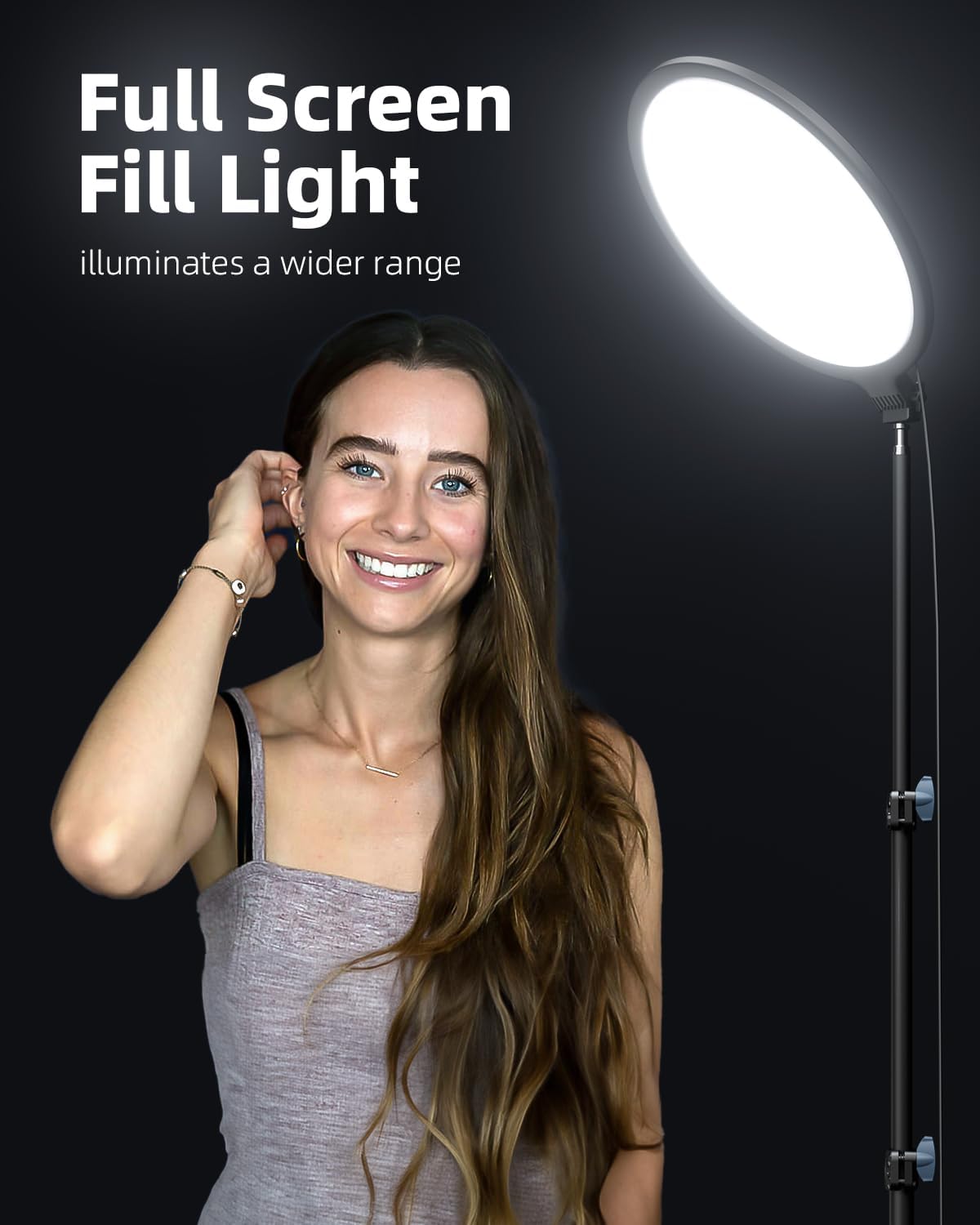
Figure 5: Full screen fill light in use.
Maintenance
To ensure the longevity and optimal performance of your ring light kit, follow these maintenance guidelines:
- Cleaning: Use a soft, dry cloth to wipe down the ring light and tripod stand. Do not use abrasive cleaners or solvents.
- Storage: When not in use, collapse the tripod stand and store the kit in a dry, cool place away from direct sunlight and moisture.
- Cable Care: Avoid bending or crimping the power cable excessively. Do not pull the cable to unplug the device; always grasp the plug.
- Battery Replacement (Wireless Remote): If the wireless remote stops responding, replace the C battery.
Troubleshooting
If you encounter any issues with your Weilisi Ring Light, refer to the following common problems and solutions:
| Problem | Possible Cause | Solution |
|---|---|---|
| Ring light does not turn on. | Power cable not properly connected or power outlet is faulty. | Ensure the power adapter is securely plugged into both the light and a working electrical outlet. Test the outlet with another device. |
| Light is too dim or too bright. | Brightness level needs adjustment. | Use the 'Up' (▲) and 'Down' (▼) buttons on the inline remote to adjust brightness. |
| Cannot change color temperature. | Incorrect mode selected. | Press the 'M' (Mode) button on the inline remote to cycle through color temperatures. |
| Wireless remote not working. | Remote not paired, battery low, or phone's Bluetooth is off. | Ensure Bluetooth is enabled on your phone and the remote is paired. Replace the C battery in the remote if necessary. |
| Tripod stand is unstable. | Legs not fully extended or knobs not tightened. | Ensure tripod legs are fully spread and all adjustment knobs are securely tightened. Place on a flat, stable surface. |
Specifications
| Feature | Detail |
|---|---|
| Model Number | PL204 |
| Outer Diameter | 10.5 inches |
| Power | 15W |
| Color Temperature | 3000K - 6000K (Warm, Natural, Cold) |
| Brightness Adjustment | 10% - 100% (10 levels) |
| Color Rendering Index (CRI) | ≥95+ |
| Adjustable Height (Tripod) | 39 - 69 inches |
| Cable Length | 78.74 inches |
| Connectivity Technology | USB |
| Hardware Interface | USB |
| Item Weight | 3.74 pounds |
| Package Dimensions | 17.56 x 13.11 x 2.36 inches |
| Wireless Remote Battery | 1 C battery (not included) |
Warranty and Support
For warranty information or technical support, please contact Weilisi customer service through the retailer where you purchased the product. Please have your model number (PL204) and purchase date available when contacting support.