
1. Important Safety Instructions
Always observe basic safety precautions when using electric tools to reduce the risk of fire, electric shock, and personal injury. Read all instructions before operating this product.
- Work Area Safety: Keep the work area clean and well-lit. Cluttered or dark areas invite accidents. Do not operate power tools in explosive atmospheres, such as in the presence of flammable liquids, gases, or dust.
- Electrical Safety: Avoid body contact with earthed or grounded surfaces. Do not expose power tools to rain or wet conditions. Water entering a power tool will increase the risk of electric shock.
- Personal Safety: Always wear eye protection. Use personal protective equipment such as dust masks, non-skid safety shoes, hard hats, or hearing protection when appropriate. Dress properly; do not wear loose clothing or jewelry. Keep hair and clothing away from moving parts.
- Tool Use and Care: Do not force the power tool. Use the correct power tool for your application. Disconnect the battery pack from the power tool before making any adjustments, changing accessories, or storing power tools.
- Battery Pack Use and Care: Recharge only with the charger specified by the manufacturer. Do not use battery packs with any other power tools. When the battery pack is not in use, keep it away from other metal objects.
2. Product Overview
The ONEVAN Cordless Electric Impact Wrench is designed for efficient fastening and loosening of nuts and bolts. It features a powerful brushless motor and multiple speed settings for various applications.

Image 2.1: The ONEVAN Cordless Electric Impact Wrench, including two 3.0Ah lithium-ion batteries, a charger, and a belt clip.
Key Features:
- Powerful Brushless Motor: Delivers up to 600 Nm forward torque and 700 Nm reverse torque for demanding tasks.
- Automatic Stop Function: In reverse mode, the tool automatically reduces speed and torque once the fastener is loose, preventing it from falling off.
- 3-Speed Modes: Offers precise control with low speed (400 Nm), high speed (600 Nm) in forward, and 700 Nm in reverse.
- Variable Speed Control: Trigger-activated variable speed up to 1700 RPM.
- Built-in LED Light: Illuminates the work area for improved visibility.
- Long-lasting Batteries: Equipped with two 3.0Ah lithium-ion batteries for extended operation.
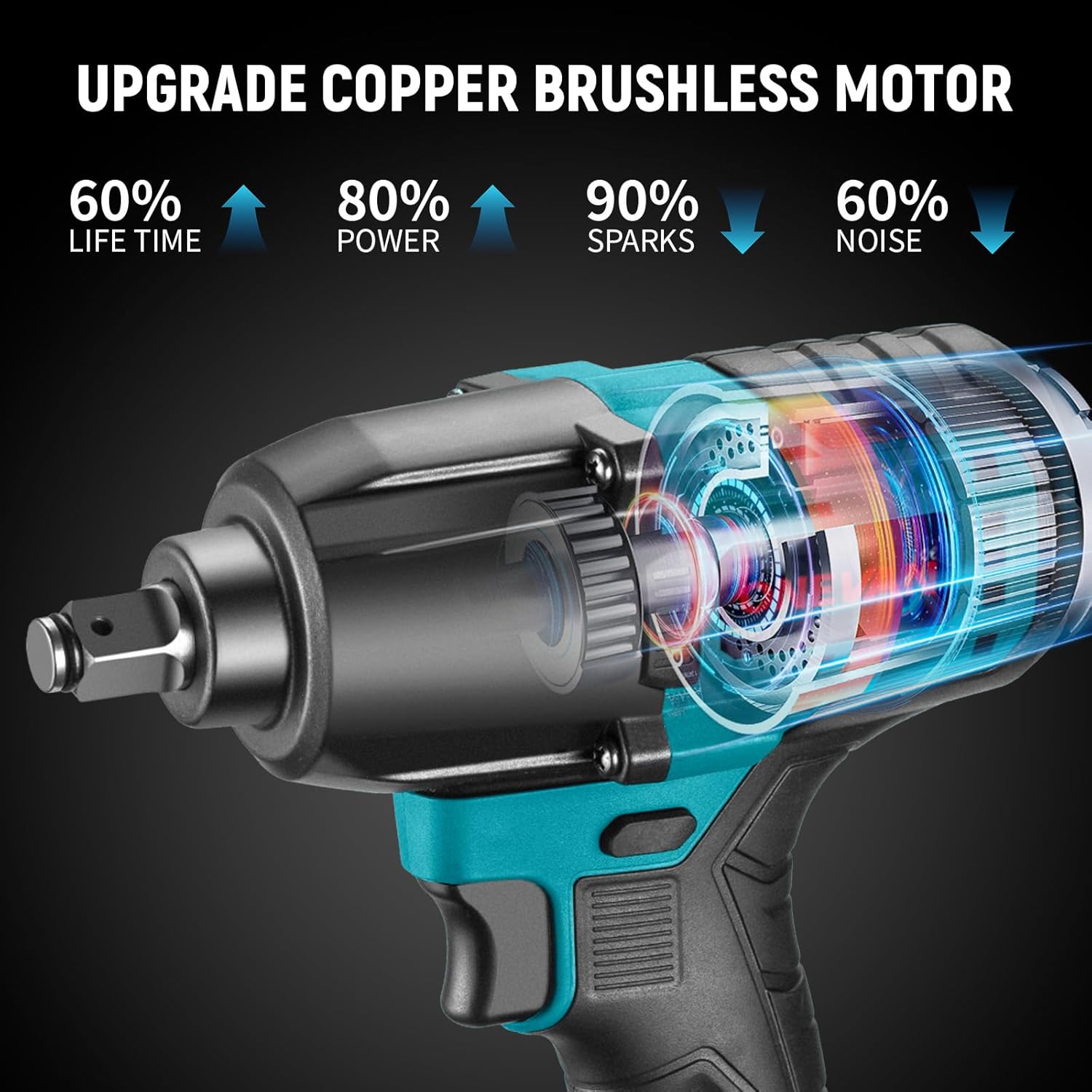
Image 2.2: Internal view highlighting the brushless motor technology, which offers increased lifespan, power, and reduced noise and sparks.
3. Setup
3.1 Charging the Battery
- Connect the charger to a standard power outlet.
- Insert the battery pack into the charger. Ensure it is fully seated.
- The LED indicator on the battery will show charging status. A full charge is indicated when all LEDs are lit.
- Once fully charged, disconnect the battery from the charger and unplug the charger from the outlet.
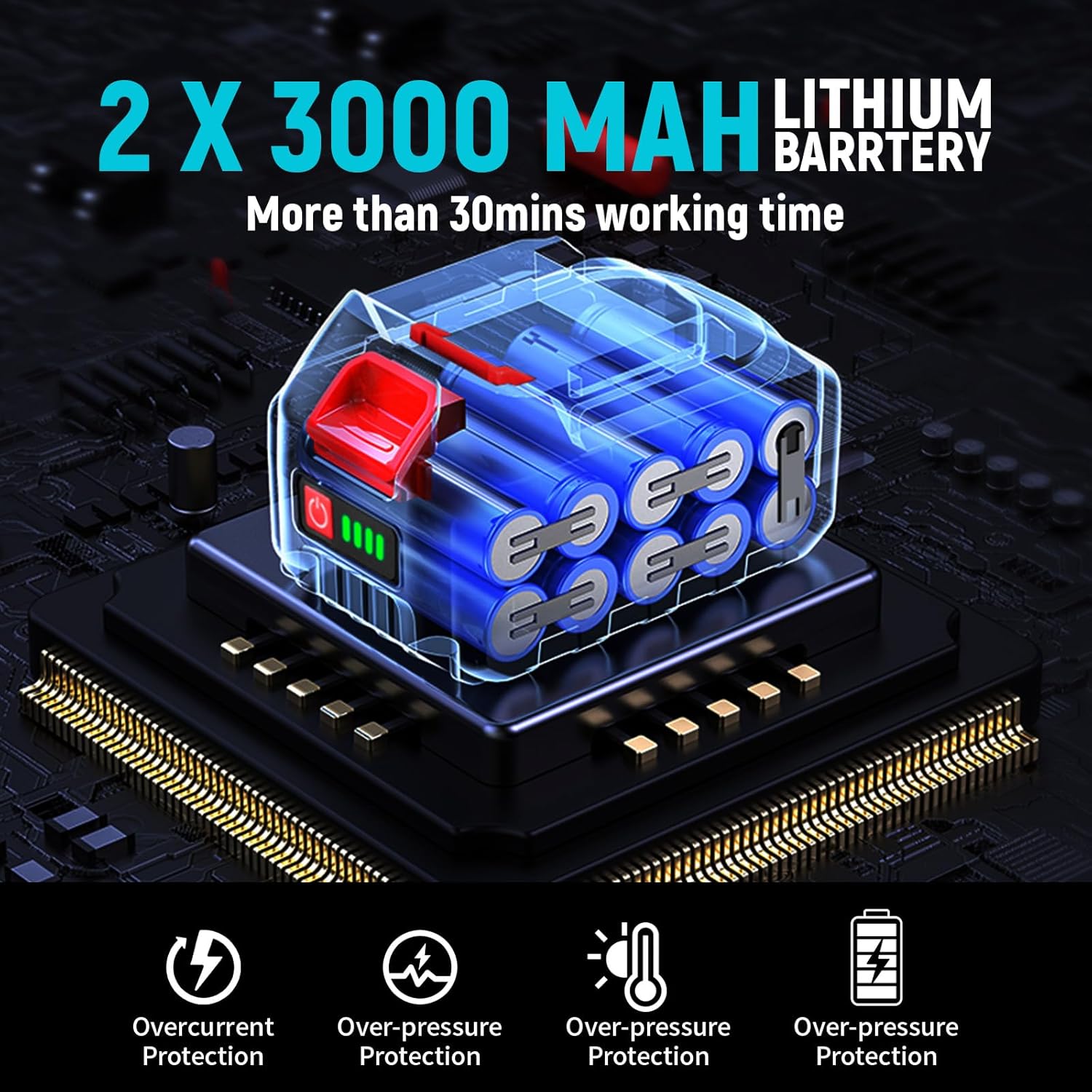
Image 3.1: Illustration of the 3000 mAh lithium-ion battery, featuring overcurrent, over-pressure, and temperature protection.
3.2 Installing and Removing the Battery
- To Install: Align the battery pack with the base of the impact wrench and slide it in until it clicks securely into place.
- To Remove: Press the battery release button (usually located on the side of the battery) and slide the battery pack out.
3.3 Attaching and Removing Sockets
- To Attach: Push the desired 1/2-inch square drive socket onto the anvil of the impact wrench until it locks securely.
- To Remove: Pull the socket firmly off the anvil.
4. Operating Instructions
4.1 Powering On/Off and Direction Control
- The tool is powered on by pressing the trigger. Releasing the trigger turns it off.
- Use the forward/reverse selector switch (located above the trigger) to choose the rotation direction.
- Push the switch to the left for forward rotation (tightening).
- Push the switch to the right for reverse rotation (loosening).
- For safety, set the switch to the middle position to lock the trigger and prevent accidental starting.
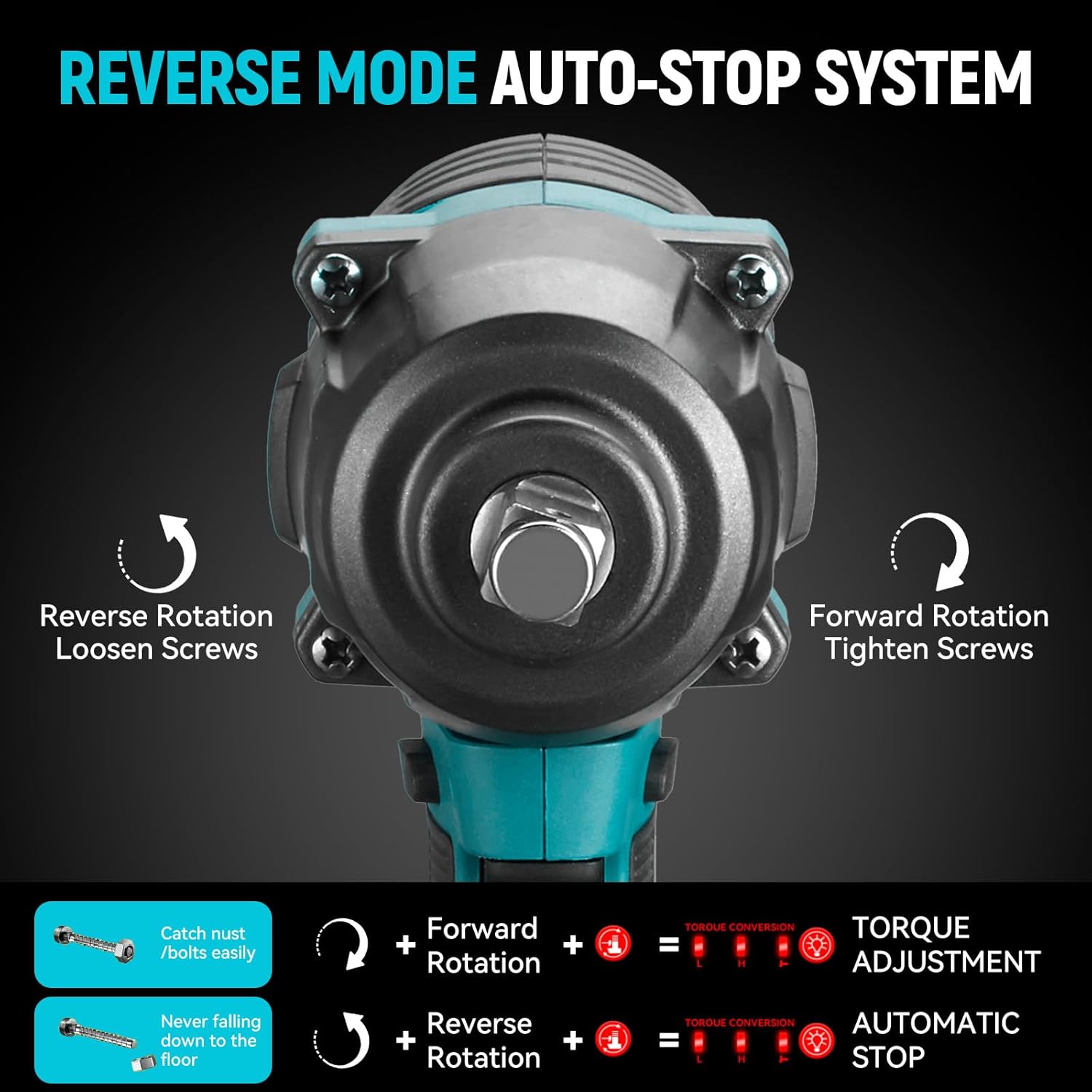
Image 4.1: Detail of the impact wrench's head, illustrating the forward rotation for tightening screws and reverse rotation for loosening, along with the automatic stop system.
4.2 Speed and Torque Control
- Variable Speed: The tool features variable speed control. The further the trigger is pressed, the higher the speed achieved, up to 1700 RPM.
- 3-Speed Modes: Use the speed selection button (usually near the battery indicator) to cycle through the available torque settings:
- Low Speed Forward: 400 Nm
- High Speed Forward: 600 Nm
- Reverse (with auto-stop): 700 Nm
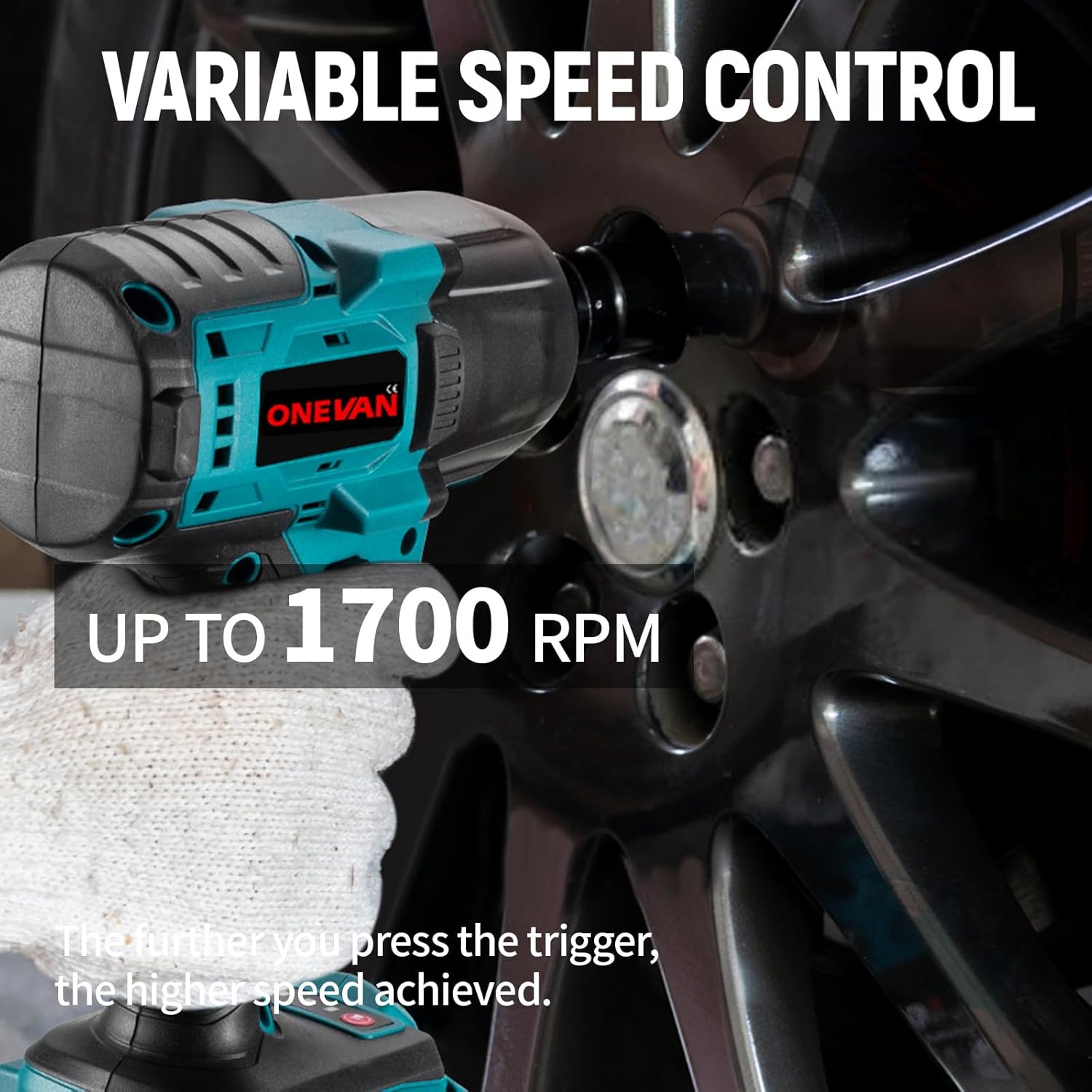
Image 4.2: The impact wrench being used on a car wheel, illustrating the variable speed control feature, allowing speeds up to 1700 RPM based on trigger pressure.

Image 4.3: Diagram illustrating the torque capabilities from 0 Nm up to 700 Nm, suitable for various applications including tightening screws, shelf installation, tire disassembly, and industrial tasks.
4.3 Automatic Stop System (Reverse Mode)
When operating in reverse mode, the intelligent automatic stop system is activated. Once the nut or bolt is loosened, the tool will automatically reduce its speed and torque, preventing the fastener from being ejected or falling off completely. This feature enhances safety and efficiency, especially when working in confined spaces or overhead.
4.4 Built-in LED Light
The impact wrench is equipped with a built-in LED light located at the base of the tool. This light automatically illuminates when the trigger is pressed, providing diffused lighting to the work area and improving visibility in dark or poorly lit conditions.
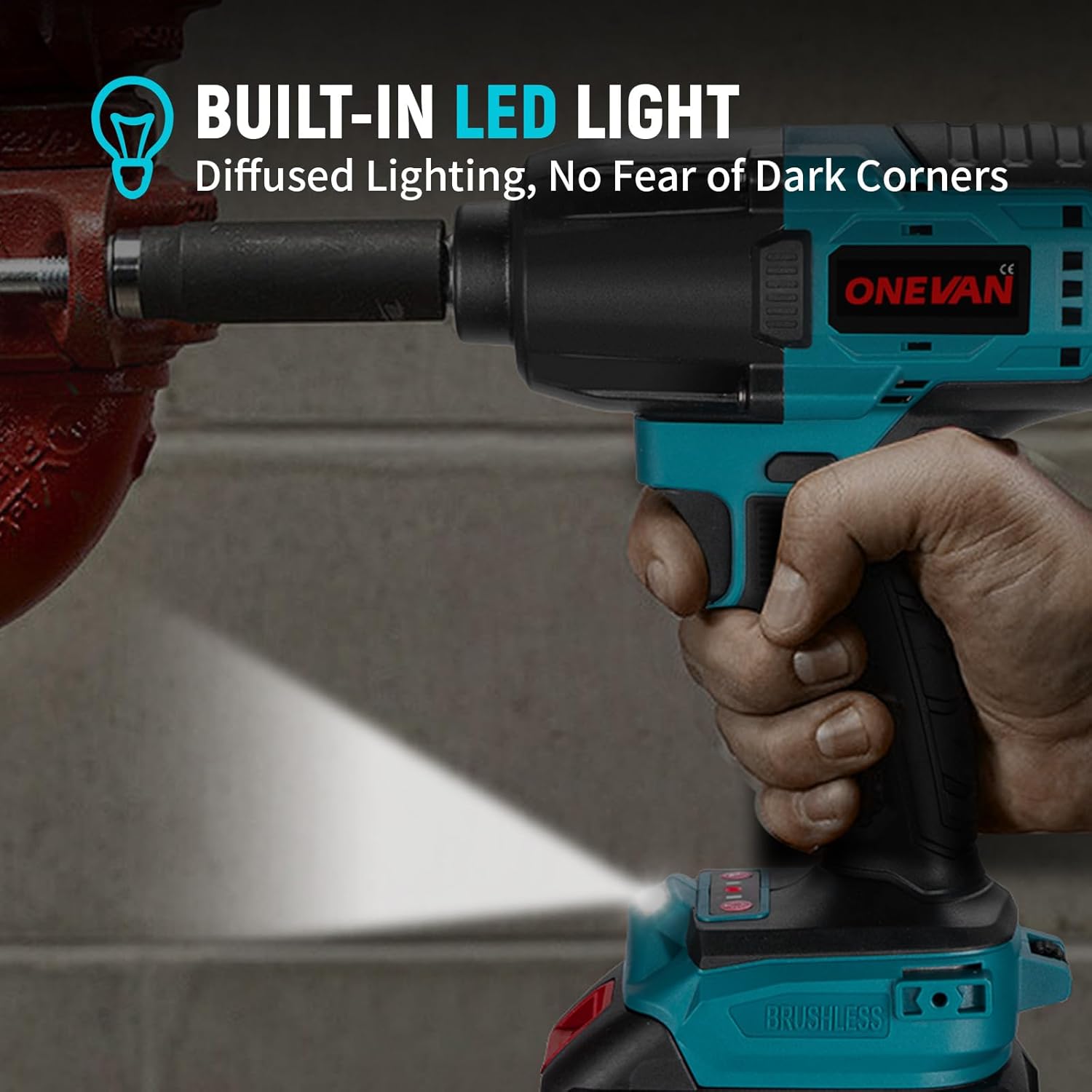
Image 4.4: The impact wrench in use, demonstrating the built-in LED light effectively illuminating a dark work area.
5. Maintenance
5.1 Cleaning
- Regularly clean the ventilation openings of the tool to prevent overheating.
- Use a soft, damp cloth to wipe down the exterior of the tool. Do not use harsh chemicals or abrasive cleaners.
- Ensure the tool is dry before storing or using.
5.2 Battery Care and Storage
- Store batteries in a cool, dry place away from direct sunlight and extreme temperatures.
- Do not store batteries in a discharged state for extended periods. Recharge them periodically if not in use.
- Protect battery terminals from short-circuiting.
5.3 General Storage
Store the impact wrench and its accessories in a secure, dry location, out of reach of children and unauthorized users.
6. Troubleshooting
If you encounter issues with your ONEVAN Cordless Electric Impact Wrench, refer to the following common problems and solutions:
| Problem | Possible Cause | Solution |
|---|---|---|
| Tool does not start | Battery not charged or improperly installed; Trigger lock engaged; Faulty battery or tool. | Charge battery fully and re-install; Disengage trigger lock; Test with another battery if available; Contact customer support. |
| Reduced power or torque | Battery low; Incorrect speed setting; Worn-out carbon brushes (if applicable, though this model is brushless); Overload. | Recharge battery; Select a higher speed/torque setting; Allow tool to cool down; Do not exceed tool's capacity. |
| Tool stops unexpectedly | Overheating; Battery protection activated; Battery fully discharged. | Allow tool to cool down; Recharge battery; Ensure proper ventilation. |
| Excessive vibration or noise | Loose components; Damaged anvil or socket; Internal malfunction. | Check for loose parts and tighten; Replace damaged sockets; Discontinue use and contact customer support. |
7. Specifications
Detailed technical specifications for the ONEVAN Cordless Electric Impact Wrench, model sku006422:
| Specification | Value |
|---|---|
| Model Number | sku006422 |
| Voltage | 18 Volts |
| Max Forward Torque | 600 Newton-meters (Nm) |
| Max Reverse Torque | 700 Newton-meters (Nm) |
| Square Drive Size | 1/2 inch (12.7 mm) |
| No-load Speed | 0-1700 RPM |
| Impact Frequency | 0-2700 IPM |
| Speed Settings | 3 (Low Forward, High Forward, Reverse with Auto-Stop) |
| Applicable Socket Range | M10-M36 |
| Battery Type | Lithium-ion |
| Battery Capacity | 3.0 Ah (3000 mAh) per unit |
| Number of Batteries Included | 2 |
| Material | Aluminum |
| Item Weight | 3.2 Kilograms |
| Package Dimensions | 37 x 27 x 12 cm |
8. Warranty and Support
For warranty information and customer support, please refer to the documentation provided with your purchase or contact ONEVAN customer service directly. Keep your proof of purchase for any warranty claims.
