
Introduction
This manual provides detailed instructions for installing and operating your BrickBling LED Light Kit, designed specifically for the LEGO 10341 NASA Artemis Space Launch System. This kit enhances your model with dynamic lighting. Please note that the LEGO model itself is not included with this light kit.
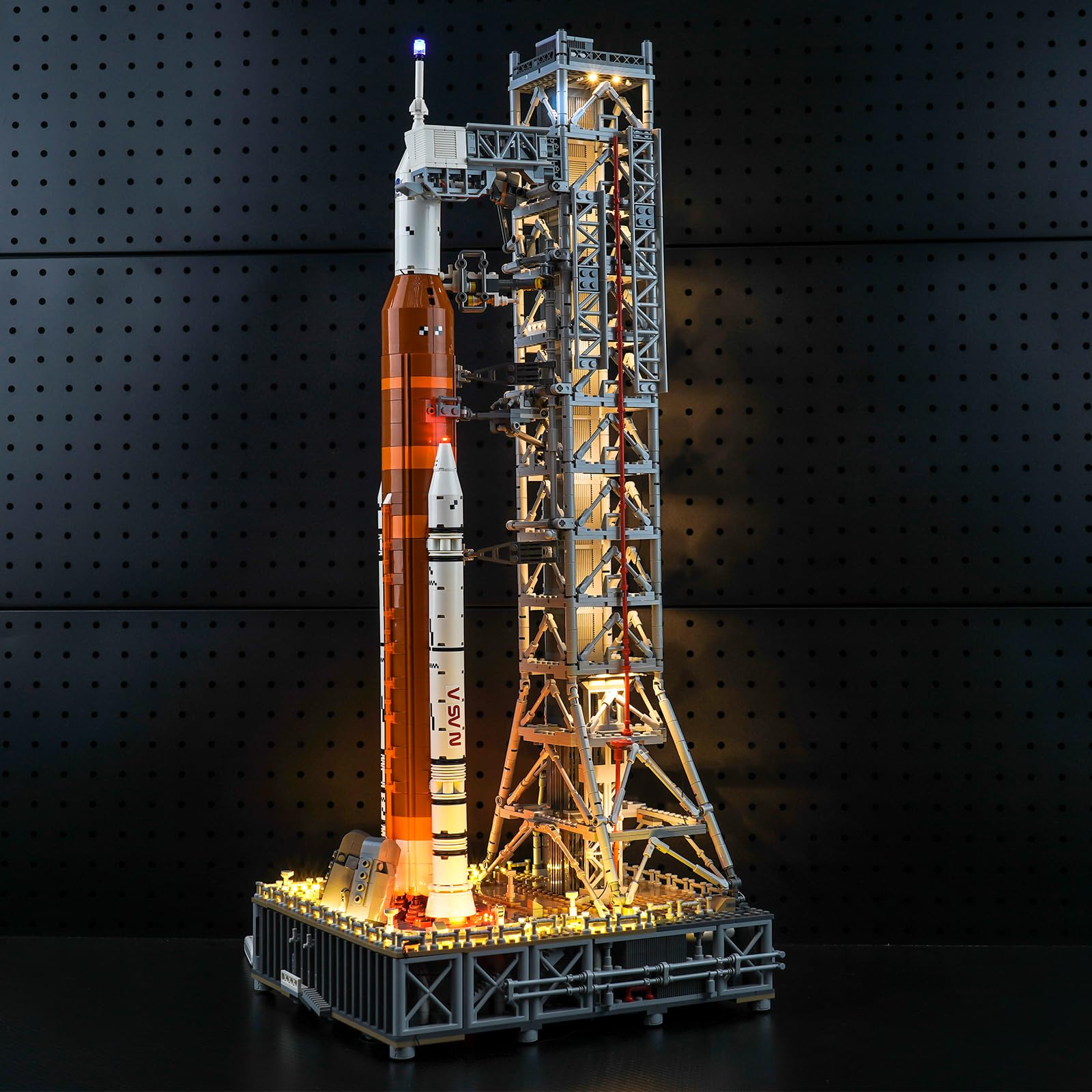
Image: The BrickBling LED Light Kit illuminating the LEGO NASA Artemis Space Launch System model, showcasing the enhanced visual effect.
Safety Information
Choking Hazard: This product contains small parts and is not suitable for children under 3 years of age. Adult supervision is recommended during installation and operation.
Ensure all connections are secure and wires are not pinched or damaged during installation to prevent electrical hazards.
What's in the Box
Your BrickBling LED Light Kit package includes the following components:
- Light Kit (various LED lights and connecting wires)
- Power Supply (USB cable)
- Installation tools (e.g., tweezers, if applicable)

Image: An overview of the light kit components, including LED lights, connecting cables, and power supply.
Setup and Installation
Detailed, step-by-step installation instructions are provided digitally. To access these, please follow the instructions printed in the booklet included with your package. This will direct you to a website where you can find PDF and video guides tailored for your specific model.
General Installation Tips:
- Handle LED lights and wires gently to avoid damage.
- Ensure wires are neatly tucked away to maintain the aesthetic of your LEGO model.
- Test connections periodically during installation to confirm proper functionality.
Video: An official BrickBling video demonstrating the LED light kit installed on the LEGO NASA Artemis Space Launch System, highlighting various illuminated sections.
Operating Instructions
The BrickBling LED Light Kit can be powered via a USB cable, which is included in the package. For optimal lighting performance, using the USB cable is recommended. The kit can also be powered by batteries (not included), offering portability.
- USB Power: Connect the provided USB cable to the light kit and a compatible USB power source (e.g., a USB wall adapter, power bank, or computer USB port).
- Battery Power (Optional): If using batteries, insert the correct type and number of batteries into the battery box (if included with your specific kit variant).
Once connected to a power source, the lights will illuminate. There are no additional controls for this Classic Version Light kit; it operates in an automatic mode.
Maintenance
To ensure the longevity and optimal performance of your LED light kit:
- Cleaning: Gently dust the lights and wires with a soft, dry cloth. Avoid using liquid cleaners directly on the electrical components.
- Storage: If disassembling or storing the model, carefully disconnect and store the light kit components to prevent tangling or damage to the delicate wires and LEDs.
- Handling: Avoid excessive bending or pulling of the wires, as this can cause internal damage.
Troubleshooting
| Problem | Possible Cause | Solution |
|---|---|---|
| Lights do not turn on. | No power, loose connection, damaged wire/LED. |
|
| Some lights are not working. | Loose connection to specific light, damaged individual LED. |
|
Specifications
- Brand: BrickBling
- Model Name: 10341 (for LEGO NASA Artemis Space Launch System)
- Set Name: Classic Version Light
- Power Source: USB (Optional battery power)
- Operation Mode: Automatic
- Material Type: Acrylonitrile Butadiene Styrene
- Assembly Required: Yes
- Item Dimensions: 6.1 x 4.15 x 1.18 inches (packaging/kit dimensions)
Warranty and Support
For warranty information, technical support, or replacement parts, please refer to the contact details provided in your product packaging or visit the official BrickBling store on Amazon. You can also reach out to the seller, BrickBling Lighting, directly through the Amazon platform for assistance.
Seller: BrickBling Lighting


