
GLAKER K11S+I3F
GLAKER K11S+I3F Professional Cordless Hair Clippers and Trimmers Set Instruction Manual
Introduction
This manual provides detailed instructions for the safe and effective use of your GLAKER K11S+I3F Professional Cordless Hair Clippers and Trimmers Set. Please read all instructions carefully before initial use and retain this manual for future reference.
Safety Information
- Apply 2 to 3 drops of lubricating oil on blades before each use to minimize and prevent blades from overheating.
- Do not immerse the haircut machine in water. Use the provided cleansing brush for blade cleaning after each use to ensure a snag-free hair trimming experience.
- Use a 5V/1A adapter for charging. The adapter is not included.
- Keep the appliance dry. Do not use it near water or in wet conditions.
- Keep out of reach of children.
Package Contents
Your GLAKER K11S+I3F set includes the following items:
- GLAKER K11S Professional Hair Clipper
- GLAKER I3F Precision T-Blade Trimmer
- 13 Clipper Guards (1/16’’, 1/8’’, 3/16’’, 1/4’’, 3/8’’, 1/2’’, 5/8’’, 3/4’’, 7/8’’, 1’’, 2mm, 3mm, 4mm)
- Barber Cape
- Blade Oil
- Cleaning Brush
- 2 USB Charging Cables
- User Manual

Image: The GLAKER K11S+I3F set, showcasing the main clipper, trimmer, various guide combs, charging cables, and a barber cape.
Product Overview
GLAKER K11S Hair Clipper
- Blades: 440C Stainless Steel for coarse hair.
- Motor: Heavy-duty motor (6000-7000 rpm) with low noise (<65 dB).
- Taper Lever: Adjustable for blending and fading.
- Display: Large LED display shows real-time battery status.
- Design: Ergonomic metal casing with alveolate texture for a firm grip.
- Battery: Lithium-Ion, 240 minutes run time.
GLAKER I3F T-Blade Trimmer
- Blades: Precise T-blade for clean lines and exact edges.
- Battery: Lithium-Ion, 90 minutes run time.

Image: A hand holding the GLAKER K11S clipper, highlighting its ergonomic design and the digital LED power display.

Image: A detailed view of the GLAKER clipper's ultra-sharp blades, designed for high-performance cutting.
Setup
1. Initial Charge
- Before first use, fully charge both the clipper and trimmer.
- Connect the USB charging cable to the device and a 5V/1A USB power adapter (not included).
- The LED display on the K11S clipper will show charging progress. The I3F trimmer will indicate charging status via its indicator light.
2. Blade Oiling
Before each use, apply 2-3 drops of the included blade oil across the top of the blades. Turn the device on for a few seconds to distribute the oil evenly.
3. Attaching Guide Combs
Select the desired guide comb for your intended hair length. Align the comb with the blade and push firmly until it clicks into place. Ensure it is securely attached before operating the device.

Image: A visual guide to the 13 cutting guards included with the GLAKER K11S clipper and I3F trimmer, indicating their respective lengths.
Operating Instructions
General Hair Trimming
- Ensure hair is clean and dry.
- Attach the appropriate guide comb for the desired length.
- Turn on the clipper/trimmer.
- Hold the device with the blades pointing downwards and move against the direction of hair growth.
- Use smooth, overlapping strokes for an even cut.
Using the Taper Lever (K11S Clipper)
The taper lever on the side of the K11S clipper allows for fine adjustment of cutting length without changing guide combs. This is ideal for blending and fading. Move the lever up for a shorter cut and down for a longer cut.
Detailing and Outlining (I3F Trimmer)
The I3F T-blade trimmer is designed for precise work:
- Use without a guide comb for sharp lines around the neckline, sideburns, and beard edges.
- Hold the trimmer at a slight angle to the skin and gently guide it to create desired shapes.

Image: A person demonstrating the smooth cutting action of the GLAKER clipper on hair, indicating no tugging or pulling.
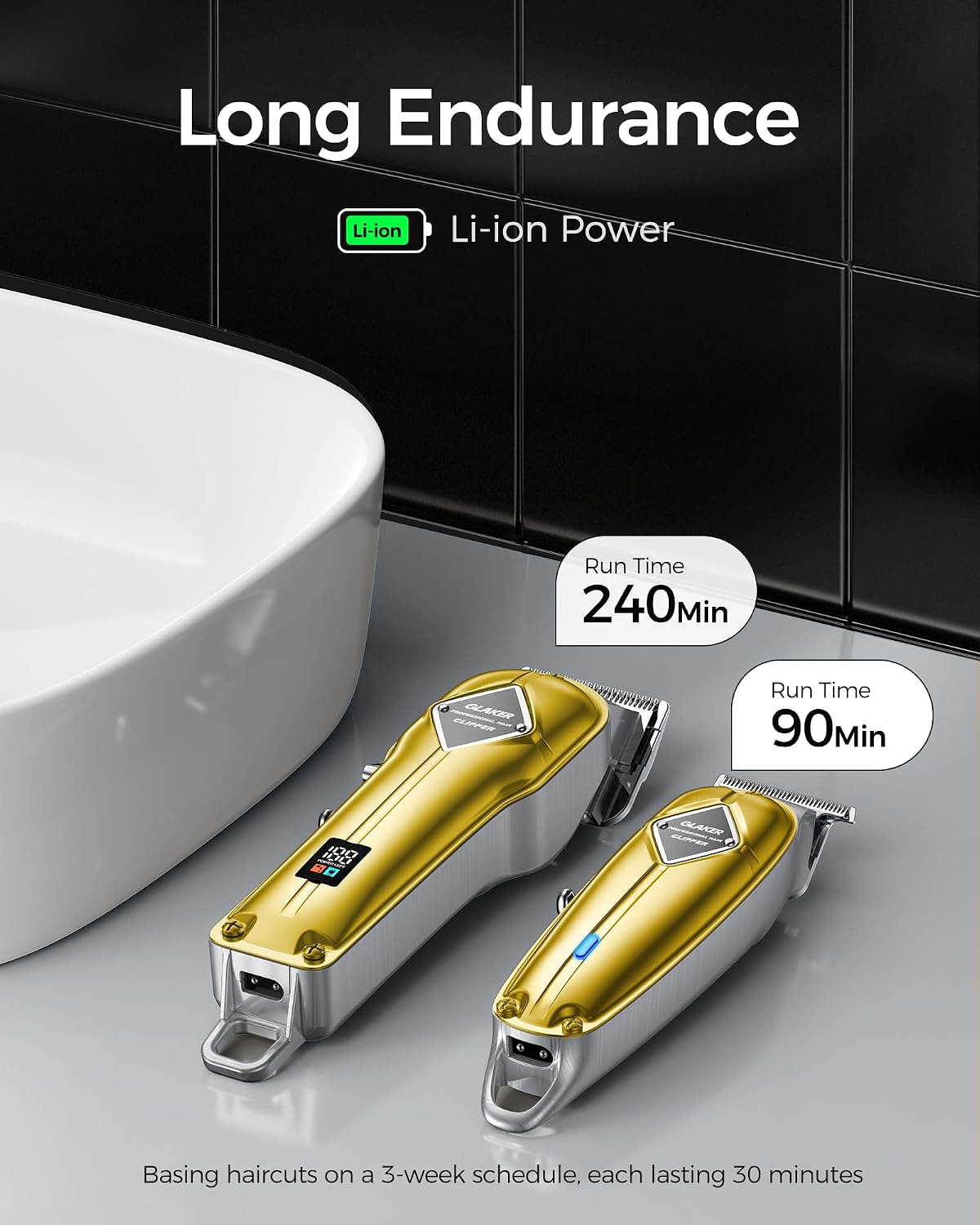
Image: A man with a precisely styled haircut and beard, illustrating the capabilities of the GLAKER set for carving, outlining, fading, and blending.
Maintenance
1. Cleaning Blades
- After each use, turn off the device and remove the guide comb.
- Use the provided cleaning brush to remove loose hairs from the blades and the inside of the device.
- The blades are detachable for thorough cleaning. Carefully unclip the blade assembly and rinse under running water. Ensure blades are completely dry before reattaching.
2. Oiling Blades
Regular oiling is crucial for blade longevity and performance. Apply 2-3 drops of blade oil before each use, as described in the Setup section.
3. Storage
Store the clippers and trimmers in a dry, cool place, away from direct sunlight and moisture. Ensure they are fully charged before long-term storage to maintain battery health.
Troubleshooting
- Device not turning on: Ensure the device is fully charged. Check the charging cable and adapter connection.
- Blades pulling hair: Blades may be dull, dirty, or not properly oiled. Clean and oil the blades. If the issue persists, consider professional blade sharpening or replacement.
- Reduced cutting performance: Clean blades thoroughly. Ensure the correct guide comb is attached and not clogged with hair. Check battery level.
- Excessive heat: Ensure blades are clean and properly oiled. Do not operate for extended periods without breaks.
Specifications
| Brand | GLAKER |
| Model Name | K11S+I3F |
| Item Model Number | K11S+I3F |
| Battery Type | Lithium-Ion |
| K11S Clipper Run Time | 240 minutes |
| I3F Trimmer Run Time | 90 minutes |
| Motor Speed | 6000-7000 rpm |
| Noise Level | <65 dB |
| Blade Material | 440C Stainless Steel |
| Body Material | ABS, Metal Casing |
| Package Dimensions | 11.42 x 8.39 x 2.68 inches |
| Item Weight | 2.29 Pounds |
Warranty and Support
GLAKER products are designed for quality and reliability. This product comes with a 1-year warranty, ensuring reliable support and a worry-free experience.
For any grooming issues, questions, or support needs, please refer to the contact information provided with your purchase or visit the official GLAKER website.
Related documentsK11S+I3F


Ask a question about this manual
Ask about setup, troubleshooting, compatibility, parts, safety, or missing instructions. Manuals+ will review the question and use this page’s manual context to help answer it.