
Introduction
This manual provides comprehensive instructions for the installation, operation, and maintenance of your iSpring RO400EU Tankless 400 GPD Reverse Osmosis Water Filtration System. Please read this manual thoroughly before installation and retain it for future reference.

Image: The iSpring RO400EU system, showing the main unit, two filter cartridges, and the dispensing faucet.
Product Overview
The iSpring RO400EU is an advanced under-sink reverse osmosis water filtration system designed to deliver clean, purified drinking water directly from your tap. Its tankless design saves space and provides a high flow rate.
Key Features
- High Capacity & Efficiency: Produces up to 400 Gallons Per Day (GPD) with a pure to drain ratio of 2:1, making it significantly more efficient than traditional RO systems. It can fill a 150ml glass of water in less than 8.5 seconds.
- Comprehensive Filtration: Utilizes a multi-stage filtration process, including a PCT 4-in-1 filter, to remove up to 99% of over 1000 harmful impurities such as chlorine, fluoride, lead (up to 98%), arsenic, asbestos, calcium, sodium, sediments, sand, and odors. Achieves up to 99% TDS reduction.
- Integrated Filter Life Indicator: Features an intuitive indicator that displays filter status. It remains blue during normal operation, flashes red when less than 5% filter life remains, and turns solid red when a filter requires replacement.
- Easy Installation & Maintenance: Designed for DIY installation with an all-in-one water line technology. The tankless design saves up to 70% of under-sink cabinet space. Filter replacement is simplified.

Image: A comparison chart illustrating the advantages of the iSpring RO400EU (tankless, 2:1 ratio, easy installation, 400 GPD, quick filter change) over traditional RO systems.
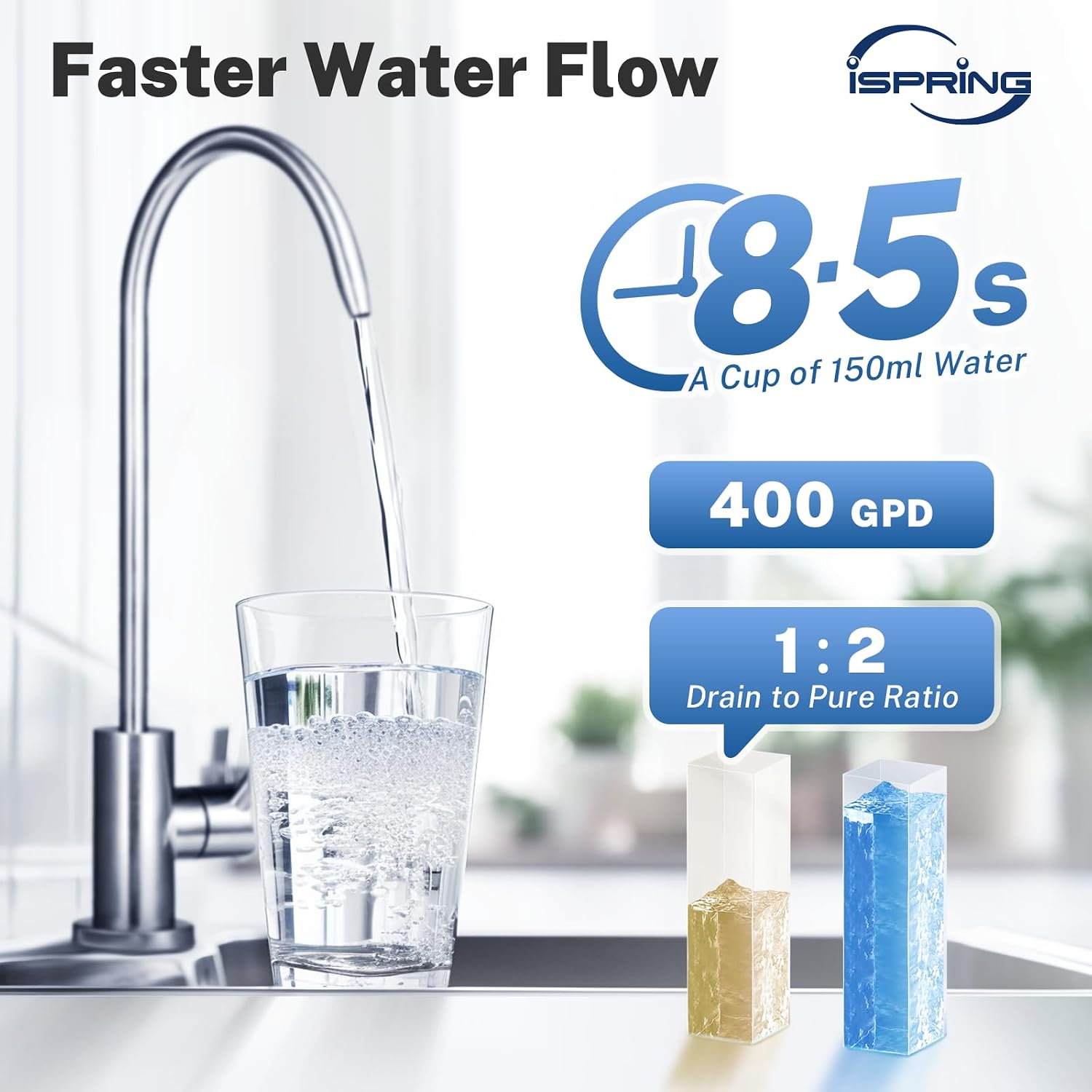
Image: Demonstrates the fast water flow of the system, showing a glass filling in 8.5 seconds, highlighting the 400 GPD capacity and 1:2 drain to pure water ratio.
Setup and Installation
The iSpring RO400EU system is designed for straightforward DIY installation under your kitchen sink.
Pre-Installation Checklist
- Ensure you have all components included in the package.
- Verify available space under your sink. The tankless design requires less space.
- Turn off the main water supply before beginning installation.
Installation Steps (General Overview)
- Mount the main unit in the desired under-sink location.
- Install the dedicated RO faucet on your sink.
- Connect the water supply line to the system.
- Connect the purified water line to the faucet.
- Connect the drain line to the sink drain.
- Flush the system as per the operating instructions before first use.

Image: The compact dimensions of the iSpring RO400EU system (38.5cm W x 39.3cm H x 13.5cm D) demonstrated under a kitchen sink, highlighting its space-saving design.

Image: Illustrates the ease of filter replacement, showing a filter being twisted out, with claims of 15-minute installation and 2-second replacement.
Operation
Once installed and the water supply is connected, the iSpring RO400EU system operates automatically.
Initial Startup and Flushing
- After installation, turn on the main water supply.
- Open the RO faucet and allow water to flow for at least 15-30 minutes to flush the system and new filters. This removes air and carbon fines.
- Close the faucet. The system is now ready for use.
Filter Life Indicator
The system features an indicator panel with lights for PCT and RO filters, and buttons for Powerup, Reset, and Rinse.
- Powerup: When the product is powered on and water supply is connected, all indicator lights will illuminate briefly.
- Filter Life Indication:
- Solid Blue: Filter life > 5% remaining.
- Flashing Red: Filter life ≤ 5% remaining.
- Solid Red: Filter needs replacement (0% life remaining).
- Reset: After replacing a filter, press the "Reset" button to select the filter that was replaced. The chosen filter indicator will flash. Press "Reset" again to confirm and reset the filter life counter.
- Rinse: Press the "Rinse" button for a 30-second manual flush. This can be used to flush the system after filter changes or if water quality concerns arise.

Image: Detailed view of the control panel, explaining the filter lifetime indicator (blue, flashing red, solid red), Powerup, Reset, and Rinse functions.
Maintenance
Regular maintenance, primarily filter replacement, is crucial for ensuring optimal performance and water quality from your iSpring RO400EU system.
Filter Replacement
Replace filters when the filter life indicator turns solid red for the respective filter. It is recommended to replace filters at regular intervals to maintain high filtration performance.
- PCT Filter (4-in-1): Replace as indicated by the PCT light. Replacement filter model: FPCT400.
- RO Membrane Filter: Replace as indicated by the RO light. Replacement filter model: MRO400EU.
Replacement Procedure:
- Turn off the water supply to the RO system.
- Twist the old filter cartridge counter-clockwise to remove it.
- Insert the new filter cartridge and twist clockwise until secure.
- Turn on the water supply.
- Perform a manual flush using the "Rinse" button for 30 seconds.
- Reset the filter life indicator for the replaced filter by pressing the "Reset" button.

Image: A visual representation of the 7-layer filtration process, detailing how different layers (PP Cotton, Activated Carbon, RO Membrane, etc.) remove various contaminants like rust, sediment, chlorine, fluoride, lead, and PFOA/PFOS.
Troubleshooting
This section addresses common issues you might encounter with your iSpring RO400EU system.
| Problem | Possible Cause | Solution |
|---|---|---|
| Low Water Flow from Faucet |
|
|
| Poor Water Taste/Odor |
|
|
| Filter Life Indicator is Red |
|
|
Specifications
| Brand | iSpring |
| Model Number | RO400EU |
| Purification Method | Reverse Osmosis |
| Capacity | 400 Gallons Per Day (GPD) |
| Pure to Drain Ratio | 2:1 |
| Installation Type | Under Sink |
| Material | Plastic |
| Product Dimensions (L x W x H) | 19L x 47W x 70H centimeters Main Unit Dimensions (approx.): 38.5 cm (W) x 39.3 cm (H) x 13.5 cm (D) |
| Included Components | Water filter system |
| Special Feature | Filter display, Tankless design |
| Upper Temperature Rating | 100 Degrees Fahrenheit (37.8 °C) |
Warranty and Support
Information regarding the specific warranty period for the iSpring RO400EU system is not provided in the product details. For warranty claims, technical support, or to purchase replacement parts, please contact iSpring customer service directly.
Replacement filters can be found by searching for models FPCT400 (PCT 4-in-1 filter) and MRO400EU (RO membrane filter).


