
WELOCK PCB10KEY24
WELOCK WiFi Smart Door Lock Instruction Manual
Model: PCB10KEY24 | Brand: WELOCK
Introduction
The WELOCK WiFi Smart Door Lock provides advanced security and convenience with multiple unlocking methods. This manual will guide you through the installation, operation, and maintenance of your new smart lock.

Image: Overview of the WELOCK WiFi Smart Door Lock components.

Image: Key features of the WELOCK Keyless Entry Door Lock.
Setup and Installation
The WELOCK Smart Door Lock is designed for easy installation, typically taking less than 10 minutes with just a screwdriver. It fits all standard doors with thicknesses between 1.37"- 2.17" (35-55mm) and a distance between the cylinder hole and door frame of 2.4" or 2.7".
Door Compatibility
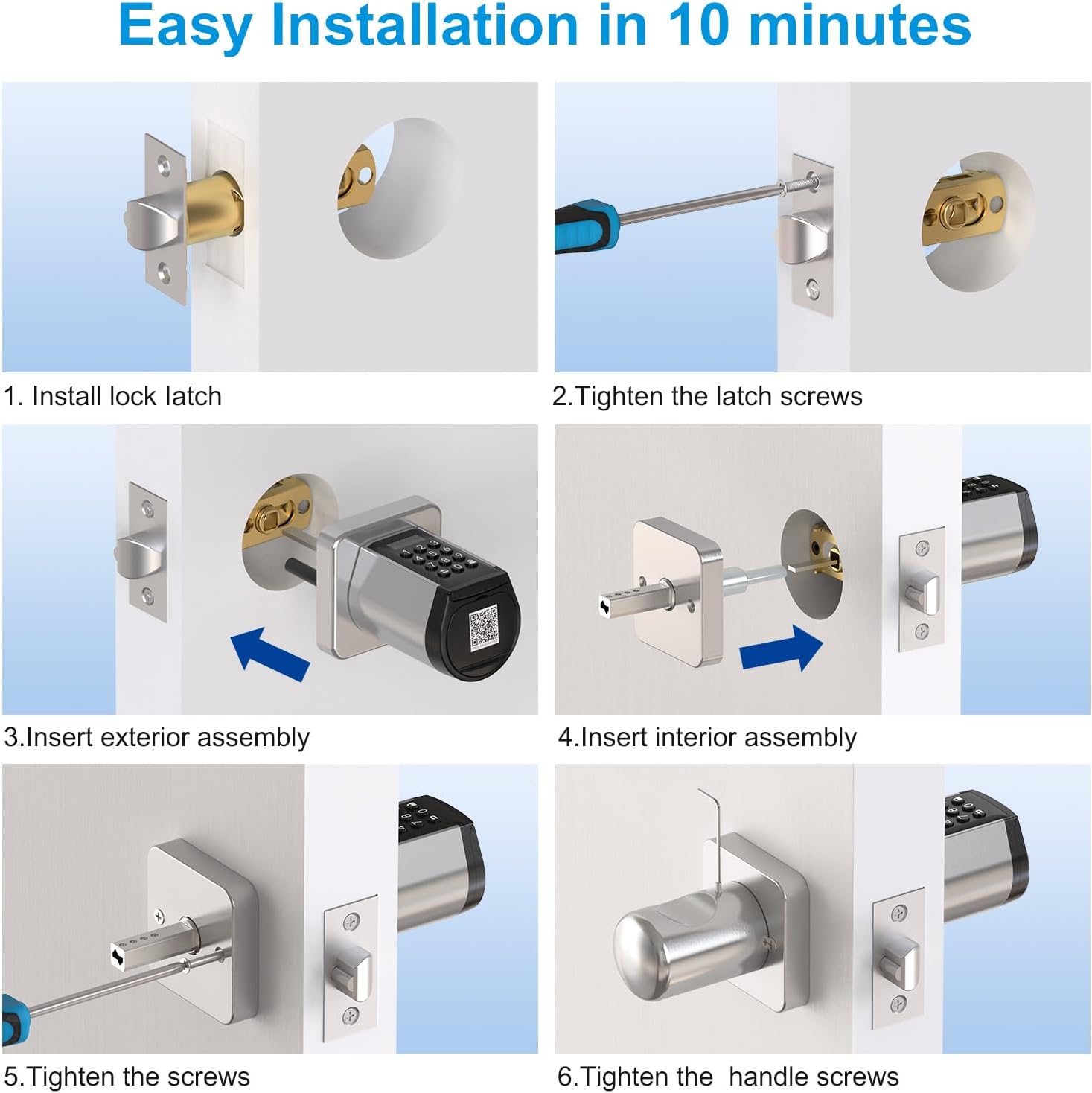
Image: Door dimension requirements for installation.
Installation Steps
- Install the lock latch into the door edge.
- Tighten the latch screws to secure the latch.
- Insert the exterior assembly of the lock into the door hole.
- Insert the interior assembly, aligning it with the exterior part.
- Tighten the main screws to secure both assemblies.
- Tighten the handle screws to complete the installation.

Image: Step-by-step installation guide.
Operating the Smart Lock
Your WELOCK Smart Door Lock offers multiple convenient ways to unlock and manage access.
Unlocking Methods
- Password: Enter your programmed passcode on the keypad.
- RFID Cards: Use the provided IC cards by tapping them on the lock.
- Bluetooth App Control: Unlock the door directly from your smartphone via the dedicated app when within Bluetooth range.
- Mechanical Key: For traditional access or emergencies, use the physical key.
- Remote Unlock (with Gateway): With a separately sold WiFi gateway, you can remotely lock/unlock and manage the lock from anywhere.
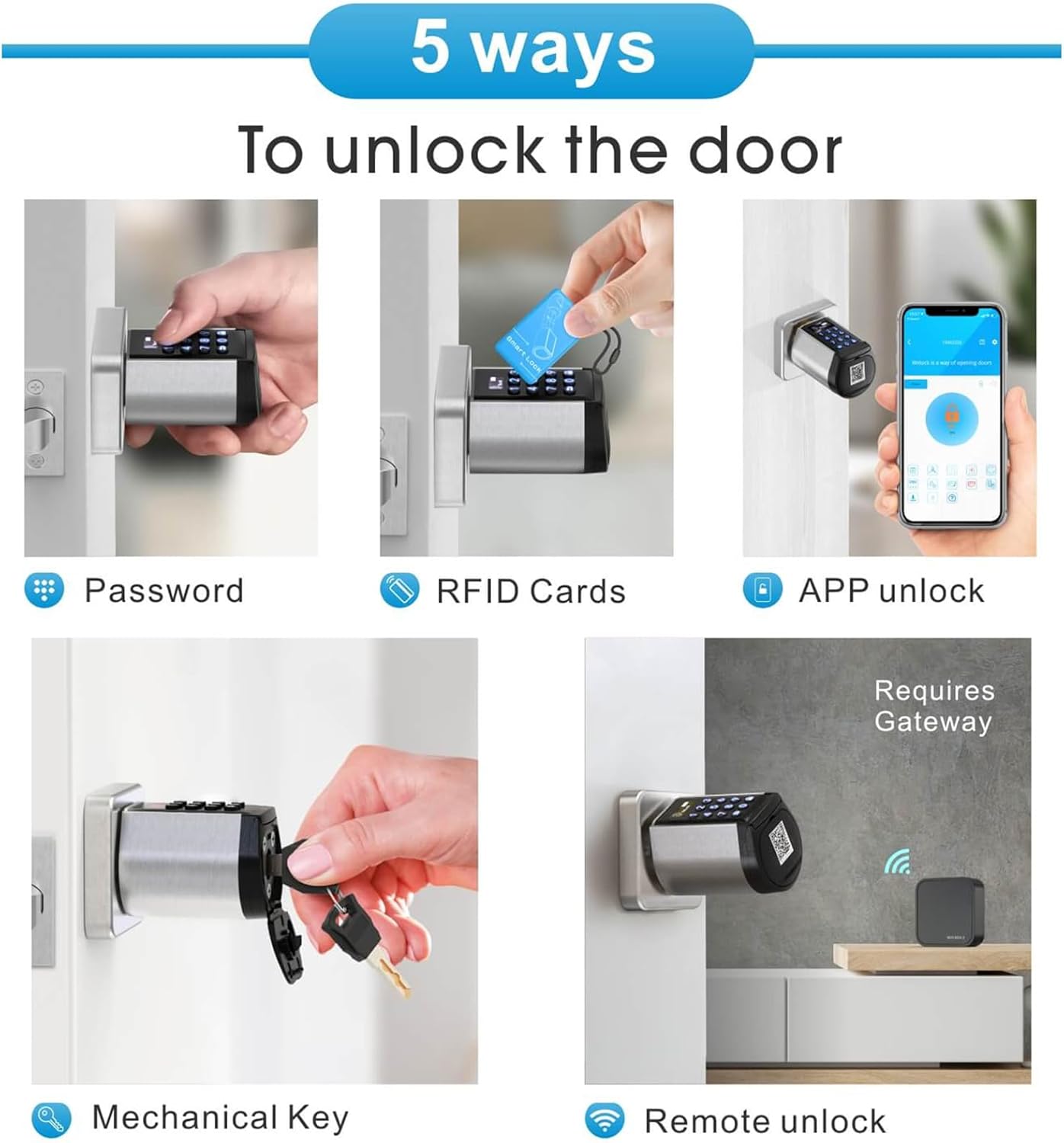
Image: Five ways to unlock your smart door lock.
Secure Anti-Peep Password
Enhance your security by entering random digits before or after your correct password. This anti-peep feature prevents others from guessing your code by observing your input.

Image: Anti-peep password entry example.
App Features and Remote Access
The convenient and easy-to-use app allows you to unlock the door, add/delete long-time passwords, temporary passwords, and IC cards, check unlock records, and authorize managers. With an optional WiFi gateway, you can enjoy remote access, receive real-time notifications, remotely share or modify passcodes for visitors, and view lock history.

Image: App interface for generating temporary passwords.

Image: App interface displaying unlock history.
Voice Control with Alexa
Link your WELOCK Smart Lock with Alexa through the WiFi gateway (sold separately) to achieve voice-activated unlocking and remote control.
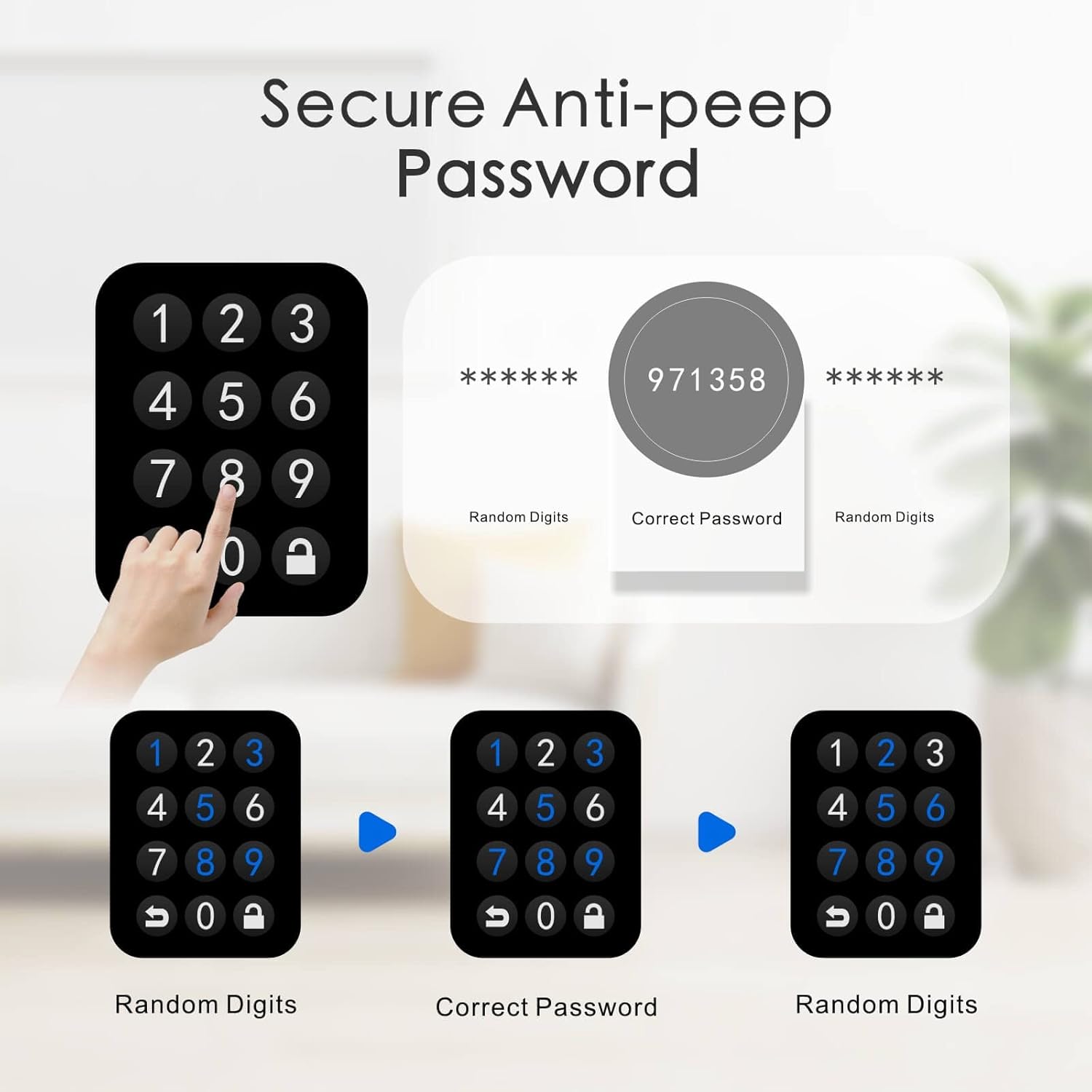
Image: Remote control and voice control setup.
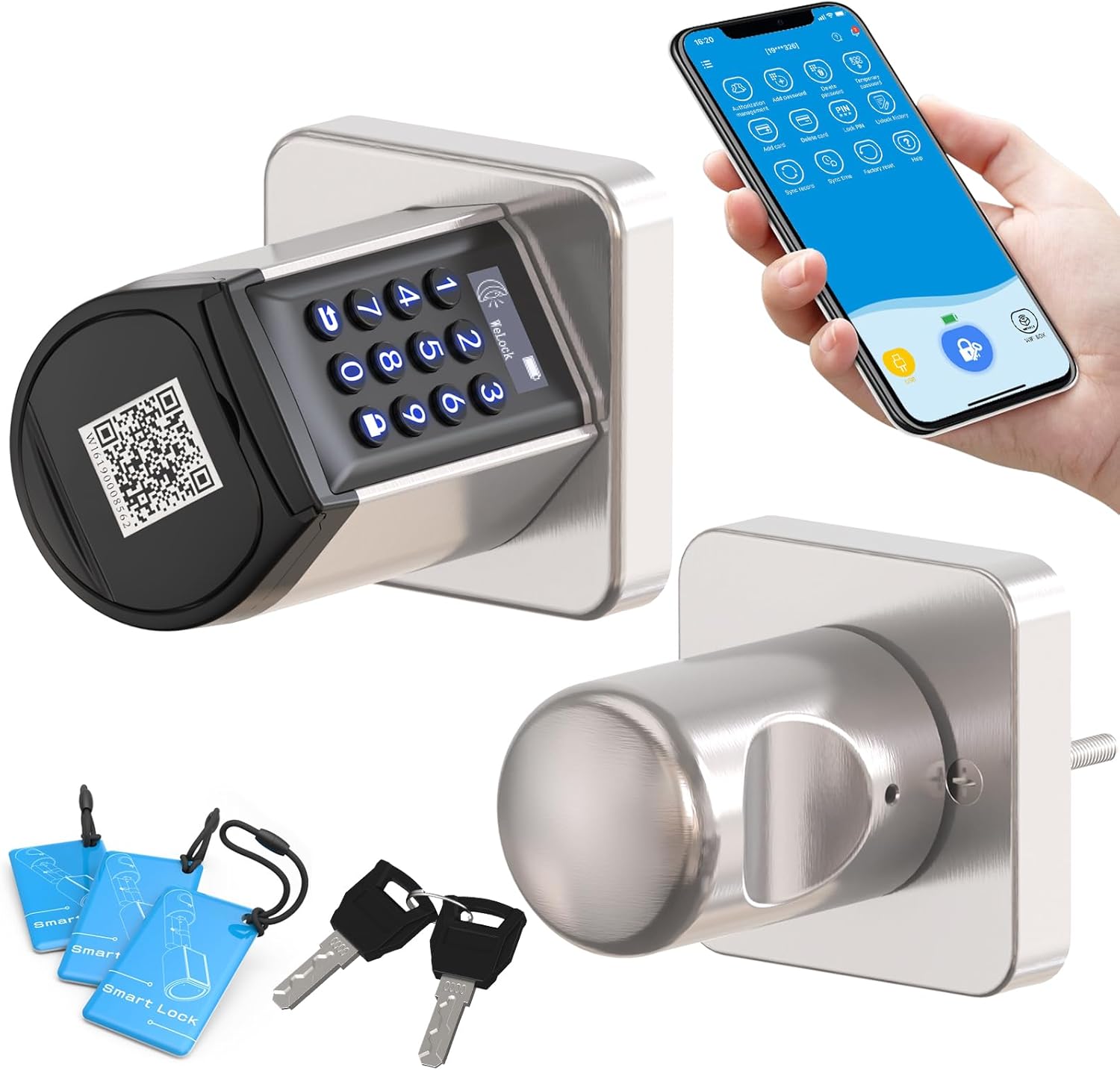
Image: Alexa integration for voice control.
Maintenance
Battery Life and Emergency Power
The electronic door lock is powered by 4 AAA batteries (not included) that can last up to 6 months. A low battery alert will appear when the battery power is below 20%. In emergencies, you can use a USB power bank to plug into the lock for backup power if the batteries have run out.

Image: Battery life indicator.

Image: Emergency backup key and USB power option.
Auto-Lock and Silent Mode
The lock features an auto-lock function that can be set for 5-14 seconds. It also includes a silent mode for quiet operation.

Image: Auto-lock feature.

Image: Silent mode for quiet operation.
Troubleshooting
If you encounter any issues with your WELOCK Smart Door Lock, please refer to the detailed troubleshooting section in the full user manual or contact customer support for assistance.
Specifications
| Brand | YOUDO |
| Model Name | PCB10KEY24 |
| Special Feature | Anti-Peeping Password, Passcode Unlock, Battery Indicator, Auto-Lock, Back-Lit Keypad |
| Lock Type | Combination Lock, Keypad |
| Item Dimensions L x W x H | 6.7 x 2.4 x 2.4 inches |
| Material | Stainless Steel, Metal |
| Recommended Uses | Home / Bedroom / Airbnb / Hotel / Apartment / Garage / Storeroom, Exterior Door (with eave), Interior Door |
| Color | Silver |
| Batteries Required? | Yes (4 AAA, not included) |
| Connectivity Protocol | Bluetooth |
Warranty and Support
The WELOCK Smart Door Lock comes with a 2-year product warranty. For any questions regarding installation, setup, missing parts, technical assistance, or other inquiries, please contact our customer service team.
Customer Service: Available 7 days a week, 24 hours a day.
Email: service@welockglobal.com

Image: Warranty and customer support information.
Ask a question about this manual
Ask about setup, troubleshooting, compatibility, parts, safety, or missing instructions. Manuals+ will review the question and use this page’s manual context to help answer it.