
ANDAXIN DDC-1116
ANDAXIN Digital Meat Thermometer DDC-1116 User Manual
Model: DDC-1116
Introduction
This manual provides comprehensive instructions for the safe and effective use of your ANDAXIN Digital Meat Thermometer, Model DDC-1116. This device is designed for fast and accurate temperature readings, making it suitable for various cooking applications including grilling, baking, roasting, and deep frying. Please read this manual thoroughly before first use and retain it for future reference.
Key features of your thermometer include:
- Ultra-fast and highly accurate temperature readings (within 3 seconds, ±1°F).
- Wide temperature range: -58°F to 572°F (-50°C to 300°C).
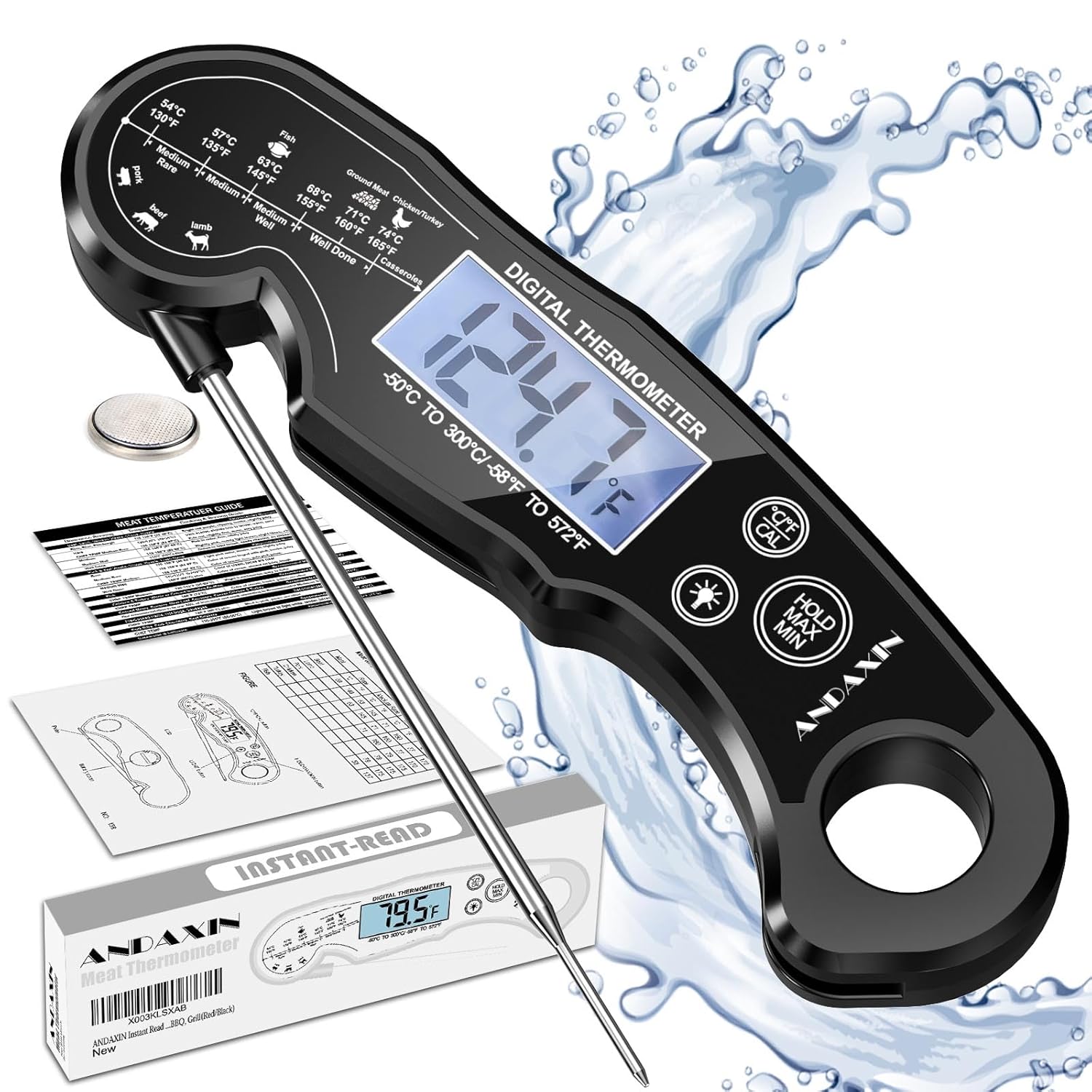
- IP65 rated waterproof design for easy cleaning.
- Lock function to hold temperature readings.
- Calibration function for sustained accuracy.
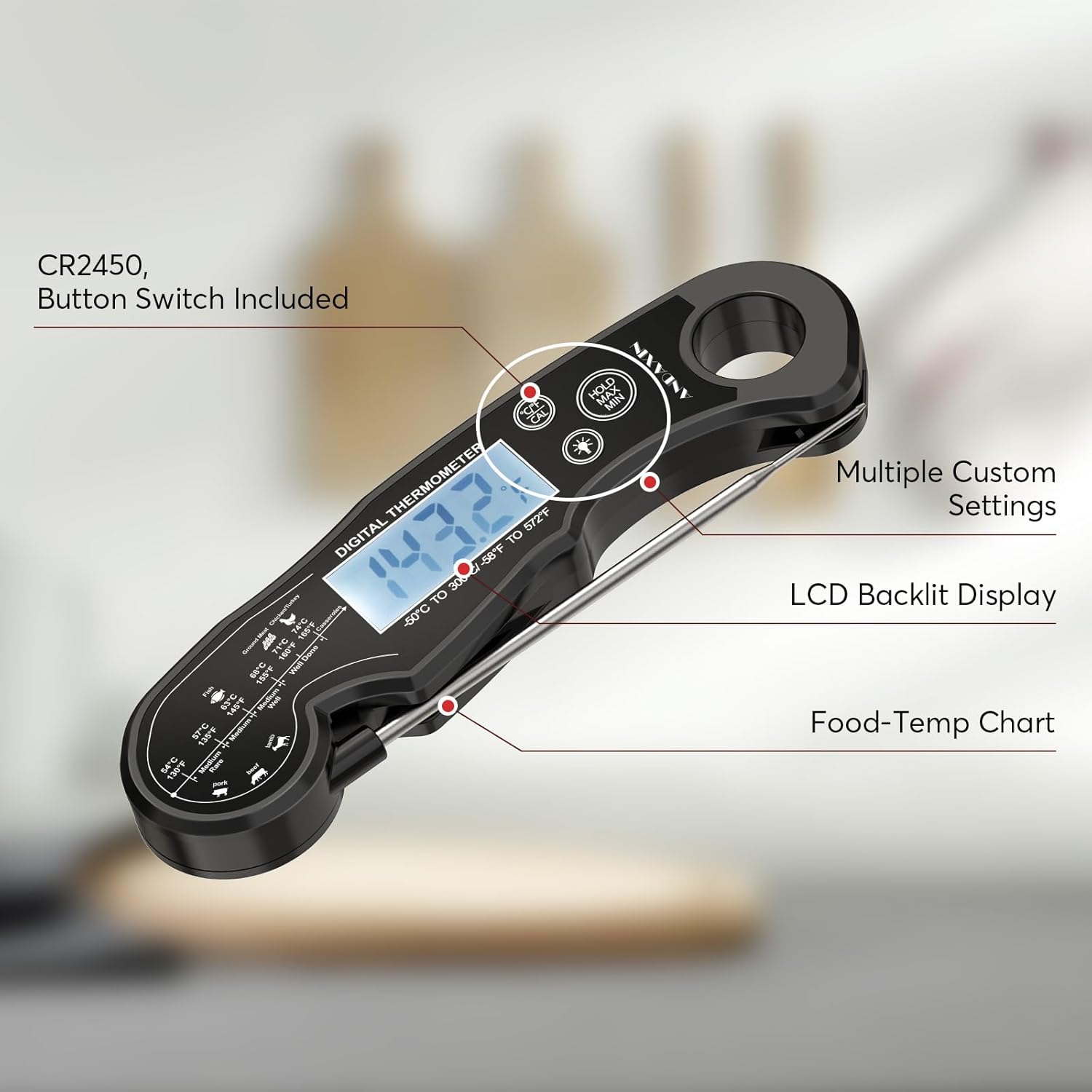
- Backlit LCD display for clear visibility in various lighting conditions.
- Durable ABS plastic body with a foldable stainless-steel probe.
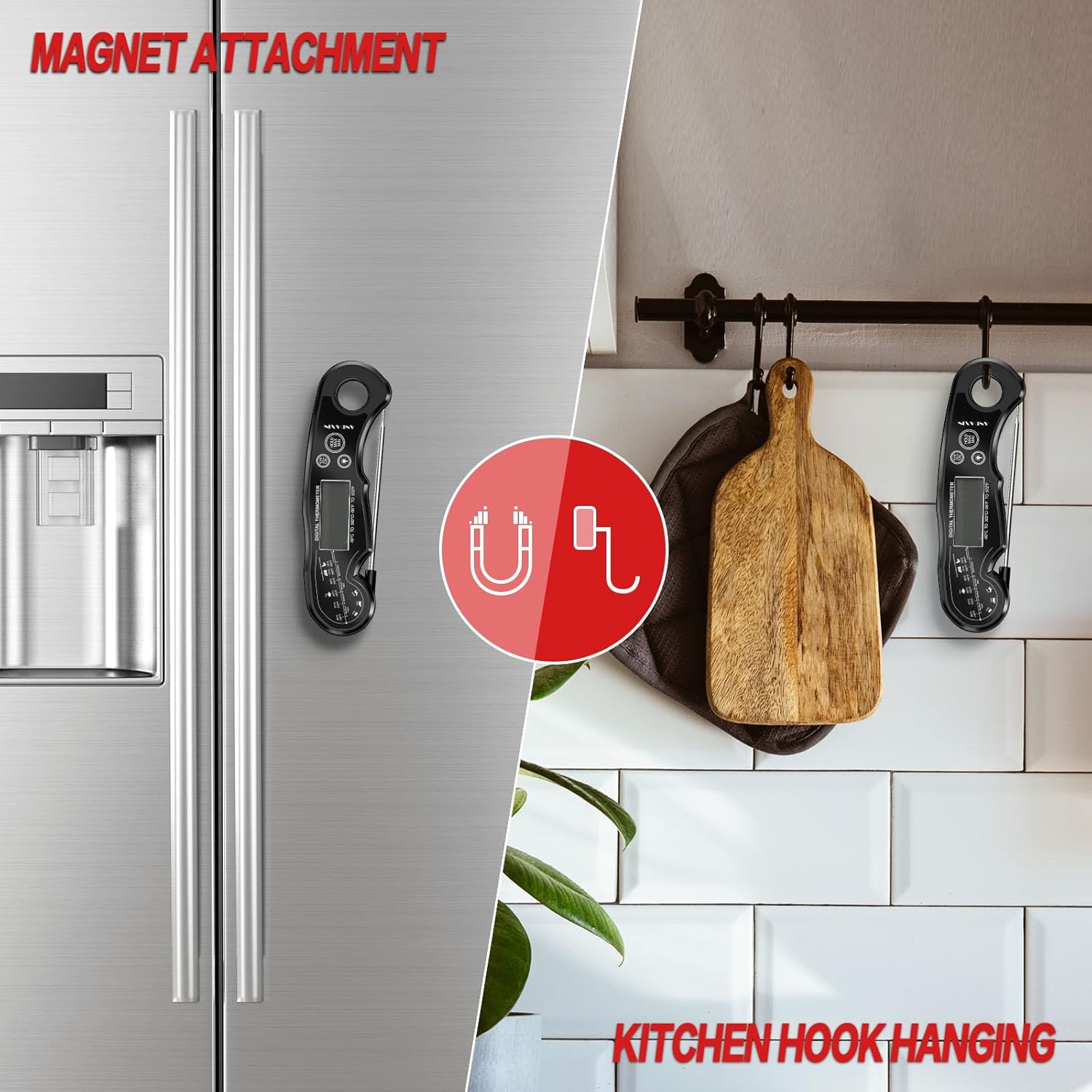
- Magnetic back and hang hole for convenient storage.
Setup
1. Battery Installation
The thermometer requires 1 Lithium Metal battery (CR2450), which is included. To install or replace the battery:
- Locate the battery compartment cover on the back of the device.
- Use a coin or small screwdriver to twist the cover counter-clockwise to open.
- Insert the CR2450 battery with the positive (+) side facing up.
- Replace the cover and twist clockwise to secure it.
2. Initial Use and Calibration
The thermometer is pre-calibrated from the factory. However, if you notice discrepancies over time, you can recalibrate it. For initial use, simply unfold the probe to power on the device.
Calibration Procedure:
- Prepare a cup of ice water (70% ice, 30% water) and let it sit for a few minutes to reach 32°F (0°C).
- Insert the thermometer probe into the ice water, ensuring the tip is fully submerged but not touching the bottom or sides of the cup.
- Wait for the reading to stabilize (approximately 30 seconds).
- If the reading is not 32°F (0°C), press and hold the 'CAL' button (usually located near the battery compartment or on the back) for 3 seconds until the display flashes.
- Press the 'CAL' button again to confirm calibration. The display should now show 32°F (0°C).
Operating Instructions
1. Power On/Off
- Power On: Unfold the stainless-steel probe from the main body. The display will automatically turn on.
- Power Off: Fold the probe back into the main body. The device will automatically turn off. The thermometer also features a 10-minute auto-off function to conserve battery life if left idle with the probe unfolded.
2. Taking a Temperature Reading
- Unfold the probe to power on the thermometer.
- Insert the tip of the stainless-steel probe into the thickest part of the food, avoiding bones or gristle.
- Wait for approximately 2-3 seconds for the temperature reading to stabilize on the LCD display.
- Remove the probe from the food.

3. Unit Switching (°C/°F)
Press the '°C/°F' button (usually located on the front panel) to switch between Celsius and Fahrenheit temperature units.
4. Hold Function
Press the 'HOLD' button to lock the current temperature reading on the display. This is useful when you need to remove the probe from the heat source to read the temperature. Press 'HOLD' again to release the function and resume live temperature monitoring.
5. Backlight Display
The thermometer features a backlight for improved visibility. The backlight will automatically activate when the probe is unfolded or a button is pressed, and will turn off after a short period of inactivity to save battery.
6. Food Temperature Guide
The thermometer body includes a printed guide for recommended internal temperatures for various types of meat (e.g., beef, lamb, pork, chicken, fish). Always refer to official food safety guidelines for precise temperature requirements.

Maintenance
1. Cleaning
The ANDAXIN Digital Meat Thermometer is IP65 rated waterproof, allowing for easy cleaning. After each use:
- Fold the probe to turn off the device.
- Wash the probe and the main body under running water using mild soap.
- Wipe dry with a clean cloth. Do not immerse the entire device in water for extended periods.

2. Storage
Store the thermometer in a clean, dry place when not in use. The foldable probe design makes it compact for storage in drawers. Additionally, the thermometer features a magnetic back for attachment to metal surfaces (e.g., refrigerator) and a hang hole for hooks.
3. Battery Replacement
If the display becomes dim or unresponsive, it may be time to replace the battery. Refer to the 'Battery Installation' section under Setup for instructions.
Troubleshooting
| Problem | Possible Cause | Solution |
|---|---|---|
| Display is blank or dim. | Low battery or incorrect battery installation. | Replace the battery (CR2450) or ensure it is installed correctly with the positive (+) side up. |
| Inaccurate temperature readings. | Needs calibration or probe not inserted correctly. | Perform calibration using the ice water method (refer to Setup section). Ensure the probe is inserted into the thickest part of the food, avoiding bones. |
| Thermometer does not turn on. | Probe not fully unfolded or battery issue. | Ensure the probe is fully extended. Check and replace the battery if necessary. |
| Backlight not working. | Battery low or temporary glitch. | Replace battery. If problem persists, contact customer support. |
Specifications
- Model: DDC-1116
- Temperature Range: -58°F to 572°F (-50°C to 300°C)
- Accuracy: ±1°F (±0.5°C)
- Response Time: 2-3 seconds
- Waterproof Rating: IP65
- Power Source: 1 x CR2450 Lithium Metal Battery (included)
- Auto-Off: 10 minutes of inactivity
- Probe Material: Food-grade Stainless Steel
- Body Material: ABS Plastic
- Dimensions: 6.5 x 1.97 x 0.67 inches (folded)
- Weight: Approximately 2.89 ounces
- Certifications: CE, RoHS
Warranty Information
The ANDAXIN Digital Meat Thermometer DDC-1116 comes with a one-year warranty from the date of purchase. This warranty covers manufacturing defects and workmanship under normal use. It does not cover damage caused by misuse, accident, unauthorized modification, or improper storage. Please retain your proof of purchase for warranty claims.
Customer Support
For any questions, concerns, or technical assistance regarding your ANDAXIN Digital Meat Thermometer, please contact our customer support team. Refer to the contact information provided with your product packaging or visit the official ANDAXIN website for support details.
Ask a question about this manual
Ask about setup, troubleshooting, compatibility, parts, safety, or missing instructions. Manuals+ will review the question and use this page’s manual context to help answer it.