
1. Setup and Installation
Follow these steps to properly set up your Oransi TrueCarbon AMD-200C air purifier.
1.1 Unpacking
- Carefully remove the air purifier and all components from the packaging.
- Verify that all included components are present: the air purifier unit, power cord/supply, and remote control.
- Retain packaging for future transport or storage.
1.2 Placement
Position the air purifier in an optimal location for effective air circulation.
- Place the unit on a flat, stable surface.
- Ensure there is at least 6 inches of space around all sides of the unit for proper airflow.
- The Oransi TrueCarbon AMD-200C is designed to clean rooms up to 375 square feet. For best results, place it in the room where air purification is most needed.

Figure 1: Front view of the Oransi TrueCarbon AMD-200C Air Purifier.
1.3 Power Connection
- Plug the power cord into the air purifier's power inlet.
- Insert the other end of the power cord into a standard electrical outlet.
- The unit is now ready for operation.
2. Operating Instructions
Learn how to use your Oransi TrueCarbon AMD-200C air purifier and its remote control.
2.1 Powering On/Off
- To power on the unit, press the power button on the air purifier or the remote control.
- To power off, press the power button again.
2.2 Fan Speed Control
The air purifier features 10 fan speeds for customized air purification.
- Use the '+' and '-' buttons on the remote control to adjust the fan speed.
- Increase the speed for faster air cleaning or in areas with strong odors.
- Decrease the speed for quieter operation, especially during sleep.
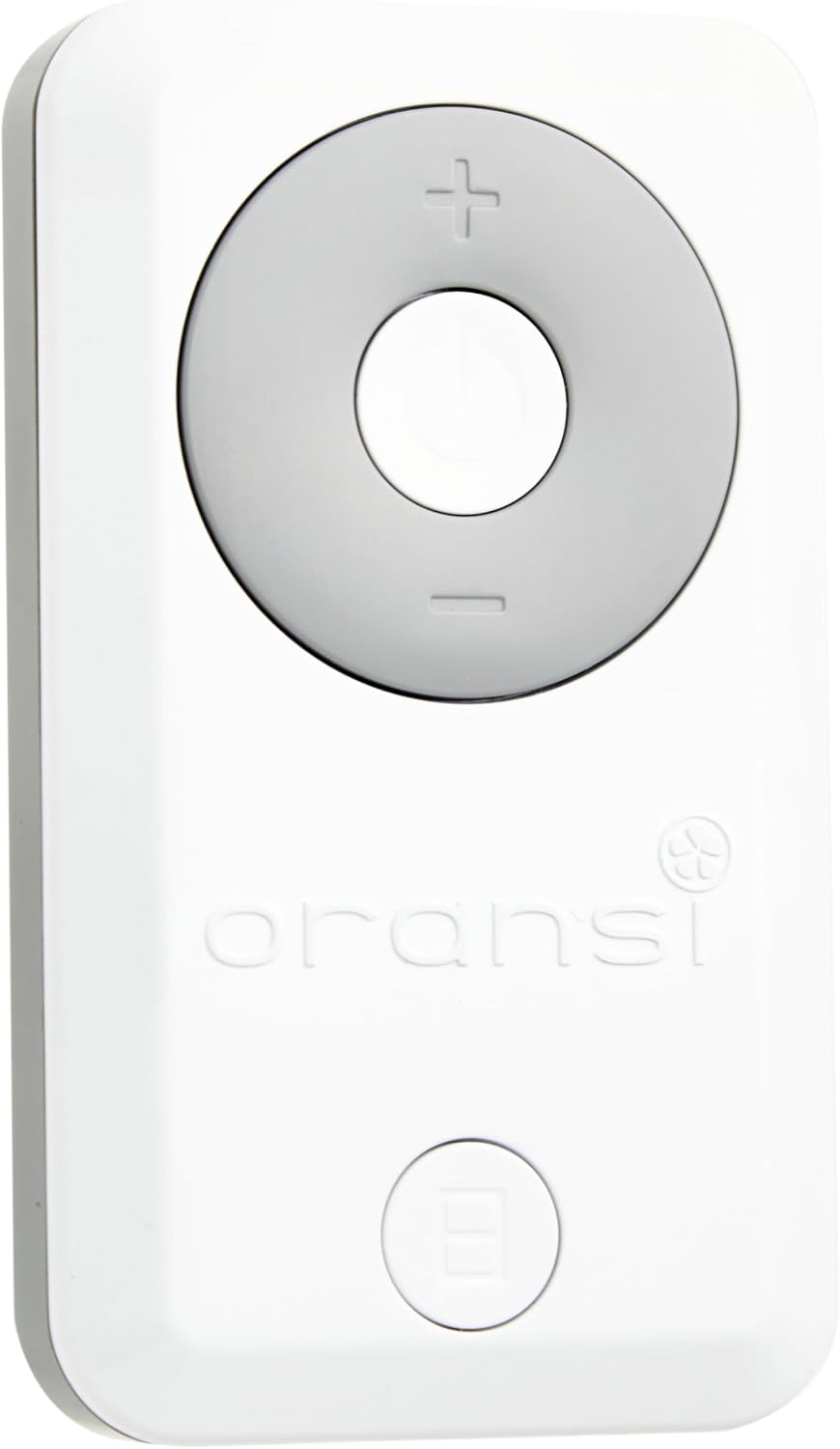
Figure 2: Close-up of the remote control for adjusting settings.
2.3 Remote Control Features
The included remote control allows convenient operation from a distance.
- The remote control magnetically docks to the top of the air purifier for easy storage and access.
- It provides full control over power and fan speed settings.

Figure 3: The remote control magnetically docks to the top of the air purifier.
2.4 Sleep Mode / Display Lights
- The unit's display lights automatically dim or turn off after selecting your desired settings. This feature is designed to prevent light disruption during sleep.
Video 1: Official video demonstrating Oransi AirMend TrueCarbon Air Purifiers, including features and assembly. This video is 2 minutes and 3 seconds long.
3. Maintenance
Regular maintenance ensures optimal performance and longevity of your air purifier.
3.1 Filter Replacement
The Oransi TrueCarbon AMD-200C uses a heavy-duty activated carbon filter designed for strong odors, smoke, and VOCs. This filter is over 2 inches deep and packed with 3.2 lbs of treated granular activated carbon.
- Filters can last up to 12 months with continuous use, depending on air quality and usage.
- Refer to the filter indicator light on the unit (if available) or your usage schedule to determine when replacement is needed.
- To replace the filter:
- Unplug the air purifier from the power outlet.
- Open the filter compartment (refer to the diagram in the full user manual for exact location).
- Remove the old filter and dispose of it properly.
- Insert the new Oransi TrueCarbon replacement filter, ensuring it is seated correctly with no air gaps.
- Close the filter compartment and plug the unit back in.
- Reset the filter indicator (if applicable) by following instructions in the full user manual.

Figure 4: The air purifier shown with its activated carbon filter, indicating the filter replacement process.
3.2 Cleaning the Unit
- Unplug the air purifier before cleaning.
- Wipe the exterior surfaces with a soft, dry cloth.
- Do not use abrasive cleaners or solvents.
- Periodically vacuum the air intake and output grilles to remove dust buildup.
4. Troubleshooting
This section addresses common issues you might encounter with your air purifier.
| Problem | Possible Cause | Solution |
|---|---|---|
| Unit does not turn on | No power supply | Ensure the power cord is securely plugged into both the unit and a working electrical outlet. Check the circuit breaker. |
| Reduced airflow or purification efficiency | Clogged filter | Replace the activated carbon filter. Ensure the filter compartment is properly closed. |
| Unusual odor from the unit | New filter odor or filter saturation | A new carbon filter may emit a slight odor initially; this should dissipate within 1-2 days of continuous use. If the odor persists or is strong, the filter may be saturated and require replacement. Ensure the filter is correctly installed. |
| Unit is noisy | High fan speed or obstruction | Reduce the fan speed. Check for any obstructions around the air intake or output. Ensure the unit is on a stable, level surface. The typical noise level is 30 dB. |
| Remote control not working | Dead battery or obstruction | Replace the remote control battery. Ensure there is no obstruction between the remote and the unit. |
If you experience issues not covered here, please contact Oransi customer support.
5. Specifications
Detailed technical specifications for the Oransi TrueCarbon AMD-200C Air Purifier.
| Feature | Detail |
|---|---|
| Model Number | AMD-200C |
| Product Dimensions (D x W x H) | 8.35" x 12.9" x 14" |
| Item Weight | 10 pounds |
| Power Source | Electric |
| Wattage | 35 watts |
| Control Method | Remote Control |
| Fan Speeds | 10 |
| Filter Type | Activated Carbon (3.2 lbs treated granular carbon, >2" deep) |
| Recommended Floor Area | Up to 375 square feet |
| Noise Level | 30 dB |
| Special Features | Lights automatically go dark, Remote Control with 10 fan speeds |
| Certifications | CARB Certified, UL Certified |
| Included Components | Air Purifier, Power Cord/Supply, Remote Control |

Figure 5: Dimensions of the Oransi TrueCarbon AMD-200C Air Purifier.
6. Warranty & Support
Your Oransi TrueCarbon AMD-200C air purifier is engineered for reliable performance and durability.
6.1 Manufacturer's Warranty
Oransi products are built to deliver reliable performance for many years. For specific details regarding your product's warranty coverage, including duration and terms, please refer to the warranty information provided with your purchase or visit the official Oransi website.
6.2 Customer Support
If you have any questions, require technical assistance, or need to report an issue with your Oransi TrueCarbon AMD-200C air purifier, please contact Oransi customer support. Our team is available to provide guidance and solutions.
- Manufacturer: Oransi
- For contact information, please visit the Oransi Brand Store on Amazon or the official Oransi website.


