
Introduction
The ToolkitRC ADP200 is a compact and efficient 200W power supply designed for RC chargers. It provides a stable 19.5V output with a maximum current of 10.3A, featuring an XT60 interface for reliable connection. This power adapter is suitable for various RC charging applications, offering a dependable power source for your charging needs.
- Input Voltage: AC 100-240V 50/60Hz
- Input Current: MAX 4.0A
- Output Voltage: MAX 19.5V
- Output Current: MAX 10.3A
- Connector: XT60
Package Contents
The ToolkitRC ADP200 package includes the following items:
- ToolkitRC ADP200 Power Supply Unit
- Main AC Power Plug (US type)

Image: ToolkitRC ADP200 power supply unit shown with its retail packaging and included AC power cable.
Setup
Follow these steps to set up your ToolkitRC ADP200 power supply:
- Connect AC Power: Plug the included main AC power plug into the AC input port on the ADP200 power supply. Ensure the connection is firm.
- Connect to Wall Outlet: Plug the other end of the AC power cable into a standard 100-240V AC wall outlet.
- Connect to RC Charger: Connect your RC charger's XT60 input cable to the XT60 output port on the ADP200 power supply.
- Power On: The power supply is now ready to provide power to your RC charger. Most RC chargers will power on automatically once connected to the power supply.

Image: Close-up view of the AC power input port on the ToolkitRC ADP200 power supply.
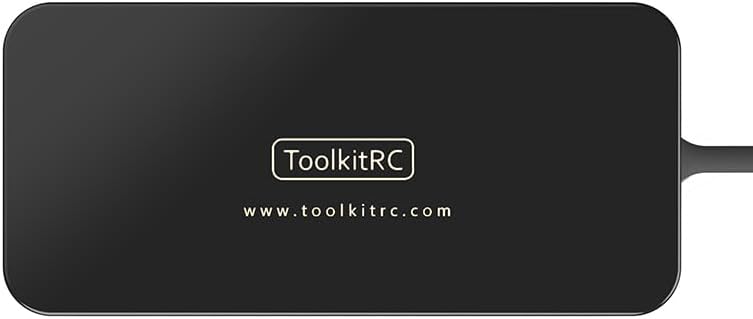
Image: Top view of the ToolkitRC ADP200 power supply, showing the XT60 output connector.
Operating Instructions
The ADP200 power supply is designed to be straightforward. Once connected to your RC charger, it will deliver stable power. Refer to your specific RC charger's manual for detailed charging procedures.
Key Features:
- High Power Output: Delivers up to 200W of power, suitable for various RC chargers.
- Stable Voltage: Provides a consistent 19.5V output.
- XT60 Interface: Ensures a secure and widely compatible connection.

Image: ToolkitRC ADP200 power supply with its physical dimensions indicated.
Understanding RC Charger Functions (General Overview):
While the ADP200 is a power supply, it's crucial to understand the functions of the RC charger it powers. Many modern RC chargers offer various modes for different battery types and conditions:
Video: An overview of the HOTA T6 RC Smart Battery Charger, demonstrating its features and various charging modes. This video provides context for the types of chargers the ADP200 power supply supports.
- Charge Mode: Standard charging to full capacity, often with balancing.
- Discharge Mode: Drains the battery to a specified low voltage, useful for disposal or specific battery types.
- Storage Mode: Charges or discharges the battery to a safe voltage level (typically 3.8V-3.85V per cell for LiPo/LiHv) for long-term storage, preserving battery health.
- Balance Mode: Equalizes the voltage across individual cells in a multi-cell battery pack, crucial for safety and longevity.
- Battery Types: Common types include LiPo (Lithium Polymer), LiHv (Lithium High Voltage), LiIon (Lithium Ion), LiFe (Lithium Iron Phosphate), and NiMH/NiCd (Nickel-Metal Hydride/Cadmium). Always select the correct battery type on your charger.
- Cell Count: The number of individual cells in a battery pack (e.g., 3S for a 3-cell pack, 6S for a 6-cell pack). Ensure your charger detects this correctly.
- Current Setting: The rate at which the battery is charged or discharged, measured in Amperes (A). It is generally recommended to charge LiPo batteries at 1C (e.g., a 1300mAh battery at 1.3A).
Maintenance
Proper maintenance ensures the longevity and safe operation of your ToolkitRC ADP200 power supply:
- Cleaning: Regularly wipe the exterior of the power supply with a soft, dry cloth. Avoid using liquid cleaners or solvents.
- Ventilation: Ensure the power supply is placed in a well-ventilated area during operation to prevent overheating. Do not block the ventilation holes.
- Storage: Store the power supply in a cool, dry place away from direct sunlight, moisture, and extreme temperatures when not in use.
- Cable Inspection: Periodically inspect the AC power cable and the XT60 output cable for any signs of damage, fraying, or loose connections. Replace damaged cables immediately.
Troubleshooting
If you encounter issues with your ToolkitRC ADP200 power supply, refer to the following common troubleshooting tips:
- No Power Output:
- Check if the AC power cable is securely plugged into both the power supply and the wall outlet.
- Verify that the wall outlet is functional by plugging in another device.
- Ensure the XT60 output cable is correctly connected to your RC charger.
- RC Charger Not Functioning Correctly:
- Confirm that your RC charger is compatible with a 19.5V input voltage.
- Check the power requirements of your RC charger to ensure the 200W output of the ADP200 is sufficient for the charging task.
- If the charger has its own power switch, ensure it is turned on.
- Overheating:
- Ensure the power supply is in a well-ventilated area and its vents are not obstructed.
- Reduce the load on the power supply if possible (e.g., by using a lower charge current on your RC charger, if applicable).
If the issue persists after trying these steps, contact customer support for further assistance.
Specifications
| Feature | Specification |
|---|---|
| Model | ADP200 |
| Input Voltage | AC 100-240V 50/60Hz |
| Input Current | MAX 4.0A |
| Output Voltage | MAX 19.5V |
| Output Current | MAX 10.3A |
| Output Power | 200W |
| Connector Type | XT60 |
| Size | 165mm*77mm*32mm (6.5 x 3.0 x 1.3 inches) |
| Weight | 518g (1.1 pounds) |
| Work Temperature | -10°C - 40°C (14°F - 104°F) |
| Included Components | Main Plug (US) |
Warranty and Support
This ToolkitRC ADP200 power supply is manufactured by Bestpriceic. For warranty claims or technical support, please refer to the contact information provided with your purchase or visit the manufacturer's official website. Keep your proof of purchase for warranty validation.