
Introduction
This manual provides instructions for the installation, maintenance, and care of your HMHAMA Accessories Kit for the Xiaomi Mijia 3C Robotic Vacuum Cleaner. Regular replacement of these components ensures optimal performance and extends the lifespan of your robotic vacuum.
Kit Contents (Set 1)
This accessory kit (Set 1) includes the following components:
- 1 Main Brush
- 8 Side Brushes
- 2 Filters
- 2 Mop Cloths
Compatibility
This accessory kit is specifically designed for the following robotic vacuum cleaner models:
- Xiaomi Mijia 3C
- Xiaomi Mijia Enhanced E10
- Xiaomi Mijia C103
- Xiaomi Mijia B112
- Xiaomi Mijia E12
Please verify your vacuum cleaner model before purchasing and installation to ensure proper fit and function.
Installation Instructions
1. Main Brush Installation
The main brush is located at the bottom of the robotic vacuum cleaner.
- Turn off the robotic vacuum cleaner and place it upside down on a flat, stable surface.
- Locate the main brush cover and press the release tabs or clips to open it.
- Carefully remove the old main brush from its compartment.
- Insert the new main brush, ensuring the square ends align correctly with the slots in the vacuum cleaner.
- Close the main brush cover until it clicks securely into place.
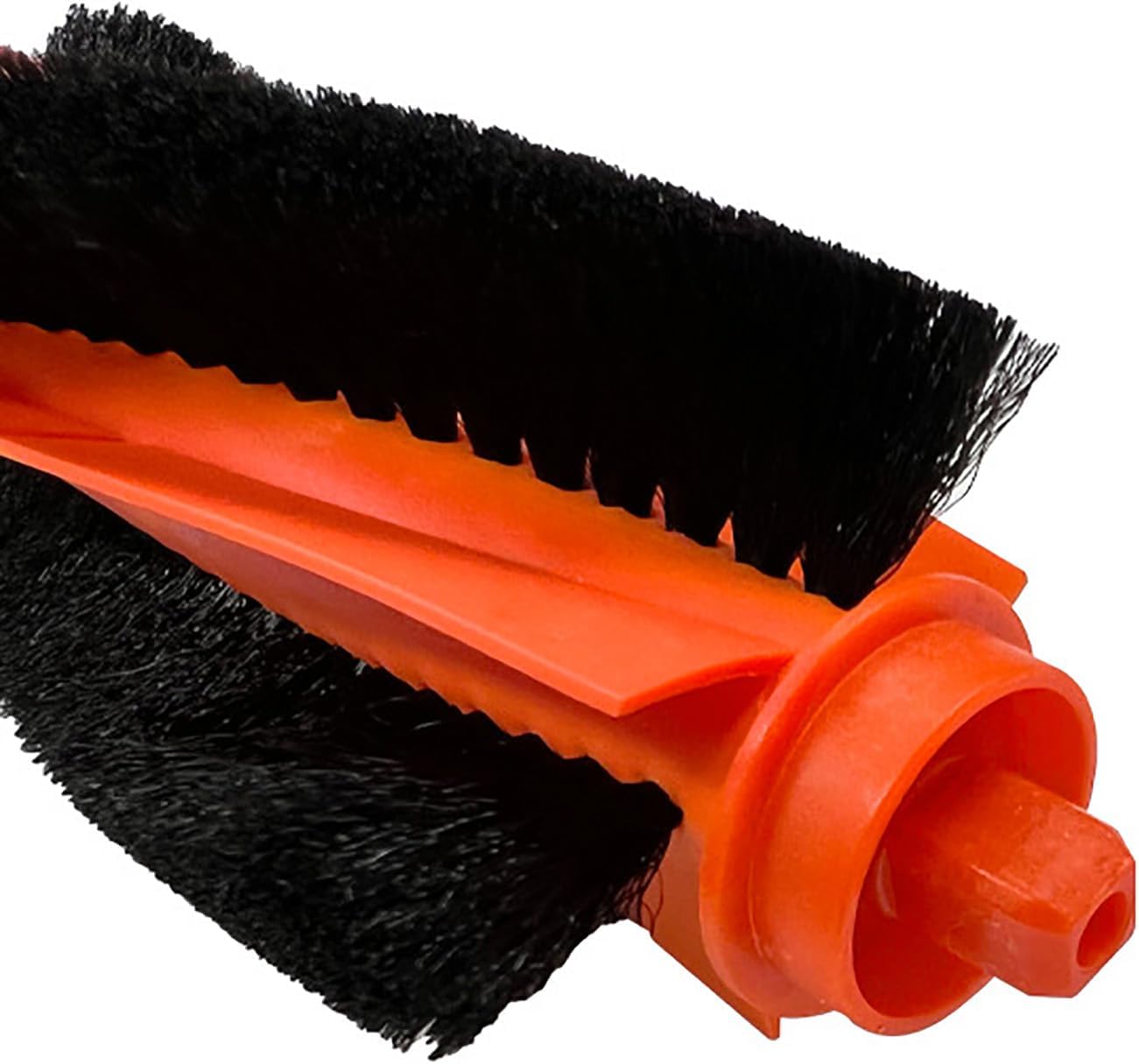
Image: Close-up view of the main brush, showing its orange core and black bristles.
2. Side Brush Installation
The side brushes are located on the underside of the vacuum cleaner, typically held by a single screw.
- Turn off the robotic vacuum cleaner and place it upside down.
- Use a screwdriver to remove the screw holding the old side brush in place.
- Remove the old side brush.
- Place the new side brush into position, aligning the central hole with the screw post.
- Secure the new side brush with the screw, ensuring it is tightened but not overtightened.

Image: A white three-legged side brush, designed to sweep debris into the main brush path.
3. Filter Installation
The filter is located inside the dustbin of your robotic vacuum cleaner.
- Remove the dustbin from the robotic vacuum cleaner.
- Open the dustbin cover or access panel.
- Remove the old filter from its designated slot.
- Insert the new HEPA filter into the slot, ensuring it is seated correctly and forms a tight seal.
- Close the dustbin cover and reinsert the dustbin into the vacuum cleaner until it locks in place.

Image: A white pleated HEPA filter, designed to capture fine dust and allergens.
4. Mop Cloth Installation
The mop cloth attaches to the water tank or mop module of the vacuum cleaner.
- Remove the water tank or mop module from the robotic vacuum cleaner.
- Detach the old mop cloth from the module (this usually involves Velcro or a sliding mechanism).
- Attach the new microfiber mop cloth, ensuring it is securely fastened and covers the entire mopping surface.
- Reinstall the water tank or mop module into the vacuum cleaner until it is properly seated.

Image: Top view of a grey microfiber mop cloth, showing its attachment strip.

Image: Bottom view of a grey microfiber mop cloth, showing its textured cleaning surface.
Maintenance and Care
General Recommendation
To maintain the best cleaning performance of your robotic vacuum cleaner, it is recommended to replace accessories every 2-3 months. This frequency may vary depending on your usage habits and the cleanliness of your environment.
Main Brush Care
Regularly check the main brush for tangled hair, threads, or other debris. Use the cleaning tool often supplied with your vacuum cleaner to easily remove any obstructions. This prevents reduced cleaning efficiency and potential damage to the brush motor.
Side Brush Care
Inspect side brushes for wear, damage, or excessive bending of bristles. If bristles are significantly worn or damaged, replace them. If side brushes become bent or curled due to storage or transportation, they can often be restored by soaking them in warm water for a few minutes. This process will not affect their quality or performance.
Filter Care
The HEPA filter included in this kit is hand washable. Gently rinse the filter under running water to remove accumulated dust. Ensure the filter is completely air-dried before reinstallation to prevent damage to the vacuum cleaner. Do not use detergents or brushes on the filter, as this can damage the filtration material.
Mop Cloth Care
The microfiber mop cloths are reusable and machine washable. After each use, remove and clean the mop cloth. It is recommended to wash them regularly to maintain their cleaning effectiveness. Allow them to air dry completely before reattaching to the mop module.
Troubleshooting
Bent Side Brushes
If a side brush appears bent or curled upon arrival or after storage, it can often be remedied by soaking it in warm water for a few minutes. This will help the bristles return to their original shape. This condition does not indicate a defect in quality or performance.
Reduced Cleaning Performance
If you notice a decrease in your vacuum's cleaning performance, first check if the main brush, side brushes, or filter need cleaning or replacement. Clogged filters or worn brushes can significantly impact the vacuum's efficiency. Ensure all components are installed correctly and free from obstructions.
Product Specifications
| Feature | Detail |
|---|---|
| Brand | HMHAMA |
| Compatible Devices | Xiaomi Mijia 3C, E10, C103, B112, E12 |
| Material | HEPA (Filter), SILICONE GEL (Main Brush), Microfiber (Mop Cloth) |
| Reusability | Mop Cloths (reusable, machine washable), Filter (reusable, hand washable) |
| Recommended Replacement | Every 2-3 months (depending on usage) |
Warranty and Support
Satisfaction Guarantee
If you encounter any problems before or after your purchase, please contact our customer support team promptly via email. Our dedicated after-sales team aims to respond and resolve your issue within 24 hours.
Contact Information
For support inquiries, please refer to the contact details provided with your product packaging or on the official HMHAMA website.