
Introduction
This manual provides detailed instructions for the installation, operation, and maintenance of your D-Line Full Motion TV Wall Bracket. This bracket is designed to securely mount 13-27 inch televisions and monitors, offering full motion capabilities for optimal viewing angles. It supports VESA patterns of 75x75mm and 100x100mm and can hold devices up to 55lbs (25kg).
Setup Instructions
1. What's in the Box
Before beginning installation, please verify that all components are present:
- D-Line Full Motion TV Wall Bracket Assembly
- Mounting hardware for solid walls (concrete/brick)
- Mounting hardware for stud walls
- Spirit level
- TV mounting screws (various sizes for VESA compatibility)
- Spanner
- Allen key
- Cable management clip
- Installation guide
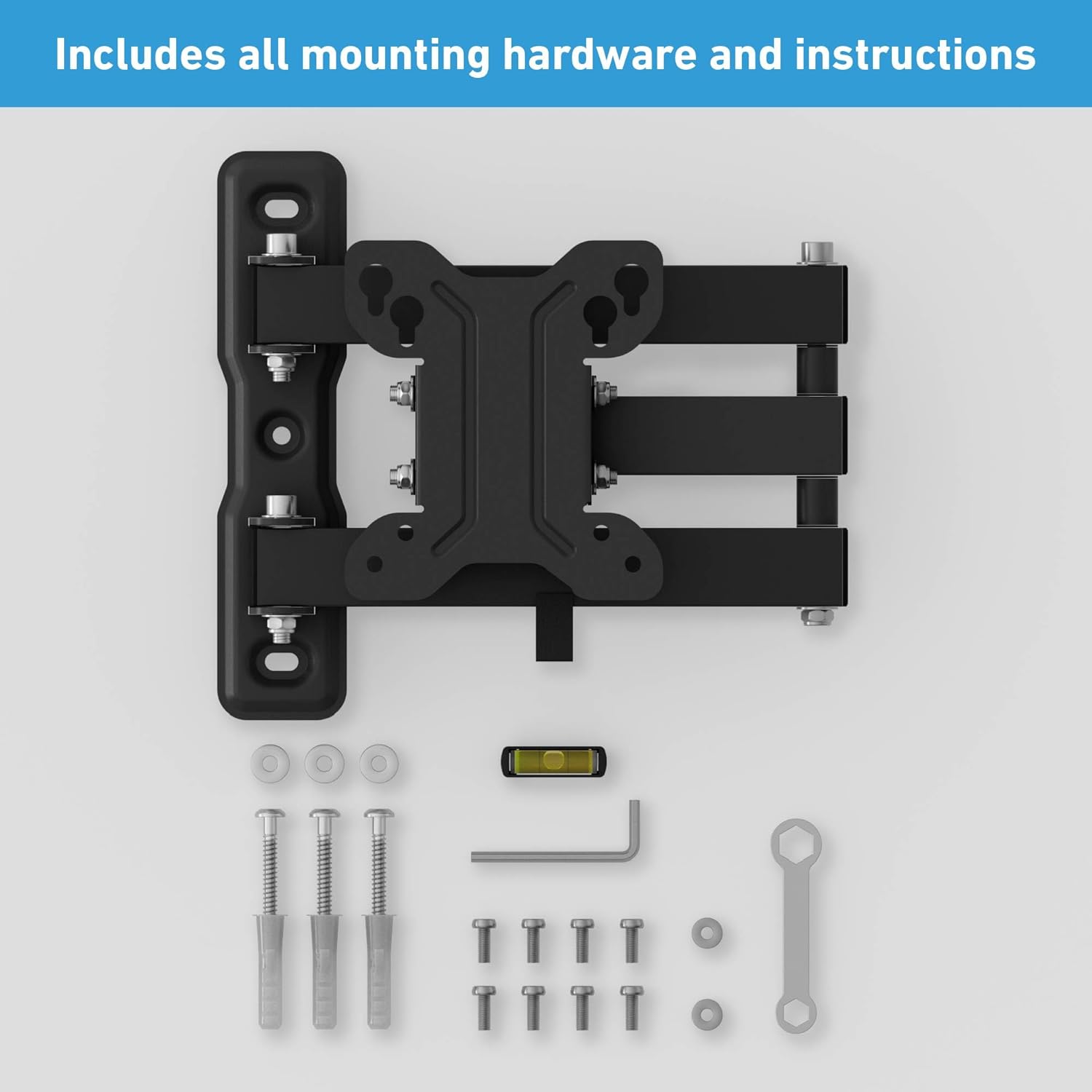
Image: All mounting hardware and instructions included in the package.
2. Tools Required (Not Included)
- Electric drill
- Appropriate drill bits for your wall type
- Stud finder (for stud wall installation)
- Screwdriver
- Pencil for marking
3. Wall Type Considerations
The D-Line Full Motion TV Wall Bracket is suitable for mounting on concrete, stud, and brick walls. It is crucial to identify your wall type before installation to ensure proper and safe mounting.

Image: Illustration of mounting on concrete, stud, and brick walls. Important: Do not mount on drywall alone.
4. Mounting the Wall Plate
- Select Location: Choose a suitable location on your wall, ensuring it is free from electrical wires or plumbing. Use a stud finder for stud walls.
- Mark Holes: Position the wall plate at the desired height and use a pencil to mark the drilling points. Use the included spirit level to ensure the marks are perfectly horizontal.
- Drill Holes: Drill pilot holes at the marked locations using the appropriate drill bit for your wall type.
- Secure Wall Plate: Attach the wall plate to the wall using the provided screws and anchors (for concrete/brick) or wood screws (for stud walls). Ensure it is firmly secured.
5. Attaching TV to Bracket
This bracket is compatible with TVs and monitors ranging from 13 to 27 inches, supporting VESA patterns 75x75mm and 100x100mm.
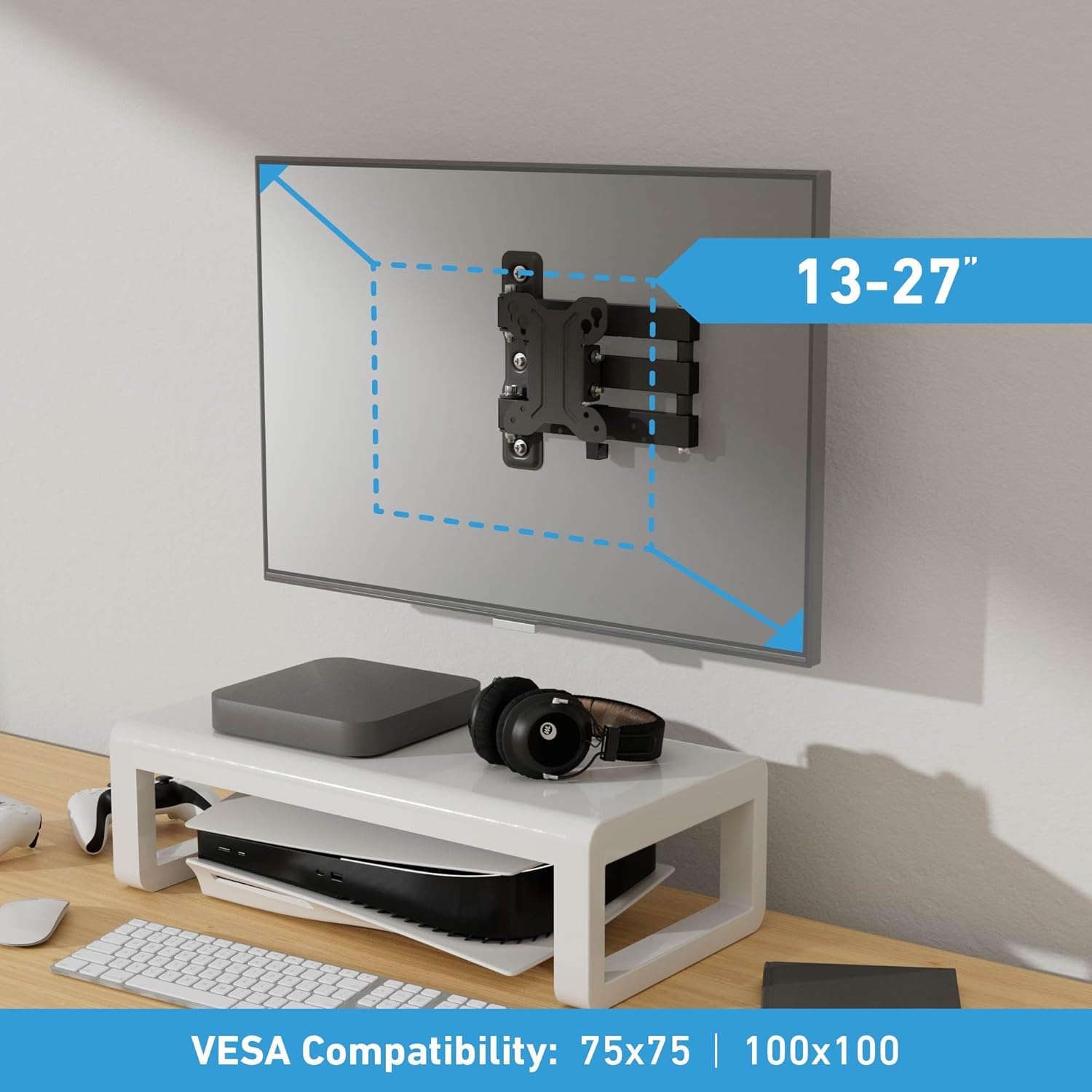
Image: The bracket supports 13-27 inch TVs with VESA 75x75mm and 100x100mm patterns.
- Attach VESA Plate to TV: Carefully place your TV face down on a soft, clean surface. Align the VESA mounting holes on the back of your TV with the corresponding holes on the bracket's VESA plate. Use the appropriate screws from the provided hardware kit to secure the VESA plate to your TV. Do not overtighten.
- Mount TV to Wall Bracket: With assistance, carefully lift the TV with the attached VESA plate and hook it onto the wall-mounted arm assembly. Ensure the TV is securely seated on the bracket.
- Secure TV: Tighten any safety screws or locking mechanisms on the bracket to prevent accidental dislodgement of the TV.
6. Installation Video Guide
For a visual guide on the installation process, please refer to the official D-Line Full Motion TV Mount installation video:
Video: Official D-Line Full Motion TV Mount (DTBTA100-DL) installation guide. This video demonstrates the step-by-step process for mounting the bracket and attaching your TV.
Operating Instructions
Adjusting Viewing Angle
The D-Line Full Motion TV Wall Bracket allows for flexible adjustment to achieve your preferred viewing angle:
- Tilt: The bracket allows for a tilt range of +/- 15 degrees. Gently push or pull the top or bottom of your TV to adjust the vertical angle.
- Turn (Swivel): The bracket offers a turn range of +/- 90 degrees. Carefully swivel the TV left or right to adjust the horizontal angle.
- Extend: The bracket can extend your TV from 1.9 inches (4.8cm) up to 15.4 inches (39.1cm) from the wall. Gently pull the TV forward or push it back towards the wall.

Image: Demonstrates the bracket's ability to adjust viewing angles, including flat to wall, tilt, turn, and combined tilt and turn.

Image: The bracket extends the TV from 1.9 inches to 15.4 inches from the wall.
Cable Management
Use the included cable management clip to organize and route your TV cables along the bracket arm. This helps maintain a tidy appearance and prevents cables from snagging during adjustments.

Image: The bracket includes a cable management clip to keep cords organized.
Maintenance
To ensure the longevity and safe operation of your D-Line TV Wall Bracket, follow these maintenance guidelines:
- Regular Inspection: Periodically check all screws and connections to ensure they remain tight. Re-tighten if any looseness is detected.
- Cleaning: Clean the bracket with a soft, dry cloth. Avoid using abrasive cleaners or solvents, as these can damage the finish.
- Movement: If the bracket's movement becomes stiff, apply a small amount of silicone-based lubricant to the moving joints.
Troubleshooting
If you encounter any issues during or after installation, refer to the following common solutions:
| Problem | Possible Cause | Solution |
|---|---|---|
| TV is not level after installation. | Wall plate not level during mounting. | Carefully loosen the wall plate screws, adjust using the spirit level, and re-tighten. |
| Bracket feels loose on the wall. | Screws not fully tightened or incorrect anchors used. | Ensure all wall plate screws are securely tightened. Verify correct anchors were used for your wall type. |
| TV mounting screws do not fit. | Incorrect screw size selected for your TV. | Refer to your TV's manual for correct VESA screw size. Use the appropriate screws from the provided kit. |
| Difficulty adjusting the bracket's movement. | Joints may be too tight or require lubrication. | Check if any adjustment bolts are overtightened. Apply a small amount of silicone lubricant to the joints if necessary. |
Product Specifications
The D-Line Full Motion TV Wall Bracket offers the following specifications:
- Screen Size Compatibility: 13-27 inches
- VESA Compatibility: 75x75mm, 100x100mm
- Weight Capacity: Up to 55 lbs (25 kg)
- Tilt Range: +/- 15 degrees
- Turn (Swivel) Range: +/- 90 degrees
- Extension Range: 1.9 inches to 15.4 inches (4.8 cm to 39.1 cm)
- Material: High-quality Steel
- Color: Black
- Mounting Type: Wall Mount
- Item Weight: 3.52 pounds (1.6 kg)
- Package Dimensions: 10.43 x 8.98 x 2.52 inches (26.5 x 22.8 x 6.4 cm)

Image: The D-Line Full Motion TV Wall Bracket is tested to hold up to 55lbs.
Warranty Information
For detailed warranty information regarding your D-Line Full Motion TV Wall Bracket, please refer to the official D-Line website or contact D-Line customer support directly. Warranty terms and conditions may vary by region.
Customer Support
If you require further assistance, have questions about installation, or need to report a missing part, please contact D-Line customer support through their official website or the contact information provided in your product packaging.
