
GMKtec G5
GMKtec G5 Mini PC User Manual
Model: G5 | Brand: GMKtec
1. Introduction
The GMKtec G5 Mini PC is a compact and powerful micro desktop computer designed for efficiency and versatility. Powered by the latest 12th Gen Intel Alder Lake N97 processor, it delivers smooth performance for a variety of tasks, from everyday computing to business and educational applications. Its small footprint makes it an ideal solution for optimizing workspace without compromising on capability.

2. What's in the Box
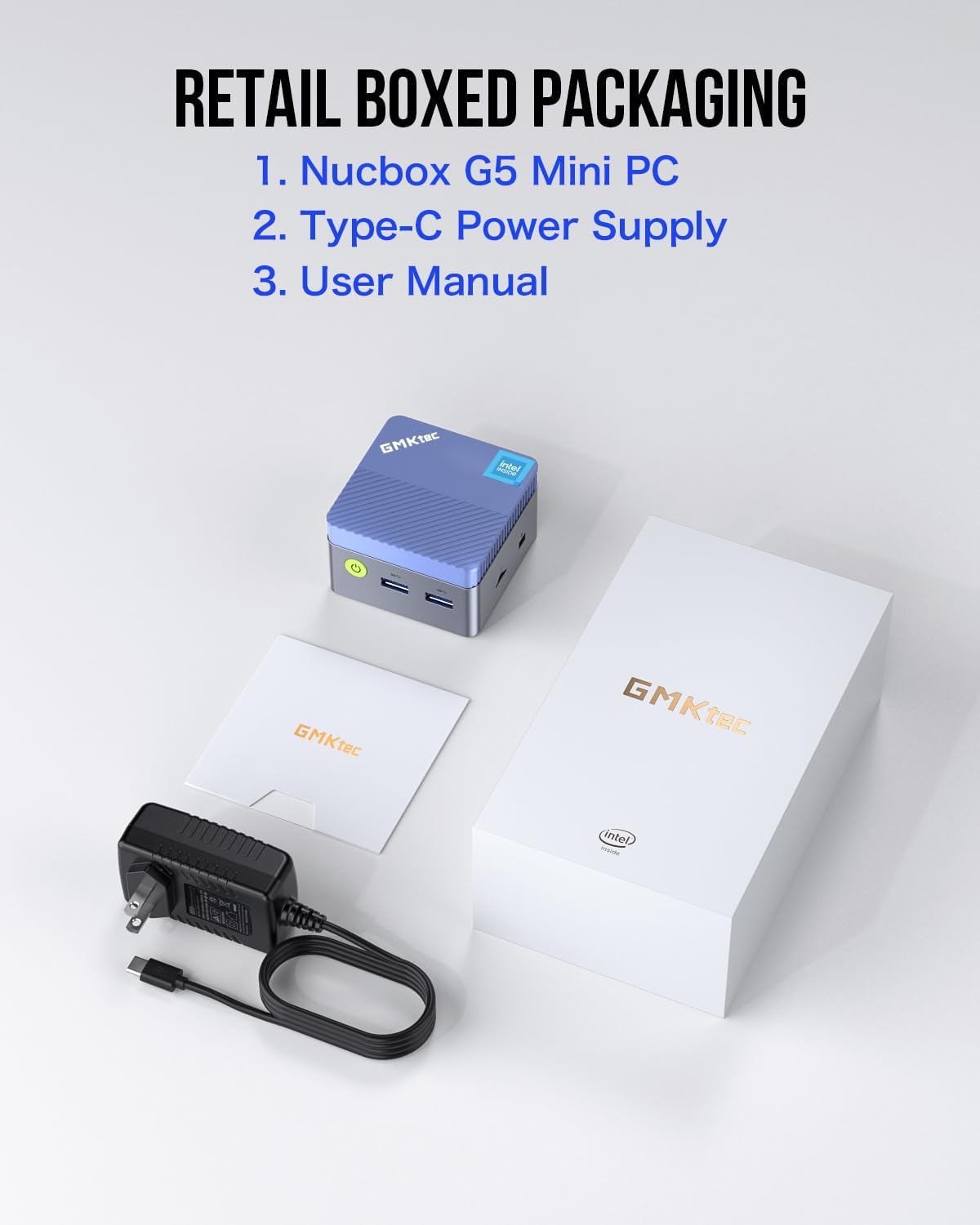
Upon opening your GMKtec G5 Mini PC package, please ensure all the following items are present:
- Nucbox G5 Micro Mini PC
- Type-C Power Adapter
- User Manual
3. Setup Guide
Follow these steps to set up your GMKtec G5 Mini PC:
- Connect to Power: Plug the Type-C power adapter into the designated Type-C power port on the mini PC and then into a power outlet.
- Connect to Display: Use an HDMI cable to connect your monitor(s) to the HDMI ports on the mini PC. The G5 supports dual 4K UHD displays.
- Connect Peripherals: Plug in your keyboard, mouse, and any other USB devices into the available USB 3.2 ports.
- Network Connection: For a wired connection, connect an Ethernet cable to the Gigabit Ethernet port. For wireless, the device supports Wi-Fi 5 and Bluetooth.
- Power On: Press the power button on the front of the mini PC to turn it on.


4. Operating Instructions
The GMKtec G5 Mini PC comes with Windows 11 Pro pre-installed, providing a familiar and user-friendly operating environment. Upon first boot, follow the on-screen instructions to complete the Windows setup process.
BIOS Settings
The Nucbox G5 mini desktop PC allows you to configure various BIOS settings, including Auto Power On and Wake on LAN, which can be accessed through the operating system or during startup (refer to the user manual for specific key presses to enter BIOS).
5. Key Features
- Powerful Processor: Equipped with the latest 12th Gen Intel Alder Lake N97 processor (4C/4T, 6MB Cache, Up to 3.6GHz, 12W TDP), offering significant performance improvements over previous generations.
- Integrated Graphics: Features an upgraded Intel UHD Graphics 24 EUs 1.20GHz, providing 4K UHD high-definition output with a resolution of 4096 x 2160@60Hz.
- Dual Display Support: With dual HDMI ports, you can connect two screens simultaneously for an expanded workspace and enhanced visual experience.
- Versatile Connectivity: Includes 3x USB 3.2 ports, 2x HDMI ports, 1x Gigabit Ethernet Port, 1x 3.5mm Audio Jack, 1x Micro SD Card Slot, and 1x Type-C Power port, allowing easy connection to various devices.
- Efficient Cooling: Designed with a cool, practically silent fan that remains quiet even under load, ensuring minimal noise disruption.
- Compact and Portable: One of the smallest computers on the market, featuring a pocket-friendly ergonomic body design.

6. Technical Specifications
| Feature | Specification |
|---|---|
| Brand | GMKtec |
| Series | Nucbox G5 |
| Model Number | G5 |
| Processor | 12th Gen Intel Alder Lake N97 (4C/4T, up to 3.6GHz) |
| RAM | 12 GB LPDDR5 (4800 MHz) |
| Hard Drive | 256 GB M.2 2242 SATA/PCIEx2 (Max 2TB) |
| Graphics Coprocessor | Intel UHD Graphics 24 EUs 1.20GHz |
| Max Screen Resolution | 3840x2160 Pixels (4K@60Hz) |
| Operating System | OS Pro (Windows 11 Pro pre-installed) |
| Wireless Type | Bluetooth, 5 GHz Radio Frequency, 802.11a/b/g/n/ac, 2.4 GHz Radio Frequency |
| Ports | 3x USB 3.2, 2x HDMI, 1x Gigabit Ethernet, 1x 3.5mm Audio, 1x Micro SD Card Slot, 1x Type-C Power |
| Item Weight | 1.19 pounds |
| Product Dimensions | 10 x 2 x 2.7 inches |
| Color | Blue |
7. Maintenance
To ensure the longevity and optimal performance of your GMKtec G5 Mini PC, consider the following maintenance tips:
- Keep Clean: Regularly clean the exterior of the mini PC with a soft, dry cloth. Avoid using liquid cleaners directly on the device.
- Ensure Ventilation: Place the mini PC in a well-ventilated area to prevent overheating. Do not block the ventilation grilles. The built-in silent fan is designed to keep temperatures low.
- Software Updates: Keep your operating system (Windows 11 Pro) and drivers updated to ensure security and performance improvements.
- Data Backup: Regularly back up important data to an external drive or cloud storage to prevent data loss.
8. Troubleshooting
If you encounter any issues with your GMKtec G5 Mini PC, try the following troubleshooting steps:
- No Power: Ensure the Type-C power adapter is securely connected to both the mini PC and a working power outlet. Try a different outlet if necessary.
- No Display: Check that the HDMI cables are firmly connected to both the mini PC and the monitor(s). Verify the monitor input source is set correctly.
- Peripherals Not Responding: Try connecting the keyboard/mouse to a different USB port. Restart the mini PC.
- Slow Performance: Close unnecessary applications. Check for background updates. Ensure adequate ventilation to prevent thermal throttling.
- Network Issues: For wired connections, check the Ethernet cable and router. For Wi-Fi, ensure the network is available and the password is correct. Restart your router and the mini PC.
9. Warranty & Support
GMKtec offers a 1-year limited warranty for each mini PC, starting from the date of purchase. This warranty covers all defects due to design and workmanship. For any support inquiries or to claim warranty service, please refer to the contact information provided in your product packaging or visit the official GMKtec website. A professional after-sales team is available to assist you with your needs.
Related documentsG5


Ask a question about this manual
Ask about setup, troubleshooting, compatibility, parts, safety, or missing instructions. Manuals+ will review the question and use this page’s manual context to help answer it.