
1. Introduction
The Mollom 4KW 5HP Single to 3 Phase Invert Phase Converter (IPC) is designed to efficiently convert single-phase power into three-phase power for motor applications. This device utilizes an inverter principle to ensure a safe and reliable power conversion, protecting connected motors from electrical fluctuations.
This manual provides essential information for the correct installation, operation, and maintenance of your IPC. Please read it thoroughly before use to ensure safe and optimal performance.

Figure 1: Mollom Invert Phase Converter highlighting its core function: converting single-phase input to three-phase output, suitable for 3-phase 220-240V motors, with one IPC for one motor.
2. Specifications
Below are the key technical specifications for the Mollom 4KW 5HP Invert Phase Converter:
- Housepower: 4KW (5HP)
- Current: 16A
- Input & Output Voltage: 220V (200-240V)
- Frequency: 50/60 Hz
- Color: Black
- Material: Copper
- Display Type: LCD or LED
- Included Components: 1x Invert Phase Converter
- Acceleration/Deceleration Time: Default 10 seconds (to prevent errors from excessive current during rapid changes)

Figure 2: Detailed parameter table for various IPC models, including horsepower, input/output voltage, amperage, and frequency.
3. Safety Warnings
- Critical Wiring: Never connect a switch between the IPC and the motor. Doing so can severely damage the IPC or the motor.
- Direct Connection: The IPC must be directly connected to the motor. The start and stop functions of the motor must be controlled exclusively by the frequency converter. Failure to do so will result in damage to the frequency converter.
- Overload Protection: The IPC includes built-in protection mechanisms for over-voltage and over-current conditions, which will trigger an automatic shutdown to protect the motor.
4. Setup & Installation
4.1 Wiring Instructions
Follow these steps for proper wiring of the Invert Phase Converter:
- Power Supply Connection: Connect the single-phase power supply (220V) to the R and T terminals (or R, S, T if applicable for your specific setup, though this model is for single-phase input).
- Motor Connection: Connect the three-phase motor to the U, V, and W terminals of the IPC.
- Switch Placement: If using an external switch, connect it between the main power supply and the IPC. Do not place any switch between the IPC and the motor.

Figure 3: Simple wiring diagram for connecting the IPC to power and motor. Input is 220-240V Single-Phase, Output is 220-240V 3-Phase. For reverse rotation, swap two lines of the three output lines. 3-phase voltage is applied only when the motor is running.
4.2 Visual Guide: Wiring and Operation
Video 1: This video demonstrates the wiring process for the Mollom Invert Phase Converter, showing how to connect the power supply and motor. It also illustrates the device's error shutdown feature for over-current and over-voltage conditions.
5. Operation
5.1 Starting the Motor
Once wired correctly, simply click the start button on the IPC to initiate motor operation. The IPC will convert the single-phase input to three-phase output for the motor.
5.2 Monitoring and Visualization
The IPC features two visual screens that display the current voltage and current. This allows for real-time supervision of the motor's operational status.

Figure 4: The IPC's display screens provide clear visibility of current operational status, showing voltage and current readings.
6. Troubleshooting
The IPC is equipped with protective features that will force a shutdown and report an error code in case of over-voltage or over-current. This protects the motor and reduces potential losses.
- Error Code 04: Indicates an over-current condition.
- Error Code 05: Indicates an over-voltage condition.
- Error Code 09: Indicates an under-voltage condition.
If an error occurs, note the error code displayed on the screen and contact customer service for assistance. Providing the error code will help expedite the support process.
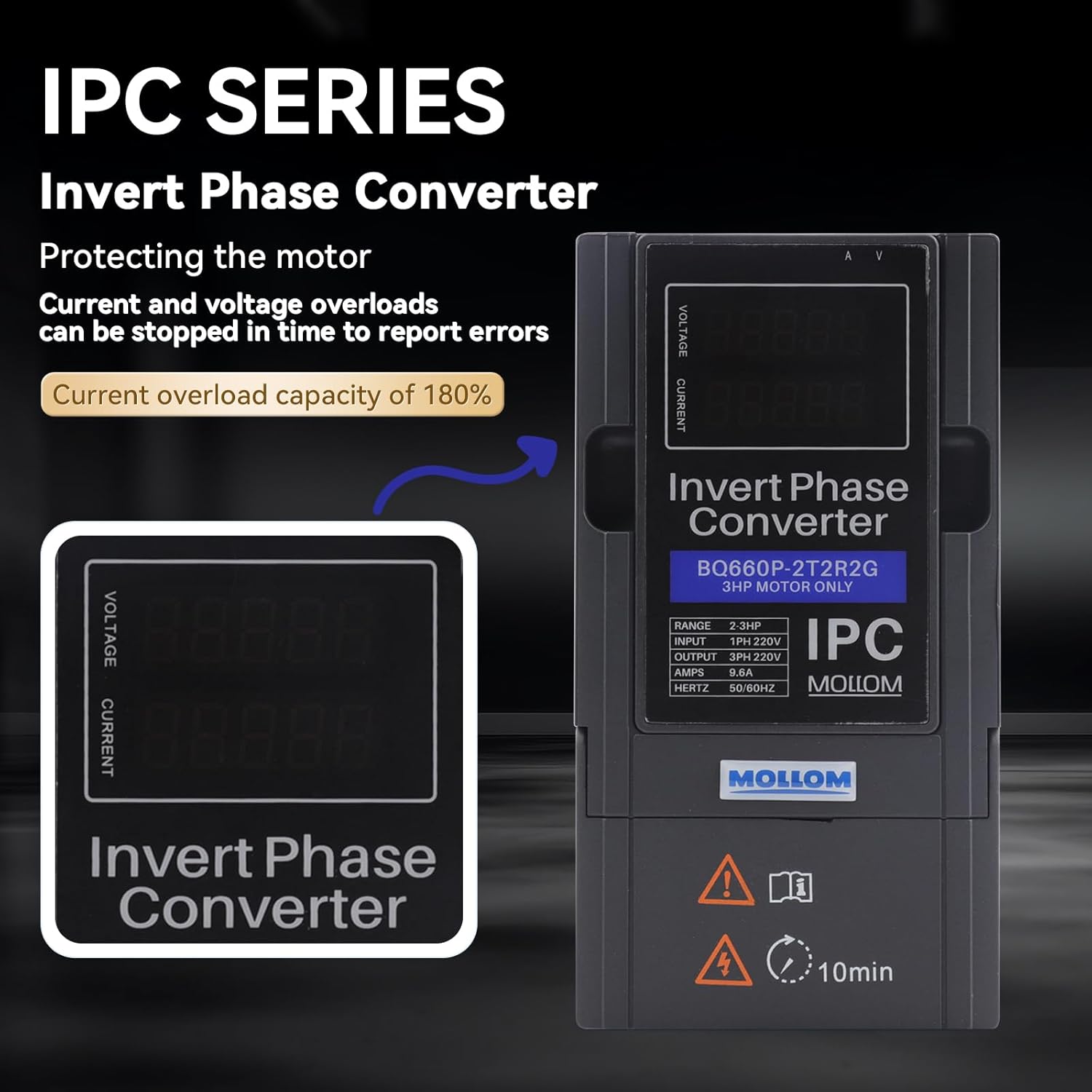
Figure 5: The IPC's display showing an error code, indicating a protective shutdown due to an electrical anomaly.
7. Maintenance
To ensure the longevity and reliable operation of your Mollom Invert Phase Converter, consider the following general maintenance guidelines:
- Regular Cleaning: Keep the unit free from dust and debris. Use a soft, dry cloth for cleaning. Do not use liquid cleaners.
- Ventilation: Ensure that the ventilation openings are clear and unobstructed to prevent overheating.
- Connection Checks: Periodically inspect all electrical connections to ensure they are secure and free from corrosion.
- Environmental Conditions: Operate the IPC within its specified environmental conditions (temperature, humidity) to prevent damage.
8. Warranty & Support
For warranty information, technical support, or service inquiries, please refer to the documentation included with your purchase or contact Mollom customer service. Ensure you have your product model number (B0D3HHZVPC) and purchase details ready when contacting support.
Mollom Customer Service: [Insert Contact Information Here, e.g., website, email, phone number]