
1. Introduction
Thank you for choosing the HG Power 8 Inch Metal Extractor Fan with Speed Controller. This manual provides essential information for the safe and efficient installation, operation, and maintenance of your new ventilation fan. Please read this manual thoroughly before use and retain it for future reference.
2. Safety Information
To reduce the risk of fire, electric shock, or injury to persons, observe the following:
- Read all instructions before installing or servicing this fan.
- Ensure the power supply is disconnected before installation, maintenance, or cleaning.
- Installation work and electrical wiring must be done by qualified person(s) in accordance with all applicable codes and standards, including fire-rated construction codes and standards.
- Sufficient air is needed for proper combustion and exhausting of gases through the flue (chimney) of fuel-burning equipment to prevent back-drafting. Follow the heating equipment manufacturer’s guideline and safety standards such as those published by the National Fire Protection Association (NFPA), and the American Society for Heating, Refrigeration and Air Conditioning Engineers (ASHRAE), and the local code authorities.
- When cutting or drilling into wall or ceiling, do not damage electrical wiring and other hidden utilities.
- Ducted fans must always be vented to the outdoors.
- Do not use this fan with any solid-state speed control device other than the provided speed controller.
- This unit is not intended for use in areas where water is present, such as bathrooms with direct water spray.
- Do not use this fan to exhaust hazardous or explosive materials and vapors.
3. Package Contents
Please check the package contents to ensure all items are present and undamaged:
- HG Power 8 Inch Metal Extractor Fan
- Speed Controller with Cord
- Mounting Hardware (screws, anchors, etc. - specific items may vary)
- User Manual (this document)
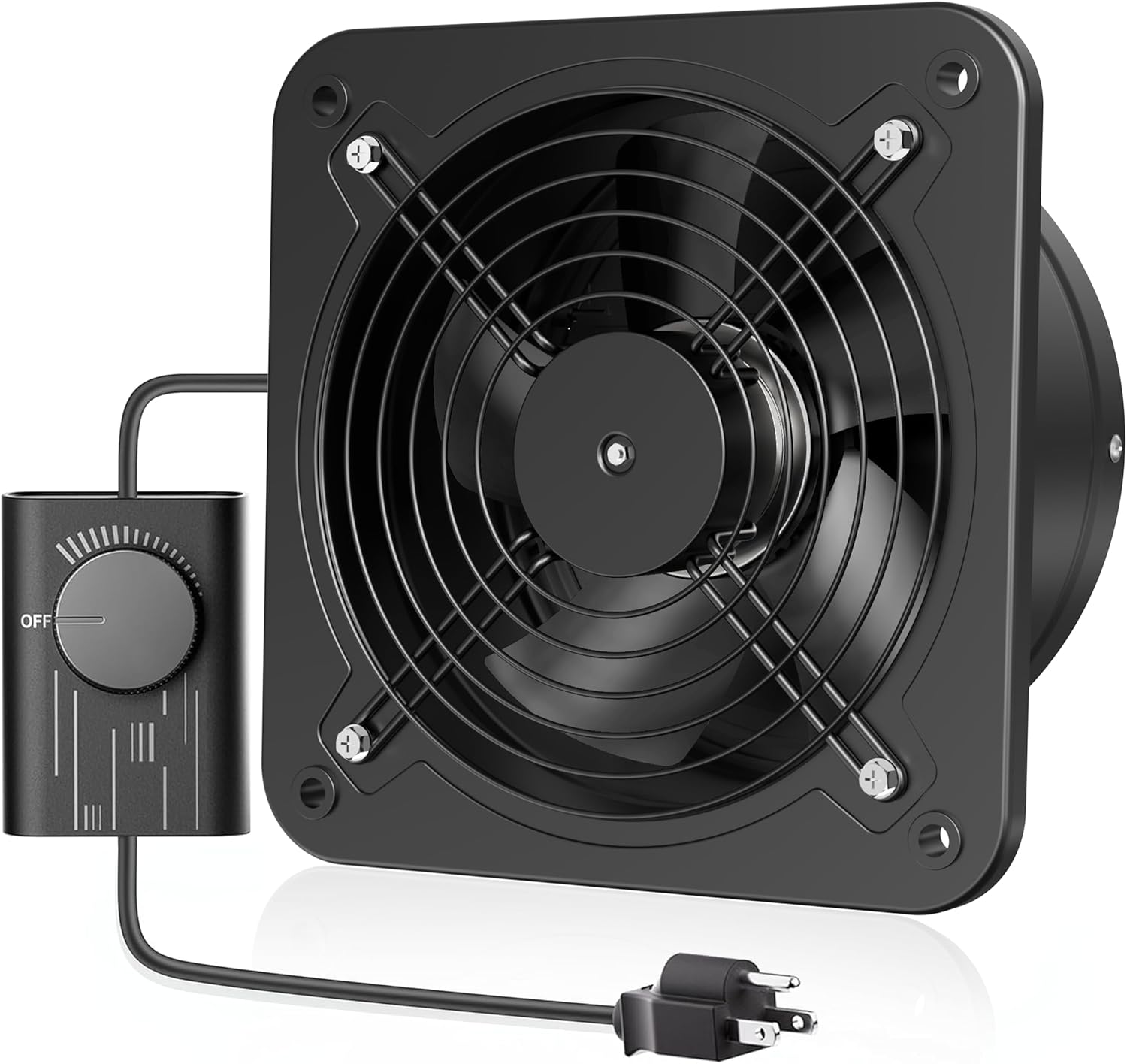
Figure 1: HG Power 8 Inch Metal Extractor Fan with included Speed Controller.
4. Product Features
- Efficient Ventilation: With a large airflow capacity of 576 CFM, this exhaust fan effectively removes odors and stale air, creating a fresh and comfortable environment.
- Adjustable Speed Control: Equipped with an infinity speed controller, this exhaust fan allows you to easily customize the airflow according to your needs.
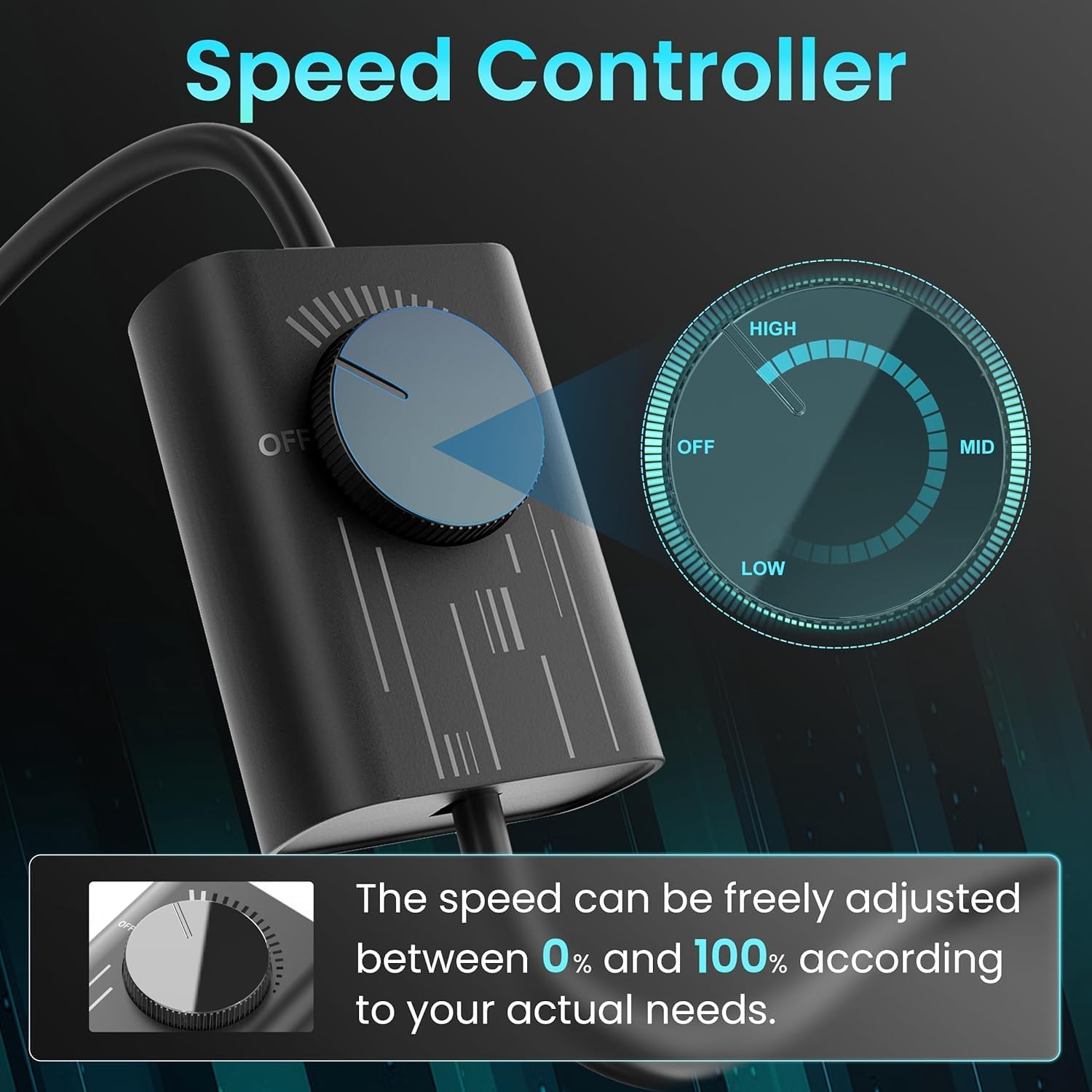
Figure 2: The included speed controller allows for precise adjustment of fan speed from 0% to 100%.
- Excellent Performance: The wall exhaust fan features a high-quality motor that maximizes airflow while reducing noise and power consumption. It is designed to reduce friction and extend the extractor fan's service life.
- Premium Material: Made with high-quality baking varnish material, the shell and impeller guarantee long-lasting durability and reliability. Designed with a plastic shutter damper, it automatically opens and closes to prevent polluted air, exhaust gases, and odors from returning into the room.

Figure 3: Automatic shutters open when the fan is operating and close when off, preventing backdraft and entry of external elements.

Figure 4: Detachable design for easy cleaning and maintenance of the fan components.
- Wide Application: The window exhaust fan is designed to quietly ventilate kitchens, bathrooms, grow rooms, workshops, basements, attics, etc., improving air circulation in HVAC ventilation.

Figure 5: The fan is suitable for various indoor environments such as kitchens, bathrooms, basements, and workshops.
5. Specifications
| Attribute | Value |
|---|---|
| Brand | HG Power |
| Model Name | 8 Inch Exhaust Fan with Speed Controller |
| Item Model Number | ZH23 |
| Electric Fan Design | Exhaust Fan |
| Power Source | AC |
| Wattage | 38 watts |
| Voltage | 110-120 Volts |
| Air Flow Capacity | 576 Cubic Feet Per Minute (CFM) |
| Speed | 2800 RPM |
| Switch Type | Speed Controller |
| Control Method | Touch (via speed controller) |
| Product Dimensions | 10"D x 6"W x 10"H |
| Item Weight | 4.8 Pounds |
| Mounting Type | Wall Mount, Ceiling Mount, Window Mount |
| Special Feature | Waterproof |
| Indoor/Outdoor Usage | Indoor |

Figure 6: Detailed product parameters and dimensions for installation planning.
6. Setup and Installation
The HG Power Extractor Fan can be mounted on walls, ceilings, or in windows. Ensure the mounting surface is sturdy enough to support the fan's weight and vibrations.
- Choose Location: Select a location that allows for optimal airflow and is free from obstructions. Consider the direction of airflow for effective ventilation.
- Prepare Opening: Create an opening in the wall, ceiling, or window that matches the fan's dimensions (refer to Figure 6 for exact measurements). Ensure the opening is slightly larger than the fan's duct for easy fitting.
- Mounting the Fan:
- Position the fan in the opening.
- Mark the drilling points for the mounting screws.
- Drill pilot holes and insert appropriate anchors if necessary.
- Secure the fan to the surface using the provided mounting hardware. Ensure it is firmly attached to prevent vibration and noise.
- Connect Power: Plug the fan's power cord into a standard North American electrical outlet (110-120V). The speed controller is integrated into the power cord for easy access.
- Shutter Orientation: The exhaust fan is recommended to be installed vertically, not horizontally, to ensure the automatic shutters can open and close properly.

Figure 7: Illustration of the fan installed for indoor air extraction and outdoor exhaust.
Video 1: Official HG Power video demonstrating the exhaust fan with speed controller, showing its operation and features. This video is provided by the seller.
7. Operating Instructions
The HG Power Extractor Fan is operated using the integrated speed controller.
- Power On/Off: Turn the knob on the speed controller clockwise from the "OFF" position to power on the fan. Turn it counter-clockwise back to "OFF" to power off.
- Adjust Speed: Rotate the knob clockwise to increase the fan speed and airflow (from 0% to 100%). Rotate it counter-clockwise to decrease the speed. Adjust to your desired ventilation level.
Figure 8: The speed controller allows for variable fan speed adjustment.
8. Maintenance
Regular maintenance ensures optimal performance and extends the lifespan of your fan. Always disconnect power before performing any maintenance.
- Cleaning the Fan Blades and Grille:
- Unscrew the protective grille and detach the fan components as shown in Figure 4.
- Wipe the fan blades, grille, and interior surfaces with a soft, damp cloth. For stubborn dirt, a mild detergent can be used.
- Ensure all parts are completely dry before reassembling.
- Shutter Damper Check: Periodically check the plastic shutter damper for any obstructions or damage that might prevent it from opening and closing freely. Clean if necessary.
- Motor: The motor is designed for long-lasting operation and typically does not require lubrication. Keep the motor housing clean and free of dust.
9. Troubleshooting
If you encounter issues with your HG Power Extractor Fan, refer to the following troubleshooting guide:
| Problem | Possible Cause | Solution |
|---|---|---|
| Fan does not turn on | No power supply; Speed controller set to "OFF" | Check if the fan is plugged in securely. Ensure the outlet has power. Turn the speed controller knob clockwise from "OFF". |
| Reduced airflow | Fan blades or grille are dirty; Obstruction in the duct; Speed controller set too low | Clean the fan blades and grille (refer to Maintenance section). Check for and remove any obstructions. Increase the fan speed using the controller. |
| Excessive noise or vibration | Loose mounting screws; Fan blades are dirty or unbalanced; Obstruction hitting blades | Tighten all mounting screws. Clean fan blades and check for damage. Ensure no objects are interfering with the blades. |
| Shutter damper not opening/closing | Obstruction; Incorrect installation orientation | Check for and remove any debris around the shutters. Ensure the fan is installed vertically as recommended. |
10. Warranty and Support
For warranty information and customer support, please refer to the product packaging or contact HG Power directly through their official website or customer service channels. Keep your purchase receipt as proof of purchase.

