
1. Introduction
This manual provides essential instructions for the safe and efficient operation, setup, and maintenance of your Ohaus STX1202 Portable Balance. Designed for precision and versatility, the STX1202 features an intuitive touchscreen interface, rapid stabilization time, and multiple weighing modes to suit various laboratory and industrial applications. Please read this manual thoroughly before using the device to ensure optimal performance and longevity.

The Ohaus STX Series Portable Balance, designed for precision in various settings.
2. Safety Information
Always follow these safety guidelines to prevent injury and ensure proper operation of your balance:
- Operate the balance only in a stable, level environment free from vibrations and drafts.
- Avoid exposing the balance to extreme temperatures, humidity, or direct sunlight.
- Do not overload the weighing pan beyond the specified maximum capacity.
- Use only the provided AC adapter or recommended batteries for power.
- Keep the balance clean and free from dust and corrosive substances.
- Do not attempt to disassemble or repair the balance yourself. Refer to qualified service personnel.
3. Product Overview
The Ohaus STX1202 Portable Balance is equipped with a large color touchscreen display for easy navigation and operation. Key components include the weighing pan, display unit, control buttons (Zero, Tare, Menu), and adjustable leveling feet.
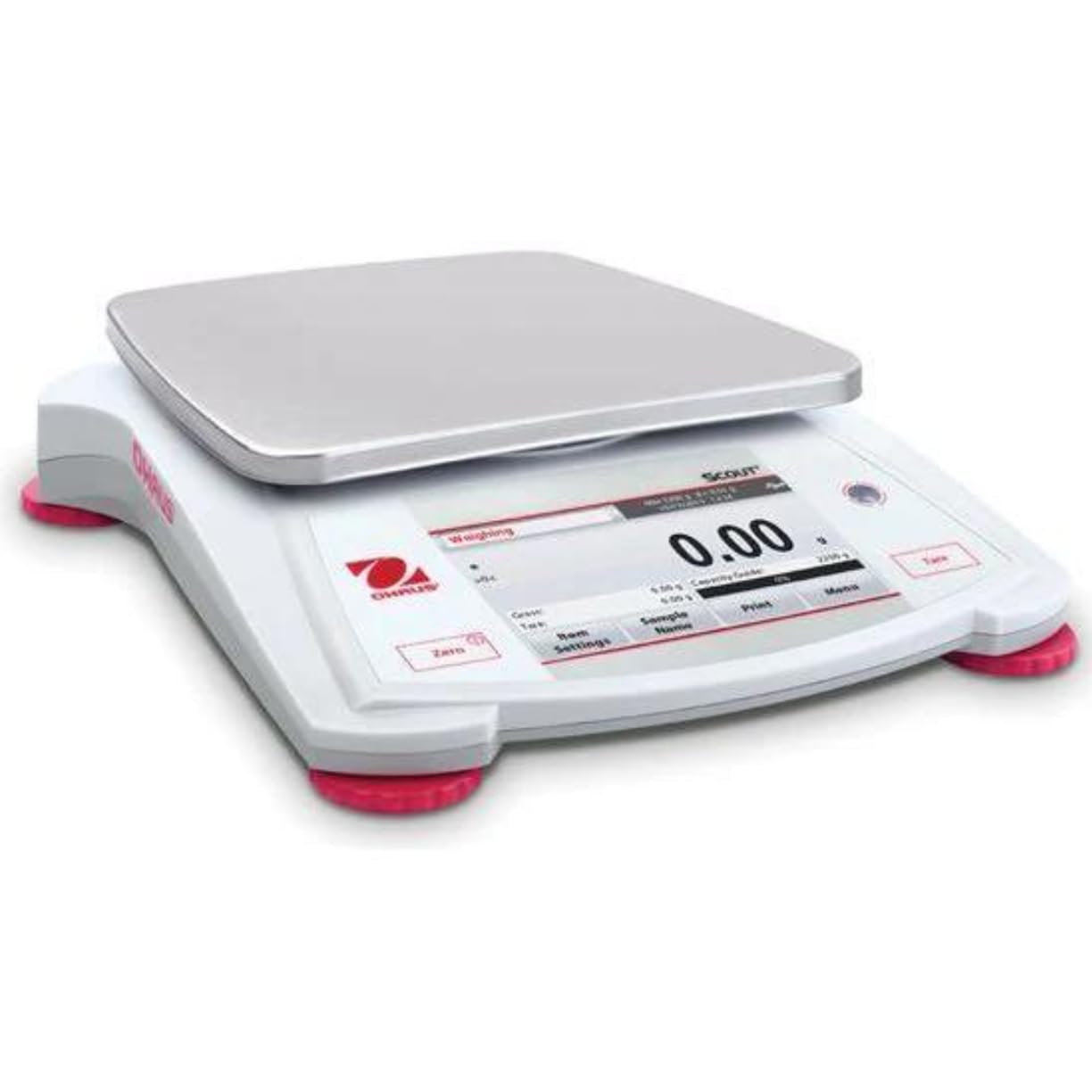
Front view of the Ohaus STX1202 Portable Balance, highlighting the display and weighing pan.

Detailed view of the balance's high-resolution display, showing a measurement.
4. Setup
Follow these steps for initial setup:
- Unpacking: Carefully remove the balance and all accessories from the packaging. Retain packaging for future transport or storage.
- Placement: Place the balance on a firm, level, and stable surface, away from direct sunlight, heat sources, air currents, and vibrations.
- Leveling: Adjust the four leveling feet until the bubble in the illuminated up-front level indicator is centered. This ensures accurate measurements.
- Power Connection: Connect the supplied AC adapter to the balance and a suitable power outlet. Alternatively, for portable operation, insert 4 AA batteries (not included) into the battery compartment.
- Initial Power On: Press the power button to turn on the balance. Allow a brief warm-up period for optimal stability.
5. Operating Instructions
The STX1202 features an intuitive touchscreen interface for easy operation.
5.1 Basic Weighing
- Power On/Off: Press the power button to turn the balance on or off.
- Zeroing: With an empty pan, press the Zero button to set the display to zero.
- Taring: Place an empty container on the pan and press the Tare button. The display will show zero, allowing you to weigh the net content.
- Weighing: Place the item to be weighed on the pan. The stable weight will be displayed within approximately one second.
5.2 Weighing Modes
The STX1202 supports various application modes accessible via the touchscreen:
- Basic Weighing: Standard weight measurement.
- Parts Counting: Count a large number of identical items based on a sample weight.
- Percent Weighing: Measure the weight of a sample as a percentage of a reference weight.
- Density Determination: Calculate the density of a substance.

The touchscreen interface displaying available application modes for versatile weighing.
5.3 Connectivity
The balance offers multiple connectivity options for data transfer and integration:
- RS232
- USB Device
- USB Host
- Ethernet
- Bluetooth (for certain models or with optional accessories)

Illustration of the balance's multiple connectivity ports and options.
6. Maintenance
Proper maintenance ensures the accuracy and longevity of your balance:
- Cleaning: Wipe the balance exterior with a soft, damp cloth. Use mild soap if necessary. Avoid abrasive cleaners, solvents, or harsh chemicals. Do not allow liquids to enter the balance housing.
- Weighing Pan: The stainless steel weighing pan can be removed for cleaning. Wash with mild detergent and dry thoroughly before reattaching.
- Storage: When not in use, store the balance in a clean, dry place. The stackable design and included storage cover provide convenience and protection during transport and storage.
- Calibration: Regular calibration with certified weights is recommended to maintain accuracy. Refer to the on-screen menu for calibration procedures.
7. Troubleshooting
If you encounter issues, refer to the table below for common problems and solutions:
| Problem | Possible Cause | Solution |
|---|---|---|
| Balance does not power on | No power, dead batteries, faulty AC adapter | Check AC adapter connection, replace batteries, try a different power outlet. |
| Inaccurate or unstable readings | Not level, vibrations, drafts, temperature changes, dirty pan, calibration needed | Re-level the balance, move to a stable environment, clean the pan, perform calibration. |
| Display shows "Overload" or "Underload" | Weight exceeds/is below capacity | Remove excess weight or ensure minimum weight is met. |
| Touchscreen unresponsive | Software glitch, extreme temperature | Restart the balance. Ensure operating within specified temperature range. |
| Low battery indicator | Batteries are low | Replace batteries or connect to AC power. |
If the problem persists after attempting these solutions, please contact customer support.
8. Specifications
| Feature | Detail |
|---|---|
| Model | STX1202 |
| Capacity | 1,200 g |
| Readability | 0.01 g |
| Stabilization Time | 1 second |
| Display | Large Color Touchscreen |
| Weighing Modes | Weighing, Parts Counting, Percent Weighing, Density Determination |
| Connectivity | RS232, USB Device, USB Host, Ethernet (Bluetooth optional) |
| Power | AC Adapter (included), 4 AA Batteries (not included) |
| Special Features | Illuminated up-front level indicator, Mechanical and software overload/underload protection, Auto shut-off, Auto tare, Stackable design, Storage cover |
| Brand | Ohaus (Manufactured by Liberty Scales) |
9. Warranty and Support
The Ohaus STX1202 Portable Balance is covered by a manufacturer's warranty against defects in materials and workmanship. For specific warranty terms and conditions, please refer to the documentation included with your product or visit the official Ohaus website.
For technical assistance, troubleshooting beyond this manual, or to inquire about service and parts, please contact Liberty Scales, Inc. customer support. Contact details can typically be found on the product packaging or the seller's website.