1. Important Safety Instructions
Before operating this appliance, read all instructions thoroughly. Failure to follow these instructions may result in electric shock, fire, or serious injury.
- Always unplug the vacuum cleaner from the electrical outlet before cleaning or servicing.
- Do not use outdoors or on wet surfaces. This vacuum is designed for dry pick-up only.
- Do not allow children to use the vacuum cleaner. Close supervision is necessary when used near children.
- Do not pick up anything that is burning or smoking, such as cigarettes, matches, or hot ashes.
- Do not use to pick up flammable or combustible liquids, such as gasoline, or use in areas where they may be present.
- Do not use without dirt cup and/or filters in place.
- Inspect the power cord and plug for damage before each use. Do not use if the cord or plug is damaged.
- Use only as described in this manual. Use only manufacturer’s recommended attachments.
2. Product Overview
The Dirt Devil Multi-Surface Extended Reach+ Upright Vacuum Cleaner UD76300V is designed for efficient cleaning across various floor types, from hard floors to carpets. It features PowerPass™ technology to prevent scattering on hard surfaces and an extended reach tool kit for cleaning high and low areas. This package also includes a 32 oz Spring Meadows Scent Carpet Powder (AD31210) for odor elimination and room refreshing.

Image 2.1: The Dirt Devil UD76300V upright vacuum cleaner alongside the Spring Meadows Carpet Powder.
3. Assembly Instructions
Follow these steps to assemble your Dirt Devil UD76300V vacuum cleaner:
- Attach the Handle: Insert the handle into the main body of the vacuum until it clicks securely into place.
- Connect the Hose: Firmly push the end of the flexible hose into the hose inlet on the back of the vacuum. Ensure it is fully seated to prevent loss of suction.
- Store Tools: Place the included Click Lock™ tool kit (Extension Wand, 2-in-1 Crevice/Dusting Brush, Upholstery Tool) onto the onboard storage clips for easy access.
4. Operating Instructions
4.1 Powering On/Off
To turn the vacuum on or off, locate the power switch on the main body of the unit and press it. Ensure the vacuum is plugged into a functional electrical outlet.
4.2 Height Adjustment
The vacuum features a 4-level height adjustment to optimize cleaning performance on different floor types. Rotate the dial on the cleaner head to select the appropriate setting:
- Low: For bare floors and low-pile carpets.
- Medium: For medium-pile carpets.
- High: For high-pile carpets and rugs.
- Extra High: For very deep pile carpets or when pushing is difficult.
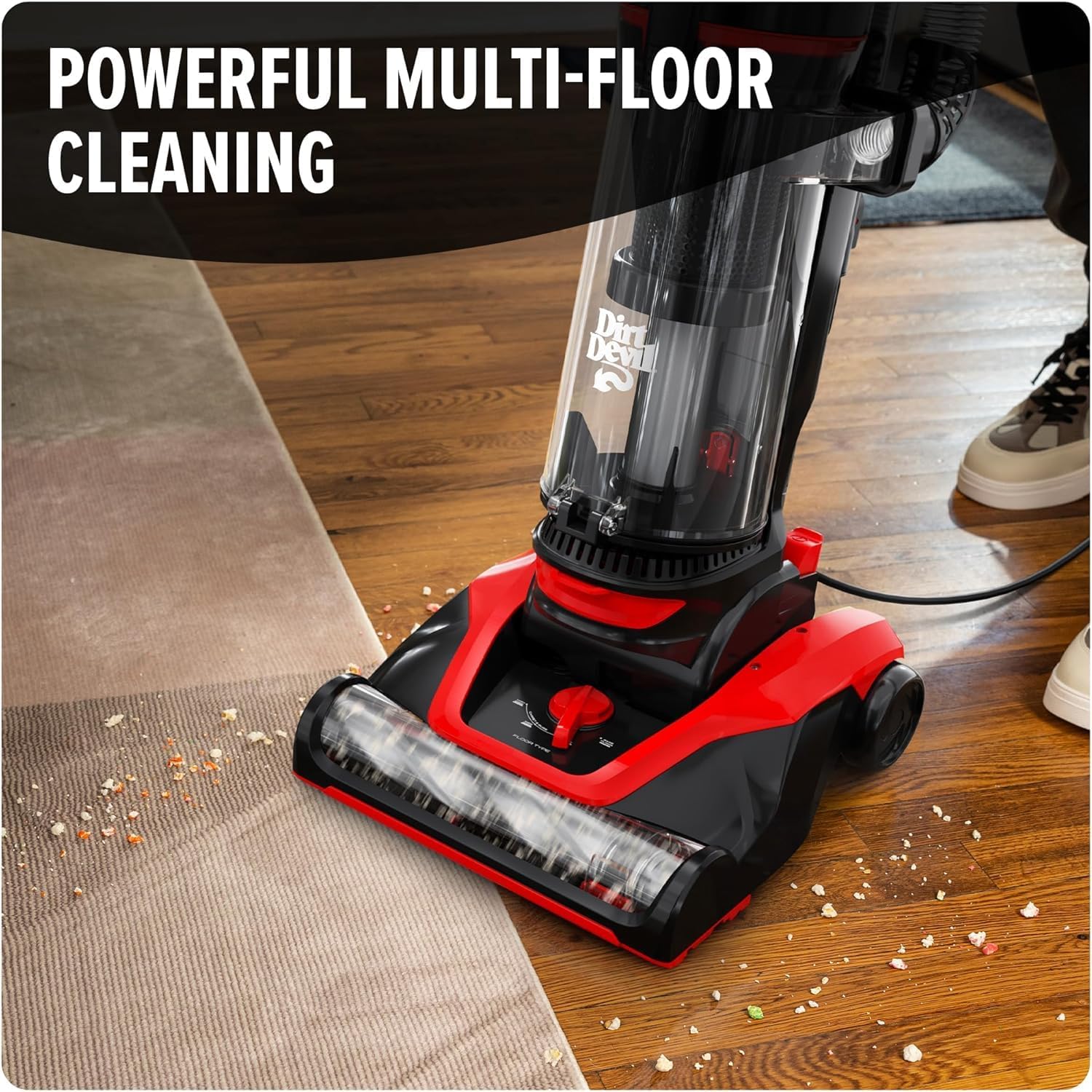
Image 4.1: The vacuum cleaner effectively cleans both hard floors and carpets, demonstrating its multi-surface capability.

Image 4.2: PowerPass™ technology ensures dirt and debris are collected efficiently on hard floors without scattering.
4.3 Using the Hose and Tools
The Click Lock™ tool kit provides extended reach and versatility for cleaning above-floor surfaces and tight spaces.
- Detach the Hose: Gently pull the hose from its connection point on the vacuum body.
- Attach Tools: Select the desired tool (Extension Wand, 2-in-1 Crevice/Dusting Brush, or Upholstery Tool) and firmly attach it to the end of the hose until it clicks.
- Clean: Use the tools to clean upholstery, stairs, corners, ceiling fans, and other hard-to-reach areas.

Image 4.3: The 15-inch extension wand allows for cleaning high areas such as window sills and crown molding.

Image 4.4: The upholstery tool effectively removes debris and pet hair from furniture surfaces.
4.4 Using the Carpet Powder (AD31210)
The included 32 oz Spring Meadows Scent Carpet Powder helps eliminate odors and refresh your living spaces.
- Sprinkle: Evenly sprinkle the carpet powder over carpets, rugs, or upholstery.
- Wait: Allow the powder to sit for a few minutes to absorb odors. Refer to the carpet powder packaging for specific wait times.
- Vacuum: Thoroughly vacuum the treated area to remove the powder and refresh the scent.

Image 4.5: Apply the carpet powder by sprinkling it evenly over the desired surface.

Image 4.6: The Spring Meadows scented carpet powder provides a pleasant fragrance while eliminating odors.
4.5 Product Demonstration Video
Video 4.1: An official demonstration of the Dirt Devil Multi-Surface Extended Reach+ Upright Vacuum Cleaner UD76300V, showcasing its features and cleaning capabilities.
5. Maintenance
5.1 Emptying the Dirt Cup
For optimal performance, empty the dirt cup regularly, especially when debris reaches the MAX fill line.
- Power Off and Unplug: Ensure the vacuum is turned off and unplugged from the wall outlet.
- Remove Dirt Cup: Press the one-touch release button to detach the dirt cup from the vacuum body.
- Empty Contents: Hold the dirt cup over a trash receptacle and press the bottom release button to empty the debris.
- Reattach: Close the dirt cup bottom and reattach the dirt cup to the vacuum until it clicks securely.

Image 5.1: The large, easy-empty dirt cup can be emptied with a single touch of a button.
5.2 Filter Cleaning
Regularly clean the filters to maintain suction power. Refer to your product's specific filter type for detailed cleaning instructions. Most filters can be rinsed with water and must be completely dry before reinstallation.
5.3 Brush Roll Cleaning
Periodically check the brush roll for tangled hair, strings, or debris. Turn off and unplug the vacuum, then carefully cut away any obstructions using scissors. Do not operate the vacuum with a clogged brush roll.
6. Troubleshooting
If you encounter issues with your Dirt Devil UD76300V, consult the following common problems and solutions:
| Problem | Possible Cause | Solution |
|---|---|---|
| Vacuum will not turn on | Not plugged in; Blown fuse/tripped breaker; Power switch off | Check plug; Check household fuse/breaker; Ensure power switch is ON |
| Loss of suction | Dirt cup full; Clogged filter; Hose/nozzle blockage | Empty dirt cup; Clean/replace filters; Clear any blockages in hose or nozzle |
| Brush roll not spinning | Brush roll jammed; Belt broken | Clear debris from brush roll; Contact customer support for belt replacement |
7. Specifications
- Model: UD76300V
- Type: Bagless Upright Vacuum Cleaner
- Cleaning Technology: Multi-Surface, PowerPass™
- Height Adjustment: 4-level
- Dirt Cup Capacity: Large, Easy-Empty
- Included Tools: 15" Extension Wand, 11" 2-in-1 Crevice/Dusting Brush, Upholstery Tool
- Additional Item: 32 oz Dirt Devil Spring Meadows Carpet Powder (AD31210)
8. Warranty and Support
For warranty information or technical support, please refer to the warranty card included with your product or visit the official Dirt Devil website. Keep your purchase receipt as proof of purchase for any warranty claims.


