Introduction
Thank you for purchasing the Vieta Pro Party Bluetooth Speaker. This manual provides essential information for setting up, operating, and maintaining your device. Please read it carefully before use to ensure optimal performance and longevity.
Safety Information
- Do not expose the speaker to extreme temperatures or direct sunlight for extended periods.
- Avoid dropping or subjecting the speaker to strong impacts.
- Keep the speaker away from medical devices.
- Do not attempt to disassemble or modify the speaker. This will void the warranty.
- Ensure all ports are securely closed when using the speaker near water to maintain its IPX7 water resistance.
- Use only the provided charging cable or a certified equivalent.
Package Contents
The Vieta Pro Party Bluetooth Speaker package typically includes:
- Vieta Pro Party Bluetooth Speaker
- USB Charging Cable
- Auxiliary Audio Cable (if included, not explicitly stated but common)
- User Manual (this document)
Product Overview
Familiarize yourself with the speaker's components and controls.
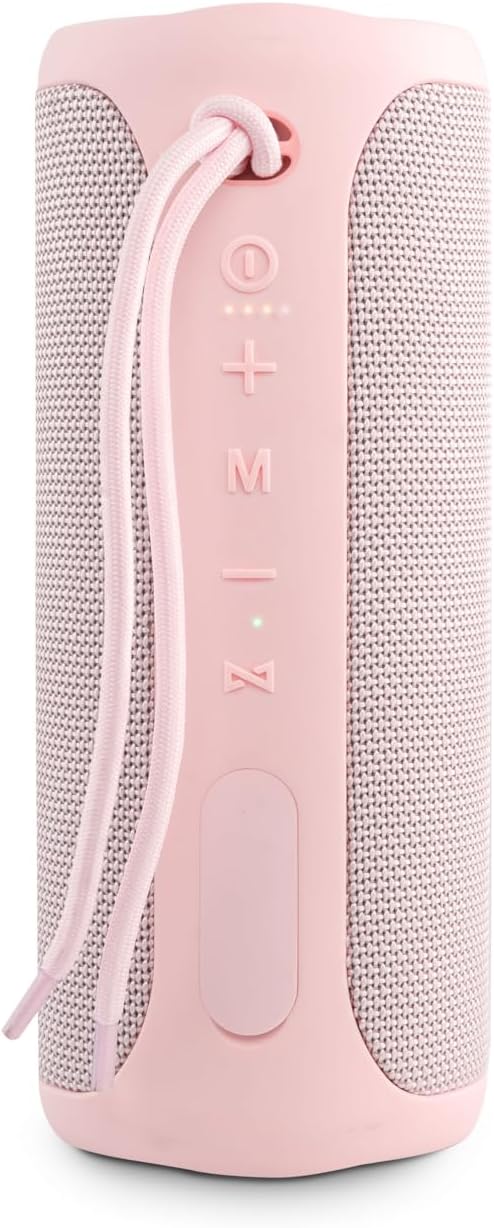
Image 1: Front View with Controls
This image displays the front of the Vieta Pro Party speaker, highlighting the control panel. From top to bottom, you can see the power button, volume up (+), volume down (-), mode (M) button, play/pause/call button, and light system (Z) button. A carrying strap is also visible at the top.
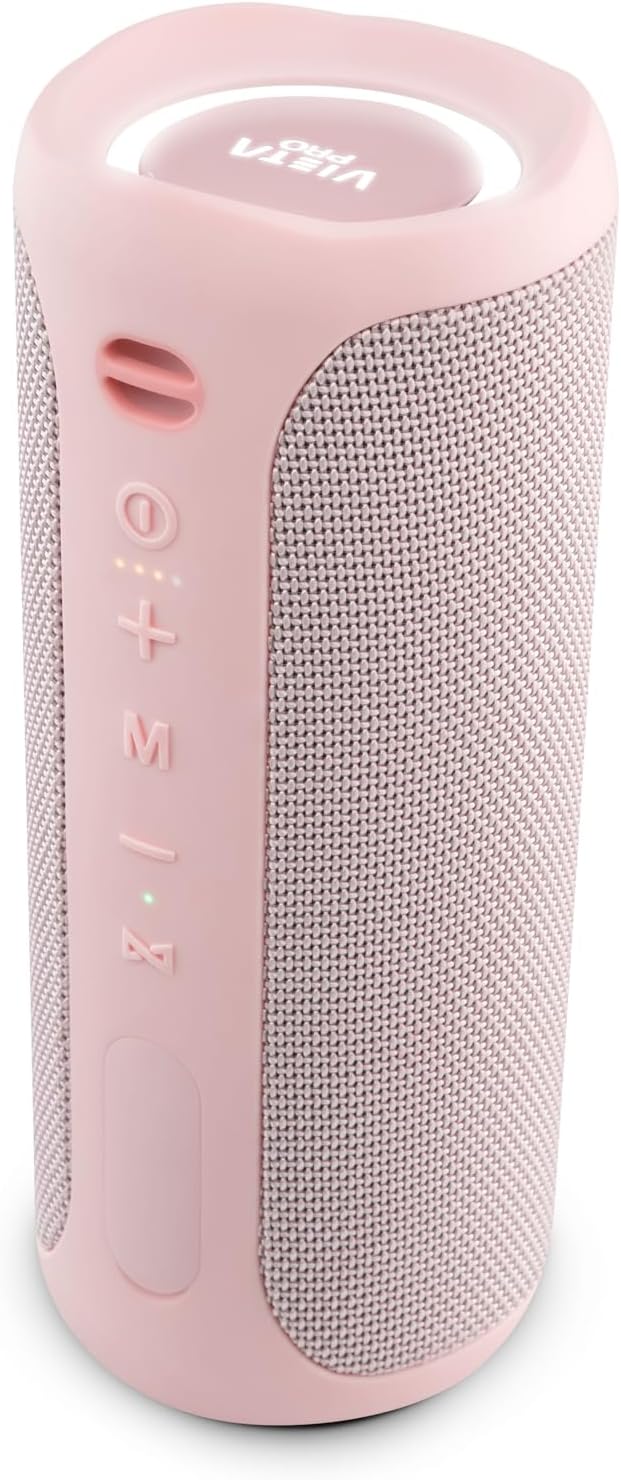
Image 2: Angled View
An angled view of the speaker, providing a clearer look at the control buttons on the side and the top panel featuring the Vieta Pro logo and an illuminated ring.
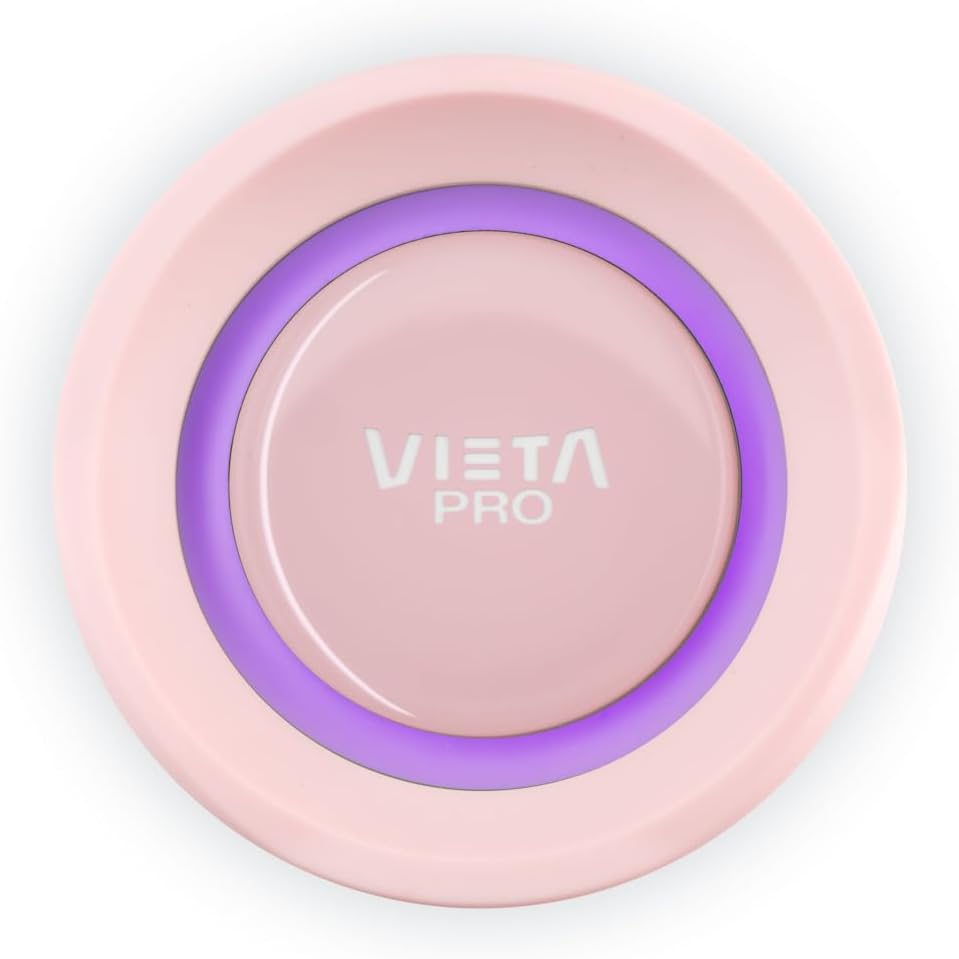
Image 3: Top Panel Detail
A close-up view of the speaker's top panel, featuring the Vieta Pro logo centrally placed within an illuminated ring, which indicates power and connection status.
Control Buttons:
- Power Button (⏻): Press and hold to power on/off.
- Volume Up (+): Short press to increase volume.
- Volume Down (-): Short press to decrease volume.
- Mode (M): Press to switch between input modes (e.g., Bluetooth, Aux-In).
- Play/Pause/Call (⏸): Press to play/pause music. Press to answer/end calls. Press and hold to reject calls.
- Light System (Z): Press to cycle through light themes or turn lights off.
Setup
1. Charging the Speaker
Before first use, fully charge the speaker. Connect the provided USB charging cable to the speaker's charging port and a compatible USB power adapter (not included). The charging indicator light will show the charging status and turn off when fully charged.
- Battery Life: Up to 10 hours of playback on a full charge.
2. Power On/Off
- To Power On: Press and hold the Power button (⏻) for approximately 3 seconds. You will hear an audible prompt, and the indicator lights will illuminate.
- To Power Off: Press and hold the Power button (⏻) for approximately 3 seconds. You will hear an audible prompt, and the lights will turn off.
3. Bluetooth Pairing
- Ensure the speaker is powered on and in Bluetooth pairing mode (the indicator light will flash).
- On your smartphone or tablet, go to the Bluetooth settings.
- Search for available devices and select "Vieta Pro Party" from the list.
- Once connected, the speaker will provide an audible confirmation, and the indicator light will stop flashing and remain solid.
4. True Wireless Stereo (TWS) Pairing
To connect two Vieta Pro Party speakers for a stereo sound experience:
- Ensure both Vieta Pro Party speakers are powered on and not connected to any other Bluetooth device.
- On one speaker (this will be the primary speaker), press and hold the Mode (M) button for a few seconds until you hear a pairing tone.
- The two speakers will automatically search for and connect to each other. Once connected, you will hear a confirmation tone.
- Now, connect your smartphone or tablet to the primary speaker via Bluetooth as described in step 3. Both speakers will play audio in stereo.
Operating Instructions
1. Basic Music Controls (Bluetooth Mode)
- Play/Pause: Press the Play/Pause/Call button (⏸).
- Volume Up: Short press the Volume Up (+) button.
- Volume Down: Short press the Volume Down (-) button.
- Next Track: Press and hold the Volume Up (+) button.
- Previous Track: Press and hold the Volume Down (-) button.
2. Auxiliary Input (Aux-In) Mode
Connect an external audio device using a 3.5mm auxiliary cable (not included unless specified in package contents). The speaker will automatically switch to Aux-In mode or you may need to press the Mode (M) button to select it.
- In Aux-In mode, playback controls (play/pause, track skip) are typically managed directly from the connected device. Volume can be adjusted on both the speaker and the connected device.
3. Hands-Free Calling
With your smartphone connected via Bluetooth, the speaker's built-in microphone allows for hands-free calls.
- Answer Call: Press the Play/Pause/Call button (⏸) once.
- End Call: Press the Play/Pause/Call button (⏸) once during a call.
- Reject Call: Press and hold the Play/Pause/Call button (⏸) for 2 seconds.
4. Voice Assistant
The speaker supports voice assistant functionality. Press the Play/Pause/Call button (⏸) twice quickly to activate your smartphone's voice assistant (e.g., Siri, Google Assistant).
5. Light System
The Vieta Pro Party speaker features an integrated light system with three different themes.
- Change Light Theme: Press the Light System (Z) button to cycle through the available light themes.
- Turn Lights Off: Continue pressing the Light System (Z) button until the lights turn off.
Maintenance
1. Water Resistance (IPX7)
The speaker is IPX7 waterproof, meaning it can be submerged in water up to 1 meter for 30 minutes. To maintain water resistance:
- Ensure the rubber flap covering the charging and auxiliary ports is securely closed before exposing the speaker to water.
- Do not charge the speaker if it is wet.
- After exposure to water, wipe the speaker dry with a soft cloth.
2. Cleaning
Wipe the speaker with a soft, damp cloth. Do not use abrasive cleaners, alcohol, or chemical solvents, as these may damage the surface.
3. Battery Care
- To preserve battery life, fully charge the speaker at least once every three months if not in regular use.
- Avoid completely draining the battery frequently.
Troubleshooting
| Problem | Possible Cause | Solution |
|---|---|---|
| Speaker does not power on. | Low battery. | Charge the speaker fully. |
| Cannot pair via Bluetooth. | Speaker not in pairing mode; device Bluetooth off; too far from speaker. | Ensure speaker is in pairing mode. Turn Bluetooth on your device. Move device closer to speaker. Forget "Vieta Pro Party" on your device and try pairing again. |
| No sound. | Volume too low; incorrect input mode; device not connected. | Increase speaker and device volume. Press 'M' button to select correct input mode. Re-establish Bluetooth connection. |
| Sound distortion. | Volume too high; low battery; interference. | Reduce volume. Charge the speaker. Move away from other electronic devices. |
| TWS pairing fails. | Speakers already connected to other devices; too far apart. | Ensure both speakers are disconnected from other devices. Place speakers close to each other. Try TWS pairing again. |
Specifications
| Model Name | Party |
| Brand | Vieta Pro |
| Color | Pink |
| Dimensions (L x W x H) | 9 x 9 x 22 cm |
| Weight | 1.18 kg |
| Water Resistance | IPX7 (Waterproof) |
| Connectivity Technology | Bluetooth 5.0 |
| Power Source | Battery (Lithium-ion) |
| Battery Life | Up to 10 hours |
| Max Speaker Output Power | 40 Watts |
| Audio Output Mode | Stereo (2.0 Channel) |
| Control Method | Touch |
| Compatible Devices | Smartphones, Tablets |
| Speaker Type | Portable Bluetooth Speaker |
| Manufacturer | FRAMASON AUDIO S.A. |
Warranty and Support
The Vieta Pro Party Bluetooth Speaker comes with a Limited Warranty. For specific warranty terms and conditions, please refer to the warranty card included in your package or contact Vieta Pro customer support.
Manufacturer: FRAMASON AUDIO S.A.
For technical support or service inquiries, please visit the official Vieta Pro website or contact their customer service department. Contact information can typically be found on the product packaging or the brand's official website.


