
1. Introduction
This manual provides detailed instructions for the installation, operation, and maintenance of your new addlon 52-inch Flush Mount Ceiling Fan with Light. This modern ceiling fan is designed to provide both airflow and illumination, featuring a double-sided fan blade design for versatile aesthetics. It incorporates an energy-efficient DC motor and offers advanced control options for enhanced comfort.
Key Features:
- Low Profile Design: 52-inch flush mount for a sleek appearance.
- Energy Efficient DC Motor: Reduces electricity consumption by up to 80% compared to traditional AC fans.
- Remote Control & Wall Switch Control: Convenient operation from anywhere in the room or fixed at the wall.
- Reversible Motor: Allows for year-round use, providing cooling in summer and improved heat circulation in winter.
- 5 Color Temperature (5CCT): Adjustable light color from 3000K to 6500K.
- Dimmable Light: Light output adjustable from 10% to 100%.
- 6 Wind Speeds: Offers a range from comfortable low wind to strong cooling wind.
- Noiseless Operation: Operates at a low volume of 35dB, ideal for quiet environments.
- Timer Function: Set fan to turn off automatically after 1, 2, 4, or 8 hours.
- Memory Function: Recalls the last light and fan settings upon power-on.
- Indoor & Outdoor Use: Suitable for various indoor spaces and covered outdoor areas (not directly exposed to rain).

Figure 1.1: Overview of the addlon 52-inch Ceiling Fan with included accessories.

Figure 1.2: Control options: Wall Switch and Remote Control.

Figure 1.3: Six selectable wind speeds for varied comfort.

Figure 1.4: Reversible DC Motor for year-round air circulation.

Figure 1.5: Quiet operation at 24dB for a peaceful environment.

Figure 1.6: Customizable light with dimming and color temperature options.
2. What's in the Box
Please verify that all components listed below are included in your package before beginning installation.
- Ceiling Fan Unit
- Remote Control
- Wall Remote
- Mounting Hardware
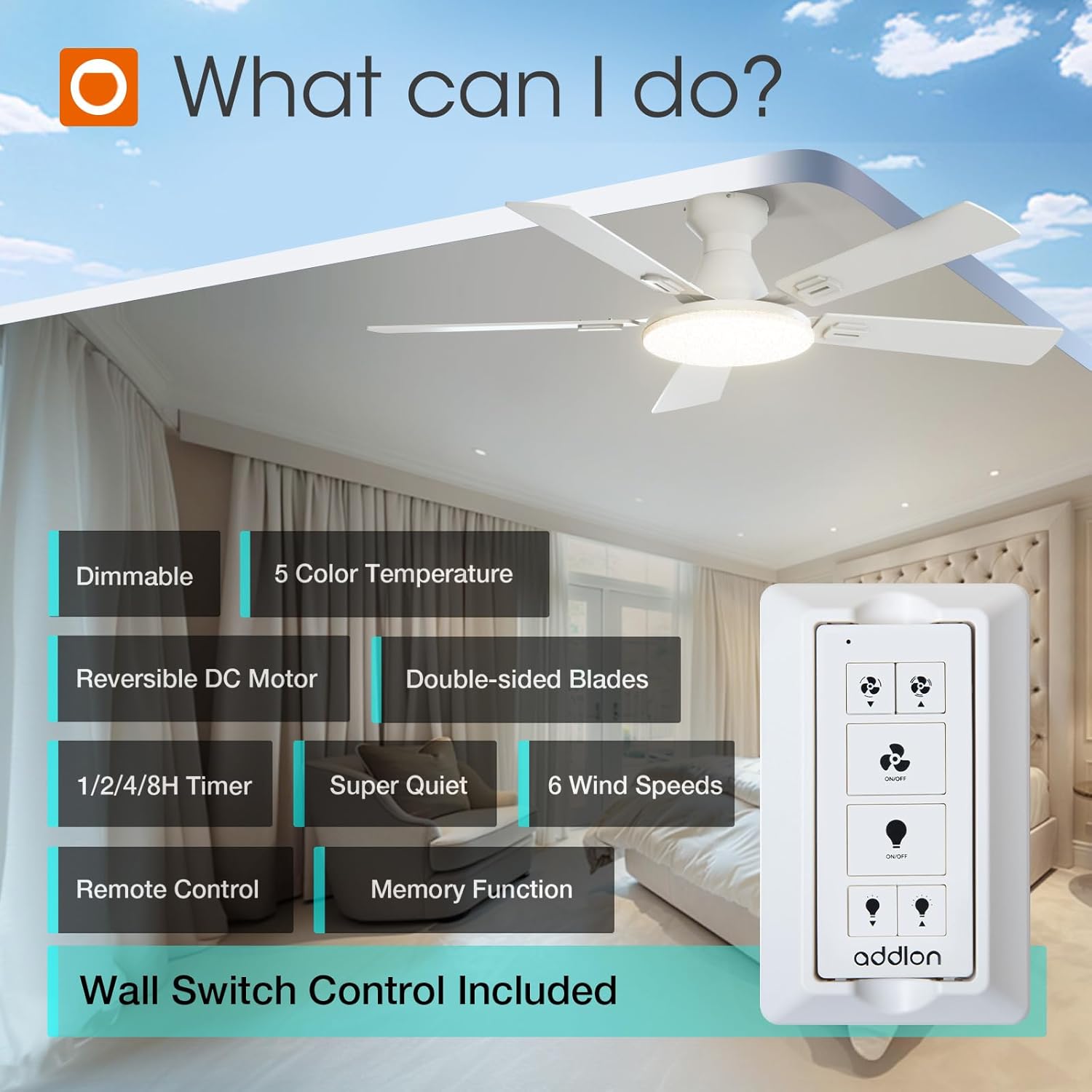
Figure 2.1: All components included in the package.
3. Setup and Installation
Installation of the addlon ceiling fan is designed to be straightforward. We recommend reviewing the detailed instructions provided in the physical manual included with your product. For visual guidance, please refer to any official installation videos available from the manufacturer.
Important Safety Precautions:
- Always turn off power at the circuit breaker before beginning installation.
- Ensure the mounting surface can support the weight of the fan.
- Follow all local electrical codes.
- If you are unsure about any step, consult a qualified electrician.

Figure 3.1: Easy installation process.
4. Operating Instructions
Your addlon ceiling fan offers multiple ways to control its functions, ensuring convenience and adaptability to your needs.
4.1 Remote Control Operation
The included remote control allows you to manage all fan and light functions. Ensure the AAA batteries (included) are correctly inserted.
- Power On/Off: Press the power button to turn the fan and light on or off.
- Fan Speed Adjustment: Use the speed buttons (1-6) to select desired airflow.
- Light On/Off: Press the light button to toggle the light independently.
- Light Dimming: Use the '+' and '-' buttons to adjust light brightness from 10% to 100%.
- Color Temperature (CCT) Change: Press the CCT button to cycle through 5 color temperatures: 3000K (Warm White), 3500K, 4000K (Neutral White), 5000K, and 6500K (Cool White). Note: This setting is typically adjusted on the LED light board itself during initial setup, as indicated in some product descriptions.
- Reversible Function: Press the reverse button to change the fan's direction (clockwise for summer cooling, counter-clockwise for winter heat circulation).
- Timer Setting: Select 1H, 2H, 4H, or 8H to set the fan to automatically turn off after the specified duration.
4.2 Wall Switch Control
The provided wall switch remote can be mounted near your existing light switch for convenient access. It offers basic on/off control for both the fan and light.
4.3 Memory Function
The fan and light feature a memory function. When turned off and then back on, they will resume the last used fan speed and light brightness/color temperature settings.

Figure 4.1: Remote control functions.

Figure 4.2: Memory function in action.
5. Maintenance
Regular maintenance ensures optimal performance and longevity of your ceiling fan.
- Cleaning: To clean the fan, wipe with a soft, damp cloth. Do not use abrasive cleaners or solvents, as these may damage the finish or electrical components.
- Blade Cleaning: Dust the fan blades regularly to prevent dust buildup, which can affect airflow and balance.
- Tightening Screws: Periodically check and tighten all screws on the fan assembly to ensure secure operation.
- Light Kit Replacement: The LED light kit is replaceable. If replacement is needed, contact customer support for guidance.

Figure 5.1: Replaceable LED Light Kit.
6. Troubleshooting
If you encounter issues with your addlon ceiling fan, please refer to the following common problems and solutions:
| Problem | Possible Cause | Solution |
|---|---|---|
| Fan does not operate | No power supply; Loose wiring; Remote control battery low/dead. | Check circuit breaker; Ensure all wiring connections are secure; Replace remote control batteries. |
| Light does not turn on | Loose wiring; LED light kit issue; Remote control battery low/dead. | Check wiring connections; Contact customer support if LED kit is faulty; Replace remote control batteries. |
| Fan makes excessive noise | Loose screws; Unbalanced blades; Motor issue. | Tighten all screws; Ensure blades are securely attached and balanced; Contact customer support if motor noise persists. |
| Remote control not working | Batteries dead/incorrectly inserted; Remote not paired with fan. | Replace batteries; Refer to the full manual for remote pairing instructions. |
| Fan wobbles | Loose mounting bracket; Unbalanced blades; Loose blade screws. | Ensure mounting bracket is secure; Check blade balance and tighten all blade screws. |
Note: Do not connect the fan to a dimmer switch or the fan's gear switch, as this can cause malfunction.
7. Specifications
Detailed technical specifications for the addlon 52-inch Flush Mount Ceiling Fan with Light.
| Feature | Specification |
|---|---|
| Brand | addlon |
| Model Name | KFM52PLY5B03R1-1 |
| Color | White |
| Electric Fan Design | Ceiling Fan |
| Power Source | AC |
| Style | Modern |
| Product Dimensions | 52"D x 52"W x 11"H |
| Room Type | Bedroom, Dining Room, Living Room, Playroom, Study Room |
| Special Features | 5 Color Temperature, 6 Speeds, Dimmable, Remote Control, Reversible |
| Recommended Uses | Air Circulation, Cooling |
| Wattage | 64 watts |
| Finish Type | White |
| Number of Blades | 5 |
| Air Flow Capacity | 4793 Cubic Feet Per Minute |
| Speed | 6 RPM (6 Speeds) |
| Voltage | 120 Volts |
| Item Weight | 8.82 Pounds |
| Included Components | Ceiling Fan, Mounting Hardware, Remote, Wall Remote |
| Indoor/Outdoor Usage | Indoor (Damp Rated for covered outdoor spaces) |
| Control Method | Remote |
| Efficiency | A |
| Number of Power Levels | 6 |
| UPC | 850063371865 |
| Size | 52 inch |
| Form Factor | Flush Mount |
| Batteries Required | 2 AAA batteries (included) |
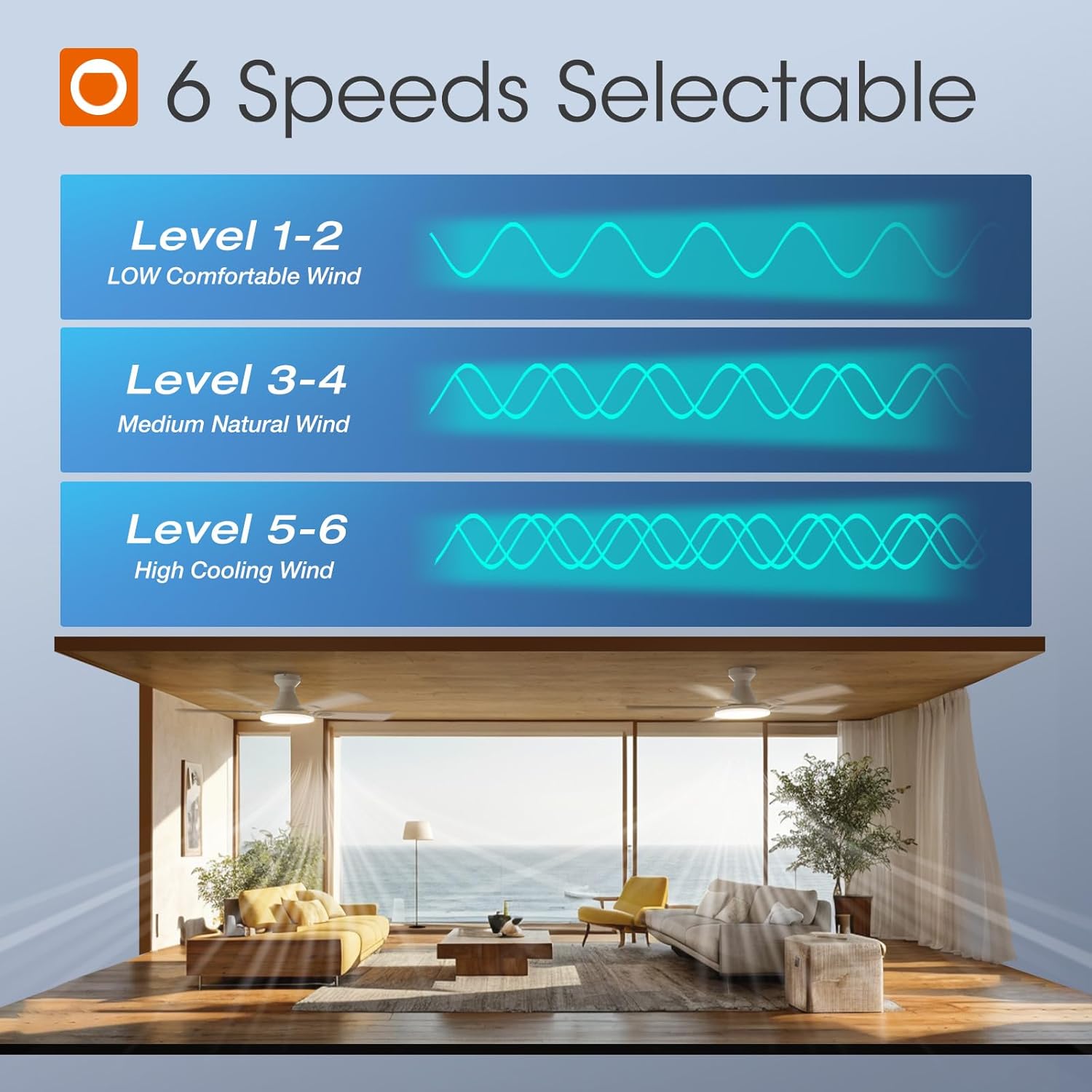
Figure 7.1: Product dimensions and key specifications.

Figure 7.2: DC Motor Efficiency.
8. Warranty and Support
addlon is committed to providing high-quality products and excellent customer service.
Warranty Information:
- Motor: Up to 120 months (10 years) warranty.
- Other Fan Parts: 2 years warranty.
This warranty covers defects in materials and workmanship under normal use. Please retain your proof of purchase for warranty claims.
Customer Support:
Our dedicated 24-hour customer support team is available to assist you with any questions regarding installation, operation, or product issues. If your LED light board or remote control are damaged or lost, please contact us for assistance.
For support, please visit the addlon store on Amazon or refer to the contact information provided in your product packaging.

Figure 8.1: Warranty details.