
aycy Y6
User Manual for aycy Smart Watch (Model Y6)
Smart Watch (Answer/Make Calls), 1.85" Smartwatch for Men Women IP68 Waterproof, 100+ Sport Modes, Fitness Activity Tracker Heart Rate Sleep Monitor Pedometer Calories
Introduction
Thank you for choosing the aycy Smart Watch, Model Y6. This device is designed to enhance your daily life with its comprehensive features, including call management, extensive fitness tracking, and smart notifications. This manual provides essential information for setting up, operating, maintaining, and troubleshooting your new smartwatch to ensure optimal performance and longevity.
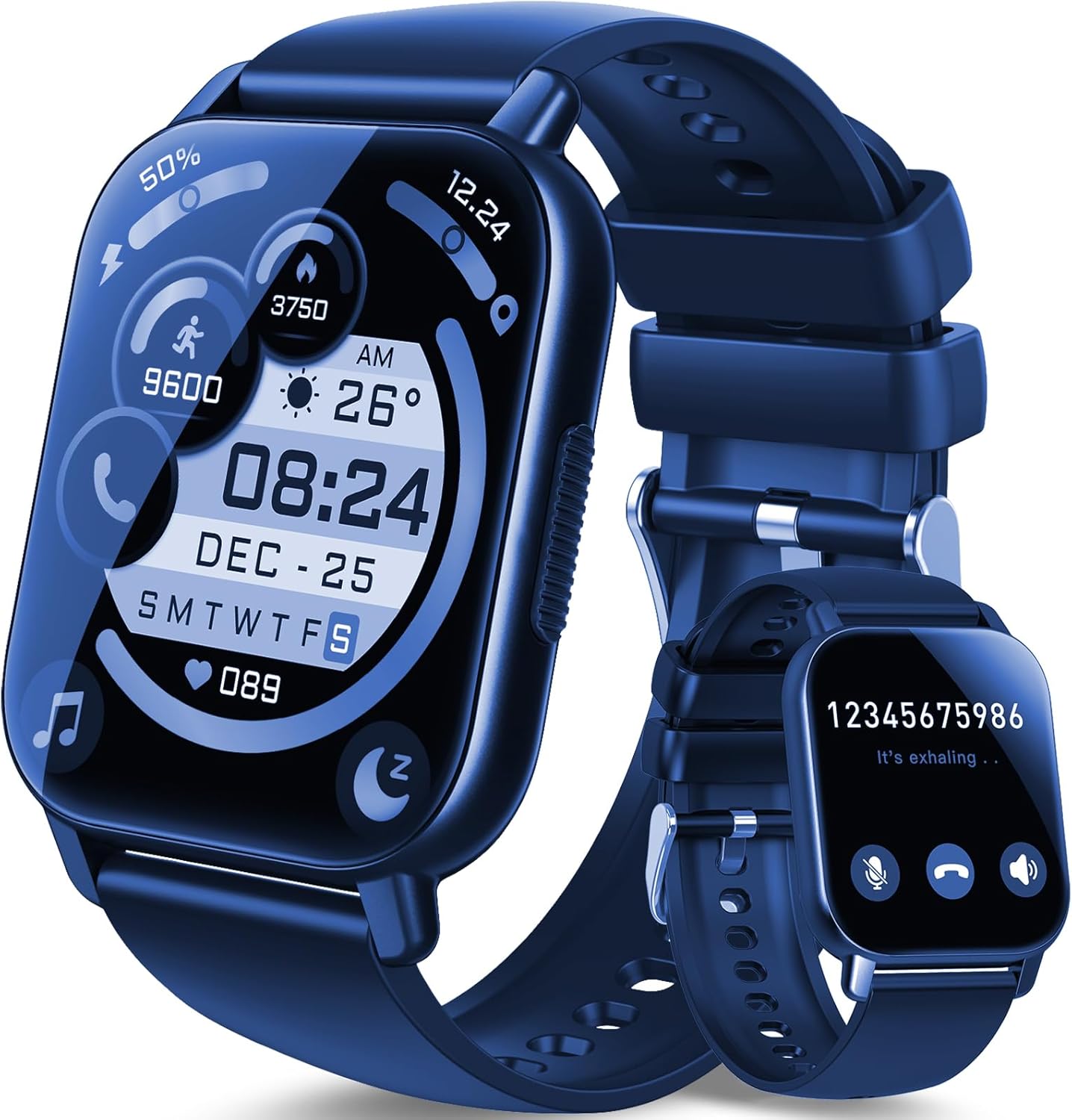
Image: The aycy Smart Watch Model Y6 in dark blue, showcasing its main display with various health and time indicators.
What's in the Box
Please check the contents of your package. If any items are missing or damaged, please contact customer support.
- aycy Smart Watch Unit (Model Y6)
- Watch Band (pre-attached or separate)
- Magnetic Charging Cable
- User Manual
Setup Guide
1. Initial Charging
Before first use, fully charge your smartwatch. Connect the magnetic charging cable to the charging points on the back of the watch and plug the USB end into a standard USB power adapter (not included) or a computer USB port. A full charge typically takes approximately 2 hours.

Image: The aycy Smart Watch connected to its magnetic charging cable, indicating a full charge.
2. App Installation
To unlock the full potential of your smartwatch, download and install the 'GloryFit' application on your smartphone. The app is compatible with Android 5.0 and above, and iOS 9.0 and above. Search for 'GloryFit' in your device's app store (Google Play Store for Android, Apple App Store for iOS).
3. Device Pairing (Bluetooth Connection)
- Ensure Bluetooth is enabled on your smartphone.
- Open the 'GloryFit' app and follow the on-screen instructions to create an account or log in.
- Navigate to the 'Device' or 'My Device' section within the app.
- Select 'Add Device' or 'Scan for Device'. The app will search for available smartwatches.
- Select 'Y6' or the corresponding device name from the list to initiate pairing.
- Confirm the pairing request on both your smartphone and the smartwatch if prompted.
- Once connected, the app will synchronize data with your watch.
4. Customization
Personalize your smartwatch experience through the 'GloryFit' app:
- Watch Faces: Choose from over 200 free watch faces available in the app.
- Custom Dials: Upload your favorite photos (e.g., family, pets, selfies) to set as your watch background.
- Brightness: Adjust the screen brightness (four levels available) for optimal visibility in various lighting conditions.

Image: The aycy Smart Watch showcasing its 1.85" HD color screen with a custom photo background, alongside the GloryFit app interface for watch face selection.
Operating Instructions
1. Call Functions
After connecting your smartwatch to your phone via Bluetooth, you can manage calls directly from your wrist.
- Make Calls: Use the dial pad on the watch or select from up to 100 frequently used contacts synced from your phone.
- Answer/Reject Calls: Incoming calls will display on your watch; you can answer or reject them with a tap.
- Music Playback: Enjoy music directly from your wrist through the HD speaker.

Image: The aycy Smart Watch demonstrating its wireless Bluetooth phone call capabilities, showing dial pad, call log, and contact access.
2. Notifications
Receive social media notifications (Facebook, WhatsApp, Instagram, Twitter, etc.) and other app alerts directly on your wrist. The watch will vibrate to alert you to new messages, ensuring you stay informed without needing to check your phone constantly.
3. Health Tracking
The smartwatch continuously monitors various health metrics throughout the day.
- Activity Tracking: Records steps taken, calories burned, and distance traveled.
- Heart Rate Monitoring: Provides real-time heart rate data.
- Sleep Monitoring: Automatically tracks your sleep patterns (deep sleep, light sleep, wake-up time) and analyzes sleep quality to help you develop healthier habits.
All health data can be viewed on the watch display and in detail within the 'GloryFit' mobile application.

Image: The aycy Smart Watch's health monitoring features, including activity tracking and detailed sleep analysis.
4. Sport Modes
The smartwatch supports over 100 indoor and outdoor sports modes, including running, walking, cycling, football, yoga, and more. Select your preferred exercise mode on the watch or through the app to track specific statistics relevant to your activity.

Image: Visual representation of the 112+ sports modes available on the aycy Smart Watch, designed to record and optimize exercise results.
5. Other Smart Features
The 'GloryFit' app and your smartwatch offer additional convenient features:
- Alarm Clocks: Set multiple alarms.
- Stopwatch & Timer: For precise timing.
- Music Control: Control music playback on your phone (play, pause, skip tracks).
- Camera Control: Use your watch as a remote shutter for your phone's camera.
- Sedentary Reminders: Get alerts to move after periods of inactivity.
Maintenance
1. Charging
To maintain battery health, charge your smartwatch regularly. The 280mAh high-capacity battery provides up to 7 days of typical usage and approximately 30 days of standby time on a single 2-hour charge.
2. Water Resistance (IP68)
Your aycy Smart Watch is IP68 waterproof, meaning it is resistant to dust and can withstand immersion in water up to 1.5 meters for 30 minutes. This makes it suitable for activities such as swimming, washing hands, and exercising in the rain. The watch also features a drainage function to expel water after exposure.
Note:
- Avoid hot water, steam, or prolonged exposure to high-pressure water jets.
- Do not operate buttons underwater.
- Rinse with fresh water and dry thoroughly after exposure to saltwater or chlorinated water.

Image: The aycy Smart Watch demonstrating its IP68 waterproof rating during swimming, highlighting its suitability for various water-related activities.
3. Cleaning
Regularly clean your watch and watch band to prevent skin irritation and maintain appearance. Use a soft, damp cloth to wipe the screen and body. For the band, follow the manufacturer's recommendations for the specific material.
Troubleshooting
If you encounter issues with your smartwatch, please refer to the following common solutions:
- Watch not turning on: Ensure the watch is fully charged. Connect it to the charger for at least 10-15 minutes.
- Unable to pair with phone:
- Ensure Bluetooth is enabled on your phone and the watch is within range.
- Restart both your phone and the smartwatch.
- Forget the device in your phone's Bluetooth settings and try pairing again through the 'GloryFit' app.
- Ensure the 'GloryFit' app has necessary permissions enabled (e.g., location, Bluetooth).
- Notifications not appearing:
- Check notification settings within the 'GloryFit' app.
- Ensure your phone's notification access is granted to the 'GloryFit' app.
- Verify the watch is connected via Bluetooth.
- Inaccurate health data:
- Ensure the watch is worn snugly on your wrist, about one finger's width above the wrist bone.
- Clean the sensor on the back of the watch.
- Update the 'GloryFit' app and watch firmware to the latest versions.
If these steps do not resolve the issue, please refer to the support section or contact customer service.
Specifications
| Brand | aycy |
|---|---|
| Model Number | Y6 |
| Screen Size | 1.85 Inches |
| Display Resolution | 240 x 280 |
| Battery Capacity | 280 mAh Lithium Polymer |
| Battery Life (Typical Use) | Up to 7 days |
| Standby Time | Approximately 30 days |
| Charging Time | Approx. 2 hours |
| Connectivity | Bluetooth |
| Operating System Compatibility | Android 5.0+ / iOS 9.0+ |
| Water Resistance Rating | IP68 |
| Item Weight | 4.6 ounces |
| Color | Dark Blue |
Warranty and Support
Your aycy Smart Watch is covered by a standard manufacturer's warranty. For specific warranty terms and conditions, please refer to the documentation included with your purchase or visit the official aycy website. For technical support, troubleshooting assistance, or warranty claims, please contact aycy customer service through their official channels.
Please have your product model number (Y6) and purchase information ready when contacting support.
Ask a question about this manual
Ask about setup, troubleshooting, compatibility, parts, safety, or missing instructions. Manuals+ will review the question and use this page’s manual context to help answer it.