
Introduction
This manual provides comprehensive instructions for the PERFASCIN EUR7623X70 replacement remote control. It is designed to operate specific Panasonic DVD Home Theater Sound Systems without the need for programming. Please read this manual carefully to ensure proper use and to maximize the functionality of your remote control.
Product Overview
The EUR7623X70 is a direct replacement remote control, engineered to function identically to the original remote for compatible Panasonic DVD Home Theater Sound Systems. It requires no complex setup or programming.
Key Features
- No programming required; ready to use out of the box.
- Constructed from durable ABS material for long-term reliability.
- Sensitive and responsive buttons for ease of operation.
Compatible Models
This remote control is compatible with the following Panasonic DVD Home Theater Sound System models:
- SC-HT900, SA-HT900
- SC-HT700, SA-HT690, SA-HT700, SC-HT690
- SB-FS900, SB-FS803A
- SB-PC701, SB-PC703
- SB-WA350, SB-WA340, SB-WA342
Setup
Battery Installation
The remote control requires two AAA batteries (not included). Follow these steps to install them:
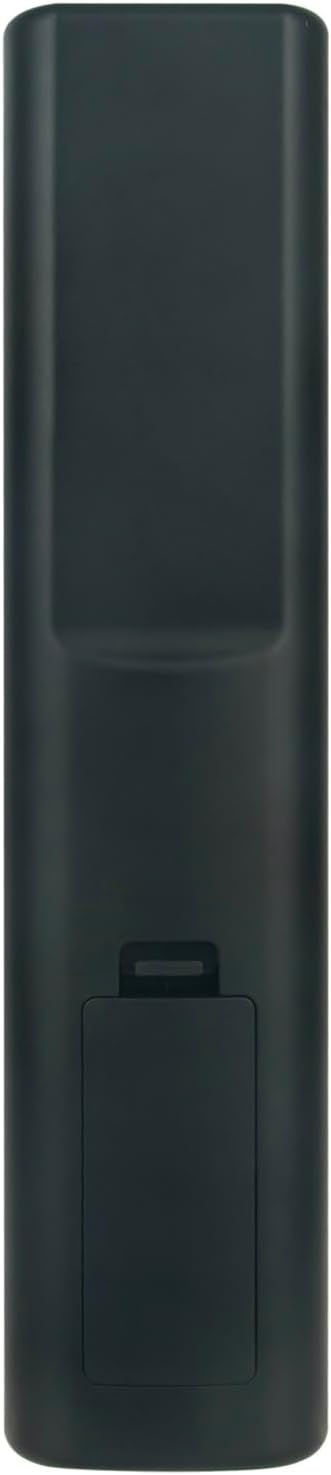
- Locate the battery compartment on the back of the remote control.
- Slide the battery compartment cover downwards to open it.
- Insert two AAA batteries, ensuring the positive (+) and negative (-) terminals align correctly with the markings inside the compartment.
- Slide the battery compartment cover back into place until it clicks securely.

Operating Instructions
Once batteries are installed, the PERFASCIN EUR7623X70 remote control is ready for immediate use with your compatible Panasonic DVD Home Theater Sound System. No additional programming or pairing is required.
Button Functions
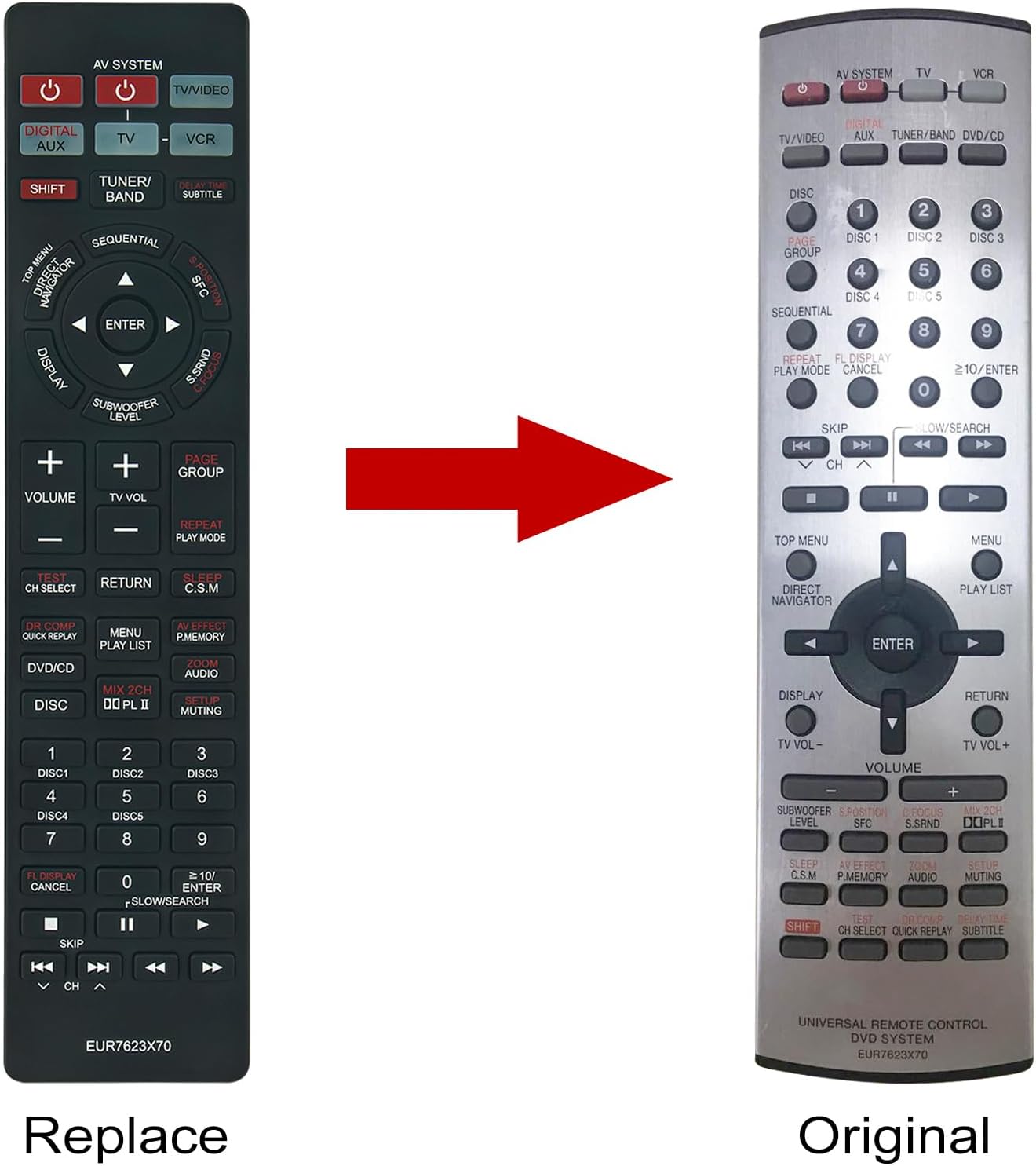
The remote control features a standard layout for Panasonic home theater systems. Refer to the image below for a visual guide to the buttons and their general functions:
- Power Button (Red): Turns the system on or off.
- AV System / TV / VCR: Selects input sources.
- Digital Aux / Shift: For auxiliary functions or shifting button modes.
- Tuner/Band: Controls radio tuner functions.
- Volume (+/-): Adjusts the master volume level.
- Subwoofer Level (+/-): Adjusts the subwoofer output.
- Navigation Pad (Up/Down/Left/Right/Enter): Navigates menus and confirms selections.
- Display: Changes display information on the system.
- DVD/CD: Selects DVD/CD playback mode.
- Disc 1-9: Direct selection for discs in a multi-disc changer.
- Play/Pause, Stop, Skip, Fast Forward/Rewind: Standard media playback controls.
- Menu / Play List / Return: Accesses system menus or returns to previous screens.
- Audio / Muting: Controls audio settings and mutes sound.
- Sleep / C.S.M.: Activates sleep timer or other system modes.

Maintenance
To ensure the longevity and optimal performance of your remote control, follow these maintenance guidelines:
- Cleaning: Wipe the remote control regularly with a soft, dry cloth. For stubborn dirt, lightly dampen the cloth with water or a mild cleaning solution, then wipe dry immediately. Avoid using harsh chemicals or abrasive cleaners.
- Battery Replacement: Replace batteries when the remote's response becomes sluggish or it stops functioning. Always replace both batteries at the same time with new ones of the same type (AAA). Remove batteries if the remote will not be used for an extended period to prevent leakage.
- Storage: Store the remote control in a cool, dry place away from direct sunlight, extreme temperatures, and high humidity.
Troubleshooting
If you experience issues with your remote control, please refer to the following common troubleshooting steps:
- Remote Not Responding: Ensure the batteries are correctly installed with the correct polarity (+/-). Replace old batteries with new ones.
- Intermittent Functionality: Check for any obstructions between the remote control and the home theater system's infrared receiver. Ensure the remote is pointed directly at the system.
- Specific Buttons Not Working: If only certain buttons are unresponsive, try cleaning the remote's surface, especially around the affected buttons, to remove any debris that might be interfering.
- Still Not Working: If the remote control continues to malfunction after trying the above steps, it may indicate a defect. Please refer to the 'Warranty and Support' section for assistance.
Specifications
- Model Number: EUR7623X70
- Brand: PERFASCIN
- Dimensions: Approximately 6 x 3 x 0.5 inches (15.24 x 7.62 x 1.27 cm)
- Item Weight: Approximately 1.9 ounces (53.86 grams)
- Color: Black
- Power Source: 2 x AAA Batteries (not included)
- Material: ABS

Warranty and Support
PERFASCIN is committed to providing reliable products. If your EUR7623X70 remote control is damaged upon arrival or does not function as expected, please contact our customer support team for assistance. We will work to provide a satisfactory solution, which may include troubleshooting guidance, replacement, or refund.
For support inquiries, please refer to the contact information provided by your retailer or on the product packaging.