
1. Introduction
This manual provides essential information for the safe and efficient operation, installation, and maintenance of your Starway 18000 BTU 1.5 Ton Inverter Split Air Conditioner. Please read this manual thoroughly before using the appliance and retain it for future reference.
The Starway SWACINV18C model features an inverter compressor for energy efficiency, WiFi control, a Nano-Aqua filter for air purification, and quiet operation, designed to provide a comfortable indoor environment.
2. Safety Information
Important Safety Instructions:
- Ensure the air conditioner is installed by qualified personnel in accordance with local regulations and this manual.
- Do not attempt to repair or modify the unit yourself. Contact authorized service personnel for all repairs.
- Always disconnect power before cleaning or performing maintenance.
- Do not insert fingers or objects into the air inlet/outlet.
- Keep flammable materials away from the unit.
- Ensure proper grounding to prevent electric shock.
- This appliance is not intended for use by persons (including children) with reduced physical, sensory or mental capabilities, or lack of experience and knowledge, unless they have been given supervision or instruction concerning use of the appliance by a person responsible for their safety.
3. Product Overview
The Starway SWACINV18C is a split-system air conditioner consisting of an indoor unit and an outdoor unit. Key features include:
- Inverter Compressor: For energy-efficient cooling and heating.
- WiFi Control: Remote operation via a smart device application.
- Nano-Aqua Filter: Combined with a 4-in-1 filter for air purification.
- Low Noise Operation: Designed for a quiet environment (33 Decibels).
- Auto Clean Function: Helps maintain internal cleanliness of the evaporator.
- Fast Cooling: Rapid temperature reduction.
- Sleep Mode: Adjusts temperature for comfortable sleep.
- 3D Airflow: Optimized air distribution.
- LED Display: Clear indication of settings.
- Anti-Corrosion Protection: For the outdoor unit.

Figure 3.1: Front view of the Starway indoor unit. This image shows the sleek white design of the indoor air conditioning unit with the Starway logo centrally placed.
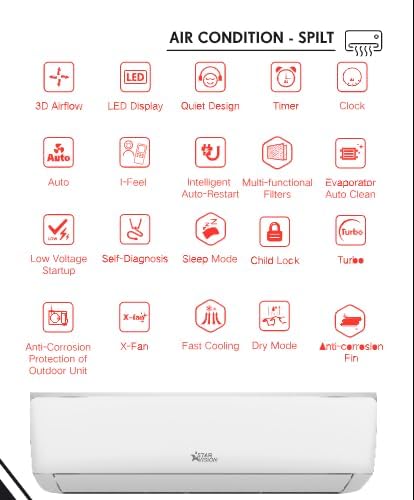
Figure 3.2: Icons representing various features of the Starway split air conditioner. This image displays a grid of icons illustrating features such as 3D Airflow, LED Display, Quiet Design, Timer, Clock, Auto mode, I-Feel, Intelligent Auto-Restart, Multi-functional Filters, Evaporator Auto Clean, Low Voltage Startup, Self-Diagnosis, Sleep Mode, Child Lock, Turbo mode, X-Fan, Fast Cooling, Dry Mode, and Anti-Corrosion Fin.
4. Setup and Installation
Installation of this split air conditioner requires specialized tools and knowledge. It is strongly recommended that installation be performed by a certified and experienced technician to ensure proper function, safety, and warranty validity.
Key Installation Considerations:
- Location: Choose a location for both indoor and outdoor units that allows for optimal airflow, minimal noise, and easy access for maintenance. Avoid direct sunlight on the outdoor unit if possible.
- Mounting: Ensure both units are securely mounted on stable surfaces.
- Refrigerant Piping: The unit comes with an extra 4 meters of copper piping for installation. Ensure proper connection and vacuuming of the refrigerant lines.
- Drainage: Install the condensate drain pipe with a proper slope to allow for continuous water drainage.
- Electrical Connection: Connect the unit to a dedicated power circuit with the correct voltage (220 Volts) and appropriate circuit breaker. Ensure all electrical connections are secure and comply with local electrical codes.
- WiFi Setup: After physical installation, follow the instructions in the separate WiFi setup guide (if provided) or the main remote control manual to connect your unit to your home network for smart control.
Note: Incorrect installation can lead to water leakage, electric shock, fire, or equipment failure.
5. Operating Instructions
Your Starway air conditioner can be operated via the included remote control or through a smart device application once WiFi is configured.
5.1 Remote Control Functions
Refer to the separate remote control manual for detailed button descriptions. Common functions include:
- Power On/Off: Turns the unit on or off.
- Mode Selection: Cycle through modes: Cool, Heat (if applicable), Fan, Dry, Auto.
- Temperature Adjustment: Increase or decrease the desired temperature.
- Fan Speed: Adjust fan speed (Low, Medium, High, Auto).
- Swing: Control the vertical and horizontal louver movement.
- Timer: Set the unit to turn on or off automatically after a set period.
- Sleep Mode: Activates a quiet, energy-saving mode for nighttime.
- Auto Clean: Initiates the self-cleaning function.
- WiFi: Activates or deactivates the WiFi module for smart control.
5.2 WiFi Control
To use WiFi control, download the Starway smart app on your smartphone or tablet. Follow the in-app instructions to pair your device with the air conditioner. This allows for remote control, scheduling, and monitoring of your unit.
6. Maintenance
Regular maintenance ensures optimal performance and extends the lifespan of your air conditioner. Always disconnect power before performing any maintenance.
6.1 Air Filter Cleaning
The air filters should be cleaned every two weeks or more frequently depending on usage and air quality.
- Open the front panel of the indoor unit.
- Remove the air filters (including the Nano-Aqua filter).
- Clean the filters with a vacuum cleaner or wash them with lukewarm water (below 40°C).
- Allow filters to dry completely in a shaded area before reinstalling.
- Reinstall the filters and close the front panel.
6.2 Auto Clean Function
The Auto Clean function helps to remove dust and moisture from the evaporator, preventing mold growth and odors. Activate this function periodically via the remote control.
6.3 Outdoor Unit Maintenance
Periodically check the outdoor unit for obstructions (leaves, debris) and clean the coil fins gently with a soft brush or water spray. Ensure the area around the outdoor unit is clear for proper airflow. This should be done by a professional technician annually.
7. Troubleshooting
Before contacting service, check the following common issues:
| Problem | Possible Cause | Solution |
|---|---|---|
| Unit does not start | No power, circuit breaker tripped, remote control batteries low. | Check power supply, reset breaker, replace remote batteries. |
| Insufficient cooling/heating | Dirty air filters, blocked outdoor unit, wrong mode, low refrigerant. | Clean filters, clear obstructions, select correct mode, contact service for refrigerant check. |
| Water leakage from indoor unit | Blocked drain pipe, improper installation. | Clear drain pipe, contact installer for inspection. |
| Unusual noise | Loose parts, foreign objects, compressor issue. | Check for loose parts, remove objects, contact service if noise persists. |
| WiFi connection issues | Router issues, incorrect password, unit too far from router. | Restart router, re-enter password, move unit closer or use a range extender. |
If the problem persists after attempting these solutions, please contact Starway customer support or an authorized service center.
8. Specifications
| Feature | Detail |
|---|---|
| Brand | Starway |
| Model Info | SWACINV18C |
| Capacity | 1.5 Tons (18000 BTU) |
| Cooling Power | 18000 British Thermal Units |
| Installation Type | Split System |
| Compressor Type | Inverter Compressor |
| Noise Level | 33 Decibels |
| Voltage | 220 Volts |
| Wattage | 500 watts |
| Annual Energy Consumption | 4700 Kilowatt Hours |
| BEE Star Rating | 4 Star |
| Refrigerant | R-410A |
| Special Features | Auto Clean, Fast Cooling, Inverter Compressor, Silent Mode, WiFi Enabled |
| Product Dimensions (Indoor Unit) | 22D x 99W x 32H centimeters |
| Item Weight | 45 Kilograms |
| Included Components | Inner + Outer unit with EXTRA 4 Meter of Copper for installation |
9. Warranty and Support
Warranty Information:
- The Starway SWACINV18C comes with a 6-year warranty on the compressor.
- Specific warranty terms and conditions may apply. Please refer to your purchase documentation or contact Starway customer service for full details.
- Warranty claims typically require proof of purchase and professional installation.
Customer Support:
For technical assistance, service requests, or warranty inquiries, please contact Starway customer support.
For free air conditioning installation service within Riyadh and Jeddah only, you may contact:
- Riyadh: WhatsApp +966583053294
- Jeddah: WhatsApp +966594810993
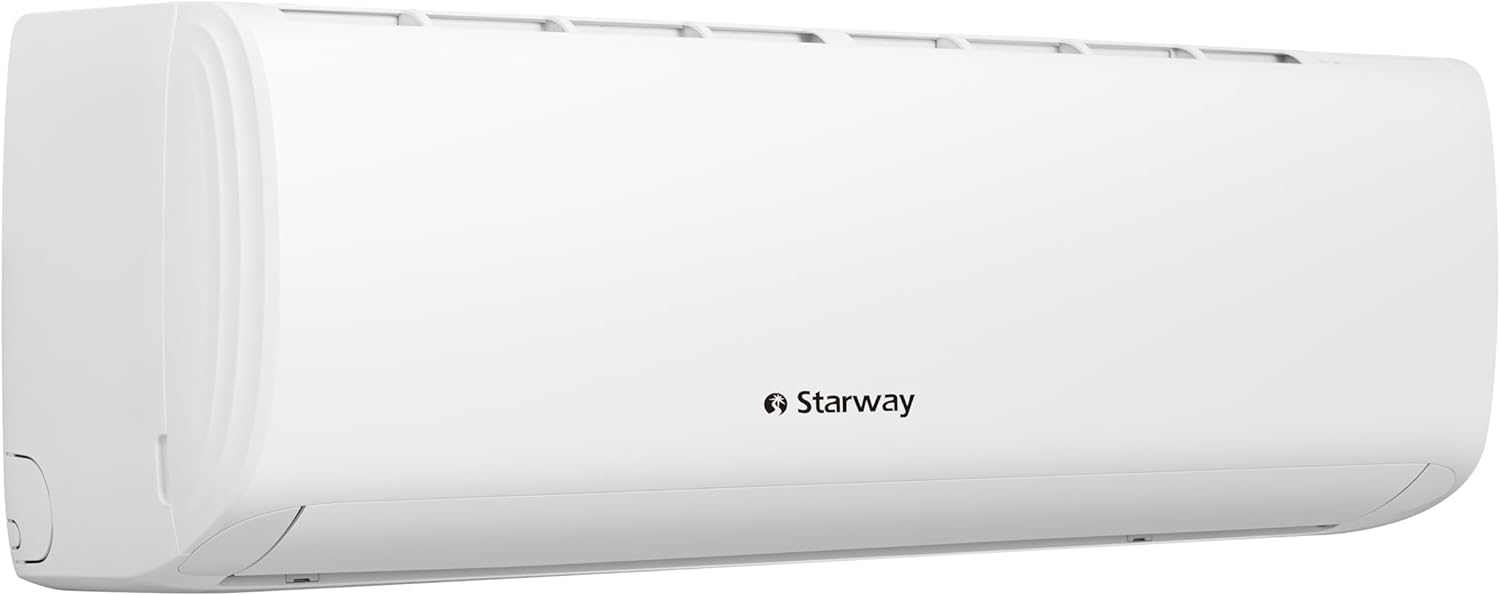
Figure 9.1: Image displaying contact information for Starway AC installation service in Riyadh and Jeddah. It shows the Starway logo and WhatsApp contact numbers for installation services.