
Introduction
Thank you for choosing the TOUCH TWO C5 Motorcycle Helmet Bluetooth Headset. This device is designed to enhance your riding experience by providing hands-free communication, music playback, and navigation audio directly within your helmet. Featuring advanced Bluetooth 5.3 technology, active noise cancellation, and IPX5 waterproofing, the C5 ensures clear audio and reliable performance in various conditions. Please read this manual carefully to understand the proper installation, operation, and maintenance of your new headset.
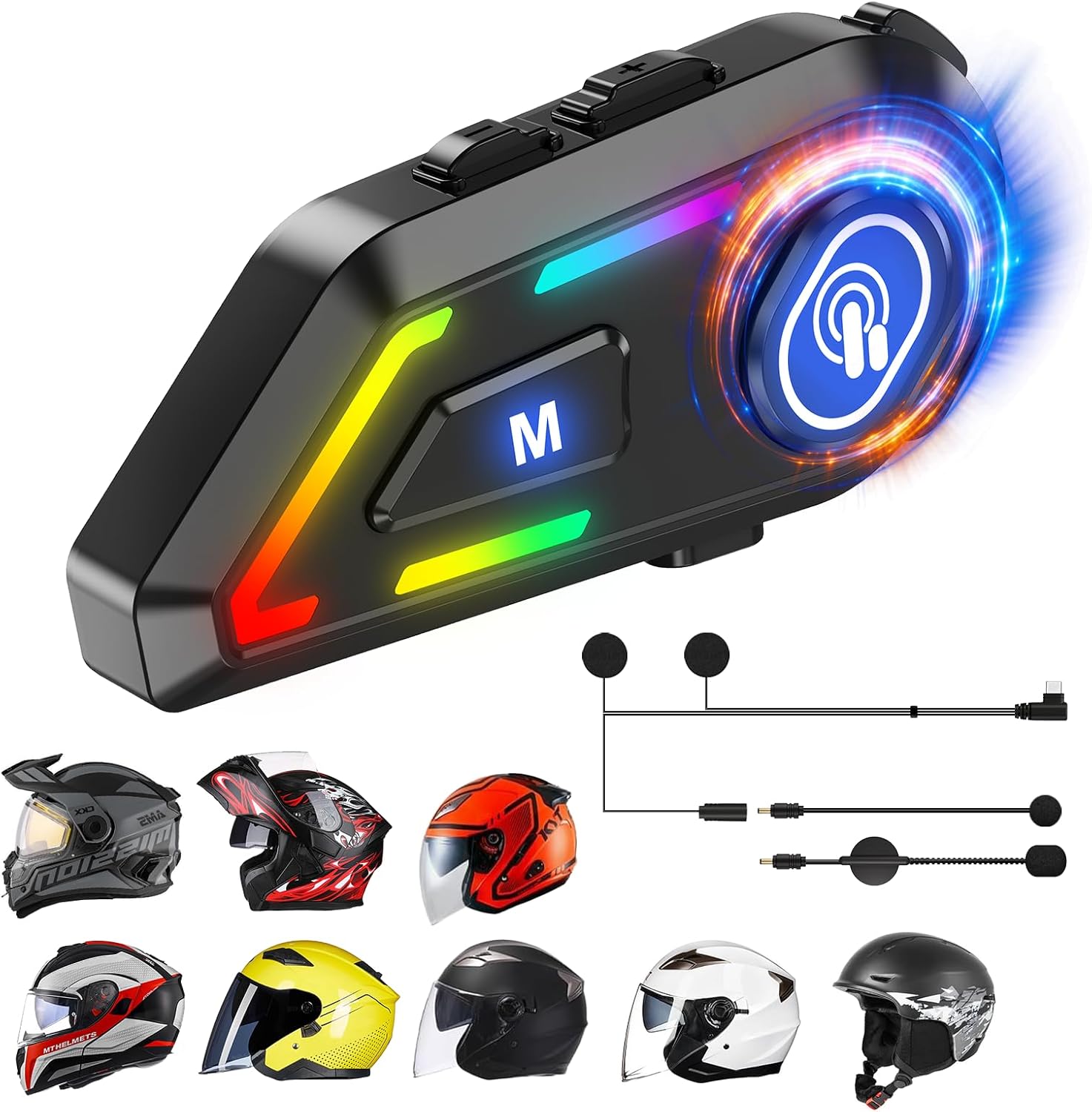
Image: The TOUCH TWO C5 Bluetooth headset shown with different types of motorcycle helmets, highlighting its versatile compatibility.
What's in the Box
Please verify that all items are present in your package:
- Motorcycle Bluetooth Headset C5 x 1
- Replaceable hard mic and soft micspeakers x 1
- Clamping Base x 1
- Microphone Velcro Tape x 2
- Speaker Velcro x 2
- Booster Sticker x 2
- Stand Velcro Tape x 1
- Thick Double Sided Tape x 1
- User Manual x 1
- Charging Cable x 1
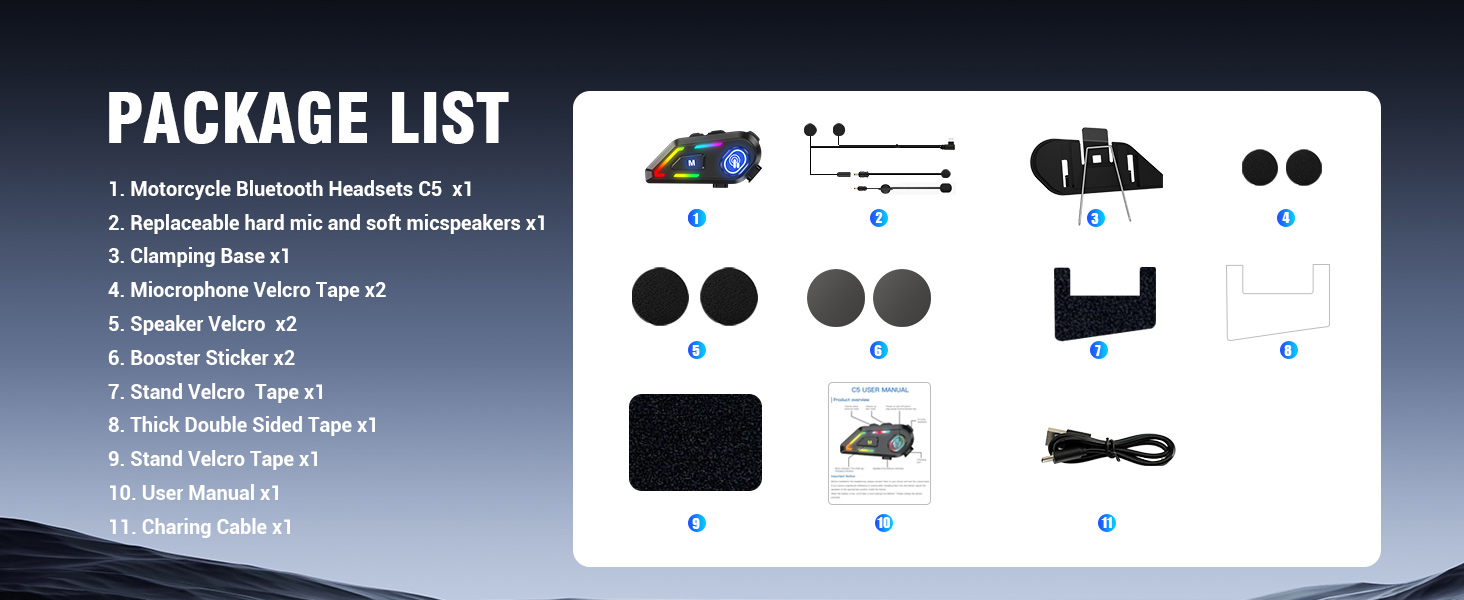
Image: A visual representation of all components included in the TOUCH TWO C5 headset package.
Setup
1. Installation
- Choose the appropriate microphone (hard mic for open-face helmets, soft mic for full-face helmets).
- Attach the speakers to the inside of your helmet using the provided Velcro. Ensure they are positioned directly over your ears for optimal sound.
- Mount the main unit to the side of your helmet using the clamping base or adhesive tape. Ensure it is securely fastened.
- Connect the speaker and microphone cables to the main unit.
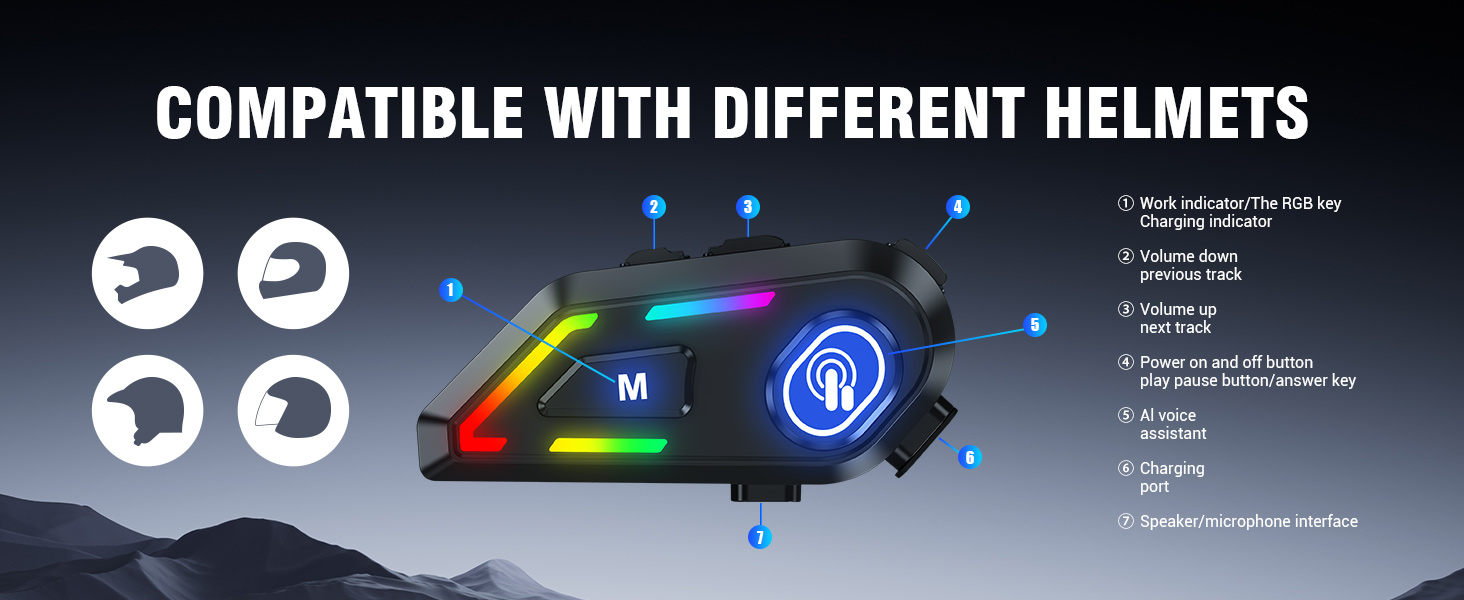
Image: A detailed diagram illustrating how the C5 headset is compatible with various helmet types and labeling its key components and controls.
2. Initial Pairing
Follow these steps to pair your C5 headset with your mobile phone:
- Power On: Press and hold the power button on the headset for three seconds until the display lights up and you hear a welcome message.
- Enter Bluetooth Mode: If the headset is not already in Bluetooth mode, long press the 'M' button to switch to Bluetooth mode. The display will show 'BT DISCOM'.
- Activate Pairing: Press the power button once to activate pairing mode. The headset will now be discoverable by your phone.
- Connect on Phone: On your mobile phone, go to Bluetooth settings and search for available devices. Select 'A1' (or similar device name) from the list. Confirm the pairing request on your phone.
Video: This video demonstrates the process of turning on the headset, switching to Bluetooth mode, and pairing it with a mobile phone. It shows the intelligent display screen and how to confirm pairing.
Operating Instructions
Power On/Off
- Power On: Press and hold the power button for 3 seconds.
- Power Off: Press and hold the power button for 3 seconds. The display will show 'Bye Bye'.
Music Playback
- Play/Pause: Press the power button once.
- Next Track: Press the Volume Up button.
- Previous Track: Press the Volume Down button.
- Volume Control: Use the Volume Up/Down buttons to adjust the audio level.
Call Management
- Auto Answer: Incoming calls are automatically answered within 10 seconds.
- Answer/End Call: Press the power button once.
- Reject Call: Press and hold the power button for 2 seconds.
Voice Assistant (Siri/Google Assistant)
- Activate: Press the voice control button (often labeled with a microphone icon) once to wake up your phone's voice assistant.
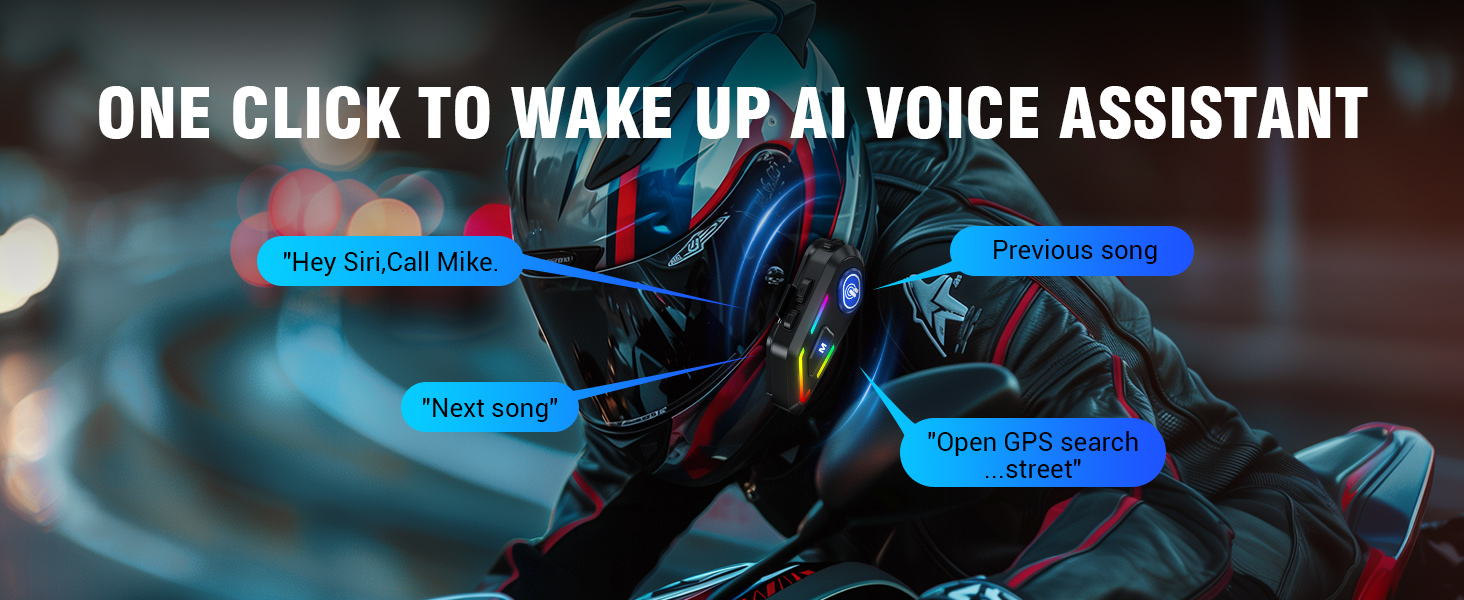
Image: A visual guide demonstrating how to activate the AI voice assistant with a single click and examples of voice commands for music and navigation.
Multipoint Connection
The C5 headset supports simultaneous connection to two Bluetooth-enabled devices. This allows you to seamlessly switch between your smartphone, GPS, or other devices without constant disconnection and reconnection. You can stream music, receive navigation prompts, and manage calls with ease.
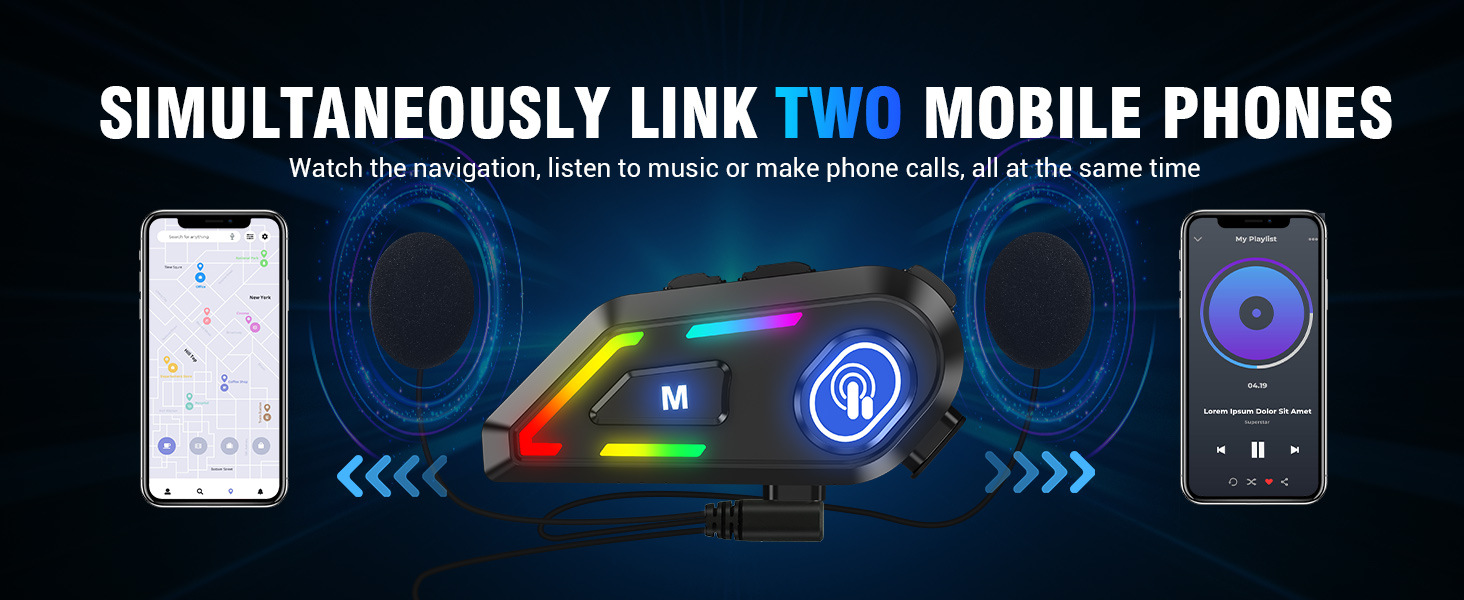
Image: A graphic illustrating the C5 headset's ability to link to two mobile phones simultaneously, enabling navigation, music, and calls at the same time.
Key Features Overview
Hi-Fi Stereo and ENC Noise Control
Experience outstanding audio quality with the state-of-the-art 40mm PEN speakers. The advanced ENC (Environmental Noise Cancellation) technology actively reduces background noise, delivering crystal-clear sound for music, GPS navigation, and hands-free calls in any environment.

Image: Highlights the 40mm Graphene Vibrating Unit and ENC Noise Cancellation features for excellent sound quality during music playback and calls.
800 mAh Longer Battery Life
The C5 Bluetooth helmet speakers are equipped with an 800mAh lithium-ion battery and support USB-C fast charging. Enjoy up to 40 hours of talk/music time without light effects, or 20 hours with light effects on. The headset offers an impressive 23 days of standby time and takes only 1.5 hours to fully charge, ensuring continuous use throughout your day.

Image: Illustrates the 800mAh large battery capacity and Type-C fast charging, detailing charging time, talk/music time with/without light effects, and standby time.
BT5.3 and IPX5 Waterproof
The C5 features Bluetooth 5.3 for greater compatibility, more stable connections, and longer range. With an IPX5 waterproof rating, the headset is designed to withstand various weather conditions, allowing you to enjoy your ride without worrying about rain or splashes.

Image: Shows the headset in a rainy environment, emphasizing its IPX5 waterproof design for reliable performance in wet conditions.

Image: A visual representation of the latest Bluetooth 5.3 chip for faster, more stable connections and the 40mm speakers for a shock music experience.
Maintenance
To ensure the longevity and optimal performance of your TOUCH TWO C5 headset, follow these maintenance guidelines:
- Cleaning: Wipe the exterior of the headset with a soft, damp cloth. Do not use harsh chemicals or abrasive cleaners.
- Water Resistance: The headset has an IPX5 waterproof rating, meaning it is resistant to water splashes from any direction. However, it is not designed for submersion. Avoid prolonged exposure to heavy rain or direct water jets.
- Charging: Always use the provided USB-C charging cable. Do not use damaged cables or chargers.
- Storage: Store the headset in a cool, dry place when not in use. Avoid extreme temperatures.
- Speaker Placement: Periodically check that the speakers are securely attached within the helmet and that the wires are not pinched or damaged.
Troubleshooting
If you encounter issues with your C5 headset, please refer to the following common solutions:
- No Power: Ensure the battery is charged. Connect the headset to a power source using the USB-C cable and allow it to charge for at least 1.5 hours.
- Cannot Pair: Make sure the headset is in Bluetooth pairing mode (display shows 'BT DISCOM'). Turn off and on your phone's Bluetooth, then try searching again. Ensure no other devices are actively connected to the headset.
- No Sound/Low Volume: Check the volume levels on both the headset and your connected device. Ensure speakers are correctly positioned over your ears inside the helmet.
- Poor Sound Quality/Echo: Verify that the microphone is positioned correctly and not obstructed. Ensure the speakers are not too thick for your helmet's padding, which can cause discomfort or affect sound.
- Intermittent Connection: Ensure your device is within the effective Bluetooth range. Avoid strong electromagnetic interference.
- Buttons Not Responding: Try restarting the headset by powering it off and then on again.
Specifications
| Feature | Specification |
|---|---|
| Model Name | C5 |
| Brand | TOUCH TWO |
| Connectivity Technology | Wireless (Bluetooth) |
| Bluetooth Version | 5.3 |
| Noise Control | Active Noise Cancellation (ENC) |
| Water Resistance Level | IPX5 (Waterproof) |
| Battery Life (Music/Talk) | 40 hours (without light effects), 20 hours (with light effects) |
| Standby Time | 23 days |
| Charging Time | 1.5 Hours |
| Charging Port | Type-C |
| Speaker Size | 40mm |
| Control Type | Voice Control, Call Control, Volume Control, Siri, Google Assistant |
| Material | Plastic |
| Item Weight | 6.4 ounces |
| Product Dimensions | 5.5 x 3.7 x 2.3 inches |
Warranty and Support
Information regarding product warranty and customer support is not available in the provided data. Please refer to the product packaging or the manufacturer's official website for details on warranty coverage and how to contact customer support for assistance.


