
Introduction
This manual provides comprehensive instructions for the proper installation, maintenance, and troubleshooting of your Synvy Screen Protector Film designed for the Eyoyo Monitor EM13A 13-inch. Following these guidelines will help ensure optimal protection for your monitor screen and extend the lifespan of the protector.
Product Overview
Key Features:
- Material: Thermoplastic Polyurethane (TPU) Soft Film (Not Tempered Glass)
- Hardness: 4H for effective scratch resistance
- Clarity: Ultra-clear design preserves original screen brightness and definition
- Sensitivity: TrueTouch Sensitivity ensures responsive touch screen interaction
- Installation: Bubble-free adhesives for easy application and residue-free removal
- Protection: Guards against scuffs, scratches, and fingerprints
What's in the Box:
- Screen Protector Film (3 Pack)
- Microfiber Cloth
- Dry Wipe
Setup and Installation
Proper installation is key to achieving a bubble-free and effective screen protector. Please follow these steps carefully.
Preparation:
- Work in a clean, dust-free environment to prevent particles from getting trapped under the protector.
- Ensure your Eyoyo Monitor EM13A is powered off and cool to the touch.
- Thoroughly clean the monitor screen using the provided microfiber cloth and dry wipe. Remove all dust, smudges, and fingerprints. A clean screen is essential for a successful application.
Application Steps:
- Carefully peel back a small section of the protective layer (usually marked as "Step 1" or similar) from one end of the screen protector. Avoid touching the adhesive side.
- Align the exposed adhesive edge of the protector with one edge of your monitor screen. Ensure precise alignment, as misplacement can lead to bubbles or an uneven fit.
- Slowly and steadily, begin to lay the protector onto the screen, gradually peeling off the remaining protective layer as you go. Use a squeegee (not included, but a credit card wrapped in the microfiber cloth can work) to gently push out any air bubbles towards the edges.
- Continue this process until the entire screen protector is applied to the monitor surface.
- Once applied, gently press down on the entire surface of the protector to ensure full adhesion.
- If there is a second protective layer (usually marked "Step 2"), carefully peel it off.
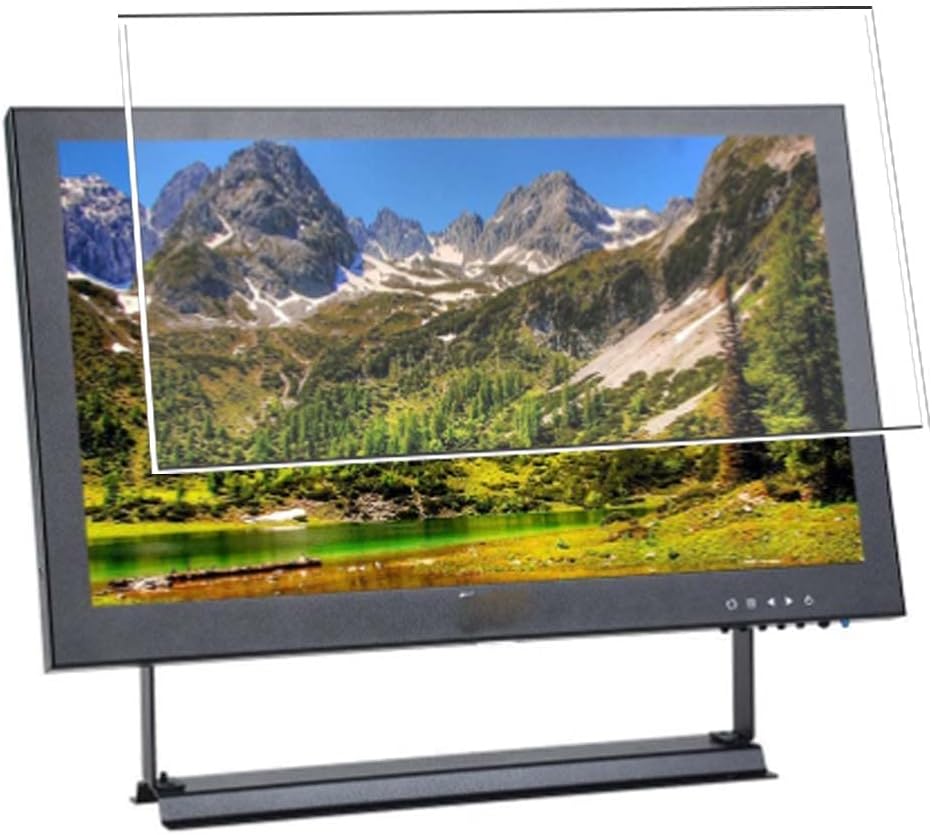

Operating the Screen Protector
Once installed, the Synvy Screen Protector Film operates seamlessly with your Eyoyo Monitor EM13A. Its design ensures that the monitor's touch sensitivity and display clarity are maintained.
- Touch Sensitivity: The film is engineered for TrueTouch Sensitivity, meaning your monitor's touch functions will remain fully responsive.
- Visual Clarity: The ultra-clear material ensures that the original brightness and definition of your monitor's display are preserved, providing an uncompromised viewing experience.

Maintenance
To keep your screen protector in optimal condition and ensure clear visibility, follow these simple maintenance tips:
- Cleaning: Use the provided microfiber cloth or a similar soft, lint-free cloth to gently wipe the screen protector. For stubborn smudges, slightly dampen the cloth with water or a screen-safe cleaning solution. Avoid harsh chemicals or abrasive materials.
- Avoid Sharp Objects: While the protector offers 4H scratch resistance, extreme pressure or sharp objects can still cause damage.
- Storage: If you remove a protector or have spares, store them flat in a clean, dry place to prevent damage or dust accumulation.
Troubleshooting
Here are solutions to common issues you might encounter during or after installation:
| Issue | Possible Cause | Solution |
|---|---|---|
| Bubbles under the protector | Dust particles trapped, or uneven application. |
|
| Protector not adhering properly at edges | Dust on the screen edge, or protector slightly misaligned. |
|
| Reduced touch sensitivity | Improper installation, or a faulty protector. |
|
Specifications
| Compatible Device | Eyoyo Monitor EM13A 13-inch |
| Material | Thermoplastic Polyurethane (TPU) |
| Item Hardness | 4H |
| Finish Type | Glossy |
| Special Features | Scratch Resistant, Touch Sensitive, Anti-Shatter, Anti-Fingerprint, Bubble Proof |
| Color | Transparent |
Warranty and Support
For any questions, concerns, or support regarding your Synvy Screen Protector Film, please refer to the retailer or manufacturer's contact information provided at the point of purchase. Keep your purchase receipt for warranty claims, if applicable.