
Product Overview
The Vsitoo S3 Plus is a smart heated coffee mug designed to maintain your beverage at an optimal temperature. It features both button and smartphone app control for convenience, a long-lasting battery, and robust safety mechanisms. This manual provides detailed instructions for setup, operation, maintenance, and troubleshooting.

Image: The Vsitoo S3 Plus Heated Coffee Mug in black, showcasing its sleek design and indicator lights.
Key Features:
- Temperature Control: Maintains hot beverages between 130°F–150°F.
- Dual Control Options: Operate via intuitive button on the mug or through the Vsitoo smartphone app.
- Extended Battery Life: Provides 2–4 hours of warmth on a single charge, extendable to all-day use with the charging coaster.
- Safety Features: Includes dry-boil protection and an auto-shutoff function after inactivity.
- Durable Construction: Made from 316 stainless steel with a scratch-proof ceramic coating, BPA-free, and IPX7 waterproof.
Package Contents
Verify that all items listed below are included in your package:

Image: All components included in the Vsitoo S3 Plus package: the smart mug, charging coaster, power adapter, and spill-proof lid.
- Vsitoo S3 Plus Smart Mug
- Charging Coaster
- Power Adapter
- Spill-proof Lid
Specifications
| Feature | Detail |
|---|---|
| Capacity | 14 ounces |
| Voltage | 3.7 Volts |
| Wattage | 12 watts |
| Temperature Range | 130°F - 150°F |
| Battery Life (Heated) | 2-4 hours (up to 24 hours with charging coaster) |
| Battery Type | 2 Lithium Ion batteries (included) |
| Material | 316 Stainless Steel with Ceramic Coating |
| Waterproof Rating | IPX7 |
| Item Weight | 1.94 pounds |
| Dimensions | 8.43 x 6.46 x 5.16 inches (Package) |
Setup
Initial Charge
Before first use, fully charge your Vsitoo S3 Plus mug. Place the mug onto the charging coaster, ensuring proper alignment. Connect the power adapter to the coaster and plug it into a wall outlet. The indicator lights on the mug will show charging status. A full charge typically takes 2-3 hours.

Image: The Vsitoo S3 Plus mug on its charging coaster, ready for charging.
First Use
- Wash the mug and lid thoroughly before first use. Refer to the "Maintenance and Care" section for cleaning instructions.
- Fill the mug with your desired beverage. Do not overfill.
- Place the lid securely on the mug to help maintain temperature and prevent spills.
Operating Instructions
Button Control
The Vsitoo S3 Plus can be operated directly using the button located on the bottom of the mug.

Image: A hand interacting with the button on the bottom of the Vsitoo S3 Plus mug, showing the indicator lights for Warm, Hot, and Steaming.
- Power On/Off: Press and hold the button for 2 seconds to turn the mug on or off.
- Change Temperature Mode: Short press the button to cycle through the temperature modes: Warm (130°F), Hot (140°F), and Steaming (150°F). The corresponding indicator light will illuminate.
App Control
For advanced control and customization, download the Vsitoo app from your smartphone's app store. The app allows you to set precise temperatures, create custom presets, and monitor battery life.

Image: A smartphone screen displaying the Vsitoo app interface, showing temperature settings and mug status.
Watch this official video for a demonstration of the Vsitoo S3 Plus features and temperature control:
Video: Official product video demonstrating the Vsitoo S3 Plus mug's temperature control and features.
Temperature Settings
The mug offers three preset temperature levels, which can be selected via the button or fine-tuned using the app.

Image: Visual representation of the three temperature settings: Warm (130°F), Hot (140°F), and Steaming (150°F).
- Warm: Approximately 130°F (54°C)
- Hot: Approximately 140°F (60°C)
- Steaming: Approximately 150°F (66°C)
Maintenance and Care
Cleaning
The Vsitoo S3 Plus mug is IPX7 waterproof, allowing for easy rinsing. However, proper care is essential to maintain its performance and longevity.
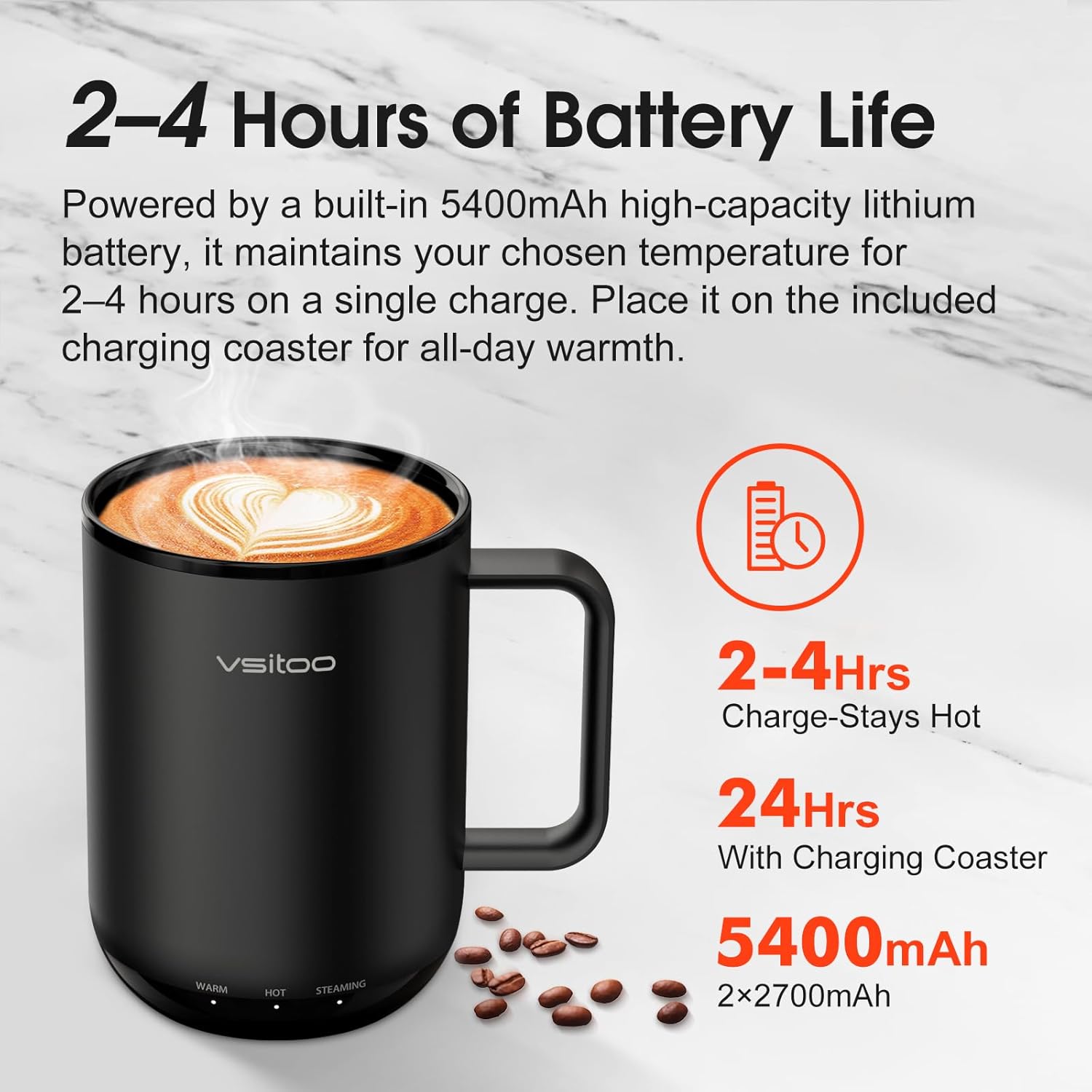
Image: The Vsitoo S3 Plus mug with its leak-proof lid, highlighting its easy-to-clean design.
- Mug: Rinse the mug directly under running water. Use a soft sponge and mild dish soap. Avoid abrasive cleaners or scrubbers that could damage the ceramic coating.
- Lid: The spill-proof lid can be disassembled for thorough cleaning. Wash with warm, soapy water and rinse completely.
- Charging Coaster: Wipe the charging coaster with a dry or slightly damp cloth. Do not submerge the coaster in water.
- Ensure the mug is completely dry before placing it back on the charging coaster or storing.
Storage
Store the mug in a clean, dry place when not in use. If storing for an extended period, ensure the mug is fully charged to preserve battery health.
Safety Information
The Vsitoo S3 Plus is designed with your safety in mind, incorporating several protective features and high-quality materials.
Image: Diagram illustrating the dual protection features: Dry-Boil Warning and Auto Sleep.
- Dry-Boil Protection: The mug automatically stops heating and alerts you if no liquid is detected inside, preventing damage.
- Auto Sleep: If the mug remains unused for over 2 hours while heating, it will automatically shut off. This duration can be extended to 4 hours via the Vsitoo app.
- Food-Grade Materials: Constructed from 316 stainless steel with a high-temperature resistant, scratch-proof matte ceramic coating. It is BPA-free and meets FDA and CA Prop 65 standards for safety.

Image: Icons representing the high health and safety standards of the Vsitoo S3 Plus, including SUS 316 stainless steel, BPA-free, 1000°F high-temp baking, FDA, and CA Prop 65 compliance.
Important: Do not microwave the mug. Do not place the mug in a dishwasher. Hand wash only. Keep out of reach of children when hot.
Troubleshooting
If you encounter any issues with your Vsitoo S3 Plus mug, refer to the following common problems and solutions:
| Problem | Possible Cause | Solution |
|---|---|---|
| Mug not heating | Low battery; Mug not turned on; Dry-boil protection activated; Incorrect temperature setting. | Charge the mug fully. Press and hold the button to power on. Ensure there is liquid in the mug. Check temperature setting via button or app. |
| Battery drains quickly | Continuous heating at high temperature; Frequent temperature changes; Old battery. | Use the charging coaster for all-day warmth. Avoid frequent temperature adjustments. Contact support if battery life significantly degrades. |
| App not connecting to mug | Bluetooth off; Mug not in pairing mode; App issue. | Ensure Bluetooth is enabled on your phone. Restart the mug and the app. Follow app instructions for pairing. |
| Lid leaking | Lid not properly sealed; Gasket dirty or damaged. | Ensure the lid is securely twisted on. Check the silicone gasket for debris or damage and clean/replace if necessary. |
If the problem persists after trying these solutions, please contact Vsitoo Customer Support.
Warranty and Support
Vsitoo products are designed and tested by our expert team in Delaware, USA, ensuring high quality and reliability.
Your Vsitoo S3 Plus Heated Coffee Mug comes with a manufacturer's warranty. For specific warranty details, including coverage and duration, please refer to the warranty card included in your product packaging or visit the official Vsitoo website.
For technical support, troubleshooting assistance, or warranty claims, please contact Vsitoo Customer Support:
- Online Support: Visit the VSITOO Store on Amazon or the official Vsitoo website.
- In-App Support: The Vsitoo app may offer direct chat or contact options.
Please have your product model number (S3 Plus) and purchase information ready when contacting support.


