
Introduction
Thank you for choosing the Aigostar Wireless Doorbell. This manual provides detailed instructions for the installation, operation, and maintenance of your new doorbell system. Please read this manual carefully before use and retain it for future reference.
This wireless doorbell system offers convenience and reliability with its IP55 waterproof rating, a wide operating range of up to 150 meters, 60 selectable melodies, and 5 adjustable volume levels. It is designed to ensure you never miss a visitor.
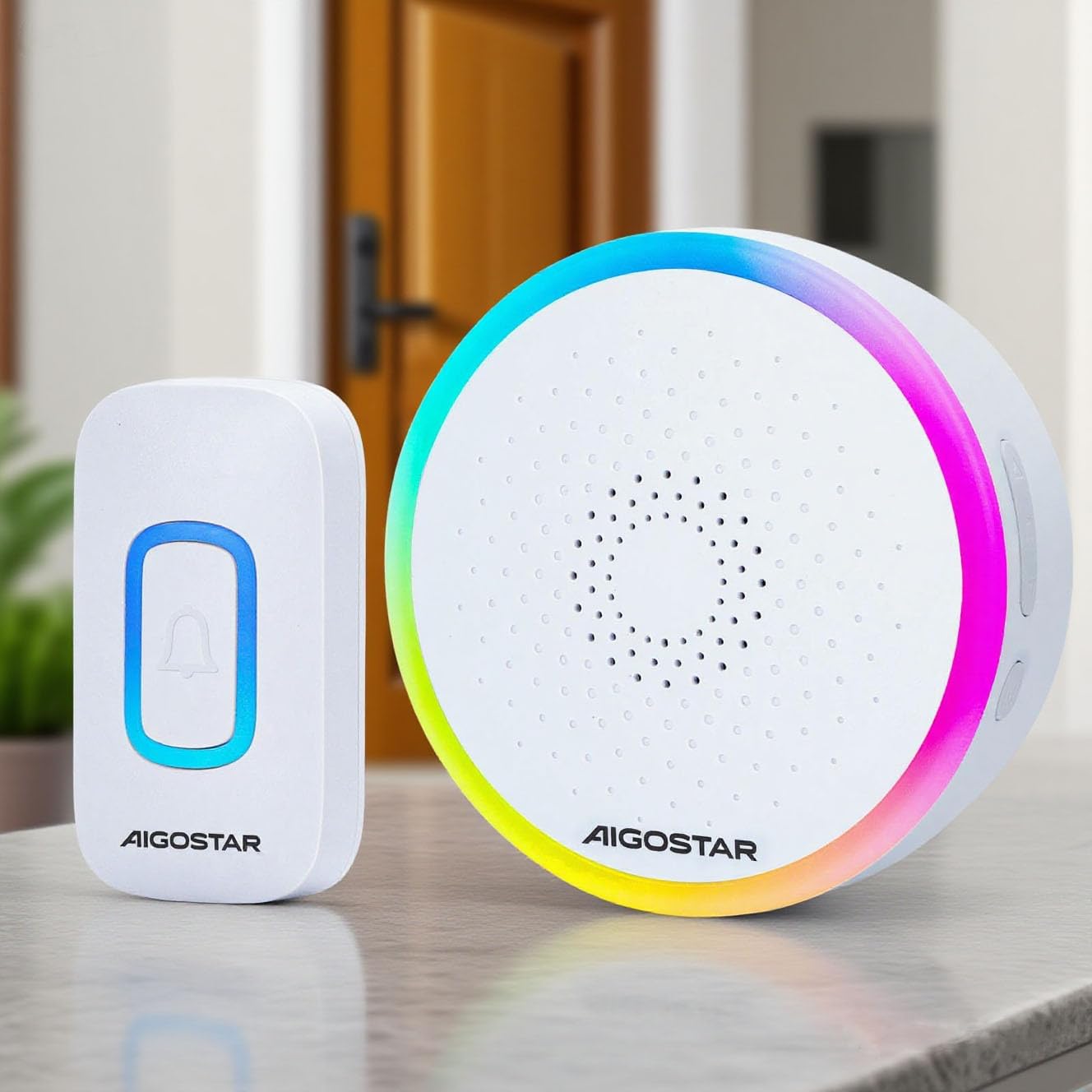
The Aigostar Wireless Doorbell set, featuring a white transmitter and receiver unit.
Product Overview and Components
The Aigostar Wireless Doorbell system includes the following components:
- 1x Wireless Transmitter (Push Button) - Battery Included
- 1x Wireless Receiver (Chime Unit) - Requires 3x AA batteries (not included)
- 1x User Manual
- Mounting Screws and Wall Plugs
- Double-sided Adhesive Tape

A visual representation of all items included in the product package: the wireless transmitter, the receiver, a user manual, mounting screws, and double-sided adhesive tape.
Specifications
| Brand | Aigostar |
| Model | B0D37B45P2 |
| Color | White |
| Waterproof Rating | IP55 |
| Wireless Range | Up to 150 meters (500 feet) |
| Melodies | 60 selectable tunes |
| Volume Levels | 5 levels (up to 120 dB) |
| Transmitter Power | Battery operated (included) |
| Receiver Power | 3x AA batteries (not included) |
| Operating Temperature | -10°C to 50°C (14°F to 122°F) |
Setup and Installation
1. Install Receiver Batteries
- Open the battery compartment on the back of the receiver unit.
- Insert 3x AA batteries, ensuring correct polarity (+/-).
- Close the battery compartment securely.
2. Mount the Transmitter
The transmitter can be mounted using either screws or double-sided adhesive tape.
Method 1: Screw Mounting
- Separate the back plate from the transmitter unit.
- Mark the desired mounting location on your wall.
- Drill two holes at the marked spots and insert the wall plugs.
- Secure the back plate to the wall using the provided screws.
- Attach the transmitter unit to the secured back plate.
Method 2: Adhesive Tape Mounting
- Clean the mounting surface thoroughly to ensure it is dry and free of dust.
- Peel off one side of the double-sided adhesive tape and attach it to the back of the transmitter unit.
- Peel off the other side of the tape and firmly press the transmitter onto the desired location for at least 30 seconds.

This image displays two installation options for the doorbell transmitter: using screws for a permanent fixture or double-sided adhesive tape for easier placement.
3. Pairing (Code-Learning)
The doorbell units are pre-paired from the factory. If re-pairing is needed or you add additional transmitters/receivers:
- Press and hold the 'Next/Code-learning' button on the receiver for 3 seconds until the LED indicator flashes.
- Immediately press the transmitter button. The receiver will chime, indicating successful pairing.
- Repeat for any additional transmitters.
Operating Instructions
1. Selecting Melodies
The receiver offers 60 different melodies. To change the melody:
- Press the 'Previous/Mode Switching' button to cycle through the available melodies.
- Press the 'Next/Code-learning' button to cycle through the available melodies.
- The selected melody will be saved automatically.
2. Adjusting Volume
There are 5 adjustable volume levels. To adjust the volume:
- Press the 'Volume/Code-clearing' button repeatedly to cycle through the 5 volume levels (Mute, Low, Medium, High, Max).
- The selected volume level will be saved automatically.
3. Mute Mode / RGB Only Mode
The doorbell supports flexible modes:
- RGB Only Mode: The receiver will only flash its RGB light without producing sound. This is ideal for quiet environments or for individuals with hearing impairments.
- RGB + Ringtone Mode: The receiver will flash its RGB light and play the selected melody.
To switch between modes, use the 'Previous/Mode Switching' button. Your last settings are saved for continuous convenience.

This image demonstrates the doorbell's mute mode, where the light flashes without sound, ideal for not disturbing sleep.
Maintenance
1. Cleaning
Wipe the doorbell units with a soft, dry cloth. Do not use abrasive cleaners or solvents.
2. Battery Replacement
When the receiver's volume becomes low or the LED indicator on the transmitter shows low voltage, it's time to replace the batteries.
- Transmitter: The transmitter comes with a pre-installed battery. When replacement is needed, open the transmitter casing carefully and replace the battery with a new one of the same type.
- Receiver: Open the battery compartment on the back of the receiver and replace the 3x AA batteries with new ones, observing polarity.
3. IP55 Waterproof Rating
The transmitter is IP55 dustproof and waterproof, designed to withstand rain and varying temperatures. However, avoid submerging it in water or exposing it to extreme weather conditions for prolonged periods.
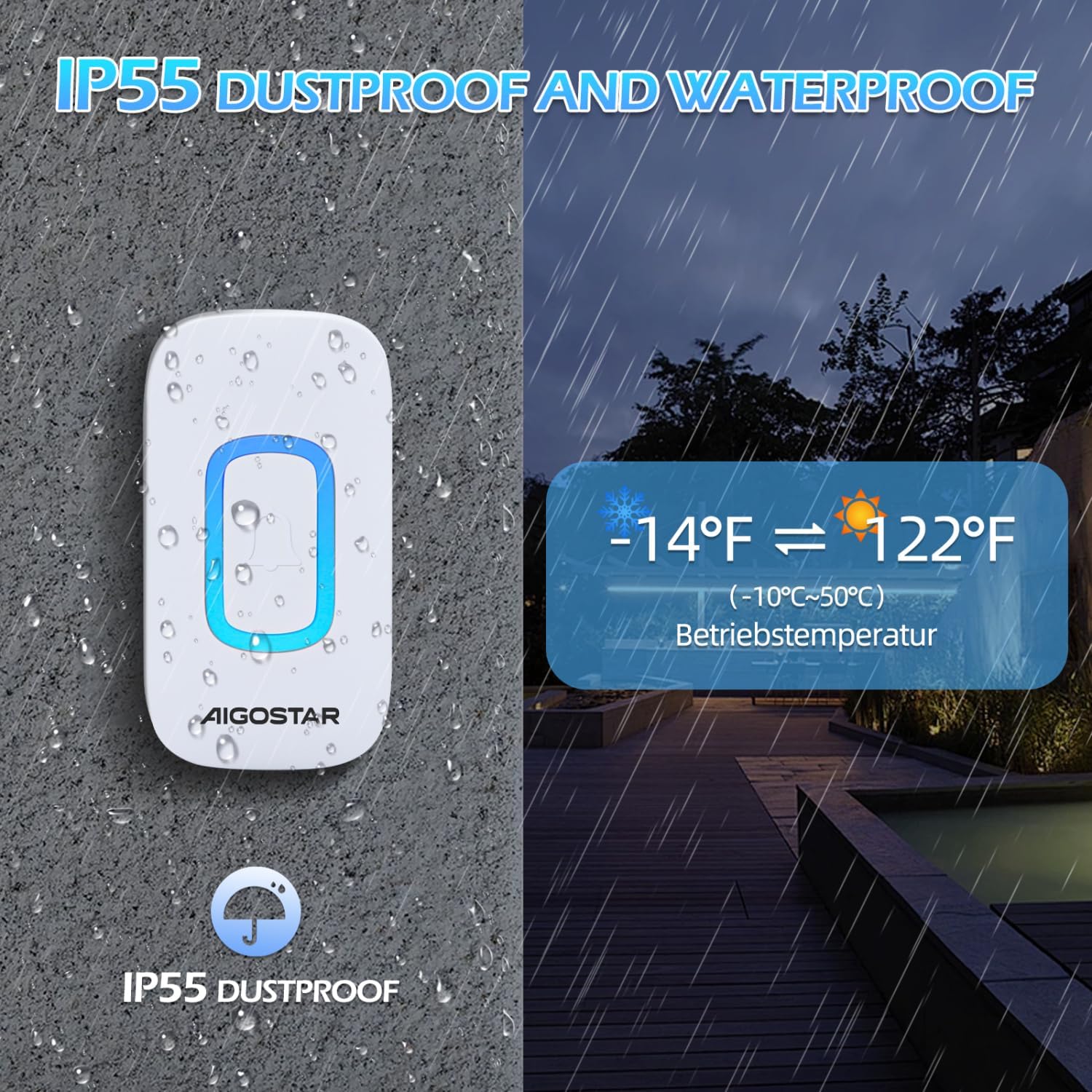
The doorbell transmitter is shown enduring rain, emphasizing its IP55 dustproof and waterproof capabilities, and its operational temperature range of -10°C to 50°C (14°F to 122°F).
Troubleshooting
| Problem | Possible Cause | Solution |
|---|---|---|
| Doorbell does not ring. | Low or dead batteries in receiver or transmitter. | Replace batteries in both units. |
| Doorbell rings intermittently. | Interference from other wireless devices or obstacles. | Relocate the receiver or transmitter to minimize interference. Ensure no large metal objects are between units. |
| Short transmission range. | Thick walls, metal structures, or other electronic devices. | Ensure the receiver is centrally located and not obstructed. Avoid mounting near large metal objects. |
| Receiver LED flashes but no sound. | Mute mode is activated. | Press the 'Volume/Code-clearing' button to increase the volume or switch to RGB + Ringtone mode. |
Warranty and Support
Aigostar products are designed and manufactured to the highest quality standards. This product is covered by a standard manufacturer's warranty against defects in materials and workmanship from the date of purchase. Please refer to your purchase documentation for specific warranty terms and conditions.
For technical support, troubleshooting assistance, or warranty claims, please contact Aigostar customer service through the retailer where you purchased the product or visit the official Aigostar website for contact information.