
Honor Honor X6b (S8108335)
Honor X6b Smartphone User Manual
Model: Honor X6b (S8108335)
1. Introduction
This manual provides comprehensive instructions for the safe and efficient use of your Honor X6b smartphone. Please read this manual carefully before using your device to ensure optimal performance and longevity.
The Honor X6b is a powerful 4G/LTE smartphone designed for seamless communication and multimedia experiences. It features a robust Octa-core processor, ample storage, and a high-capacity battery to keep you connected throughout the day.
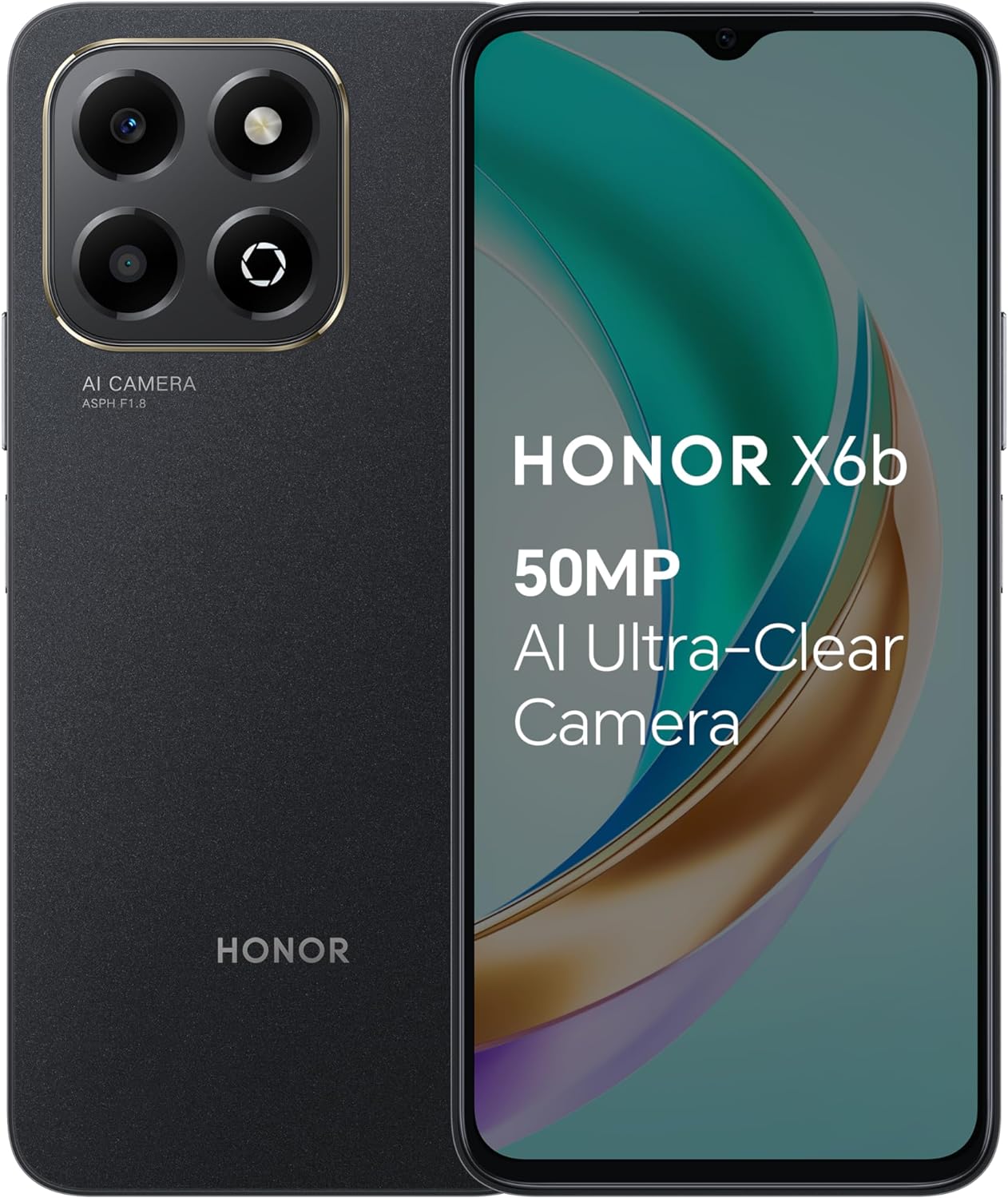
Figure 1: Honor X6b Smartphone (Midnight Black)
This image displays the Honor X6b smartphone in Midnight Black, showing both the front display and the rear camera module with its AI Camera branding.
2. Setup
2.1 What's in the Box
Upon unboxing your Honor X6b, please verify that all the following items are present:
- Honor X6b Smartphone
- USB Cable
- Quick Start Guide (may vary by region)
- SIM Ejector Tool (may vary by region)
2.2 Inserting SIM Cards and microSDXC Card
The Honor X6b supports Dual-SIM functionality and expandable storage via microSDXC. Follow these steps to install your cards:
- Locate the SIM card tray on the side of your device.
- Insert the SIM ejector tool into the small hole next to the tray and push gently until the tray pops out.
- Place your Nano-SIM cards into the designated slots (SIM 1 and SIM 2). Ensure the gold contacts face downwards.
- If using a microSDXC card for additional storage, place it into its dedicated slot on the tray.
- Carefully push the tray back into the device until it is flush with the side.
Note: This device is GSM Only and does not support CDMA networks. Please check with your network provider for compatibility before use.
2.3 Initial Charging and Power On
Before first use, it is recommended to fully charge your Honor X6b. The device is equipped with a 5200mAh non-removable battery.
- Connect the provided USB cable to the phone's charging port and the other end to a compatible power adapter (not included) or a computer's USB port.
- Allow the device to charge until the battery indicator shows 100%.
- To power on, press and hold the Power button (usually on the right side) until the Honor logo appears.
- Follow the on-screen instructions to complete the initial setup, including language selection, Wi-Fi connection, and Google account setup.

Figure 2: 5200mAh Battery Capacity
This image highlights the 5200mAh battery capacity of the Honor X6b, emphasizing its large size for extended use.
3. Operating Your Honor X6b
3.1 Basic Navigation and Display
The Honor X6b features a 6.56-inch TFT LCD display with a 720 x 1612 pixel resolution and a 90Hz refresh rate for a smooth visual experience.
- Touchscreen Gestures: Tap to select, swipe to scroll, pinch to zoom.
- Home Screen: Your central hub for apps and widgets. Swipe left/right to navigate pages.
- Notification Panel: Swipe down from the top of the screen to access notifications and quick settings.
- App Drawer: Swipe up from the bottom of the screen (or tap the app drawer icon) to view all installed applications.

Figure 3: 90Hz Dynamic Display
This image illustrates the 90Hz Bright and Dynamic Display of the Honor X6b, showcasing its smooth visual capabilities and features like Magic Capsule.

Figure 4: Bright and Clear Large Screen
This image emphasizes the bright, clear, and dynamic large screen of the Honor X6b, highlighting its 6.56-inch high-definition display, 90Hz refresh rate, dynamic dimming, and DC dimming features.
3.2 Camera Features
Capture moments with the Honor X6b's advanced camera system:
- Rear Camera: 50 MP, f/1.8 (wide) with PDAF, and a 2 MP, f/2.4 (depth) sensor.
- Front Camera: 5 MP, f/2.2 (wide).
- Camera Modes: Access various modes like Photo, Video, Portrait, Pro, and more from the camera application.
- AI Features: The camera utilizes AI for scene recognition and optimization to enhance your photos.
3.3 Storage and Performance
The Honor X6b is designed for smooth multitasking and ample storage:
- Internal Storage: 128GB for your apps, photos, and files.
- RAM: 4GB RAM, enhanced by HONOR RAM Turbo technology for improved performance.
- Processor: Powered by the Mediatek Helio G85 (12 nm) Octa-core processor (2x2.0 GHz Cortex-A75 & 6x1.8 GHz Cortex-A55).
- Operating System: Runs on Android 14, providing the latest features and security updates.

Figure 5: 4GB RAM + 128GB Storage
This image visually represents the 4GB RAM and 128GB internal storage of the Honor X6b, highlighting the "eXtra Large Storage" and HONOR RAM Turbo feature.
3.4 Connectivity
Stay connected with various network options:
- Cellular: Supports 4G/LTE, 3G (HSDPA 850/900/1900/2100), and 2G (GSM 850/900/1800/1900) frequencies. Dual SIM capability allows for two active SIM cards.
- Wi-Fi: Connect to wireless networks for internet access.
- Bluetooth: Pair with wireless headphones, speakers, and other Bluetooth-enabled devices.
4. Maintenance
4.1 Cleaning Your Device
To keep your Honor X6b in optimal condition:
- Use a soft, lint-free cloth to wipe the screen and body.
- Avoid using harsh chemicals, abrasive cleaners, or aerosol sprays.
- Do not expose the device to excessive moisture.
4.2 Software Updates
Regularly check for and install software updates to ensure your device has the latest features, security patches, and performance improvements. You can usually find this option in the device's Settings menu under "System & updates" or "About phone."
4.3 Battery Care
To prolong the life of your 5200mAh battery:
- Avoid extreme temperatures (very hot or very cold).
- Do not let the battery completely drain frequently.
- Use the provided USB cable for charging.
5. Troubleshooting
This section addresses common issues you might encounter with your Honor X6b.
5.1 Device Not Powering On
- Ensure the battery is charged. Connect the device to a charger and wait a few minutes before attempting to power on again.
- Press and hold the Power button for at least 10-15 seconds to force a restart.
5.2 Network Connectivity Issues
- No Signal/Cannot Make Calls: Check if your SIM card is properly inserted. Verify that your device is registered on a compatible GSM network. Restart the device.
- Wi-Fi Connection Problems: Ensure Wi-Fi is enabled. Forget the network and reconnect. Restart your Wi-Fi router.
5.3 Apps Crashing or Freezing
- Close and reopen the app.
- Clear the app's cache and data in Settings > Apps.
- Ensure the app is updated to its latest version.
- If the issue persists, consider uninstalling and reinstalling the app.
5.4 Device Slow or Unresponsive
- Close unnecessary background apps.
- Clear cached data from apps and the system.
- Ensure you have sufficient free storage space.
- Restart your device regularly.
5.5 Factory Reset (Last Resort)
If other troubleshooting steps fail, you may consider performing a factory reset. Warning: This will erase all data on your device. Back up important data before proceeding.
- Go to Settings > System & updates > Reset > Reset phone.
- Confirm the action and follow the on-screen prompts.
6. Specifications
Detailed technical specifications for the Honor X6b (Model: S8108335):
| Feature | Specification |
|---|---|
| Model Name | Honor X6b |
| Model Number | S8108335 |
| Dimensions (H x W x D) | 163.6 x 75.3 x 8.4 mm (6.44 x 2.96 x 0.33 in) |
| Weight | 192 g (6.77 oz) |
| Display | 6.56 inches, TFT LCD, 720 x 1612 pixels, 90Hz refresh rate |
| Operating System | Android 14 |
| Processor | Mediatek Helio G85 (12 nm), Octa-core (2x2.0 GHz Cortex-A75 & 6x1.8 GHz Cortex-A55) |
| RAM | 4GB |
| Internal Storage | 128GB |
| Expandable Storage | microSDXC |
| Rear Camera | 50 MP (wide, PDAF), 2 MP (depth) |
| Front Camera | 5 MP (wide) |
| Battery | 5200mAh non-removable |
| Charging | USB Cable included |
| SIM Type | Dual Nano-SIM (GSM Only) |
| Network Compatibility | 2G GSM, 3G HSDPA, 4G LTE |
| Wireless Connectivity | Wi-Fi, Bluetooth |
| Color | Midnight Black |
7. Warranty and Support
For detailed warranty information, please refer to the warranty card included with your product or visit the official Honor website for your region. Warranty terms and conditions may vary by country or region of purchase.
If you require technical support or have questions not covered in this manual, please contact Honor customer service through their official support channels. Keep your proof of purchase handy when seeking support.
Important: Unauthorized repairs or modifications may void your warranty.
Related documentsHonor X6b (S8108335)


Ask a question about this manual
Ask about setup, troubleshooting, compatibility, parts, safety, or missing instructions. Manuals+ will review the question and use this page’s manual context to help answer it.