
Introduction
This manual provides comprehensive instructions for the installation, maintenance, and troubleshooting of your Synvy Screen Protector Film, designed specifically for the AWESAFE 7" OV-7101-A2 device. This product is a TPU soft film, not tempered glass, offering robust protection against scratches and smudges while maintaining screen clarity and touch sensitivity.
Package Contents
Before beginning installation, please verify that all items are present in your package:
- Synvy Screen Protector Film (4 units)
- Microfiber Cleaning Cloth
- Dry Wipe
Setup and Installation
Proper installation is crucial for optimal performance. Please follow these steps carefully:
- Prepare Your Workspace: Choose a clean, dust-free environment. Wash your hands thoroughly to avoid transferring oils or dirt to the screen.
- Clean the Device Screen:
- Use the provided dry wipe to remove any dust or smudges from the AWESAFE 7" OV-7101-A2 screen.
- Follow with the microfiber cleaning cloth to ensure the screen is completely dry and lint-free.
- Align the Screen Protector:
Carefully peel off the protective layer labeled "Step 1" (or similar) from the screen protector. Align the protector with the edges of your device screen, ensuring that all cutouts (if any) match the device's features.

Image: The Synvy screen protector film shown aligned over a 7-inch device screen, indicating its precise fit.
- Apply the Protector: Slowly lower the screen protector onto the device screen. As it makes contact, gently press down from the center outwards to adhere it.
- Remove Bubbles:
Use a soft card (not provided, e.g., a credit card wrapped in the microfiber cloth) or your finger to push any air bubbles towards the edges of the screen. The bubble-free adhesive design assists in this process.

Image: A screen protector applied to a smartphone, illustrating the bubble-free installation process with a checkmark icon.
- Remove Final Layer: Once the protector is fully adhered and bubbles are removed, carefully peel off the top protective layer labeled "Step 2" (or similar).
Operating Information
The Synvy Screen Protector Film is designed to integrate seamlessly with your AWESAFE 7" OV-7101-A2, providing protection without compromising functionality.
- Touch Sensitivity: The ultra-thin 0.14 mm design ensures TrueTouch Sensitivity, maintaining the original response and feel of your device's screen.
- Clarity: Extreme clarity preserves the original screen brightness and definition, offering an unrivaled viewing experience.
- Scratch Resistance: The 4H hardness rating provides effective protection against everyday scratches from objects like keys and coins.
- Fingerprint and Smudge Reduction: An oleophobic hydrophobic coating helps to maximally reduce smudges and fingerprints, keeping your screen cleaner.

Image: A close-up of a hand holding the screen protector, emphasizing its minimal 0.14 mm thickness.
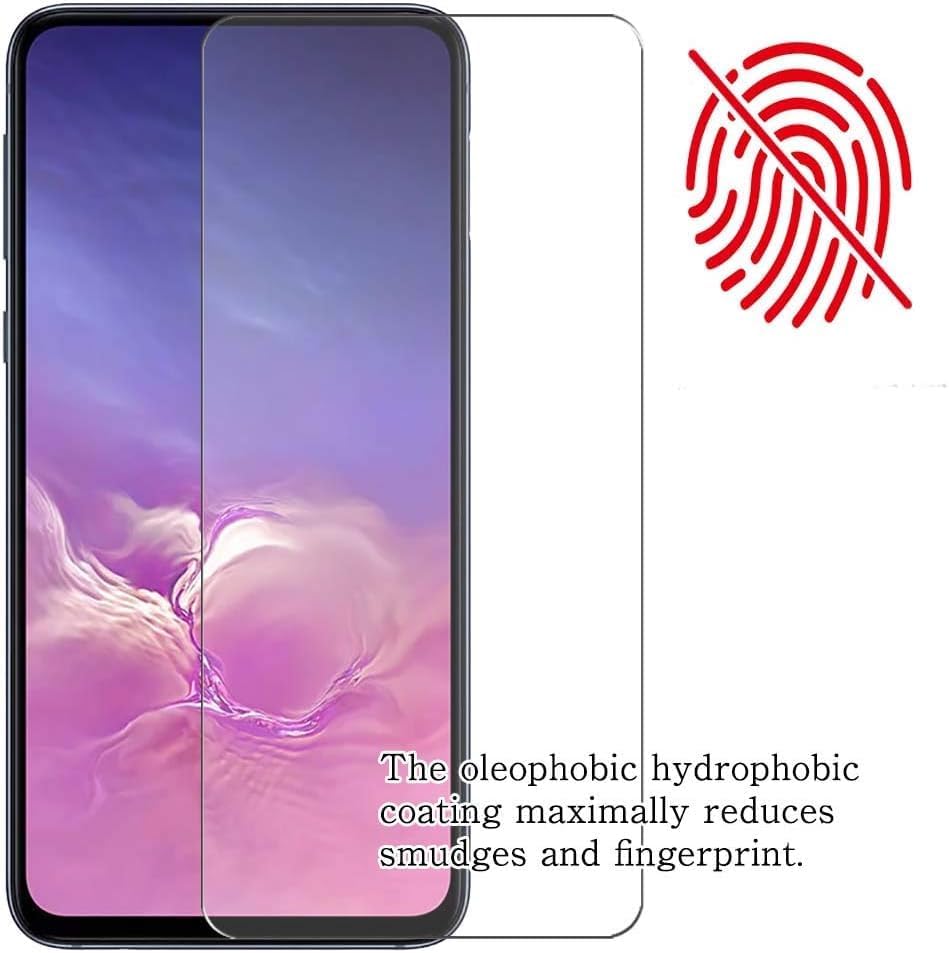
Image: A screen protector applied to a smartphone, with a crossed-out fingerprint icon, illustrating its oleophobic coating that reduces smudges and fingerprints.
Maintenance
To ensure the longevity and effectiveness of your screen protector, follow these maintenance guidelines:
- Cleaning: Use the provided microfiber cloth or a similar soft, lint-free cloth to gently wipe the screen protector. For stubborn smudges, slightly dampen the cloth with water or a screen-safe cleaner. Avoid harsh chemicals or abrasive materials.
- Scratch Healing: Minor scratches on the thermoplastic polyurethane (TPU) film will naturally weaken and become less visible within approximately 48 hours due to its self-healing properties.

Image: A close-up view of a screen protector showing minor scratches, demonstrating how the military-grade thermoplastic urethane material allows scratches to weaken over 48 hours.
Troubleshooting
If you encounter issues with your screen protector, refer to the following common problems and solutions:
- Bubbles After Installation:
Small bubbles may disappear naturally within 24-48 hours. For larger bubbles, gently lift the nearest edge of the protector and re-apply, pushing the bubble out with a soft card or your finger.
- Dust Under the Protector:
If dust particles are trapped, carefully lift the nearest edge of the protector and use a piece of tape to gently dab and remove the dust from both the screen and the adhesive side of the protector. Re-apply carefully.
- Reduced Touch Sensitivity:
Ensure the protector is fully adhered without any lifted edges or large air pockets. If the issue persists, verify that your device's touch settings are calibrated correctly (refer to your device's manual).
- Scratches Not Disappearing:
While the film has self-healing properties for minor scratches, deep gouges may not fully disappear. The protector is designed to absorb impact and prevent damage to the actual device screen.
Specifications
| Feature | Description |
|---|---|
| Product Type | Screen Protector Film (TPU Soft Film) |
| Compatibility | AWESAFE 7" OV-7101-A2 |
| Material | Thermoplastic Polyurethane (TPU) |
| Hardness Rating | 4H |
| Thickness | 0.14 mm |
| Special Features | Scratch Resistant, Touch Sensitive, Anti-Shatter, Anti-Fingerprint, Gloss Finish, Bubble Proof, Self-Healing |
| Color | Transparent |
| Number of Items | 4 (in pack) |
Warranty and Support
For warranty information or technical support regarding your Synvy Screen Protector Film, please refer to the contact information provided with your purchase or visit the official Synvy website. Keep your purchase receipt as proof of purchase.