
1. Introduction
This manual provides detailed instructions for the installation, use, and maintenance of your Synvy Screen Protector Film, designed specifically for the Dell MR2416 24" monitor. This product is a TPU (Thermoplastic Polyurethane) soft film, not a tempered glass protector, offering flexible protection for your screen.

Image 1.1: Synvy Screen Protector Film on a Dell MR2416 24" monitor. This image illustrates the transparent nature and fit of the screen protector on the display.
2. Package Contents
Upon opening your package, please verify that all the following items are included:
- Screen Protector (3 Pack)
- Micro Fiber Cloth
- Dry Wipe
3. Key Features
The Synvy Screen Protector Film offers several protective and functional benefits:
- Scratch Resistant: Engineered with 4H hardness, this protector effectively shields your screen from scratches caused by everyday objects like keys and coins. It is designed to protect against unwanted scuffs.
- Anti-Fingerprint & Oleophobic Coating: Features an oleophobic hydrophobic coating that significantly reduces smudges and fingerprints, keeping your screen cleaner.
- Self-Healing Properties: Made from military-grade thermoplastic polyurethane, minor scratches on the protector surface will weaken and disappear within 48 hours.
- Ultra Clear & High Sensitivity: Maintains original screen brightness and definition, ensuring an unrivaled viewing experience. With a thickness of only 0.14 mm, it preserves the original response sensitivity and touch feeling of your monitor.

Image 3.1: Demonstration of the screen protector's 4H hardness, indicating its resistance to scratches from sharp objects.
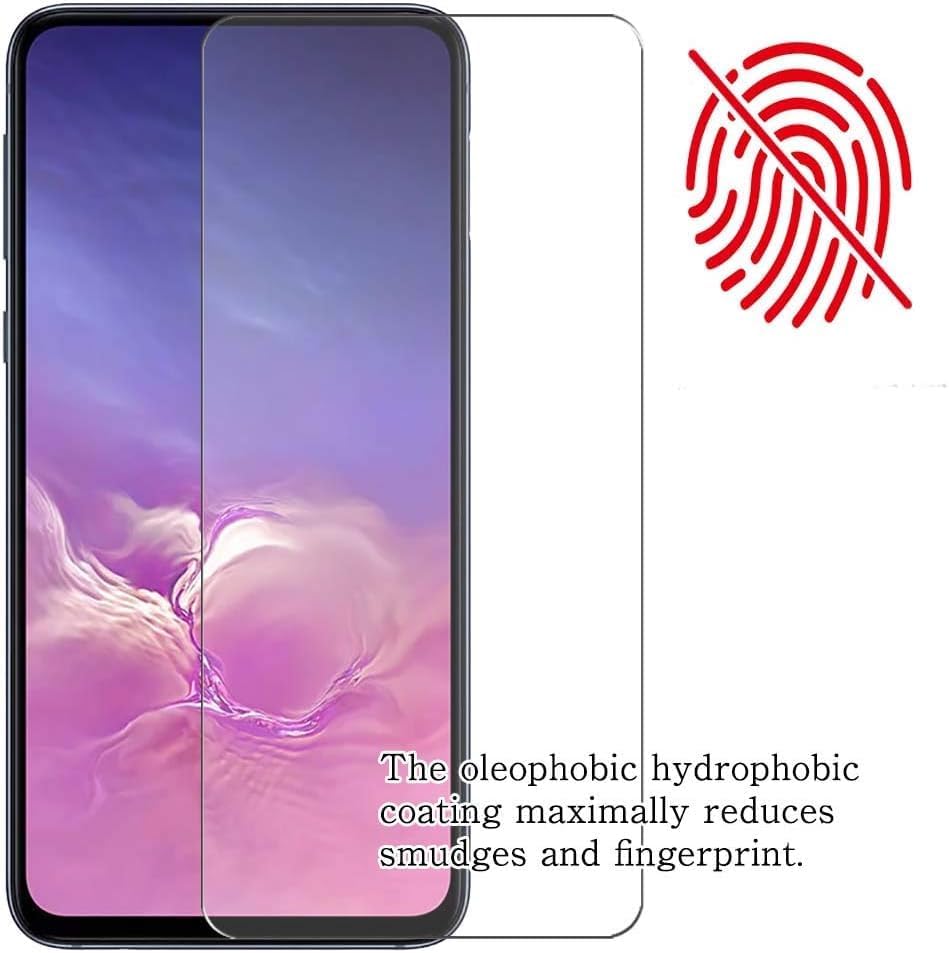
Image 3.2: Visual representation of the anti-fingerprint feature, showing how the coating repels smudges.

Image 3.3: Illustration of the self-healing property, where minor scratches on the TPU film fade over time.

Image 3.4: Visual representation of the screen protector's ultra-thin profile, contributing to high touch sensitivity.
4. Setup (Installation Guide)
Follow these steps carefully for a bubble-free installation:
- Prepare Your Workspace: Ensure you are in a clean, dust-free environment. Wash your hands thoroughly to avoid transferring oils or dirt to the screen or protector.
- Clean the Monitor Screen: Use the provided dry wipe and micro fiber cloth to meticulously clean the Dell MR2416 monitor screen. Remove all dust, smudges, and fingerprints. A perfectly clean screen is crucial for a successful installation.
- Align the Protector: Carefully peel back a small portion of the protective layer from one end of the screen protector. Align the exposed edge with the corresponding edge of your monitor screen. Take your time to ensure precise alignment.
- Apply Gradually: Slowly peel off the rest of the protective layer while simultaneously applying the screen protector to the monitor surface. Use a soft card (not included) or the micro fiber cloth to gently smooth out the protector as you go, pushing out any air bubbles towards the edges.
- Remove Bubbles: For any remaining small bubbles, gently push them towards the nearest edge using the micro fiber cloth. The automatic adsorption layer helps reduce bubbles during installation.
- Final Wipe: Once applied, use the micro fiber cloth to give the screen protector a final gentle wipe to remove any smudges or dust that may have settled during installation.

Image 4.1: Illustration of the bubble-free installation process, emphasizing the importance of careful application and wiping.
5. Operating
Once installed, the Synvy Screen Protector Film operates seamlessly with your Dell MR2416 monitor. Its ultra-thin design ensures that the original touch sensitivity and display clarity are maintained, providing an invisible and perfect protection on your touch screen (if applicable) or maintaining visual fidelity for non-touch displays.
6. Maintenance
To ensure the longevity and clarity of your Synvy Screen Protector Film, follow these maintenance guidelines:
- Cleaning: Use the provided micro fiber cloth or a similar soft, lint-free cloth to gently wipe the screen protector. For stubborn smudges, slightly dampen the cloth with water or a screen-safe cleaning solution. Avoid harsh chemicals or abrasive materials.
- Avoid Sharp Objects: While the protector is scratch-resistant, excessive force or very sharp objects can still damage it.
- Temperature Exposure: Avoid exposing the monitor with the protector to extreme temperatures, which could affect the adhesive or material integrity.
7. Troubleshooting
Here are solutions to common issues you might encounter:
- Bubbles After Installation: Small bubbles can sometimes remain. For minor bubbles, gently push them towards the nearest edge with a soft cloth. If large bubbles persist, it may indicate dust trapped underneath. In such cases, carefully lift the nearest corner of the protector, remove the dust with a dust absorber (not included) or tape, and reapply.
- Smudges and Fingerprints: The oleophobic coating reduces these, but they can still accumulate. Clean regularly with the provided micro fiber cloth.
- Minor Scratches on Protector: Due to the self-healing properties of the TPU material, minor scratches on the protector surface should weaken and disappear within 48 hours. Avoid picking at or attempting to buff out scratches with abrasive materials.
- Adhesion Issues: If the protector does not adhere properly, ensure the screen was thoroughly cleaned before installation. Residue or dust can prevent proper adhesion.
8. Specifications
| Feature | Description |
|---|---|
| Compatible Devices | Dell MR2416 24" |
| Material | Thermoplastic Polyurethane (TPU) |
| Item Hardness | 4H |
| Color | Transparent |
| Finish Type | Glossy |
| Screen Surface Description | Smooth |
| Special Features | Scratch Resistant, Touch Sensitive, Anti-Shatter, Anti-Fingerprint, Gloss Finish, Bubble Proof |
9. Warranty and Support
For information regarding product warranty, returns, or technical support, please refer to the seller or manufacturer's official website or contact their customer service directly. Specific warranty terms and conditions may vary.