
Quality Heating 222789245
Quality Heating Wit Plug Socket Thermostat 3600VA User Manual
Model: 222789245
1. Introduction
Thank you for choosing the Quality Heating Wit Plug Socket Thermostat 3600VA. This device is designed to provide precise temperature control for various applications, ensuring comfort and efficiency. Please read this manual carefully before use to ensure proper operation and to maintain the product's longevity.
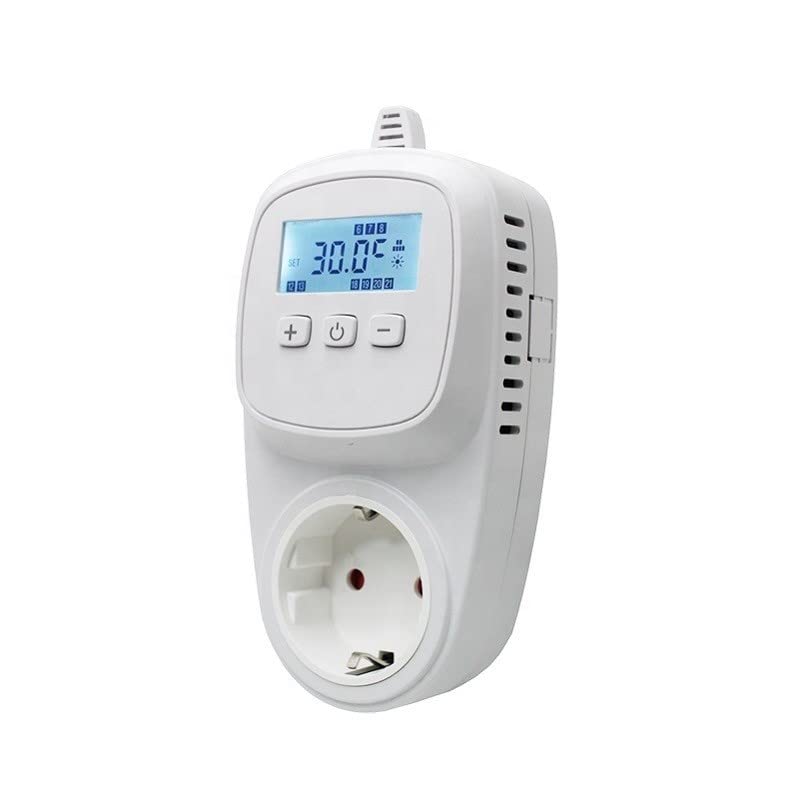
Figure 1: Front view of the Quality Heating Wit Plug Socket Thermostat 3600VA.
2. Safety Information
- Always ensure the thermostat is correctly plugged into a grounded electrical outlet.
- Do not exceed the maximum load capacity of 3600VA.
- Keep the device away from water and high humidity environments.
- Do not disassemble or attempt to repair the thermostat yourself. Contact qualified personnel for service.
- Ensure the connected appliance is suitable for use with a thermostat.
3. Product Overview
The Quality Heating Wit Plug Socket Thermostat 3600VA features a clear display and intuitive controls for easy temperature management.
3.1. Components
- Main Unit: The thermostat body with integrated plug and socket.
- LCD Display: Shows current temperature, set temperature, and operating modes.
- Control Buttons: For setting parameters and navigating menus.
- Temperature Sensor: Integrated for accurate temperature readings.

Figure 2: Close-up of the thermostat's display and control buttons.
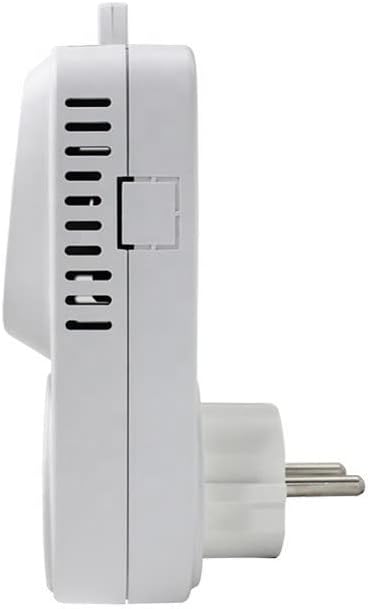
Figure 3: Side view of the thermostat, highlighting its compact design.
4. Setup
Setting up your thermostat is quick and easy:
- Plug the thermostat directly into a standard wall socket.
- Plug your heating or cooling appliance into the socket on the front of the thermostat.
- Ensure all connections are secure.

Figure 4: Thermostat connected and ready for use.
5. Operating Instructions
This thermostat provides simple and effective temperature control for your appliances. It operates based on a set temperature range to maintain desired conditions.
5.1. Basic Temperature Control (Thermostatic Plug)
The device functions as a thermostatic plug, controlling the power supply to your appliance based on the ambient temperature detected by its sensor.
- Setting Desired Temperature: Use the control buttons (e.g., '+' and '-' or 'UP' and 'DOWN') to set your desired temperature. The display will show the current ambient temperature and your set temperature.
- Heating Mode: If the measured temperature falls below your set temperature, the thermostat will activate the connected heating appliance. It will turn off once the temperature reaches or exceeds the set point.
- Cooling Mode: If the measured temperature rises above your set temperature, the thermostat will activate the connected cooling appliance. It will turn off once the temperature drops to or below the set point.
5.2. Programmable Features (If Applicable)
While the product is listed as 'Programmable Non', some models or related products offer advanced timing and cycle modes. Refer to the specific instructions on your device's display for available programming options.
The following videos demonstrate various programming and control modes that may be available on similar thermostat plugs. Please refer to your device's specific interface for exact button functions and menu navigation.
Video: F01-F04 Modes Réglés (KETOTEK Store)
This video illustrates how to set different operational modes (F01-F04) on a similar thermostat, including cycle timers for ON/OFF periods. This can be useful for understanding basic timer functions.
Video: Prise Thermostat avec Minuterie (Inkbird Tech.)
This video demonstrates the timer functions of a thermostat plug, showing how to set countdowns and cycle times. This is relevant for managing appliance operation over specific durations.
Video: KETOTEK Prise Thermostat Jour/Nuit (KETOTEK Store)
This video explains how to set day and night temperature profiles on a similar thermostat, allowing for different temperature settings at various times of the day.
Video: Réglage du mode de contrôle de température (KETOTEK Store)
This video details the process of adjusting temperature control modes, which is fundamental to using any thermostat effectively.
6. Maintenance
- Cleaning: Wipe the device with a soft, dry cloth. Do not use abrasive cleaners or immerse the device in water.
- Storage: If not in use for an extended period, store the thermostat in a cool, dry place.
7. Troubleshooting
| Problem | Possible Cause | Solution |
|---|---|---|
| Device not powering on | Not properly plugged in; Power outage; Faulty outlet | Check plug connection; Verify power supply; Try a different outlet. |
| Appliance not turning on/off as expected | Incorrect temperature settings; Appliance not working; Thermostat malfunction | Verify set temperature; Check appliance functionality; Reset thermostat. |
| Inaccurate temperature reading | Sensor obstructed or exposed to direct heat/cold source | Ensure sensor is clear and in an area representative of ambient temperature. |
8. Specifications
- Brand: Quality Heating
- Model Number: 222789245
- Color: White-417
- Dimensions (L x W x H): 39 x 125 x 70 cm
- Style: Blanc Plug Socket Thermostat 3600VA
- Power Rating: Up to 3600VA (Voltage and Amperage not explicitly stated, typically 230V/16A for 3600VA)
- Control Type: Thermostatic
- Programmability: Non-programmable (basic thermostatic control)
9. Warranty and Support
For warranty information or technical support, please contact Quality Heating customer service. Details may be available on the product packaging or the official Quality Heating website.
Related documents222789245

Ask a question about this manual
Ask about setup, troubleshooting, compatibility, parts, safety, or missing instructions. Manuals+ will review the question and use this page’s manual context to help answer it.