
Hyper HJ1002WHWWGL
HyperJuice 100W GaN Travel Charger
Model: HJ1002WHWWGL
User Manual
Introduction
The HyperJuice 100W GaN Travel Charger is a compact, high-efficiency power adapter designed to charge up to four devices simultaneously. Utilizing advanced GaN (Gallium Nitride) technology, it delivers powerful and safe charging for a wide range of devices, including laptops, smartphones, tablets, and headphones. Its travel-ready design with interchangeable global adapters makes it an ideal companion for international use.
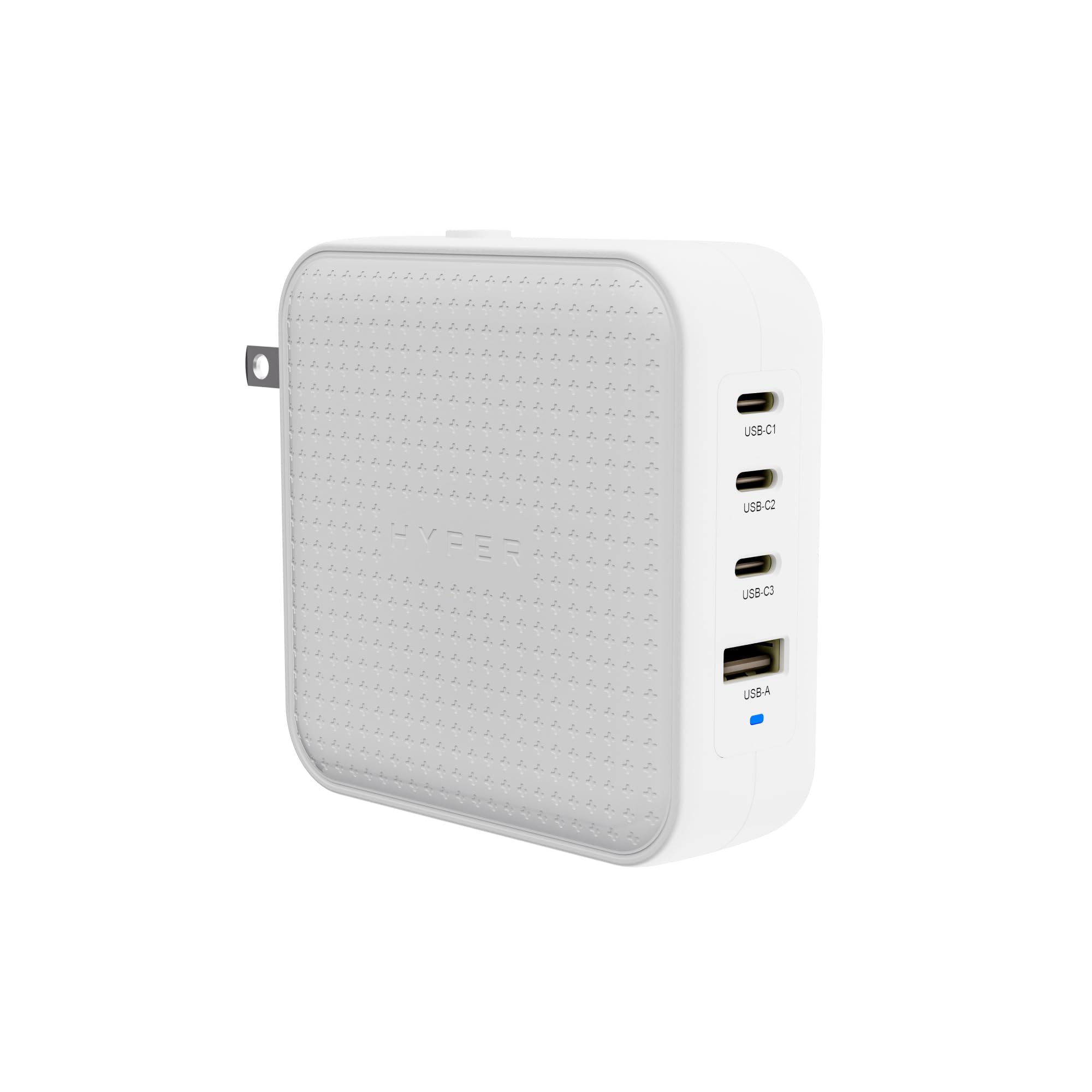
Image: HyperJuice 100W GaN Travel Charger, front view.
Package Contents
Before you begin, please ensure all items are present in your package:
- HyperJuice 100W GaN Travel Charger Unit
- EU Pin Adapter
- UK Pin Adapter
- AU Pin Adapter
- C8 Adapter (for desktop use with a separate power cord)
- User Guide and Documentation
Video: Unboxing and overview of the HyperJuice 100W USB C Charger Block Portable Charger, showing the charger unit and included adapters.
Setup
- Select the Correct Adapter: Choose the appropriate pin adapter (EU, UK, AU, or the built-in US flat blade) for your region.
- Attach the Adapter: Align the chosen adapter with the charger unit and slide it into place until it clicks securely. For the built-in US flat blade, simply flip it out.
- Connect to Power: Plug the charger into a wall outlet. The charger is compatible with input voltages up to 240V AC.
- Desktop Charging (Optional): If you prefer a desktop setup, detach the travel adapter and connect the included C8 adapter. Then, attach a standard C8 power cord (sold separately) to the C8 adapter and plug it into a wall outlet. This extends the reach and provides flexible placement.

Image: The HyperJuice 100W GaN Travel Charger shown with its various global plug adapters, highlighting its travel-ready design.

Image: The HyperJuice 100W GaN Travel Charger configured with the C8 adapter, demonstrating its use as a desktop charging solution.
Operating Instructions
The HyperJuice 100W GaN Travel Charger features three USB-C ports and one USB-A port, allowing for versatile charging of multiple devices.
- Connecting Devices: Use appropriate USB-C to USB-C or USB-A to device cables to connect your electronics to the charger ports.
- Simultaneous Charging: The charger can power up to four devices concurrently. Its Smart Power Distribution Technology intelligently allocates power to each connected device for optimal charging efficiency.
- Fast Charging: The top two USB-C ports support 100W PD 3.0 speeds, capable of charging a MacBook Pro 14-inch from 0-50% in approximately 27 minutes. For iPhones, it can achieve 0-50% charge in about 30 minutes.
- Intelligent Power Delivery (PPS): The charger utilizes Programmable Power Supply (PPS) to dynamically adjust the wattage delivered to your device, ensuring it receives the optimal power level up to the port's maximum capacity.

Image: The HyperJuice 100W GaN Travel Charger connected to a wall outlet, simultaneously charging a laptop, tablet, smartphone, and headphones.

Image: The HyperJuice 100W GaN Travel Charger fast charging an iPhone, illustrating its intelligent power delivery.
Safety and Efficiency
The HyperJuice 100W GaN Travel Charger is engineered for commercial-grade performance, prioritizing safety, efficiency, and durability.
- GaN Technology: Gallium Nitride (GaN) technology enhances charging efficiency by up to 95%, reducing energy waste and allowing for a more compact and lightweight design compared to traditional silicone chargers.
- Optimized Thermal Management: The charger features an advanced thermal management system that allows it to operate 22% cooler than leading charger brands, ensuring stable and safe charging throughout its cycle.
- Safety Tested: Designed with upgraded safety features to protect your devices from overcurrent, overvoltage, overheating, and short circuits.

Image: Graphic illustrating the commercial-grade design, maximum efficiency, upgraded safety features, and supreme reliability of the charger.

Image: Visual representation of GaN technology within the charger, emphasizing its compact and efficient nature.

Image: Internal view of the charger's circuit board, highlighting its thermal management design for cooler operation.
Specifications
| Brand | Hyper |
| Model Number | HJ1002WHWWGL |
| Total Wattage | 100W |
| Total USB Ports | 4 (3x USB-C, 1x USB-A) |
| Connector Type | USB Type C, USB Type A |
| Compatible Devices | USB-C Devices; USB-A Devices; PD 3.0; PPS; QC 2.0+/ 3.1 |
| Input Voltage | 240 Volts (AC) |
| Output Voltage | 20 Volts (DC) |
| Output Current | 5 Amps |
| Power Source | Corded Electric |
| Special Feature | Travel (with interchangeable EU, UK, AU adapters) |
| Color | White |
| Item Weight | 0.75 Pounds |

Image: Diagram showing the USB-C and USB-A ports on the charger, along with a list of compatible devices and charging protocols.
Maintenance
- Keep the charger clean and dry. Use a soft, dry cloth to wipe the surface.
- Avoid exposing the charger to extreme temperatures, humidity, or direct sunlight.
- Do not attempt to disassemble or repair the charger yourself. This will void the warranty and may cause damage or injury.
- Store the charger in a cool, dry place when not in use.
Troubleshooting
If you encounter issues with your HyperJuice 100W GaN Travel Charger, please refer to the following common solutions:
- No Power Output:
- Ensure the charger is securely plugged into a working wall outlet.
- Verify that the correct regional adapter is firmly attached to the charger unit.
- Check if the power outlet itself is functional by plugging in another device.
- Slow Charging:
- Confirm that your device and cable support fast charging protocols (PD 3.0, PPS, QC 2.0+/3.1).
- Ensure you are using a USB-C port for high-power devices like laptops, as USB-A ports have lower output.
- If multiple devices are connected, the power is distributed. Disconnecting less critical devices may increase charging speed for primary devices.
- Device Not Recognized:
- Try a different charging cable.
- Connect the device to a different port on the charger.
- Restart your device.
- Overheating:
- While the charger has optimized thermal management, ensure it is used in a well-ventilated area and not covered.
- If the charger feels excessively hot, disconnect it immediately and allow it to cool down before reuse.
If these steps do not resolve the issue, please contact Hyper customer support.
Warranty and Support
Hyper products are designed for reliability and performance. For specific warranty details and terms, please refer to the documentation included in your product package or visit the official Hyper website.
For technical support, troubleshooting assistance, or product inquiries, please contact Hyper customer service through their official channels. Keep your purchase receipt and product model number (HJ1002WHWWGL) handy for faster service.
Related documentsHJ1002WHWWGL


Ask a question about this manual
Ask about setup, troubleshooting, compatibility, parts, safety, or missing instructions. Manuals+ will review the question and use this page’s manual context to help answer it.