
DATOUBOSS 12V-3000W
DATOUBOSS 3000W/6000W Pure Sine Wave Power Inverter
Model: 12V-3000W
1. Safety Instructions
Please read and understand all safety instructions before operating the inverter. Failure to follow these instructions may result in electric shock, fire, or serious injury.
- Do not expose the inverter to rain, moisture, or extreme temperatures.
- Ensure proper ventilation around the inverter to prevent overheating.
- Connect the inverter only to a 12V DC power source.
- Do not connect the inverter to AC power.
- Avoid short-circuiting the output terminals.
- Always connect the battery cables with correct polarity (positive to positive, negative to negative). Reverse polarity protection is built-in, but incorrect connection should be avoided.
- Keep children away from the inverter.
- Disconnect the inverter from the power source before performing any maintenance or cleaning.
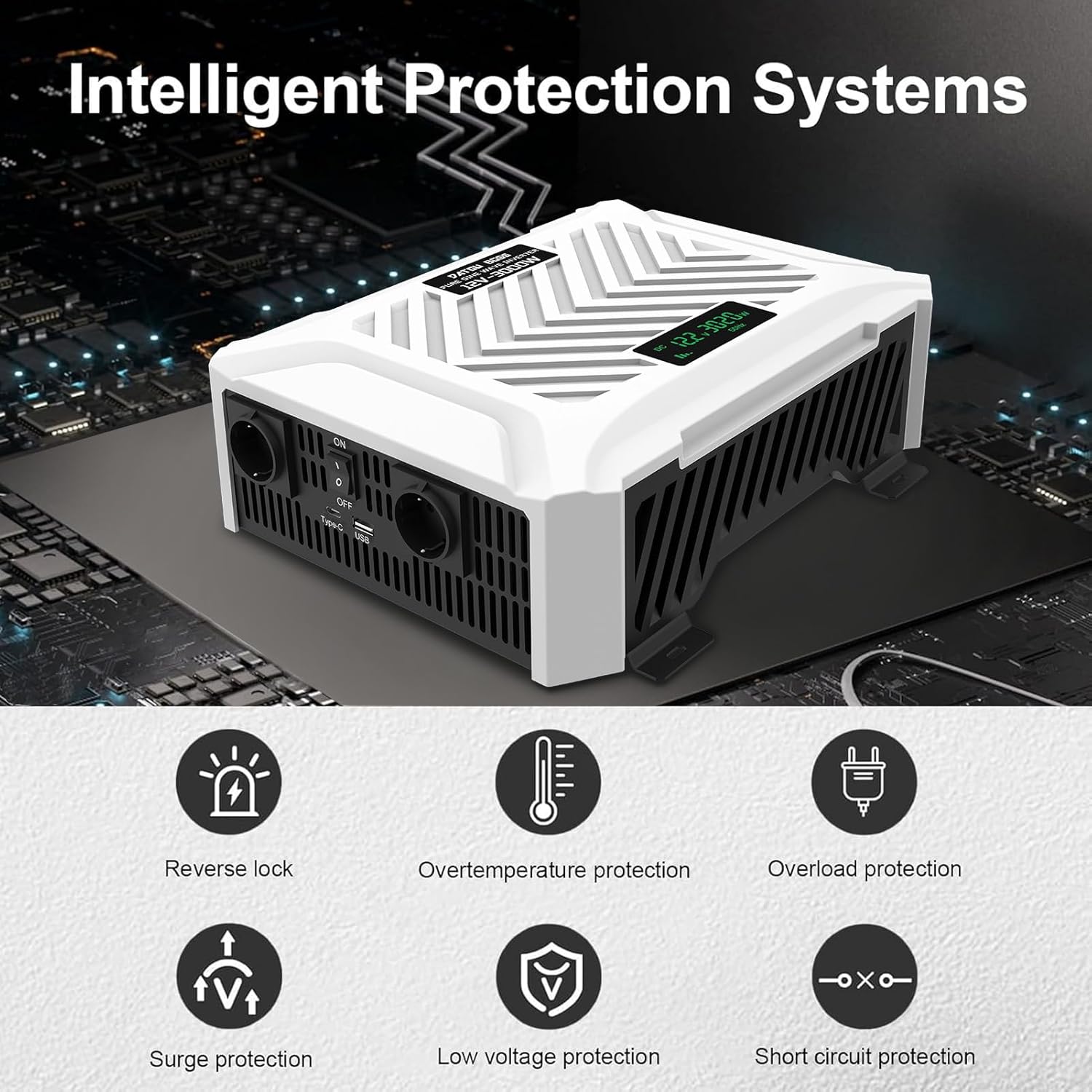
Figure 1: Intelligent Protection Systems. The inverter features multiple safety mechanisms including protection against overvoltage, overload, overheating, short-circuits, and reverse polarity.
2. Product Overview
2.1 Key Features
- Pure Sine Wave Output: Provides clean, stable power suitable for sensitive electronics.
- High Power Output: 3000W continuous power, 6000W peak power.
- Versatile Input/Output: Converts 12V DC to 220V/230V AC at 50Hz.
- Multiple Outlets: Equipped with 2 AC outlets, 1 USB port, and 1 Type-C port.
- LCD Display: Real-time monitoring of input voltage, output power, and frequency.
- Advanced Protection: Built-in fuses and protection against overvoltage, overload, overheating, short-circuit, and reverse polarity.
- Smart Cooling: Dual intelligent fans activate when temperature reaches 45°C for efficient heat dissipation.
2.2 Package Contents
- DATOUBOSS 3000W Pure Sine Wave Inverter
- 1 Pair of Battery Connection Cables (Red for Positive, Black for Negative)
- User Manual

Figure 2: Product and Accessories. The package includes the inverter unit and a pair of battery connection cables.

Figure 3: Port Introduction. This image highlights the various input and output ports on the inverter, including AC outlets, USB, Type-C, and the intelligent cooling fans.
3. Setup and Installation
Follow these steps for proper setup of your inverter:
- Choose a Location: Select a dry, well-ventilated area for the inverter. Ensure there is sufficient space around the unit for airflow, especially for the cooling fans. Avoid direct sunlight or heat sources.
- Prepare the Battery: Ensure your 12V DC battery is fully charged and in good condition.
- Connect Battery Cables:
- Connect the RED battery cable to the positive (+) terminal of the inverter.
- Connect the BLACK battery cable to the negative (-) terminal of the inverter.
- Connect the other end of the RED cable to the positive (+) terminal of your 12V battery.
- Connect the other end of the BLACK cable to the negative (-) terminal of your 12V battery.
Ensure all connections are tight and secure to prevent arcing or overheating.
- Verify Connections: Double-check all connections before proceeding.

Figure 4: Wiring Diagram. This diagram illustrates the connection flow from solar panels (optional) to a charge controller, then to a battery, and finally to the inverter for powering household appliances.
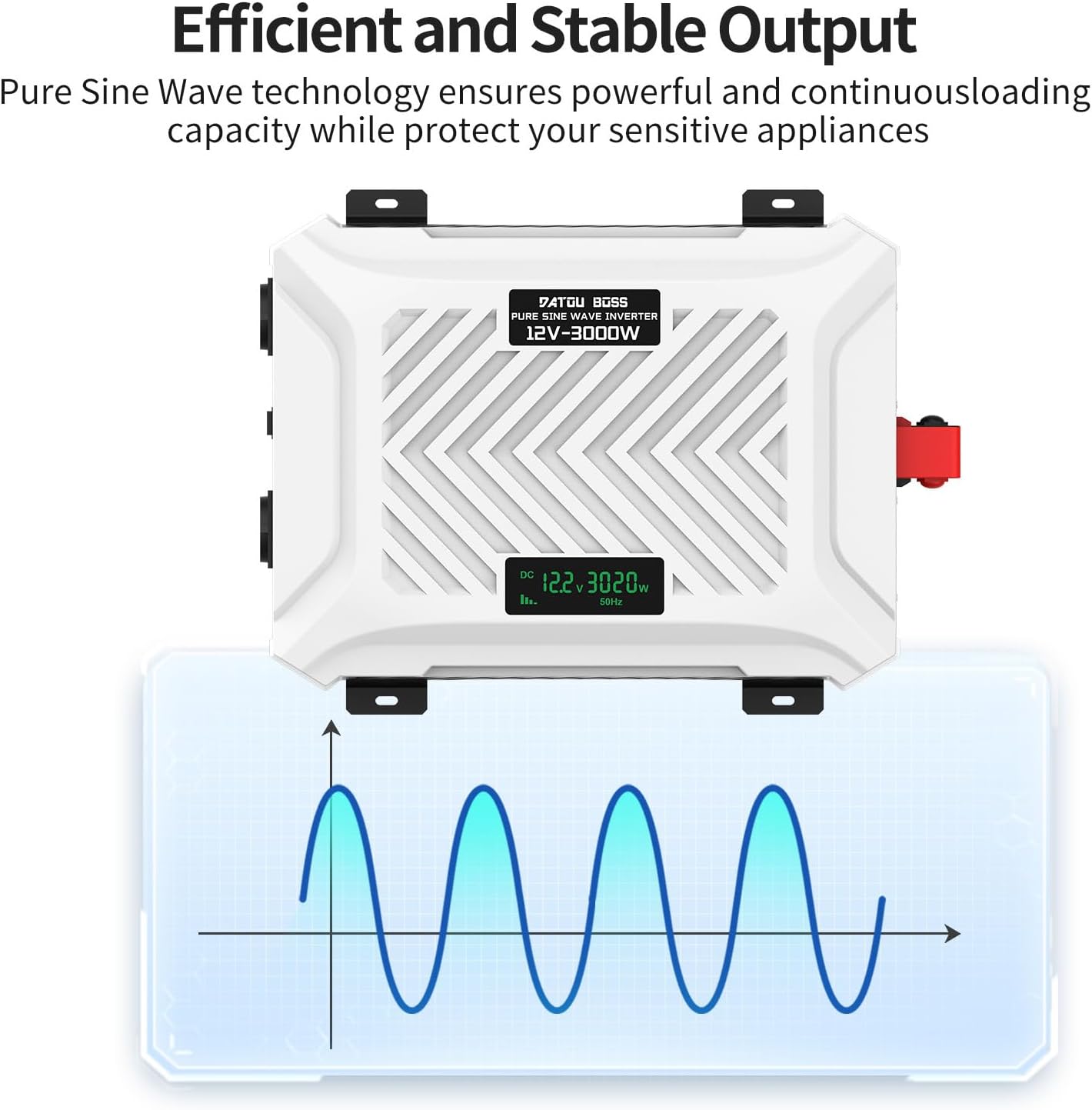
Figure 5: Connecting Solar Power. The inverter can be integrated into an off-grid solar power system, providing a high-performance and durable energy solution.
4. Operating Instructions
- Power On: Once the battery is connected, switch the ON/OFF switch on the inverter to the 'ON' position. The LCD display will illuminate.
- Monitor LCD Display: The LCD screen provides real-time information:
- DC Voltage (V): Shows the input voltage from the battery.
- Output Power (W): Displays the current power consumption of connected devices.
- Frequency (Hz): Indicates the output frequency (50Hz).
- Connect Devices: Plug your AC devices into the AC outlets. For USB-powered devices, use the USB or Type-C ports. Ensure the total wattage of connected devices does not exceed 3000W.
- Power Off: When finished, switch the ON/OFF switch to the 'OFF' position. Disconnect devices and then disconnect the battery cables if storing the inverter.
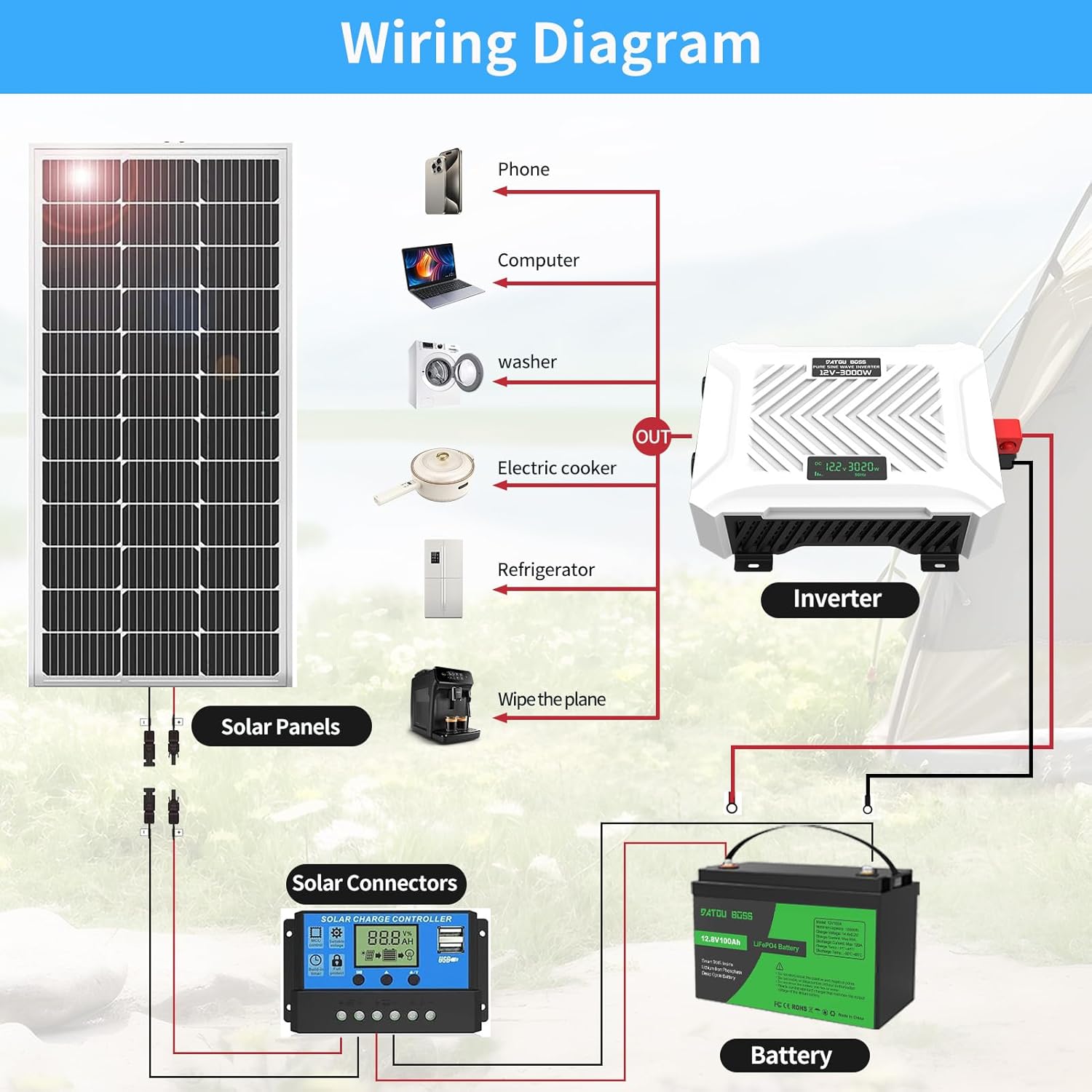
Figure 6: LCD Display Features. The LCD allows for real-time monitoring of the inverter's operational status, including input voltage and output power.

Figure 7: Versatile Applications. The inverter is suitable for a wide range of uses, from powering camping equipment and car refrigerators to computers and small kitchen appliances. Note: The maximum operating wattage should not exceed 3000W.

Figure 8: Efficient and Stable Output. The pure sine wave technology ensures a powerful and continuous loading capacity, protecting sensitive appliances from damage.
5. Maintenance
Regular maintenance ensures optimal performance and longevity of your inverter:
- Cleaning: Periodically clean the exterior of the inverter with a soft, dry cloth. Do not use liquid cleaners or solvents.
- Ventilation: Ensure the ventilation openings and cooling fans are free from dust and debris. The intelligent dual fans will activate automatically when the internal temperature reaches 45°C to maintain optimal operating temperature.
- Cable Connections: Regularly check battery cable connections for tightness and corrosion. Clean terminals if necessary.
- Storage: If storing the inverter for an extended period, disconnect it from the battery and store it in a cool, dry place.
6. Troubleshooting
If you encounter issues with your DATOUBOSS inverter, refer to the table below for common problems and solutions:
| Problem | Possible Cause | Solution |
|---|---|---|
| No output/Inverter not turning on | Loose battery connection, low battery voltage, inverter switch off, internal fuse blown. | Check battery cable connections. Recharge or replace battery. Ensure switch is ON. Contact support if fuse is suspected. |
| Low output power/Device not working | Overload, low battery voltage, incorrect device wattage. | Reduce connected load. Recharge battery. Ensure device wattage is within inverter limits (max 3000W). |
| Overheating | Poor ventilation, excessive load. | Ensure adequate airflow around the inverter. Reduce load. Allow inverter to cool down. |
| Alarm sounds/Protection activated | Overload, overvoltage, undervoltage, short circuit, overtemperature, reverse polarity. | Check LCD for error code. Disconnect load, check battery voltage, ensure correct polarity. Allow to cool. |
The inverter is equipped with comprehensive protection features to safeguard both the unit and your connected devices. If the problem persists after attempting the solutions above, please contact customer support.
7. Specifications
| Feature | Specification |
|---|---|
| Brand | DATOUBOSS |
| Model Name | DT-PSW-E123000 (12V-3000W) |
| Rated Power | 3000 Watts |
| Peak Power | 6000 Watts |
| Input Voltage | 12 Volts DC |
| Output Voltage | 220V / 230V AC |
| Output Frequency | 50 Hz |
| Output Waveform | Pure Sine Wave |
| Conversion Efficiency | > 95% |
| AC Outlets | 2 |
| USB Ports | 1 USB, 1 Type-C |
| Dimensions (L x W x H) | 34 cm x 24 cm x 10 cm (13.4 in x 9.4 in x 3.9 in) |
| Cooling | Intelligent Dual Fans |
| Protection Features | Overvoltage, Overload, Overheating, Short-circuit, Reverse Polarity |
| Recommended Use | Home, Vehicle, Office, Camping, Emergency Power |
8. Warranty and Support
DATOUBOSS offers a two-year warranty for this product, ensuring peace of mind regarding its quality and performance. We are committed to providing friendly and responsive customer service.
If you have any questions, require technical assistance, or need to claim warranty service, please do not hesitate to contact our customer support team. You can typically find contact information on the product packaging or through the retailer where you purchased the item.
For more information about DATOUBOSS products, please visit our official brand page: DATOUBOSS on Amazon.
Related documents12V-3000W


Ask a question about this manual
Ask about setup, troubleshooting, compatibility, parts, safety, or missing instructions. Manuals+ will review the question and use this page’s manual context to help answer it.