
Introduction
This manual provides instructions for the safe and effective use of your CAMOLO GEEK MG03 Magnetic Pocket Phone Tripod. Please read this manual thoroughly before use and retain it for future reference.
Key Features
- Compact and Lightweight Design (165g / 5.8oz)
- Steadfast Stability with Hidden Split Legs
- Arca-Swiss Compatible Base with Multiple Screw Holes (1/4", 3/8")
- Magnetic Compatibility (MagSafe for iPhone 12-15 series, included metal ring for other phones/cases)
- Versatile Use (phone stand, handheld stick, tripod mount, overhead mount)
- Tri-Fold Free Angles Adjustable (310°, 360°, 180° adjustment, extends from 3.15" to 10.24")
Setup and Assembly
Unfolding the Tripod
The MG03 tripod features a compact, foldable design. Gently unfold the articulated arms to extend the stand. The joints are designed to be firm to maintain stability.

Image Description: A person's hand demonstrating the unfolding of the black CAMOLO GEEK MG03 tripod from its compact, folded state into an extended stand, and also showing it fitting into a pocket.
Video Description: This video demonstrates the unfolding of the magnetic pocket phone tripod and its basic use with a MagSafe-compatible iPhone, showcasing its compact and adjustable design.
Attaching Your Smartphone
The tripod features a powerful magnetic ring for secure attachment.
For MagSafe Compatible Devices (iPhone 12-15 Series or MagSafe Cases)
Simply align your MagSafe-compatible iPhone or phone case with the magnetic ring on the tripod. The magnets will securely attach the device.
For Other Smartphones or Cases
If your phone or case is not MagSafe compatible, use the included metal ring. Peel off the adhesive backing and carefully center the metal ring on the back of your phone or case. Once attached, your device can be magnetically secured to the tripod.

Image Description: A diagram illustrating how a MagSafe-compatible iPhone attaches to the tripod, and how to use the included metal ring for other phones or cases to achieve magnetic compatibility.
Operating Instructions
Adjusting Angles and Height
The MG03 tripod offers multi-angle adjustment with its tri-fold design. Each folding angle supports 310°, 360°, and 180° of adjustment. The length can be adjusted from 3.15 inches (80mm) to 10.24 inches (260mm), with a maximum expanded elevation of 7.1 inches (180mm). A 360-degree rotating pivot at the top allows for flexible camera positioning.

Image Description: Diagrams illustrating the various angle adjustments possible with the tripod's articulated joints and rotating magnetic head, including 120°, 180°, and 360° rotations.
Video Description: This video illustrates the various adjustable angles and versatile configurations of the Camolo MagSafe stand, highlighting its sturdy and compact nature for different usage scenarios.
Using as a Tripod Mount
The base of the tripod can be transformed into an Arca-Swiss quick release plate. This allows for rapid attachment to any tripod head with a compatible mounting system. Additionally, the base features multiple bottom screw holes (3 x 1/4" and 1 x 3/8") for seamless integration with various tripods, monopods, and gimbals.
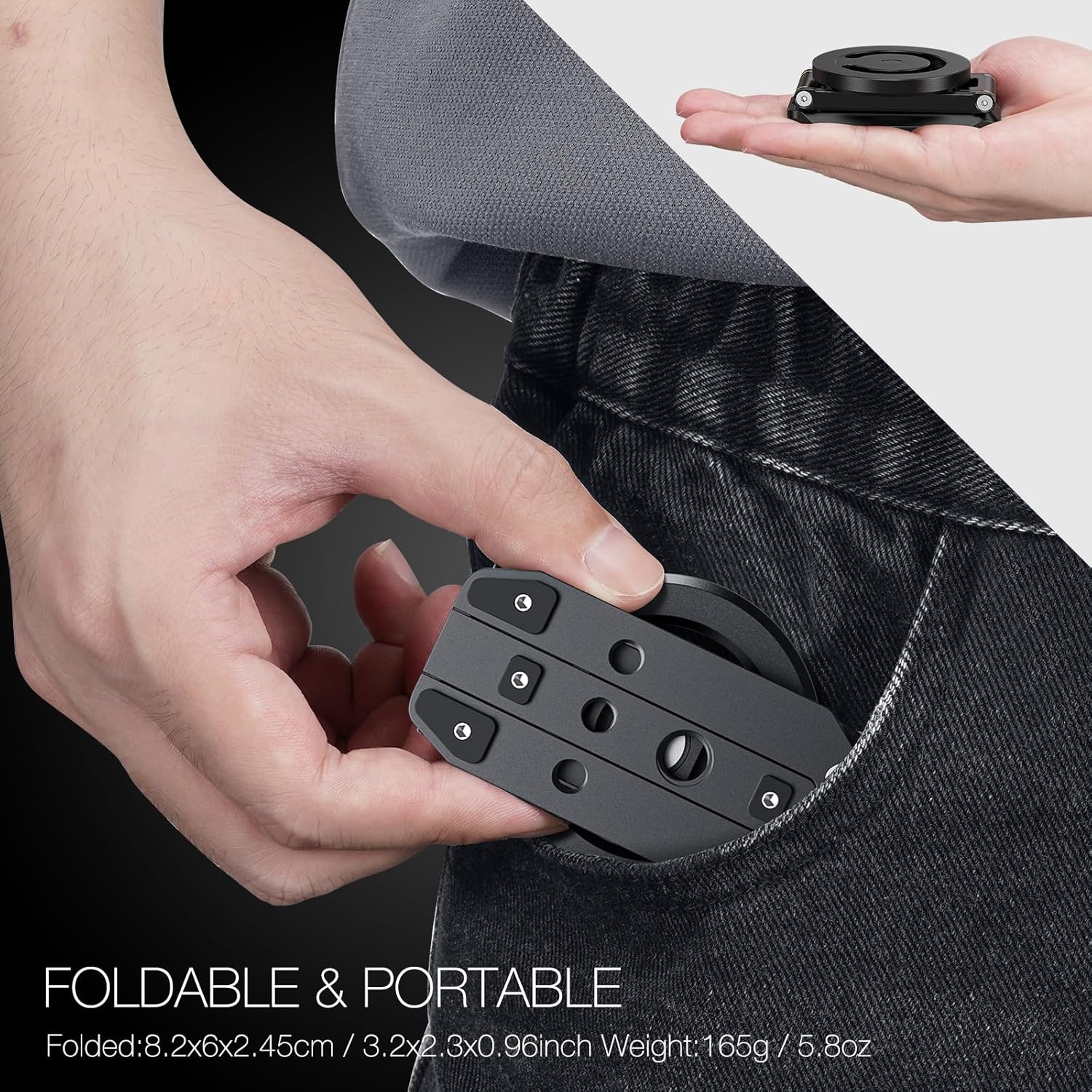
Image Description: The tripod's base is shown with various screw holes (1/4 inch and 3/8 inch) and an Arca-Swiss type plate, demonstrating its compatibility with external tripod mounts.
Care and Maintenance
To ensure the longevity of your MG03 tripod, keep it clean and free from dust and debris. Wipe with a soft, dry cloth. Avoid exposing the device to extreme temperatures or harsh chemicals.
Troubleshooting
Phone Not Staying Securely Attached
Ensure your phone or case is MagSafe compatible. If using the included metal ring, verify it is properly centered and securely adhered to a clean, flat surface on your phone or case. The magnetic holding force is approximately 3 lbs.
Joints are Too Stiff or Too Loose
The joints are designed to be firm for stability. If they feel excessively stiff, gentle, consistent pressure should allow for adjustment. If they become too loose over time, the screws at the joints may be tightened with an appropriate Allen wrench (not included).
Product Specifications
| Feature | Detail |
|---|---|
| Product Dimensions | 3.15 x 10.24 x 7.1 inches |
| Item Weight | 5.8 ounces (164.43 Grams) |
| Material | Aluminum |
| Color | Black |
| Compatible Devices | Smartphone (MagSafe for iPhone 12-15 series, others with metal ring) |
| Special Feature | Foldable, Magnetic |
| Model Name | MG03 |
| Maximum Height | 10.24 Inches |
| Minimum Height | 3.15 Inches |
| Tripod Head Type | Ball Heads |
Warranty and Support
For warranty information or technical support, please contact CAMOLO GEEK customer service through the retailer where the product was purchased or visit the official CAMOLO GEEK website.