
1. Introduction
This manual provides essential instructions for the safe and efficient use of your onerbl 36V AC-DC Adapter. This power supply is designed to provide stable 36V DC power to compatible devices, primarily PopBloom Turing series and DSunY reef LED aquarium lights. Please read this manual thoroughly before use and retain it for future reference.
2. Package Contents
Verify that all items are present in the package:
- 1 x onerbl 36V AC-DC Adapter
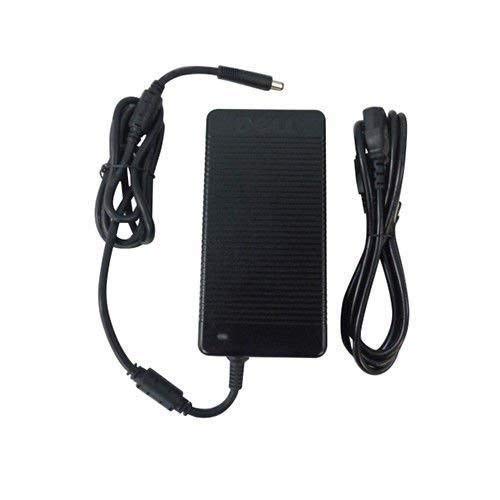
Image: The onerbl 36V AC-DC Adapter, showing the main unit and attached power cord. This adapter is designed to convert AC wall power to 36V DC for compatible devices.
3. Setup Instructions
- Inspect the Adapter: Before connecting, visually inspect the adapter and its cables for any signs of damage. Do not use if damaged.
- Connect to Device: Plug the DC output connector of the adapter into the corresponding power input port of your compatible device (e.g., PopBloom Turing75 LED light). Ensure a secure connection.
- Connect to Power Outlet: Insert the AC input plug of the adapter into a standard wall power outlet (100-240V AC, 50/60Hz).
- Power On: Once connected, your device should receive power. Refer to your device's manual for specific power-on procedures.
4. Operating Instructions
The onerbl 36V AC-DC Adapter operates automatically once connected to a power source and a compatible device. It provides a stable 36V DC output. No user intervention is required for its basic operation.
- Ensure the adapter is placed in a well-ventilated area to prevent overheating.
- Avoid covering the adapter during operation.
- Disconnect the adapter from the power outlet when not in use for extended periods.
5. Compatibility
This 36V AC-DC Adapter is designed as a replacement power supply for various devices requiring 36V DC input. Compatible models include, but are not limited to:
- PopBloom Turing75 (T75) Reef LED Aquarium Light
- PopBloom Turing30 (T30) Reef LED Aquarium Light (36"-48" Marine Fish Reef Coral SPS LPS Aquarium)
- Devices requiring DSunY-3802500 or P/N D5375090-W power supplies.
- Other devices requiring 36VDC 3A (3000mA) power with a compatible connector.
Always verify the voltage and current requirements of your device before connecting this adapter to prevent damage.
6. Maintenance
The onerbl 36V AC-DC Adapter requires minimal maintenance. Follow these guidelines:
- Cleaning: Disconnect the adapter from the power outlet and the device before cleaning. Use a soft, dry cloth to wipe the exterior. Do not use liquid cleaners or solvents.
- Storage: Store the adapter in a cool, dry place away from direct sunlight and moisture when not in use.
- Cable Care: Avoid bending or crimping the power cables excessively. Do not place heavy objects on the cables.
7. Troubleshooting
If you encounter issues with your adapter, refer to the following common problems and solutions:
- No Power Output:
- Ensure the adapter is securely plugged into a working wall outlet.
- Verify the DC output connector is firmly seated in your device's power input.
- Check if the wall outlet is functional by plugging in another device.
- Inspect the adapter cable for any visible damage.
- Device Not Charging/Powering On (for devices with rechargeable batteries):
- Important Note: Rechargeable batteries have a limited lifespan (typically 1 to 3 years). An old or dead battery may not accept a charge, which is not an issue with the charger itself.
- If unsure whether the battery or charger is at fault, a voltmeter can be used to test the adapter's output voltage. The adapter should output approximately 36V DC.
- Consult your device's manual for battery-specific troubleshooting.
- Adapter Overheating:
- Ensure the adapter is in a well-ventilated area and not covered.
- Verify that the connected device's power requirements do not exceed the adapter's specifications (36V, 3A).
8. Specifications
| Feature | Specification |
|---|---|
| Input Voltage | 100-240V AC, 50/60Hz |
| Output Voltage | 36V DC |
| Output Current | 3A (3000mA) |
| Power Output | 108W (Max) |
| Manufacturer | Shenzhen Waweis Technology Co., Ltd |
| Model Numbers (Compatible) | DSunY-3802500, P/N D5375090-W |
9. Safety Information
Please observe the following safety precautions to prevent injury or damage:
- Do not expose the adapter to water, rain, or excessive moisture.
- Do not disassemble or modify the adapter. There are no user-serviceable parts inside.
- Keep the adapter away from heat sources, direct sunlight, and flammable materials.
- Ensure proper ventilation around the adapter during use.
- Use only with devices that match the adapter's voltage and current specifications.
- Keep out of reach of children.
- If the adapter emits smoke, unusual odors, or makes strange noises, immediately unplug it from the wall outlet and discontinue use.
10. Warranty and Support
This product comes with a standard manufacturer's warranty. For warranty claims or technical support, please contact your retailer or the manufacturer directly. Please have your purchase receipt and product model information available.
Manufacturer: Shenzhen Waweis Technology Co., Ltd