
1. Introduction
This manual provides essential information for the safe and effective use of your OVONIC 2S 1100mAh Lipo Battery 7.6V 60C with XT30 Plug. Please read all instructions carefully before use to ensure optimal performance and safety.

Image 1: OVONIC 2S 1100mAh Lipo Battery
2. Product Features & Specifications
The OVONIC 2S 1100mAh Lipo Battery is designed for high-performance remote-controlled vehicles and aircraft. Key features and specifications include:
- Chemistry: Lithium Polymer (LiPo)
- Nominal Voltage: 7.6V
- Configuration: 2S1P
- Cell Voltage Range: 3.8V to 4.2V
- Capacity: 1100mAh
- Discharge Rating: 60C
- Connector Type: XT30 PLUG
- Dimensions (L*W*H): Approximately 56.56 x 23.50 x 18.40mm / 2.23 x 0.93 x 0.72 inches
- Approximate Weight: 48.00g / 0.096lb

Image 2: Detailed dimensions and specifications of the battery.
3. Safety Guidelines
Lithium Polymer batteries require careful handling. Adhere to the following safety guidelines:
- Always use a compatible LiPo charger.
- Never overcharge or overdischarge the battery. Stop charging immediately when the cell voltage reaches 4.2V.
- Do not leave charging batteries unattended.
- Store batteries in a cool, dry place, away from direct sunlight and flammable materials.
- Do not puncture, disassemble, short-circuit, or expose the battery to extreme temperatures.
- If the battery swells, leaks, or shows any signs of damage, discontinue use immediately and dispose of it properly.
- Keep batteries out of reach of children and pets.
4. Charging Instructions
To ensure the longevity and safety of your LiPo battery, proper charging procedures are crucial:
- Connect the battery's balance lead to the balance port on your compatible LiPo charger.
- Connect the battery's XT30 discharge plug to the main output port of your charger.
- Set your charger to the correct LiPo charging mode (typically 'LiPo Balance Charge' or 'LiPo Charge').
- Set the charging current. A common recommendation is 1C (1 times the battery's capacity). For an 1100mAh battery, this would be 1.1A.
- Monitor the charging process. Stop charging immediately when the cell voltage has been charged to 4.2V. The normal cell voltage is between 3.7V and 4.2V.
We highly recommend using official OVONIC Mate1 and X1 Chargers/X1 Pro Chargers, as they are designed to be professional, hassle-free, and provide optimal protection for your battery.
Video 1: This video demonstrates the general process of connecting and charging a LiPo battery for an RC vehicle. While it features a different brand, the principles of connection and charging are applicable.
5. Installation & Usage
Ensure compatibility by matching the voltage, dimensions, and plug type (XT30) for your RC model, whether it's an airplane, boat, car, truck, or other vehicle.
- Carefully insert the battery into the designated battery compartment of your RC model. Ensure a snug fit to prevent movement during operation.
- Connect the XT30 plug from the battery to the corresponding XT30 connector on your RC model's Electronic Speed Controller (ESC).
- Ensure all connections are secure before operating your RC model.
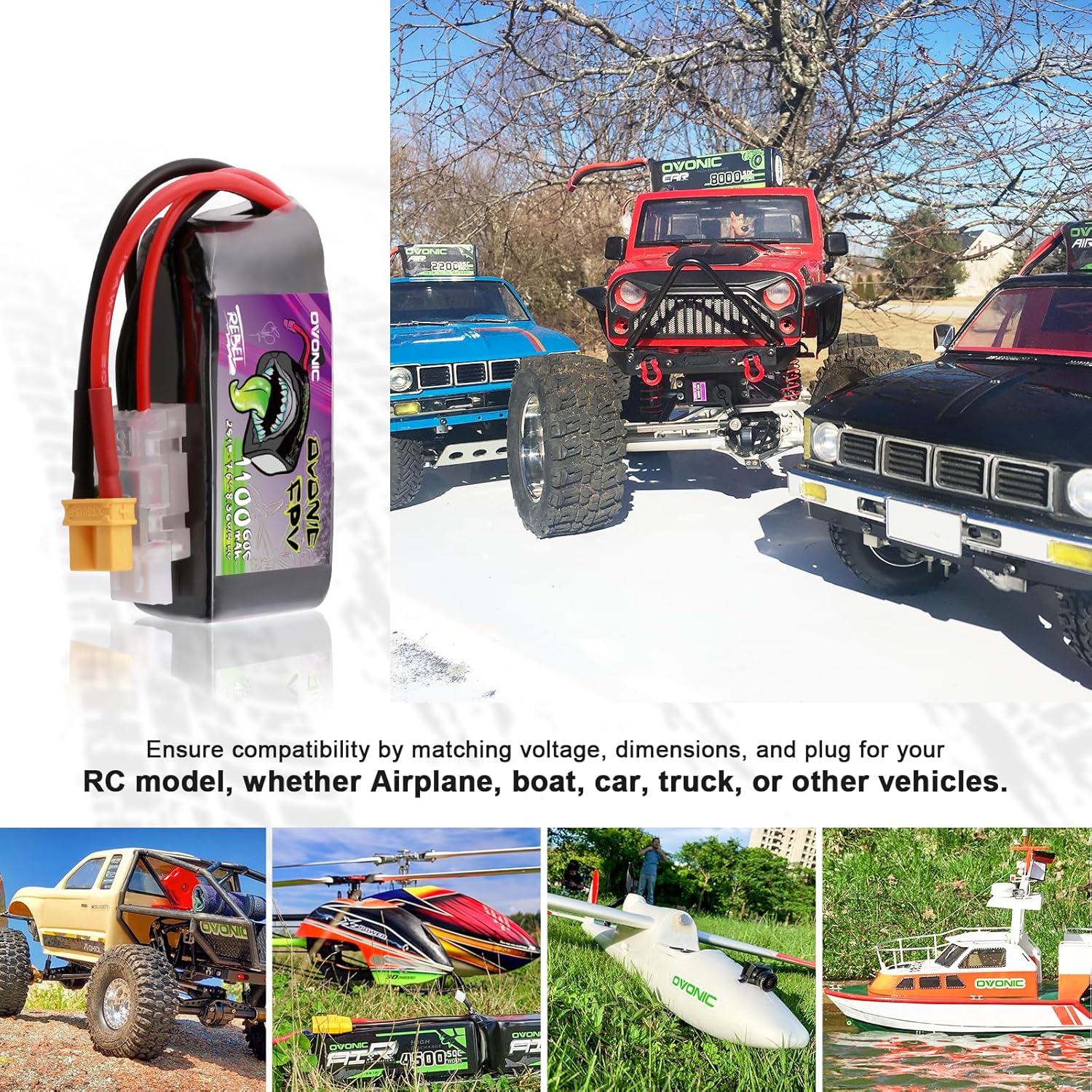
Image 3: OVONIC Lipo Battery shown with various RC models, highlighting compatibility.
6. Maintenance & Storage
Proper maintenance and storage will extend the life of your LiPo battery:
- After use, allow the battery to cool down before recharging.
- For long-term storage, charge the battery to a storage voltage (typically 3.8V per cell). Do not store fully charged or fully discharged.
- Store batteries in a fire-resistant bag or container.
- Regularly inspect the battery for any signs of damage, such as swelling, punctures, or frayed wires.
7. Troubleshooting
If you encounter issues with your battery, consider the following:
- Battery not charging: Ensure the charger settings are correct for LiPo batteries (voltage, cell count, current). Check all connections for proper contact.
- Reduced run time or power: This could indicate an aging battery, improper charging, or an issue with the RC model's power system. Ensure the battery is fully charged before use.
- Battery swelling: Discontinue use immediately. Swelling indicates internal damage and a potential safety hazard. Dispose of the battery safely.
- Overheating during charge/discharge: Stop immediately. Check for short circuits, excessive current draw, or charger malfunction.
8. Warranty & Support
OVONIC provides after-sales support. We aim to respond within 24 hours. In case of quality-related concerns, kindly provide clear photos of the issues directly to our customer service. The efficiency of our support will be based on the clarity of the images provided. For any warranty-related inquiries within the 2-year period, feel free to reach out to OVONIC customer service for resolution.
Contact information for customer service can be found on the official OVONIC website or through your purchase platform.
Video 2: This video provides a general overview of the Ovonic brand and its products, including various LiPo batteries.
9. Package Contents
Your OVONIC 2S 1100mAh Lipo Battery package includes:
- 7.6V 60C 1100mAh Lipo Battery x 2
- Packaging Box x 1
- Brand Stickers x 2
- User Manual x 1 (this document)
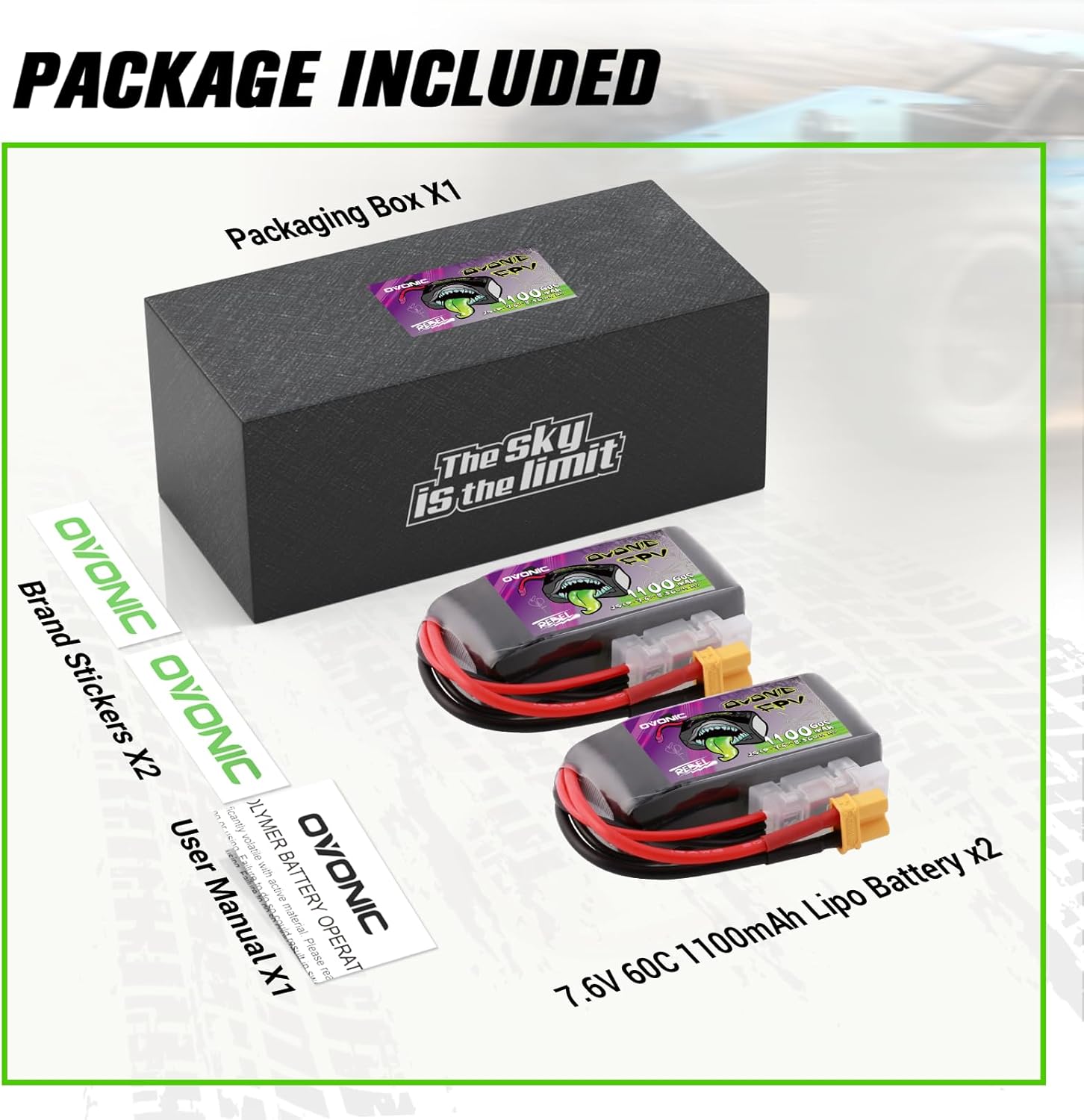
Image 4: Contents included in the OVONIC 2S 1100mAh Lipo Battery package.


