1. Introduction
This manual provides comprehensive instructions for the installation, operation, and maintenance of your SCS Sentinel AAM0132 SimplyControl 2-Channel Gate Remote Control. Designed for convenience and security, this remote allows you to control compatible gate and garage door operators with ease. Please read this manual thoroughly before using the device to ensure proper function and safety.

Image 1: The SCS Sentinel AAM0132 SimplyControl remote control in turquoise, featuring two control buttons and the SCS Sentinel logo.
2. Product Features
The SCS Sentinel AAM0132 remote control offers several features designed for enhanced security and user convenience:
- Effective and Convenient Control: Operates your gate or alarm system from a distance of up to 40 meters in open field conditions.
- Advanced Security Functions: Supports sharp, blurred, and partial sharp modes for customizable security settings, depending on your alarm system's capabilities.
- SOS Emergency Call: Includes an SOS button for immediate assistance in emergency situations, if supported by your connected system.
- Broad Compatibility: Compatible with various SCS Sentinel gate operators and systems, including SimplyOpen, OpenGate, Prim' by SCS Sentinel, SG 1/2/3, CarGate 800 TRIO, and CarOne 600.
- Compact and Durable Design: Easy to carry and operate, constructed with a case made from 100% recycled plastic.
3. Package Contents
Upon opening the packaging, please verify that all components are present and undamaged:
- 1x SCS Sentinel AAM0132 SimplyControl 2-Channel Gate Remote Control (Turquoise)
- 1x CR2032 Lithium Battery (pre-installed)
- 1x User Manual (this document)
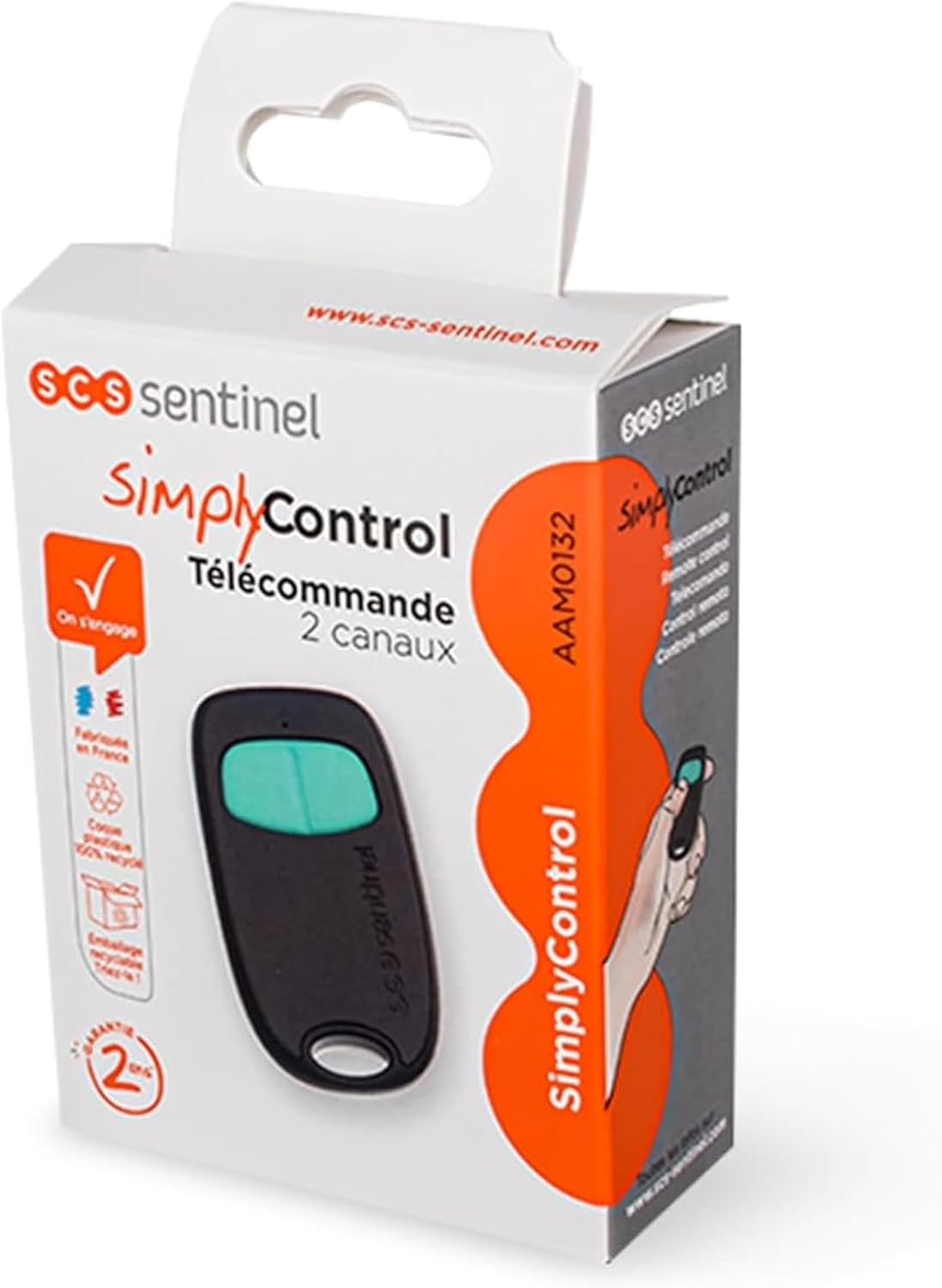
Image 2: The retail packaging for the SCS Sentinel SimplyControl remote, showing the remote and key product information.
4. Setup
4.1. Battery Installation/Replacement
The remote control comes with a CR2032 lithium battery pre-installed. If the remote's indicator light does not illuminate or its range decreases significantly, the battery may need replacement.
- Locate the small notch or screw on the side or back of the remote control casing.
- Carefully open the casing using a small flat-head screwdriver or a similar tool.
- Remove the old CR2032 battery, noting its polarity (+/-).
- Insert a new CR2032 lithium battery with the positive (+) side facing up.
- Close the casing securely until it clicks into place.
Note: Dispose of used batteries responsibly according to local regulations.
4.2. Pairing with Your Gate/Garage Door Operator
To use your SCS Sentinel AAM0132 remote control, it must be paired or programmed with your compatible gate or garage door operator. The exact procedure may vary depending on your specific operator model. Always refer to the instruction manual of your gate or garage door operator for detailed pairing instructions.
A general pairing process often involves the following steps:
- Access the Operator's Control Unit: Locate the control unit of your gate or garage door operator. This is typically found near the motor.
- Activate Learning Mode: Press and hold the "Learn" or "Program" button on your operator's control unit. The indicator light on the operator will usually change to signal it is in learning mode.
- Transmit from Remote: While the operator is in learning mode, press the desired button on your SCS Sentinel AAM0132 remote control that you wish to assign to that operator function. Hold the button for a few seconds.
- Confirm Pairing: The operator's indicator light may flash or change color to confirm successful pairing. Release the button on the remote.
- Test Operation: After pairing, test the remote control to ensure it operates the gate or garage door correctly.
Repeat this process for any additional channels or operators you wish to control with the remote.
5. Operating Instructions
Once your SCS Sentinel AAM0132 remote control is successfully paired with your gate or garage door operator, operation is straightforward.

Image 3: A hand holding the SCS Sentinel remote control, pressing a button to operate a modern garage door.
- Standard Operation: Press the assigned button on the remote control once to activate the corresponding function (e.g., open/close gate, open/close garage door).
- SOS Emergency Call: If your system supports it, press and hold the designated SOS button (if configured) to trigger an emergency alert. Refer to your alarm system's manual for specific SOS functionality.
- Mode Selection (if applicable): If your connected alarm system utilizes the remote's sharp, blurred, or partial sharp modes, consult your alarm system's manual for how to activate these specific security settings using the remote.
Ensure you have a clear line of sight or are within the effective operating range (up to 40 meters in open areas) for optimal performance.
6. Maintenance
Proper maintenance ensures the longevity and reliable operation of your remote control.
- Cleaning: Wipe the remote control with a soft, dry cloth. Avoid using abrasive cleaners, solvents, or excessive moisture, as these can damage the electronics.
- Battery Life: The CR2032 lithium battery typically lasts for an extended period. Replace it as described in Section 4.1 when performance degrades.
- Storage: Store the remote control in a dry place, away from extreme temperatures, direct sunlight, and strong magnetic fields.
- Physical Protection: Avoid dropping the remote control or subjecting it to strong impacts, which could damage internal components.

Image 4: The SCS Sentinel remote control, shown alongside car keys and sunglasses, illustrating its compact size and portability.
7. Troubleshooting
If you encounter issues with your SCS Sentinel AAM0132 remote control, refer to the following common problems and solutions:
| Problem | Possible Cause | Solution |
|---|---|---|
| Remote does not work. | Dead or low battery. Remote not paired. Out of range. | Replace the CR2032 battery (Section 4.1). Re-pair the remote with the operator (Section 4.2). Move closer to the gate/garage door operator. |
| Reduced operating range. | Low battery. Signal interference. Obstructions. | Replace the battery. Check for sources of radio interference (e.g., other wireless devices). Ensure no large metal objects or walls are blocking the signal path. |
| Gate/door opens/closes intermittently. | Weak battery. Signal interference. Operator issue. | Replace the battery. Check for interference. Consult your gate/garage door operator's manual for troubleshooting its specific issues. |
If the problem persists after trying these solutions, please contact SCS Sentinel technical support.
8. Specifications
| Brand: | SCS Sentinel |
| Model: | AAM0132 |
| Model Name: | SimplyControl |
| Number of Channels: | 2 |
| Transmission Frequency: | 433.92 MHz |
| Battery Type: | 1x CR2032 Lithium Battery |
| Maximum Range: | Up to 40 meters (open field) |
| Special Features: | SOS Emergency Call (system dependent) |
| Material: | 100% Recycled Plastic Casing |
| Dimensions (Package): | 13.1 x 7.7 x 3.4 cm |
| Weight (Package): | 0.1 g |
9. Warranty and Support
Warranty: The SCS Sentinel AAM0132 SimplyControl remote control is backed by a two-year warranty from the date of purchase, covering manufacturing defects. Please retain your proof of purchase for warranty claims.
Technical Support: For any questions regarding installation, operation, or troubleshooting that are not covered in this manual, SCS Sentinel offers technical support based in France. Our technicians are available to provide sound and personalized advice.
For support, please visit the official SCS Sentinel website or refer to the contact information provided with your product packaging.


