
Parsonver SR3
Parsonver SR3 Smart Watch User Manual
Model: SR3-Or Rose
For models: SR3-Or Rose, B0D311NNH8
Introduction
This manual provides comprehensive instructions for the Parsonver SR3 Smart Watch, designed to help you understand its features, set it up, operate it effectively, and maintain it for optimal performance. Please read this manual thoroughly before using your device.

Image: The Parsonver SR3 Smart Watch in Rose Gold, showcasing its round display and silicone strap.
1. Setup Guide
1.1 Package Contents
Ensure all items are present in the package:
- Parsonver SR3 Smart Watch
- Charging Cable
- User Manual (this document)
1.2 Charging the Device
Before first use, fully charge the smartwatch. Connect the magnetic charging cable to the charging points on the back of the watch and plug the USB end into a compatible USB power adapter (not included).
- Charging Time: Approximately 2 hours for a full charge.
- Battery Life: Up to 7 days of active use, up to 40 days standby.
1.3 App Installation and Pairing
To unlock the full functionality of your Parsonver SR3 Smart Watch, you need to install the companion application on your smartphone.
- Download the App: Search for "Inforwear" (or the specified app name in the product's documentation) in your smartphone's app store (Apple App Store for iOS, Google Play Store for Android).
- Compatibility: Requires iOS 9.0+ or Android 6.0+.
- Enable Bluetooth: Ensure Bluetooth is enabled on your smartphone.
- Pairing: Open the app, create an account if prompted, and follow the on-screen instructions to search for and connect to your SR3 Smart Watch. The watch will display a pairing confirmation.
Note: The watch is not compatible with tablets or computers.
2. Operating Instructions
2.1 Basic Navigation
The Parsonver SR3 features a 1.27-inch HD full-touch color screen for intuitive navigation.
- Swipe Up/Down: Scroll through menus and notifications.
- Swipe Left/Right: Access quick widgets or different function screens.
- Tap: Select an item or confirm an action.
- Press Side Button: Return to the home screen or power on/off (long press).
- Raise to Wake: Lift your wrist to automatically turn on the screen.

Image: The smartwatch screen showing an incoming call and various app icons, illustrating smart call and notification features.
2.2 Smart Calls & Notifications
The SR3 Smart Watch allows you to manage calls and receive notifications directly from your wrist.
- Making Calls: Use the dialer on the watch or select from synced contacts to initiate calls.
- Answering Calls: Tap the green icon on the watch screen when an incoming call is displayed.
- Notifications: Receive alerts for SMS, calls, and app notifications (Facebook, WhatsApp, Instagram, TikTok, Twitter, etc.). Ensure app notifications are enabled in your phone's settings and the companion app.
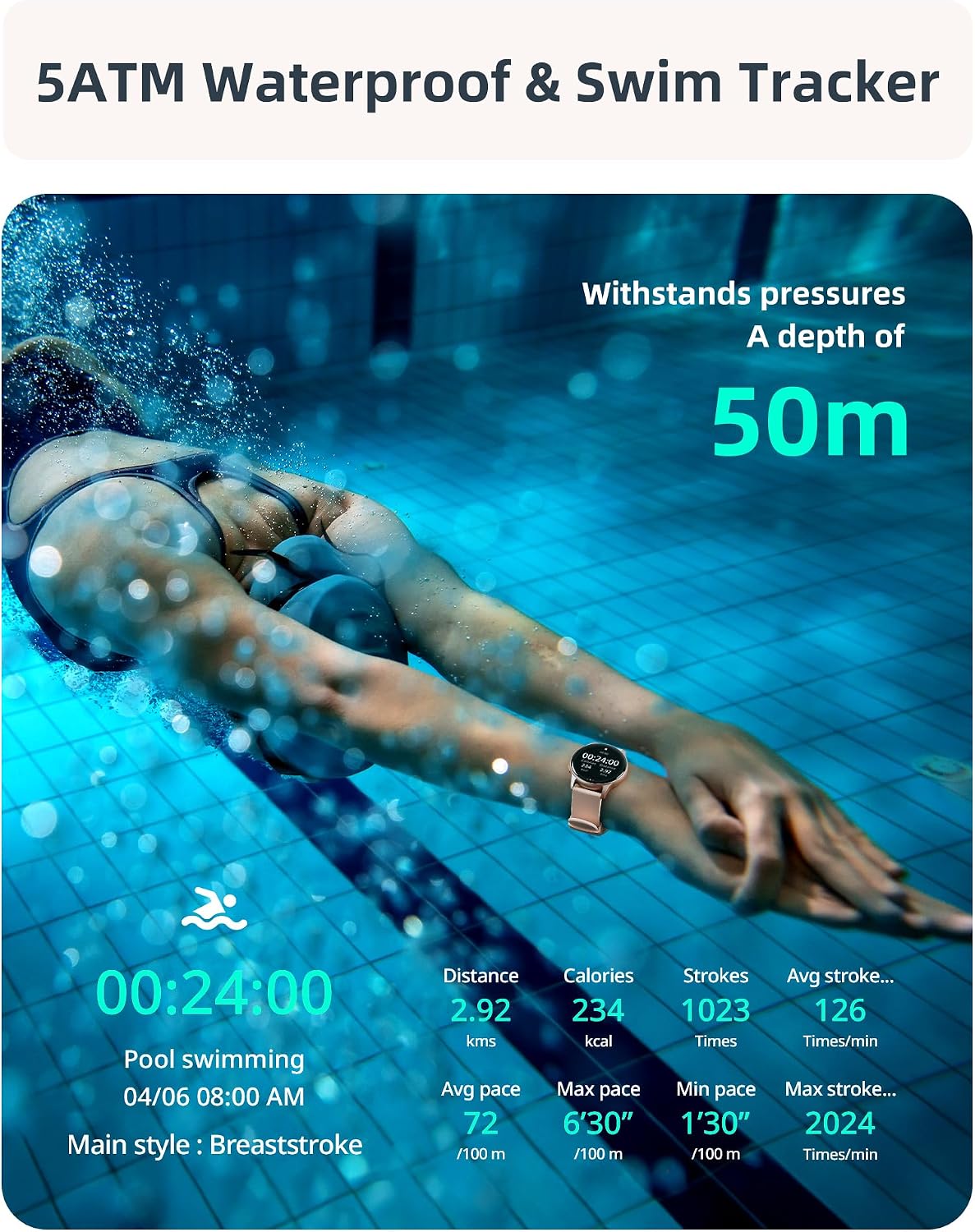
Image: A visual representation of the smartwatch's call management interface, including options for answering, dialing, viewing missed calls, and accessing contacts.
2.3 Health Monitoring
The SR3 Smart Watch provides comprehensive 24/7 health tracking using high-precision sensors.
- Heart Rate Monitoring: Continuously tracks your heart rate. View real-time data on the watch or detailed trends in the app.
- Blood Oxygen (SpO2) Monitoring: Measures your blood oxygen saturation levels.
- Sleep Monitoring: Automatically tracks your sleep patterns, including deep sleep, light sleep, and awake times.
- Stress Monitoring: Provides insights into your stress levels.
- Breathing Exercises: Guided breathing exercises for relaxation.
- Hydration & Activity Reminders: Set reminders to drink water and move throughout the day.
- Women's Health Tracker: Specific tracking features for women's health.

Image: A collage illustrating the various health monitoring features of the smartwatch, including heart rate, stress, sleep, and blood oxygen tracking.
2.4 Sport Modes & Activity Tracking
The SR3 Smart Watch features an advanced 6-axis sensor and over 100 sport modes to accurately track your workouts.
- Automatic Run Detection: The watch can automatically detect when you start running.
- 100+ Sport Modes: Select from a wide range of activities like running, cycling, swimming, yoga, basketball, and more. You can choose up to 10 preferred modes in the app for quick access on the watch.
- Metrics Tracked: Steps, calories burned, distance, average speed, pace, stroke count (for swimming), frequency, and SWOLF.
- GPS via Smartphone: For accurate outdoor activity tracking, ensure your phone's GPS is active and connected to the watch.

Image: A woman performing an exercise, with an overlay of the smartwatch displaying various sport modes and activity metrics like calories, steps, and distance.
2.5 5ATM Waterproof & Swim Tracking
The SR3 Smart Watch is rated 5ATM waterproof, making it suitable for swimming, diving, and other water activities.
- Water Resistance: Withstands pressures equivalent to a depth of 50 meters.
- Swim Stroke Detection: Automatically identifies butterfly, backstroke, breaststroke, and freestyle.
- Swim Metrics: Tracks stroke count, frequency, and SWOLF.
Note: While 5ATM is suitable for swimming, it is not recommended for hot showers, saunas, or deep-sea diving due to steam or high-pressure water jets.
Image: A swimmer underwater, with the smartwatch visible, emphasizing its 5ATM waterproof rating and ability to track swimming metrics.
2.6 Customization & Additional Features
- Watch Faces: Choose from over 200 customizable watch faces in the app or create your own using personal photos.
- Music Control: Control music playback on your smartphone directly from the watch.
- Camera Control: Use the watch as a remote shutter for your phone's camera.
- Alarms & Timers: Set alarms, use the stopwatch, and countdown timer.
- Weather Updates: Get real-time weather information.
- Find My Phone: Locate your misplaced smartphone.
- Pomodoro Timer: A productivity timer feature.
- Brightness Adjustment: Adjust screen brightness for optimal viewing.
- Sedentary Alerts: Reminders to stand up and move after periods of inactivity.

Image: The smartwatch screen showcasing a variety of customizable watch faces, including one with a family photo, demonstrating the personalization options.

Image: A collection of icons representing the diverse additional features of the smartwatch, such as weather updates, reminders, alarms, music control, and camera remote.
3. Maintenance
- Cleaning: Wipe the watch and strap regularly with a soft, damp cloth. Avoid using harsh chemicals or abrasive materials.
- Drying: After swimming or exposure to water, ensure the watch is completely dry before charging or prolonged storage.
- Strap Care: The liquid silicone strap is skin-friendly. Clean it regularly to prevent irritation.
- Storage: Store the watch in a cool, dry place away from direct sunlight and extreme temperatures.
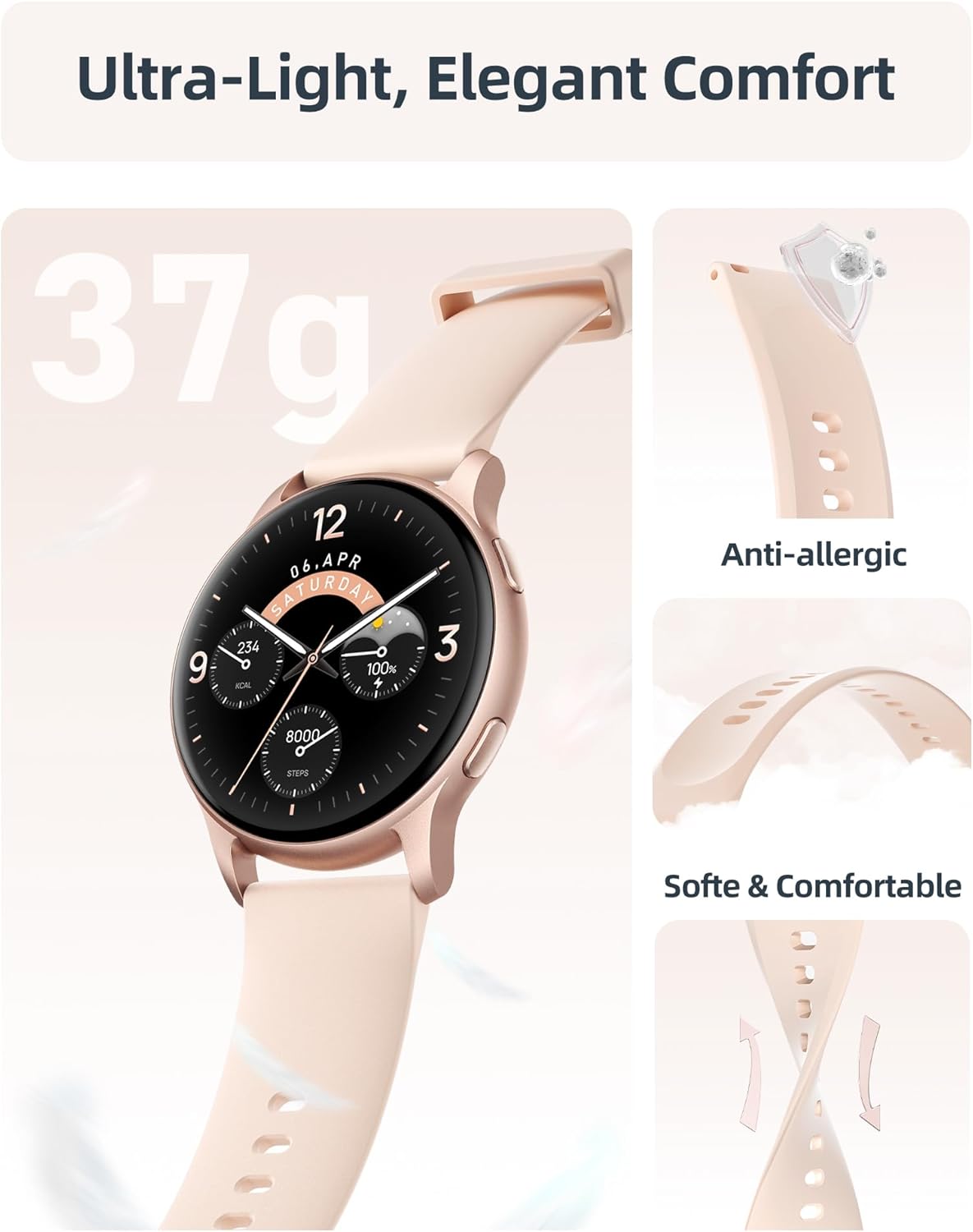
Image: A detailed view of the smartwatch emphasizing its lightweight construction and the soft, anti-allergic liquid silicone strap, designed for comfort and durability.
4. Troubleshooting
| Problem | Possible Solution |
|---|---|
| Watch not turning on. | Ensure the watch is fully charged. Connect to the charging cable and check if the charging indicator appears. |
| Cannot pair with smartphone. |
|
| Notifications not appearing. |
|
| Inaccurate health data. |
|
| Short battery life. |
|
5. Specifications
| Feature | Detail |
|---|---|
| Model Name | SR3 |
| Display | 1.27-inch HD Full Touch Color Screen (360x360 resolution) |
| Connectivity | Bluetooth 5.3 |
| Water Resistance | 5ATM (up to 50 meters) |
| Battery Capacity | 230 mAh Lithium Ion |
| Charging Time | Approx. 2 hours |
| Battery Life (Active Use) | 5-7 days |
| Battery Life (Standby) | Up to 40 days |
| Operating System Compatibility | iOS 9.0+ / Android 6.0+ |
| Sensors | 6-axis sensor, Heart Rate, Blood Oxygen (SpO2) |
| Weight | 35 Grams |
| Strap Material | Liquid Silicone |
| Dimensions (D x W x H) | 10.24" x 1.73" x 0.35" (260mm x 44mm x 9mm) |
6. Warranty and Support
Parsonver provides a standard warranty for the SR3 Smart Watch. For specific warranty terms and conditions, please refer to the documentation included with your purchase or visit the official Parsonver website.
Customer Support
For any questions, technical assistance, or support, please contact Parsonver customer service. They offer 24/7 friendly support.
- Online Support: Visit the Parsonver Store on Amazon for FAQs and contact information.
- Email Support: Refer to your product packaging or the official website for the support email address.
Related documentsSR3


Ask a question about this manual
Ask about setup, troubleshooting, compatibility, parts, safety, or missing instructions. Manuals+ will review the question and use this page’s manual context to help answer it.