
YOTON YD108
YOTON 10.5" Dual Car DVD Players Instruction Manual
Model: YD108
1. Introduction
This manual provides comprehensive instructions for the setup, operation, maintenance, and troubleshooting of your YOTON 10.5" Dual Car DVD Players. Please read this manual thoroughly before using the product to ensure proper functionality and longevity.

Image: The YOTON 10.5" Dual Car DVD Players, showcasing their dual screen capability and included remote controls.
2. Package Contents
Verify that all items listed below are included in your package:
- 2 × Portable DVD Players
- 2 × Remote Controls
- 2 × Headrest Brackets
- 2 × Headrest Straps
- 2 × AC Adapters (for home use)
- 1 × Car Charger (for 12V car use)
- 1 × 3.5mm RCA Cable
- 1 × AV Cable
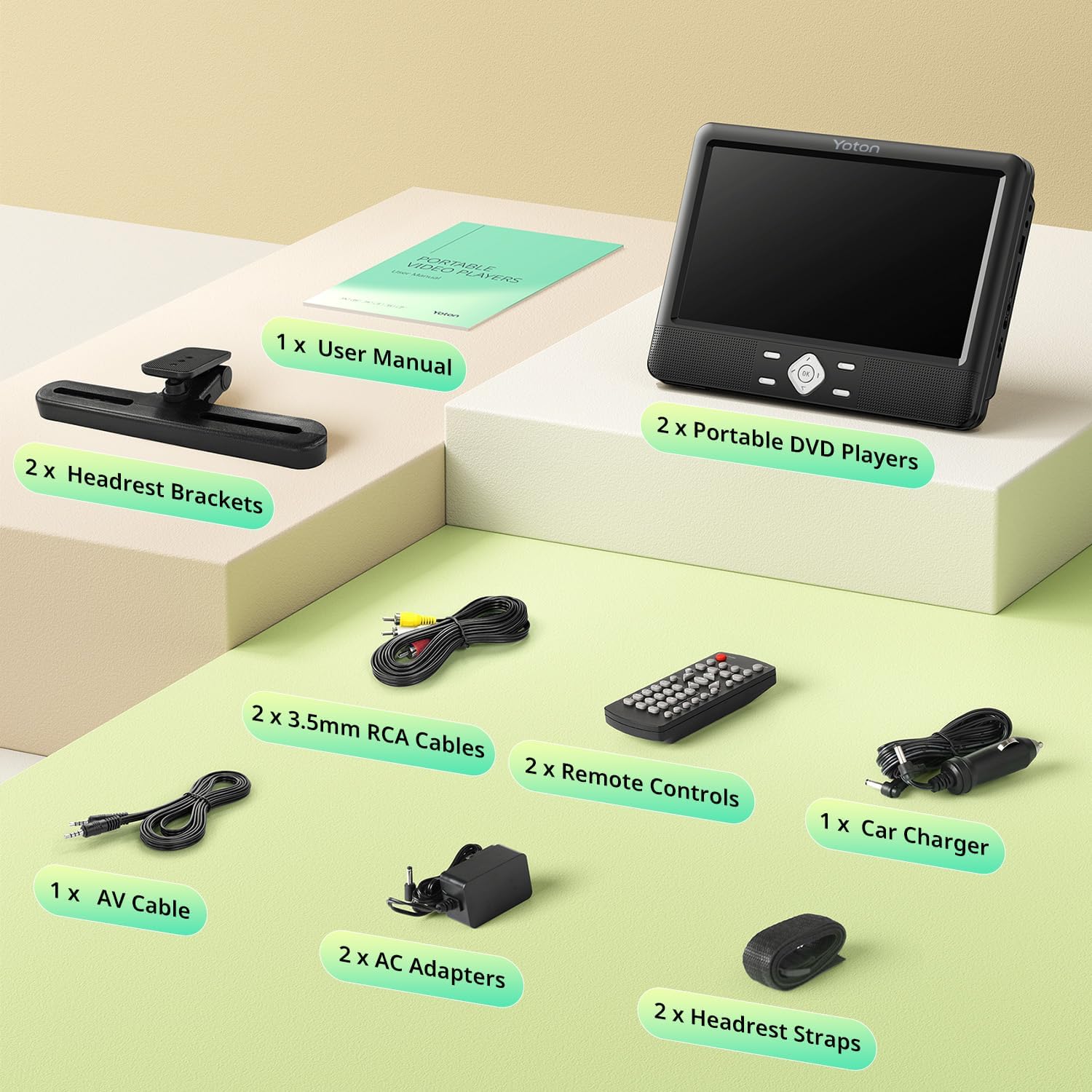
Image: All components included in the YOTON Dual Car DVD Players package.
3. Features
- Dual 10.5-inch LCD Screens: Provides clear and vivid image display for an enhanced viewing experience.
- Rechargeable Battery: Built-in 5000mAh high-capacity rechargeable batteries offer approximately 5 hours of playback after a 3-hour charge.
- Multiple Power Modes: Supports charging via AC adapters (home use) and a 12V car charger.
- Sync Screen Function: Connect players via AV cable to share the same movie, or use RCA cables to synchronize with a TV or projector for a larger display.
- Last Memory Function: Automatically resumes playback from where it was last stopped.
- All Region & Multi-Formats Playback: Compatible with discs from all regions (DVD, DVD±R, DVD±RW, CD, CD±R, CD±RW, VCD, SVCD). Supports USB (max 32GB) for image (JPG, JPEG), audio (MP3, WMA), and video (VOB, AVI, MPEG 1, MPEG 2, DIVX) formats. Note: Does not support 4K, Blu-ray discs, MP4, or Bluetooth.
- Two Installation Methods: Includes customized headrest brackets and straps for versatile and secure mounting in most vehicles.
- Clamshell Design: Facilitates easy disc changes without disassembling the player.
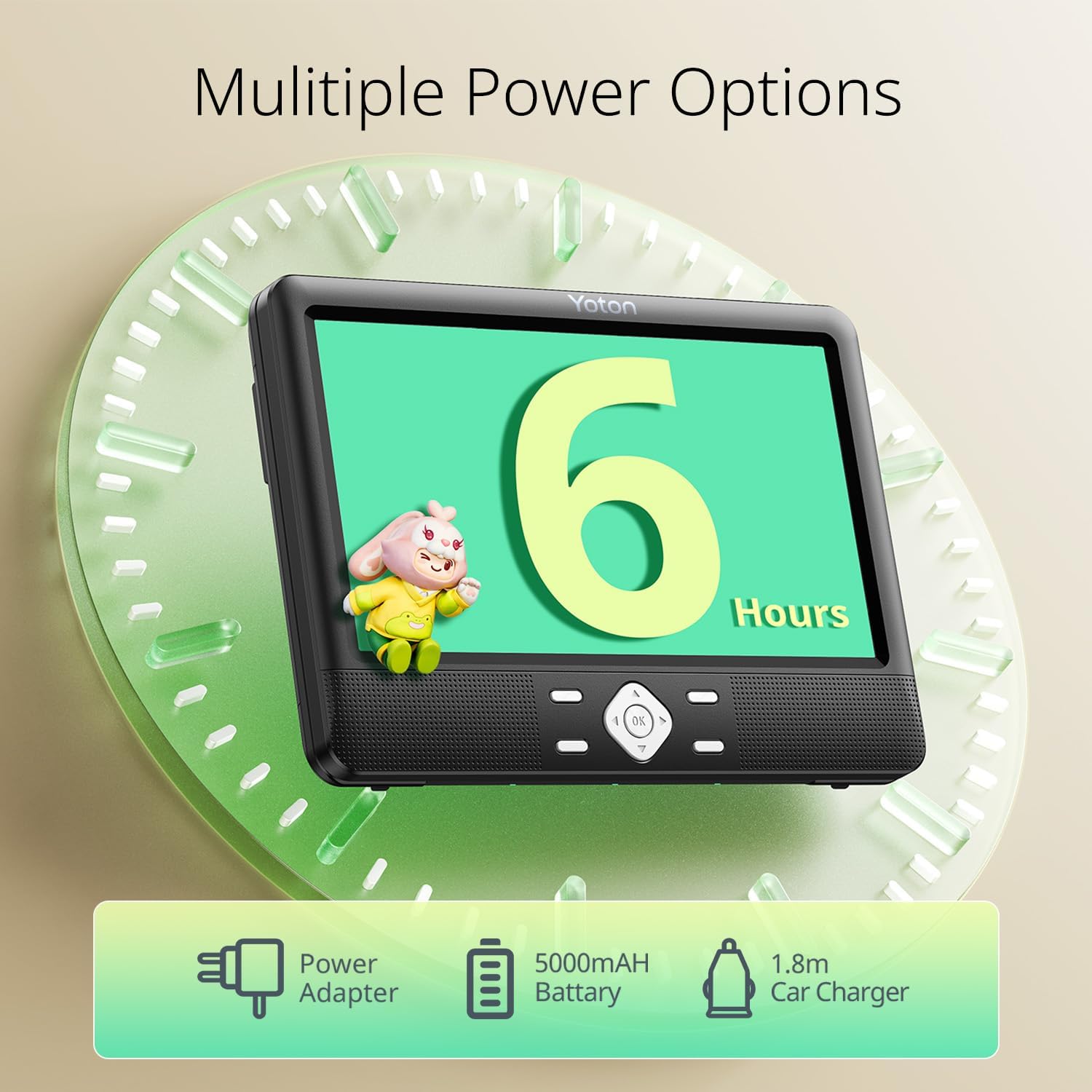
Image: Illustration of the multiple power options and battery life of the YOTON DVD player.
4. Setup
4.1. Mounting the Players
The YOTON DVD players offer two primary installation methods for car headrests:
- Using Headrest Brackets:
Attach the provided headrest brackets to the back of each DVD player. Securely fasten the brackets to the car's headrest posts. This method provides a stable and fixed mounting solution.
- Using Headrest Straps:
Thread the headrest straps through the designated slots on the back of the DVD players. Wrap the straps around the car's headrest and secure them. This method allows for quick installation and removal, and easy transfer between vehicles.

Image: Demonstrates the flexible DVD play modes and headrest mounting options.
4.2. Powering the Players
Your YOTON DVD players can be powered in three ways:
- Built-in Rechargeable Battery: The players come with pre-installed 5000mAh batteries. Charge for approximately 3 hours for up to 5 hours of playback.
- AC Adapters: Use the two included AC adapters to power the players from a standard wall outlet for home use.
- Car Charger: Use the included 12V car charger to power the players in your vehicle.
4.3. Connecting Players for Shared Viewing
To play the same movie on both screens:
- Connect the two DVD players using the supplied AV cable.
- Insert a DVD into the master player. The content will be mirrored on the slave player.
4.4. Connecting to External Displays
To synchronize the screen with a TV or projector:
- Use the supplied RCA cables to connect the DVD player to the AV input ports on your television or projector.
- Select the appropriate AV input source on your external display.

Image: Visual representation of syncing the DVD player screen to a television or projector.
5. Operating Instructions
5.1. Disc Playback
- Open the clamshell lid of the DVD player.
- Carefully place a compatible disc (DVD, CD, VCD, SVCD) onto the spindle, ensuring it clicks into place.
- Close the lid. The player will automatically begin reading the disc.
- Use the on-board controls or the remote control to navigate menus, play, pause, stop, fast forward, or rewind.

Image: Demonstrates the region-free playback capability and disc insertion process.
5.2. USB/SD Card Playback
To play media from a USB drive or SD card:
- Insert a USB drive (up to 32GB) into the USB port or an SD card into the SD card slot.
- Use the player's menu to select the USB or SD source.
- Browse and select your desired image, audio, or video files for playback.
5.3. Last Memory Function
The players feature a built-in last memory function. If the player is turned off or the disc is removed during playback, it will automatically resume from the exact point where it stopped when powered on again or the disc is re-inserted.

Image: Visual explanation of the Last Memory Function, allowing users to resume playback.
5.4. Remote Control Usage
Each player comes with a dedicated remote control for convenient operation from a distance. Point the remote control directly at the player's infrared sensor for optimal response. Refer to the remote control diagram in the included user manual for specific button functions.
6. Maintenance
- Cleaning: Use a soft, dry cloth to clean the player's exterior. For the screen, use a screen-specific cleaning solution and a microfiber cloth. Do not use abrasive cleaners or solvents.
- Disc Care: Handle discs by their edges. Store them in their cases to prevent scratches and dust accumulation.
- Battery Care: For optimal battery life, avoid fully discharging the battery frequently. If storing the players for an extended period, charge them to about 50% every few months.
- Storage: Store the players in a cool, dry place away from direct sunlight and extreme temperatures.
7. Troubleshooting
If you encounter issues with your YOTON DVD players, please refer to the following common problems and solutions:
| Problem | Possible Cause | Solution |
|---|---|---|
| Player does not power on. | Low battery; power adapter/car charger not connected properly. | Charge the battery; ensure power connections are secure. |
| "Open" message displayed when lid is closed. | Lid not fully closed; sensor obstruction. | Ensure the lid is firmly closed until it clicks. Check for any debris near the lid sensor. |
| Disc skipping or stopping playback. | Scratched/dirty disc; player movement; disc not seated properly. | Clean the disc; ensure the player is securely mounted and stable. Re-insert the disc. |
| No sound or distorted sound. | Volume too low; headphones not connected properly; faulty audio cable. | Increase volume; check headphone connection; replace audio cable if necessary. |
| No picture on external display. | RCA/AV cable not connected properly; incorrect input source on TV/projector. | Ensure RCA/AV cables are securely connected to both devices. Select the correct AV input on your TV/projector. |
7.1. Official Product Video
Video: An official demonstration of the YOTON YD108 player, showcasing its features and operation.
8. Specifications
| Attribute | Detail |
|---|---|
| Brand | YOTON |
| Model Number | YD108 |
| Screen Size | 10.5 Inches (11" / 27 cm visible diagonal) |
| Display Type | LCD |
| Color | Black |
| Product Dimensions | 10.24 x 7.48 x 1.57 inches |
| Item Weight | 6.74 pounds |
| Batteries | 2 Lithium Ion batteries required (included) |
| Media Type Supported | CD, DVD, CD-R/RW, DVD-R/+R, DVD+RW/-RW, VCD to SVCD (Blu-ray discs are not supported) |
| USB/SD Support | USB (max 32GB), SD card for JPG, JPEG, MP3, WMA, VOB, AVI, MPEG 1, MPEG 2, DIVX |
9. Warranty & Support
YOTON is committed to providing excellent customer service and product support:
- Warranty: All products purchased from YOTON are covered by a 1-year warranty.
- New Replacement: A new replacement is offered within 365 days of purchase.
- Customer Service: Professional 24/7 customer service is available. For any questions or concerns regarding the product, please reach out to the YOTON support team.
- Parts & Accessories: If you need additional accessories, or if any parts are lost or damaged, you can contact the after-sales service team for free new parts.
- Detailed Instructions: More detailed operation instructions can be downloaded from the Amazon product page or obtained by contacting YOTON via Amazon.

Image: YOTON's commitment to customer satisfaction and support.
Related documentsYD108


Ask a question about this manual
Ask about setup, troubleshooting, compatibility, parts, safety, or missing instructions. Manuals+ will review the question and use this page’s manual context to help answer it.