
1. Overview
The Leupold RX-1400i TBR/W Laser Rangefinder is designed for precision and reliability in various outdoor environments, particularly for hunting and shooting applications. It combines advanced ranging capabilities with a compact, lightweight design.
This rangefinder offers exceptional accuracy, with measurements up to 1,300 yards and True Ballistic Range (TBR) calculations up to 800 yards. Its superior optical system provides bright and clear images, enhancing target acquisition. The integrated Trophy Scale feature assists in estimating target size, making it a valuable tool for hunters.
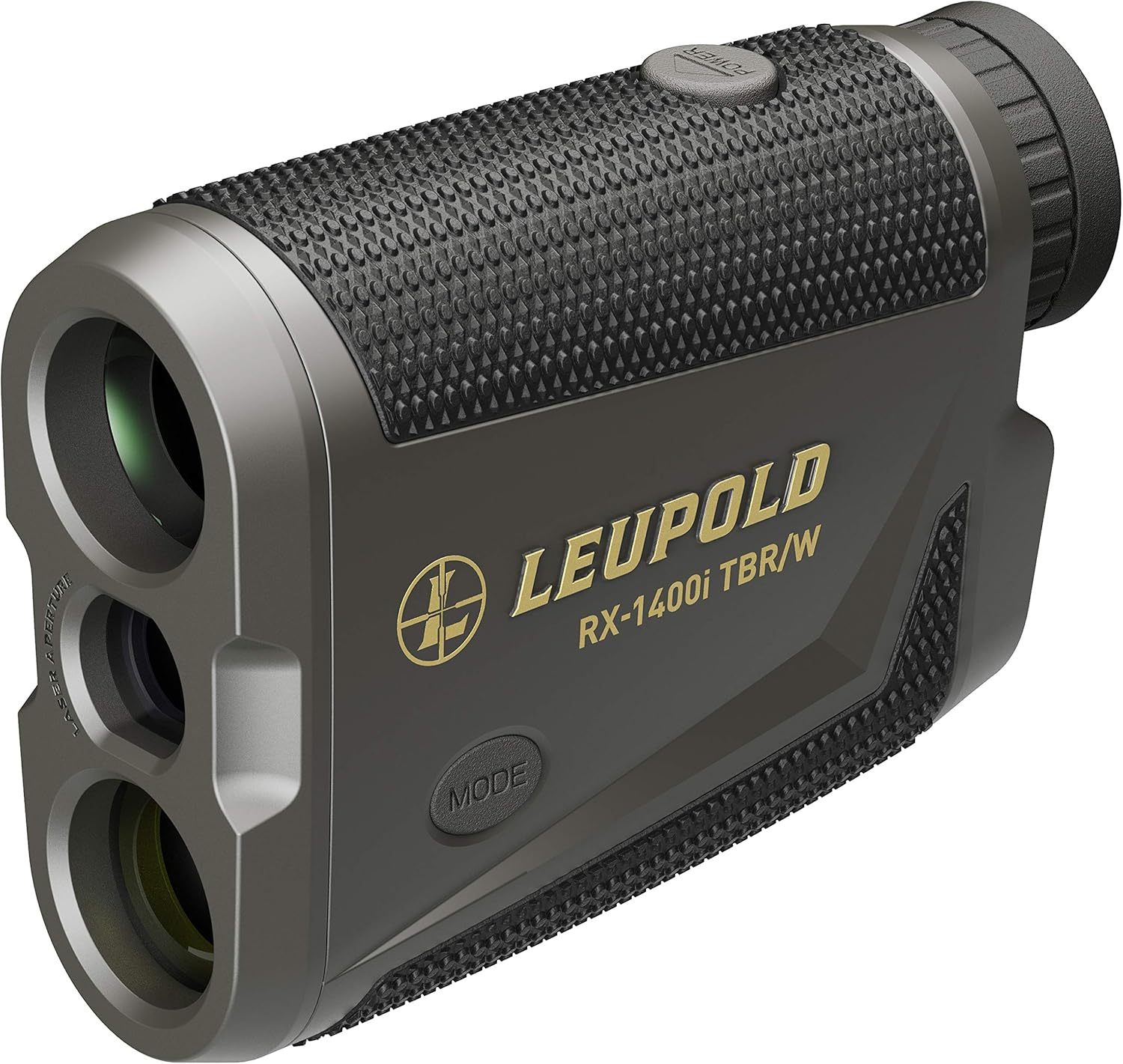
Figure 1.1: Front view of the Leupold RX-1400i TBR/W Laser Rangefinder, showing the objective lens and laser apertures.
2. Key Features
- True Ballistic Range / Wind (TBR/W) Technology: Provides ballistically calculated ranges for accurate shots at various distances and angles. It can also generate a hold point for a 10-mph wind at a 90-degree angle out to 800 yards.
- Bow Mode: Calculates the ballistic equivalent to the target for more accurate uphill and downhill archery shots.
- Line of Sight (LOS): Measures the straight-line distance to a target, irrespective of incline or decline.
- Last Target Mode: Ensures the rangefinder reads the farthest target in the laser's path, preventing interference from foreground objects like grass or twigs.
- Trophy Scale: A unique feature to help gauge an animal's size while ranging.
- Compact Monocular Functionality: Can be used as a lightweight 5x monocular, offering a crisp and clear view even without battery power.
- Durable Construction: Built with aluminum material, designed for rugged outdoor use.
- IP54 International Protection Rating: Indicates protection against dust and splashing water.

Figure 2.1: Rear view of the rangefinder, showing the eyepiece and battery compartment.
3. Setup
3.1 Battery Installation
The Leupold RX-1400i TBR/W uses a single CR2 lithium battery. Ensure the battery is inserted with the correct polarity.
- Locate the battery compartment cap, typically at the rear or bottom of the device.
- Unscrew the cap counter-clockwise.
- Insert one CR2 battery, ensuring the positive (+) end faces inward as indicated by the diagram inside the compartment.
- Replace the battery compartment cap and screw it clockwise until snug to ensure a watertight seal.
3.2 Initial Power On
Press the POWER button (usually located on top) to turn on the device. The display reticle and information will appear in the eyepiece.

Figure 3.1: Side view showing the power and mode buttons for operation.
4. Operating Instructions
4.1 Ranging a Target
- Look through the eyepiece and aim the reticle at your desired target.
- Press and release the POWER button. The range will be displayed in the reticle.
- For continuous scanning, press and hold the POWER button. The range will update as you pan across different targets.
4.2 Mode Selection
The RX-1400i TBR/W offers several modes to optimize ranging for different scenarios. Press the MODE button (usually located on the side) to cycle through the available modes.
- TBR BAS (Basic True Ballistic Range): Displays the equivalent horizontal range. This mode is suitable for scopes with ballistic reticles.
- TBR HOLD: Shows the Line of Sight (LOS) distance and the required holdover in inches or centimeters.
- TBR MIL: Displays the LOS distance and holdover in milliradians (mils), for riflescopes calibrated in mils.
- TBR MOA: Displays the LOS distance and holdover in Minutes of Angle (MOA), for riflescopes calibrated in MOA.
- TBR TRIG (Trigonometry): Shows the LOS distance, briefly flashes the true horizontal distance, and then displays the elevation. This mode is useful for measuring the height of objects like buildings or trees, or vertical climbs on terrain.
- BOW Mode: Primarily for bow and arrow shooting, it provides the equivalent horizontal range for targets up to 175 yards. Beyond this distance, it shows the LOS distance and flashes "LOS" to indicate being out of typical bow range. This mode can also be practical for boating, providing simple line-of-sight distances on flat water.
- LOS (Line of Sight): Displays the direct straight-line distance to the target, along with the angle of ascent or descent. This is useful when the direct distance is preferred, regardless of elevation changes.
To switch between yards and meters, consult the full user manual or typically hold the MODE button for a few seconds while the unit is on, but not ranging, until the unit changes.

Figure 4.1: Opposite side view of the rangefinder, showing its sleek profile.
5. Maintenance
5.1 Cleaning
- Lenses: Use a soft, lint-free cloth (preferably a microfiber lens cloth) to gently wipe the lenses. For stubborn smudges, a small amount of lens cleaning solution designed for optics can be applied to the cloth, not directly to the lens.
- Body: Wipe the body of the rangefinder with a damp cloth. Avoid harsh chemicals or abrasive materials.
5.2 Storage
Store the rangefinder in a cool, dry place when not in use. If storing for extended periods, it is recommended to remove the CR2 battery to prevent potential leakage.
6. Troubleshooting
- No Display/Unit Not Turning On:
- Check battery orientation.
- Replace the CR2 battery with a fresh one.
- Inaccurate Readings or No Reading:
- Ensure a clear line of sight to the target. Obstructions like dense fog, heavy rain, or very small targets at long distances can affect performance.
- Verify that the minimum ranging distance (6 yards) is met. The device may not provide a reading for targets closer than this.
- Ensure the target has a reflective surface. Very dark or non-reflective surfaces can be harder to range.
- Clean the objective and eyepiece lenses.
- Display Flickering or Dim:
- Battery may be low. Replace the CR2 battery.
- Ensure proper battery contact.
7. Specifications
| Attribute | Detail |
|---|---|
| Model Name | TBR Laser Rangefinder |
| Model Number | 179640 |
| Brand | Leupold |
| Color | Gray/Black |
| Material | Aluminum |
| Item Weight | 0.29 Kilograms (approx. 7 ounces) |
| Product Dimensions (LxWxH) | 4"L x 1.3"W x 3"H |
| Battery Type | CR2 Lithium (Included) |
| Magnification Maximum | 5x |
| Measuring Range | Up to 1400 yards |
| International Protection Rating | IP54 |
| Minimum Ranging Distance | 6 yards |

Figure 7.1: Dimensions of the Leupold RX-1400i TBR/W Laser Rangefinder.
8. Warranty and Support
8.1 Warranty Information
The Leupold RX-1400i TBR/W Laser Rangefinder is backed by Leupold's Lifetime Guarantee. This warranty covers manufacturing defects and ensures the product's performance for its lifetime. For full details and terms, please refer to the official Leupold website or contact their customer service.
8.2 Customer Support
For any questions, technical assistance, or warranty claims, please contact Leupold customer support. Their team is available to provide guidance and resolve any issues you may encounter with your rangefinder.
You can typically find contact information (phone numbers, email, or support portals) on the official Leupold website: www.leupold.com


