
1. Important Safety Instructions
Please read all instructions carefully before using your Coolblus Portable Air Conditioner. Keep this manual for future reference.
- Always connect the unit to a grounded 110V/60Hz power outlet.
- Do not operate the unit with a damaged power cord or plug. If damaged, contact qualified service personnel.
- Do not block air inlets or outlets. Maintain at least 20 inches (50 cm) clearance from walls or other objects.
- Do not insert fingers or foreign objects into the air grilles.
- Ensure the unit is placed on a flat, stable surface to prevent tipping.
- Unplug the unit before cleaning or performing any maintenance.
- This appliance is not intended for use by persons (including children) with reduced physical, sensory or mental capabilities, or lack of experience and knowledge, unless they have been given supervision or instruction concerning use of the appliance by a person responsible for their safety.
2. Product Overview
The Coolblus 8500 BTU Portable Air Conditioner is a versatile 3-in-1 unit designed for cooling, dehumidifying, and fan operation. It features a compact design with handles and 360-degree casters for easy mobility.
Key Features:
- 8500 BTU Cooling Capacity: Suitable for rooms up to 360 square feet.
- 3-in-1 Functionality: Cool, Dehumidify, and Fan modes.
- Remote Control: Convenient operation from a distance.
- Portable Design: Integrated handles and casters for easy movement.
- Auto Clean Feature: Helps maintain internal cleanliness.
- Quiet Operation: Noise level of 52 dB.
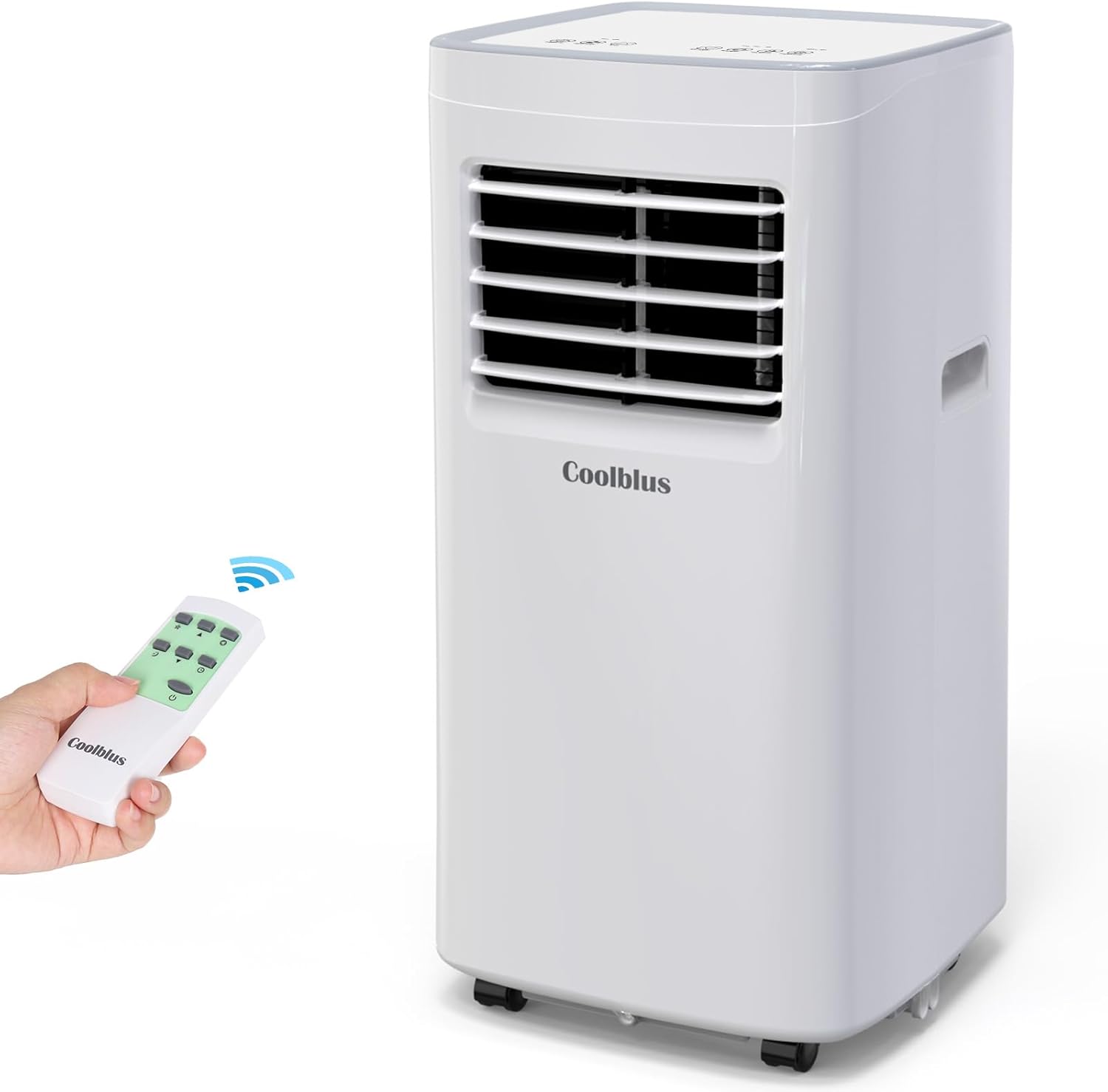
Image 2.1: The Coolblus Portable Air Conditioner unit with its remote control.

Image 2.2: Unit dimensions (26.2in H x 12.2in D x 12.5in W) and features like handles and 360-degree casters for easy movement.
3. Setup and Installation
Proper setup is crucial for efficient operation. The unit comes with an exhaust hose, window slide bar, and adapter for window installation.
3.1 Unpacking
- Carefully remove the air conditioner from its packaging.
- Check for any shipping damage. If damaged, do not operate and contact your retailer.
- Retain the original packaging for future storage or transport.
3.2 Placement
- Place the unit on a firm, level surface in the desired room.
- Ensure there is at least 20 inches (50 cm) of space around the unit for proper airflow.
- Position the unit near a window for exhaust hose installation and a grounded electrical outlet.
3.3 Window Kit Installation
- Attach the exhaust hose to the back of the air conditioner unit.
- Connect the window adapter to the other end of the exhaust hose.
- Adjust the window slide bar to fit your window opening.
- Insert the window adapter into the opening of the slide bar.
- Close the window securely against the slide bar to seal the opening.
- Ensure the exhaust hose is as straight and short as possible to maximize efficiency. Avoid sharp bends.

Image 3.1: Diagram showing the exhaust hose connected to the unit and extending to a window kit for heat expulsion. Also shows internal components like evaporator and condenser filters, handles, and drainage hole.
4. Operating Instructions
Your Coolblus Portable Air Conditioner can be operated using the control panel on the unit or the included remote control.
4.1 Control Panel and Remote Control
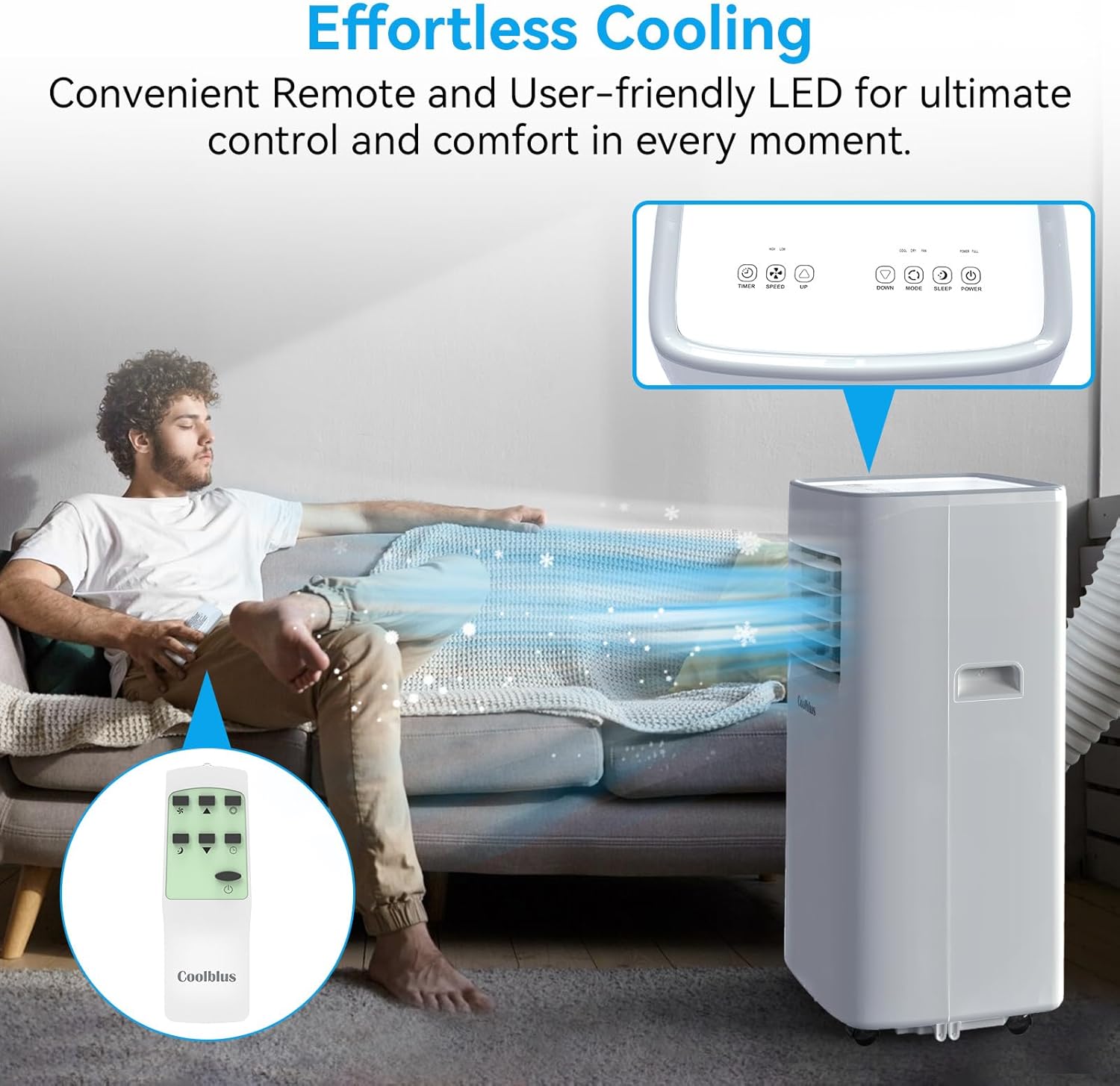
Image 4.1: Close-up of the unit's LED control panel and the remote control, highlighting user-friendly interfaces.
4.2 Operating Modes

Image 4.2: Icons representing the three modes: Cooling (61°F-88°F), Fan (Low/High Speed), and Dehumidifier (1.2L/Hour).
- Cooling Mode: Press the 'Mode' button until the snowflake icon appears. Use the temperature up/down buttons to set your desired temperature between 61°F (16°C) and 88°F (31°C).
- Fan Mode: Press the 'Mode' button until the fan icon appears. Use the 'Fan Speed' button to select between low and high fan speeds.
- Dehumidifier Mode: Press the 'Mode' button until the water droplet icon appears. The unit will remove moisture from the air at a rate of approximately 1.2 liters per hour.
4.3 Additional Functions
- Timer: Set the unit to turn on or off automatically after a specified period (up to 24 hours).
- Sleep Mode: Activates quiet operation and gradually adjusts the temperature for comfortable sleep.
- Auto Clean: Initiates an internal cleaning cycle to prevent mold and mildew buildup.
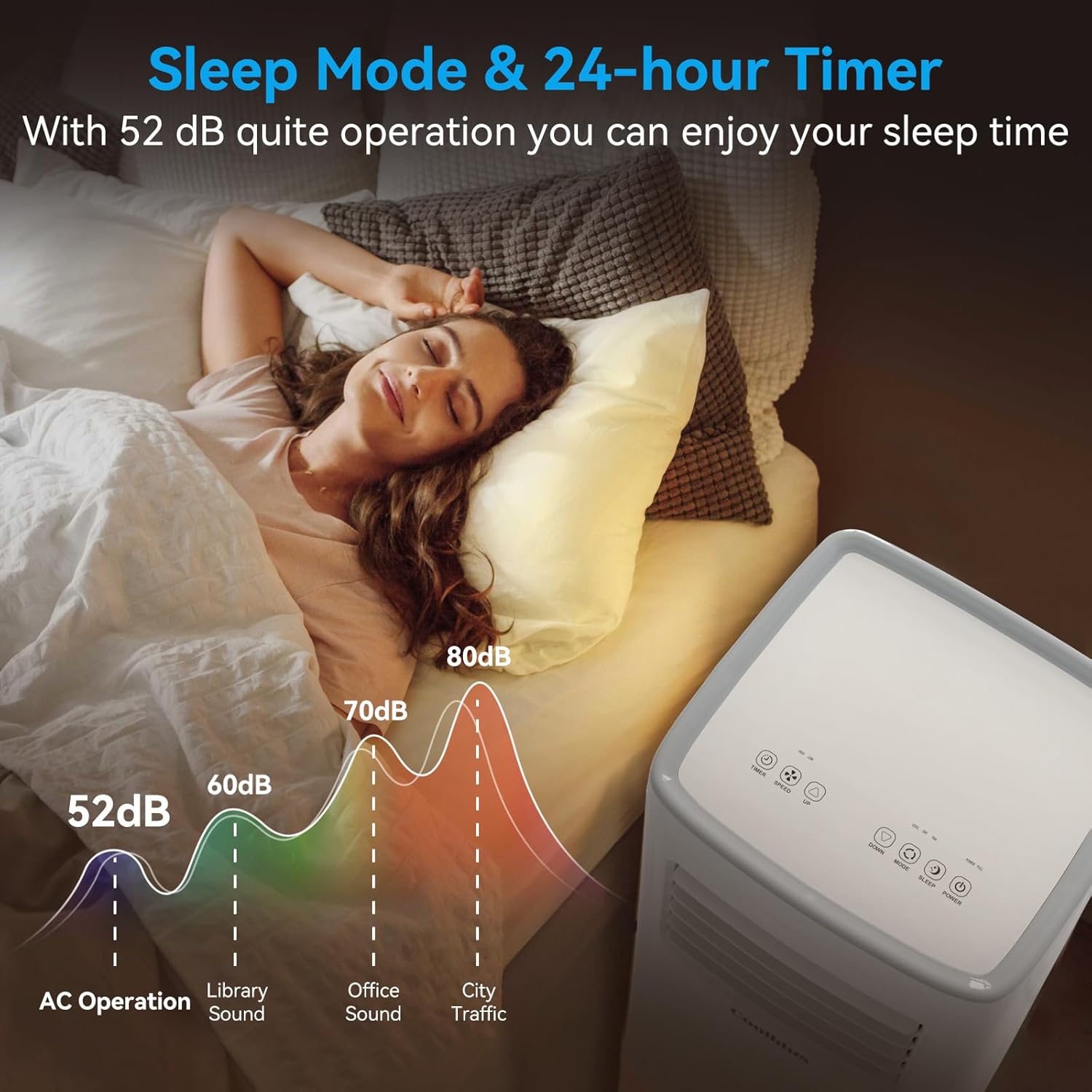
Image 4.3: Illustration of sleep mode with a person sleeping peacefully, indicating a low noise level of 52 dB during AC operation compared to other environmental sounds.
5. Maintenance
Regular maintenance ensures optimal performance and extends the lifespan of your air conditioner.
5.1 Air Filter Cleaning
The air filters (evaporator and condenser filters) should be cleaned every two weeks or more frequently depending on usage and air quality.
- Unplug the air conditioner from the power outlet.
- Locate and remove the air filters from the back of the unit (refer to Image 3.1 for filter locations).
- Wash the filters with warm, soapy water. Rinse thoroughly.
- Allow the filters to air dry completely before reinstalling. Do not expose to direct sunlight.
5.2 Drainage
This unit is designed as a 'Non-Drain Type' for most cooling operations, meaning condensed water is typically evaporated and expelled with the exhaust air. However, in high humidity conditions, the internal water tank may fill. The unit has a continuous drainage hole for optional use.
- If the unit stops operating and displays a 'Full Water' indicator, manually drain the water.
- Locate the drainage hole at the bottom rear of the unit (refer to Image 3.1).
- Place a shallow pan or tray beneath the drainage hole.
- Remove the drain plug to allow water to flow out.
- Replace the drain plug once all water has been drained.
- For continuous drainage, connect a suitable drain hose (not included) to the drainage hole and direct it to a floor drain or bucket.
5.3 Storage
When storing the unit for an extended period:
- Unplug the unit and drain any remaining water.
- Clean the air filters.
- Run the unit in fan-only mode for a few hours to dry the internal components.
- Cover the unit with a plastic bag or cloth to protect it from dust.
- Store in a dry, cool place.
6. Troubleshooting
Before contacting customer service, please refer to the following troubleshooting guide for common issues.
| Problem | Possible Cause | Solution |
|---|---|---|
| Unit does not turn on | No power; Power cord not plugged in; Circuit breaker tripped; Water tank full. | Ensure unit is plugged in; Check circuit breaker; Drain water tank if full. |
| Unit does not cool effectively | Window kit not properly installed; Room too large; Air filters dirty; Doors/windows open; Air intake/exhaust blocked. | Ensure window kit is sealed; Close doors/windows; Clean air filters; Clear obstructions. |
| Unit is noisy | Unit not on a level surface; Air filter dirty; Internal component loose. | Place on a level surface; Clean air filter; If noise persists, contact support. |
| Water leakage | Drain plug loose; Unit tilted; Continuous drain hose not properly connected. | Secure drain plug; Ensure unit is level; Check continuous drain hose connection. |
7. Specifications
Technical details for the Coolblus Portable Air Conditioner Model A019K-05KR.
| Feature | Detail |
|---|---|
| Brand | Coolblus |
| Model Number | A019K-05KR |
| Cooling Capacity | 8500 BTU |
| Coverage Area | Up to 360 Square Feet |
| Functions | Cool, Fan, Dehumidify |
| Voltage | 110 Volts |
| Wattage | 840 watts |
| Noise Level | 52 dB |
| Refrigerant | R 410A |
| Product Dimensions (L x W x H) | 13 x 12.9 x 27 inches |
| Item Weight | 44 pounds |
| Special Features | Auto Clean, Remote Control, Sleep Mode, 24-hour Timer |
| Included Components | 1.5m Exhaust hose, window slide bar and adaptor, remote control |
8. Warranty and Support
For warranty information or technical support, please refer to the documentation included with your purchase or contact the manufacturer directly. Keep your proof of purchase for warranty claims.
This product is offered as an Amazon Renewed item, which typically includes a specific Amazon Renewed Guarantee for replacement or refund if not satisfied. Please refer to the Amazon Renewed program details for specific terms and conditions related to your purchase.


